
.svg)

To build an AI SDR, you need five things: a knowledge base trained on your real sales and product content, a short set of qualification questions, rules for when to capture an email or offer a meeting, visual proof like demos and comparison sheets, and a connection to your CRM so sales can act on what the agent learns. You can wire these together yourself with vibe-coding tools and an LLM API, or configure them in an AI SDR platform like RepX in a day.
Below, we cover what any AI SDR needs, the DIY route, and a step-by-step RepX build based on what we've learned setting up agents for customers.
TL;DR
- An AI SDR answers buyer questions, qualifies leads, and books meetings. Inbound AI SDRs do this on your website, 24/7.
- Every AI SDR needs five things: a knowledge base, qualification logic, handoff rules, visual proof, and a CRM connection.
- You can vibe-code a prototype in a few hours. Making it a reliable rep takes weeks of extra work and ongoing maintenance.
- On RepX, you can go from setup to launch in a day: name your agent, set its goals, train it on your content, write two or three qualification questions, and connect your CRM.
- Short conversations win. In our analysis of 1,332 RepX conversations, the median conversation that converted ran five buyer messages.
What is an AI SDR?
An AI SDR is an AI agent that handles the early stages of the sales conversation: answering buyer questions, qualifying leads, and booking meetings for your sales team.
Outbound AI SDRs send personalized emails and LinkedIn messages. Inbound AI SDRs live on your website and talk to visitors who are already there. This guide covers the inbound kind, where most marketers lose pipeline: buyers arrive with a question, can't find the answer fast, and leave.
What every AI SDR needs, whether you build or buy
Use these five components as your checklist for building one or comparing products.
- A knowledge base built from real conversations. Your website answers some questions. Your help center, internal docs, and sales call transcripts answer the rest.
- Qualification logic. A few questions that tell your sales team who this person is and whether they're a fit.
- Handoff rules. When to ask for an email, when to offer a meeting, and which calendar to route to.
- Assets and proof. Buyers want to see the product. The agent should be able to show a demo, a pricing sheet, or a competitive comparison in the chat.
- CRM and team alerts. Every conversation should land in your CRM with a summary, and the right rep should know about it right away.
Can you vibe-code an AI SDR?
Yes. With tools like Cursor, Replit, Lovable, or Claude, you can prompt your way to a working chat widget in a few hours. The basic recipe:
- Scrape your website and docs into a vector database
- Connect an LLM with a system prompt that describes your product and qualification questions
- Build a chat widget and embed it on your site
- Post captured emails to your CRM through a webhook
That's a prototype. Making it a reliable rep takes longer: keeping answers current when pricing changes, stopping it from quoting a discount from an old transcript, choosing which demo to show, routing leads by segment, and reporting on results. Each is its own project, and you own the maintenance.
If you want full control and have engineering time, building your own is a great learning exercise. If you want an agent live this week that marketing can tune without filing tickets, an AI SDR platform gets you there faster.
How to build an AI SDR on RepX, step by step
There are plenty of AI SDR platforms to choose from, and we've compared the best AI SDR tools for inbound and outbound separately. Since we've built our own AI SDR platform (RepX), we'll use it to walk through a setup from scratch. Learn more about RepX.
Step 1: Map the questions buyers actually ask
Start with the questions, before the content. Across RepX agents, visitor questions fall into five groups:
- Product capability questions ("Can it do X?")
- Pricing questions, especially on pricing pages ("What's the right plan for me?")
- Competitive and switching questions ("How do you compare to X?")
- Integration and implementation questions ("Do you integrate with HubSpot?")
- Off-topic questions from job seekers and existing customers who need support
Pricing and capability questions alone account for 42% of what buyers ask, according to our analysis of 1,332 RepX conversations. Each group needs a source, which shapes what you upload next.
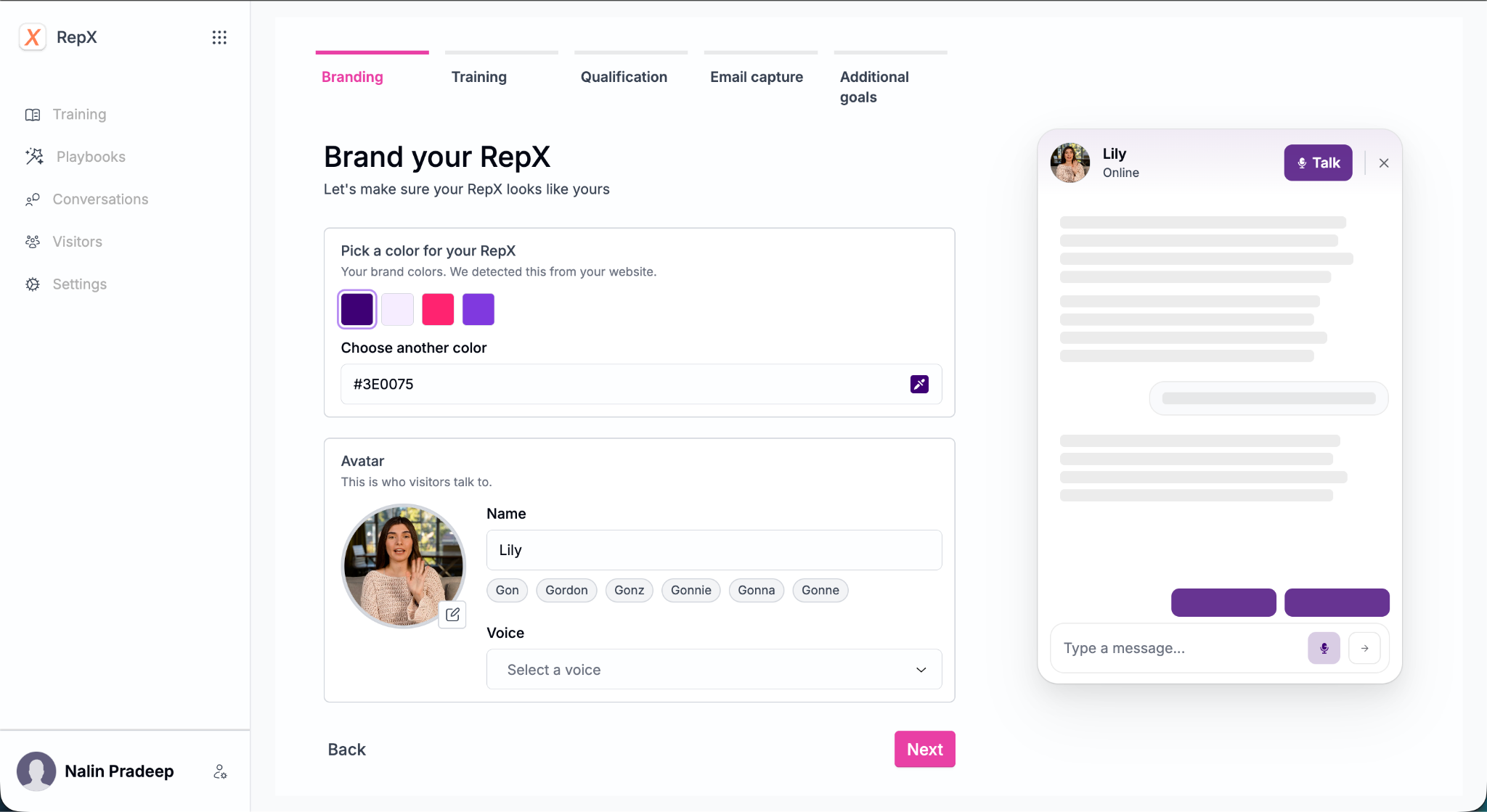
Step 2: Set up your agent's name, look, voice, and goals
Before you train anything, set up how your agent looks, sounds, and asks visitors.
- Name your agent. Pick a name visitors can address directly, like "Lily." A name makes the chat feel like talking to a rep.
- Choose an avatar. Pick one of the built-in AI avatars or upload your own. Custom avatars only appear in text chat mode.
- Pick an interaction mode. Text chat keeps the whole conversation in text. Voice mode shows a voice orb, and video mode shows your avatar on video. In both, text is the default, and visitors can click "Talk" to speak with the agent. RepX asks visitors for microphone access only, never their camera.
- Set your email capture and goals. Decide what counts as a win for this agent, such as capturing an email, booking a meeting, or starting a trial, and when RepX should ask for contact details. You'll tune this per page later with qualification questions and playbooks, but a clear default goal keeps every conversation moving toward a next step.
Step 3: Train it on the right content
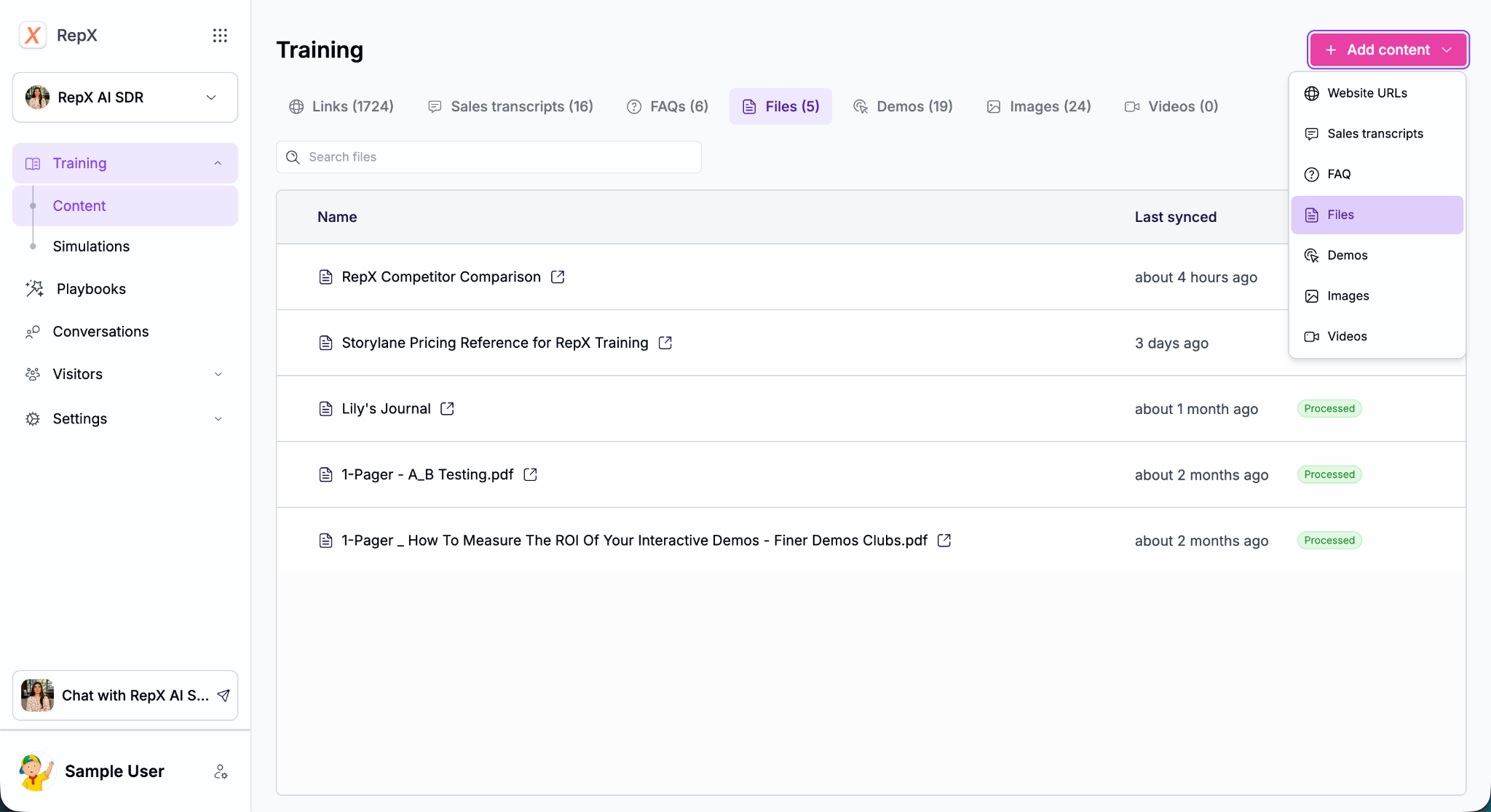
In RepX, you add training content under four source types:
- Website content. Add your site, help center, and release notes (the freshest product info). Exclude blogs, press pages, and podcasts, which add noise.
- Docs. Upload PDFs, DOCX, or Markdown for anything not public, like internal training guides. Docs inform answers but are never shown to visitors.
- Sales transcripts. Pick around 30 strong calls from your top three reps and upload the transcripts (.txt, .vtt, .doc, or .pdf). RepX turns them into FAQs you can review. Check these carefully and remove any custom pricing or one-off discounts before they go live.
- FAQs. RepX prioritizes FAQ answers over everything else, so use them anywhere you need precise, approved wording: pricing, compliance, and competitor comparisons.
A quick prompt to find the right calls in any call recording tool:
"Here is our ICP: [describe it]. Find calls from our repository that most closely match conversations with this ICP, and list links to them."
Step 4: Add demos, images, and videos
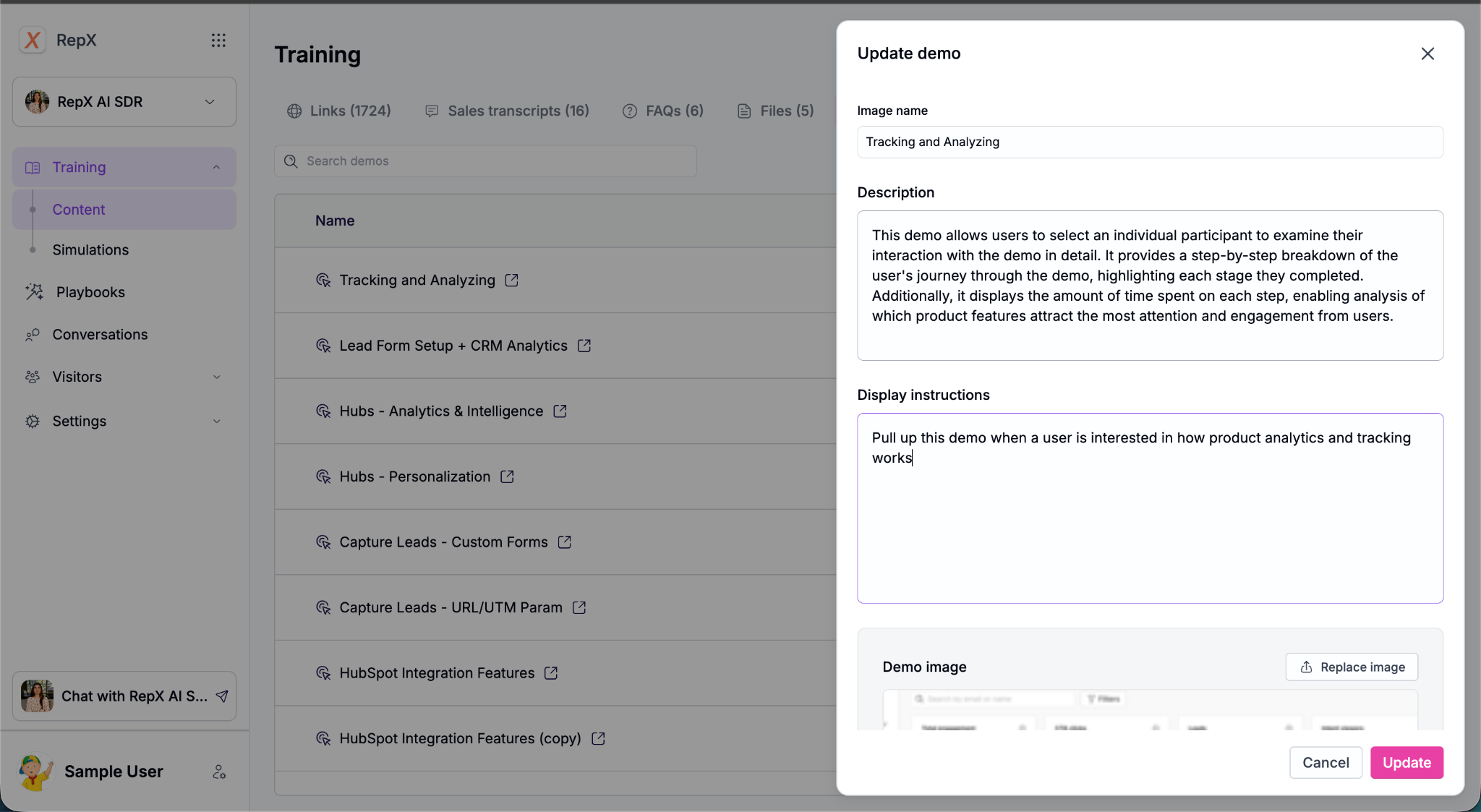
RepX can also show content. For each demo, image, or video, you write a short description and a plain-language display instruction, such as: "Show this to visitors asking about native reporting, but not to visitors asking about the Tableau integration."
Rule of thumb: use interactive demos for product capability questions and images for everything else. Treat images as sales assets: a pricing overview, one comparison sheet per competitor, a security summary, a case study with ROI, and a "why us" slide. (For more on how the two work together, see interactive demos vs. RepX.)
Step 5: Write qualification questions that people will answer
Most teams overbuild here. Visitors don't stick around for long discovery flows: in our conversation data, the median conversation that converted ran just five buyer messages.
- Keep it to two or three questions. You can branch after the first answer.
- Offer choices. Multiple-choice options show up as clickable replies, which are far easier to answer than open-ended questions.
- Make every answer useful to sales, so a rep can place the lead in an ICP segment.
- Ask for the email early, and give a reason when you do.
- Disqualify gracefully. Poor-fit leads can still join a nurture track.
Example: A retail intelligence company asks whether the visitor is a brand, retailer, broker, or agency, then asks for store count with two options: under or over 500. Under 500, the agent explains the product fits larger footprints and offers to stay in touch by email. Over 500, it asks about their top priority, then captures email and offers a meeting.
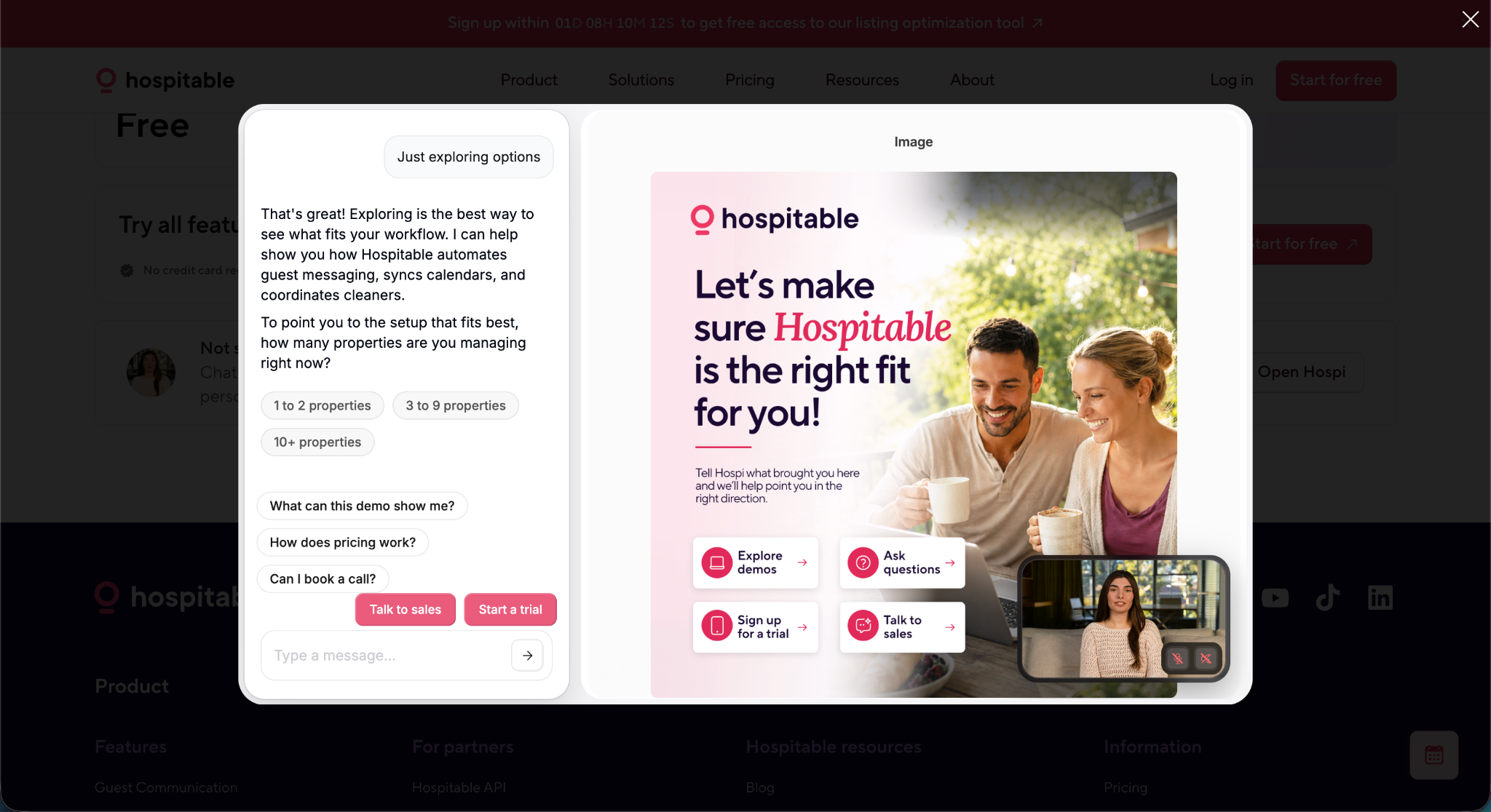
Selling multiple products? Identify which one the visitor cares about first, then ask product-specific questions.
Stuck on where to start? Try this prompt in any LLM:
"Here's the URL of our business: [URL]. Act as an AI sales agent embedded on our website. Most visitors are top-of-funnel and low intent. What simple qualification questions would you ask them, with multiple-choice answers?"
Step 6: Set up playbooks and meeting routing
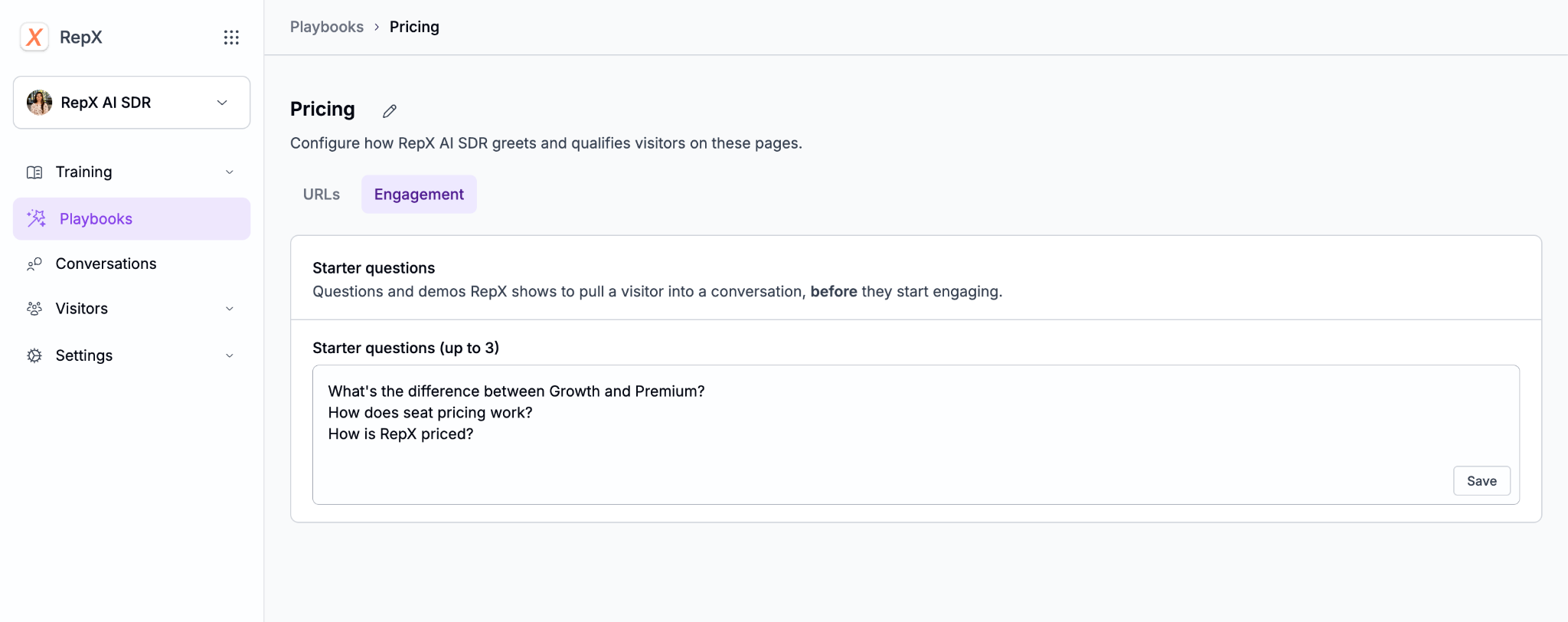
Playbooks tell RepX how to run conversations on specific parts of your site. A default playbook covers every page, and you can add others for high-intent pages like /pricing using exact match, starts with, or contains rules.
Each playbook has a qualification prompt, popup nudges (starter questions and demos in the launcher), and scheduling links from Calendly, Chili Piper, HubSpot, or a custom tool. Write scheduling instructions as: what has to be true first, what to do, and what not to do. That's how you send small accounts to a trial and larger ones to an enterprise calendar.
Step 7: Define what you want to capture
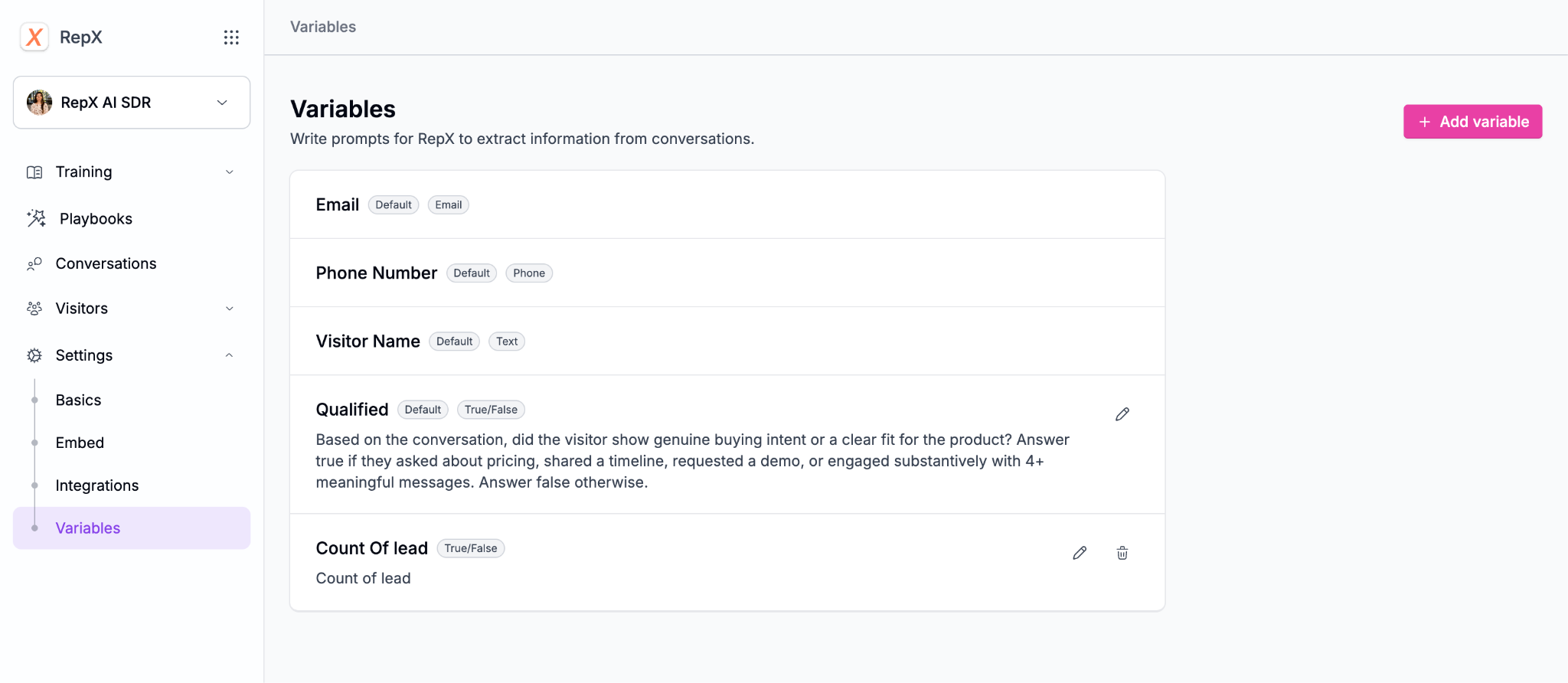
Conversation variables pull structured data from every chat. RepX captures name, email, phone, and a "Qualified" flag (with a prompt you can edit) by default. Add custom ones for pain points, product interest, current tooling, and timeline.
Step 8: Connect your CRM and Slack
RepX syncs transcripts, summaries, and topics to HubSpot or Marketo, and to anything else via Zapier or webhooks, so every conversation becomes a buyer intent signal your team can act on. Slack alerts post each conversation summary and tag the HubSpot lead owner, so the right rep follows up while the buyer is warm.
Step 9: Test, then launch
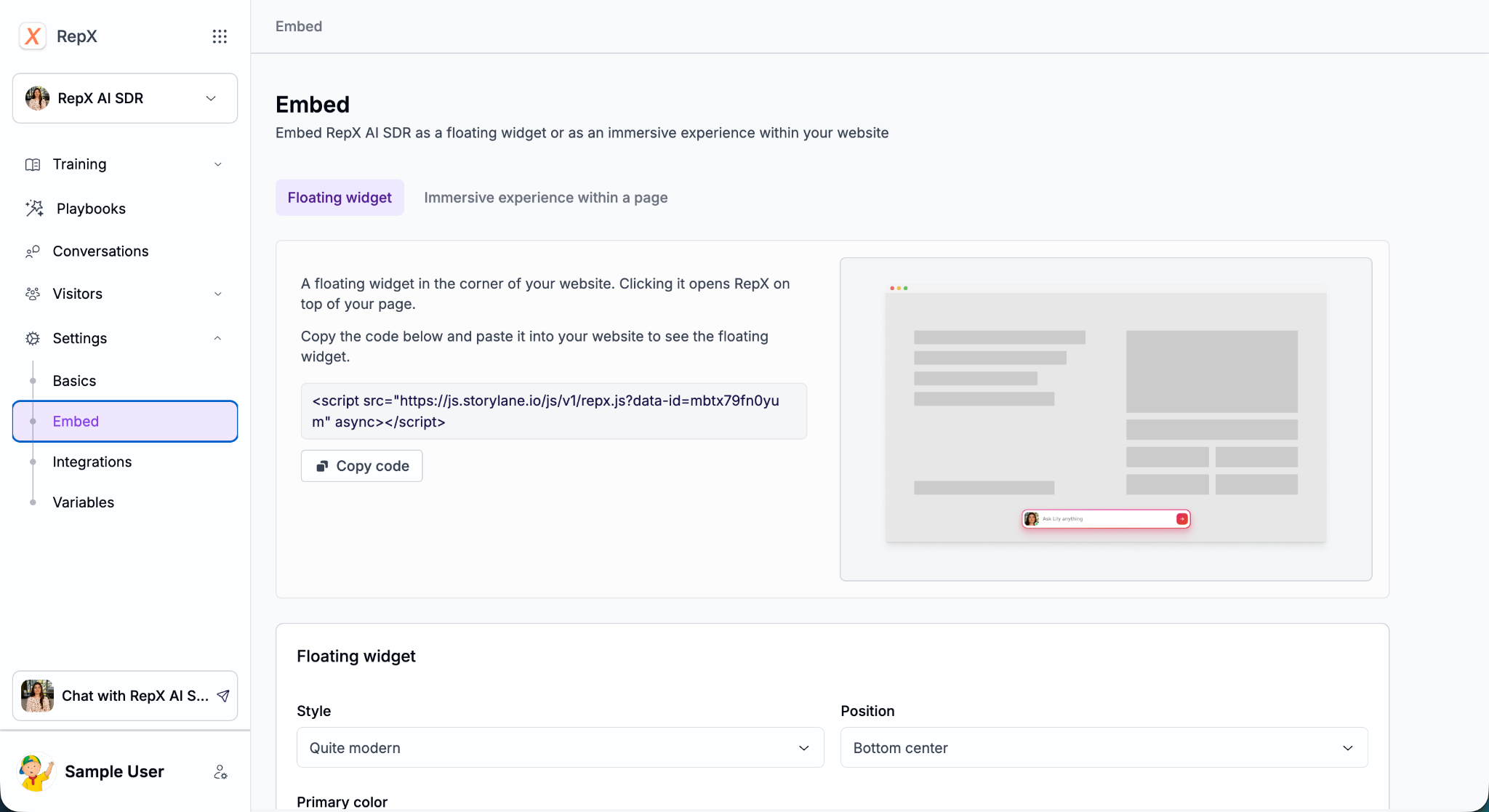
Chat with your agent from the dashboard and try the hard questions: competitor comparisons, pricing edge cases, support requests. Fill gaps with FAQs. Then launch as a chat widget or an immersive view embedded on a dedicated page or after a form submission. The RepX docs cover each setting in detail.
Start small, then let the conversations teach you
Your first version doesn't need to be perfect. Start with your website, help center, a handful of sales transcripts, and two or three qualification questions. Then launch on one high-intent page, like pricing, and watch what buyers actually ask.
Those conversations will show you where the gaps are. Maybe it's a competitor question your FAQs don't cover, a demo that should appear sooner, or a meeting prompt that comes in too late. Fix a few each week, and your AI SDR will keep getting better at the job your team has been doing by hand.
Every conversation also lands in your CRM, so you're learning more about your buyers while the agent does the work.
Frequently asked questions
1. What is the difference between an AI SDR and a chatbot?
A traditional chatbot follows rule-based scripts. An AI SDR generates answers from your own content, qualifies visitors through conversation, shows demos and assets in context, and routes sales-ready leads to the right calendar and CRM record.
2. Should I build or buy an AI SDR?
Build if you have engineering time and want full control over every component. Buy if you want an agent live quickly that your marketing team can train, tune, and measure without developer support. If you're already weighing platforms, see how Drift, Qualified, and RepX compare.
3. How long does it take to build an AI SDR?
On RepX, you can have a trained agent live in a day, mostly spent gathering content and writing qualification questions. A custom build takes a weekend to prototype and weeks to make production-ready.
4. How many qualification questions should an AI SDR ask?
Two or three, with multiple-choice answers. Conversations are short, so ask for the email as soon as you have the basics your sales team needs.
5. Do AI SDRs work outside business hours?
Yes, and that matters more than most teams expect. In our analysis of 1,332 RepX conversations, 51.4% started outside the buyer's working hours, and those conversations were just as long and just as likely to qualify.
6. How do you measure an AI SDR's performance?
Track conversations, emails captured, meetings booked, and the share of conversations marked qualified. In RepX, each playbook reports these numbers, so you can compare how different pages perform.