.svg)
.svg)
.gif)



Quick summary
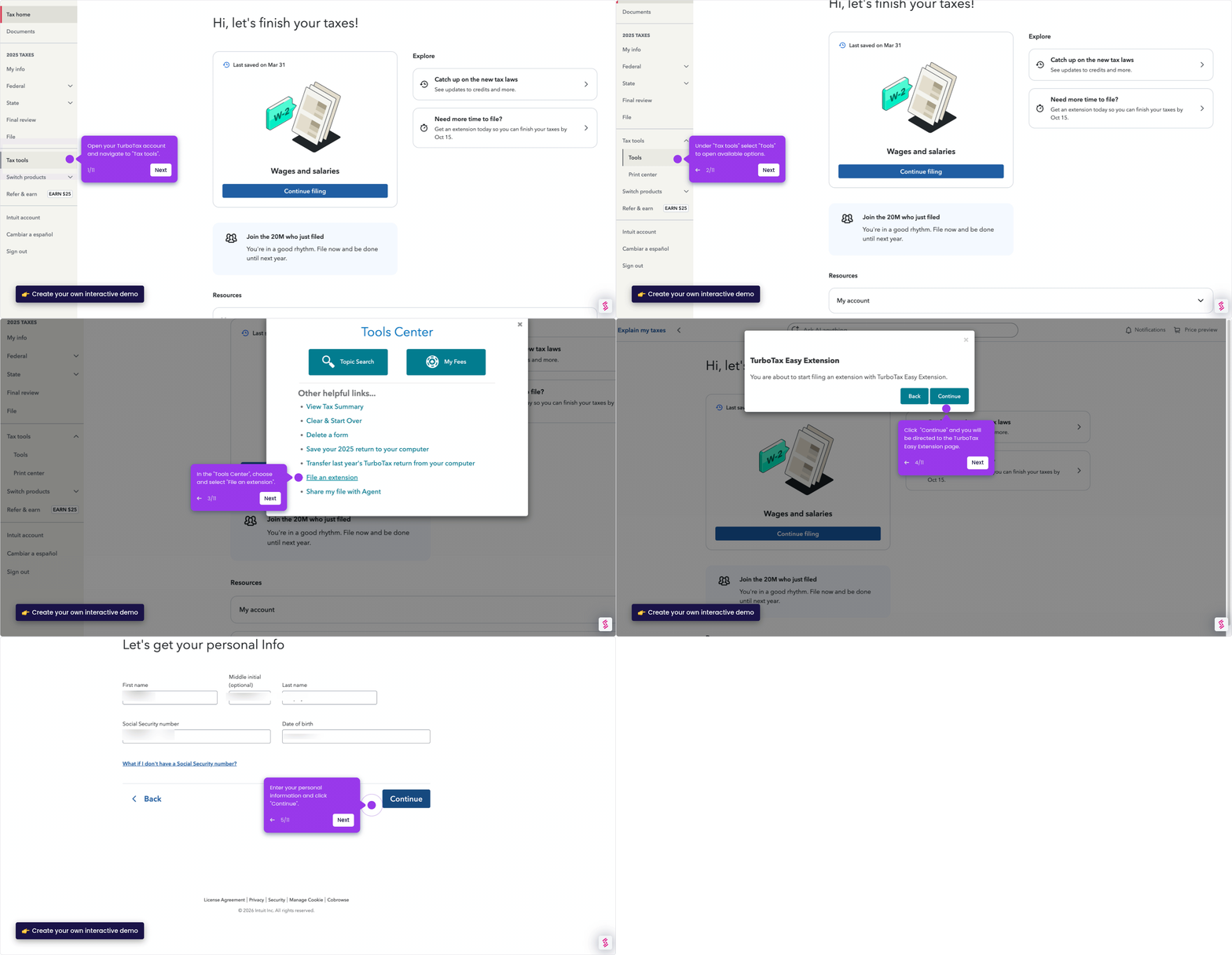
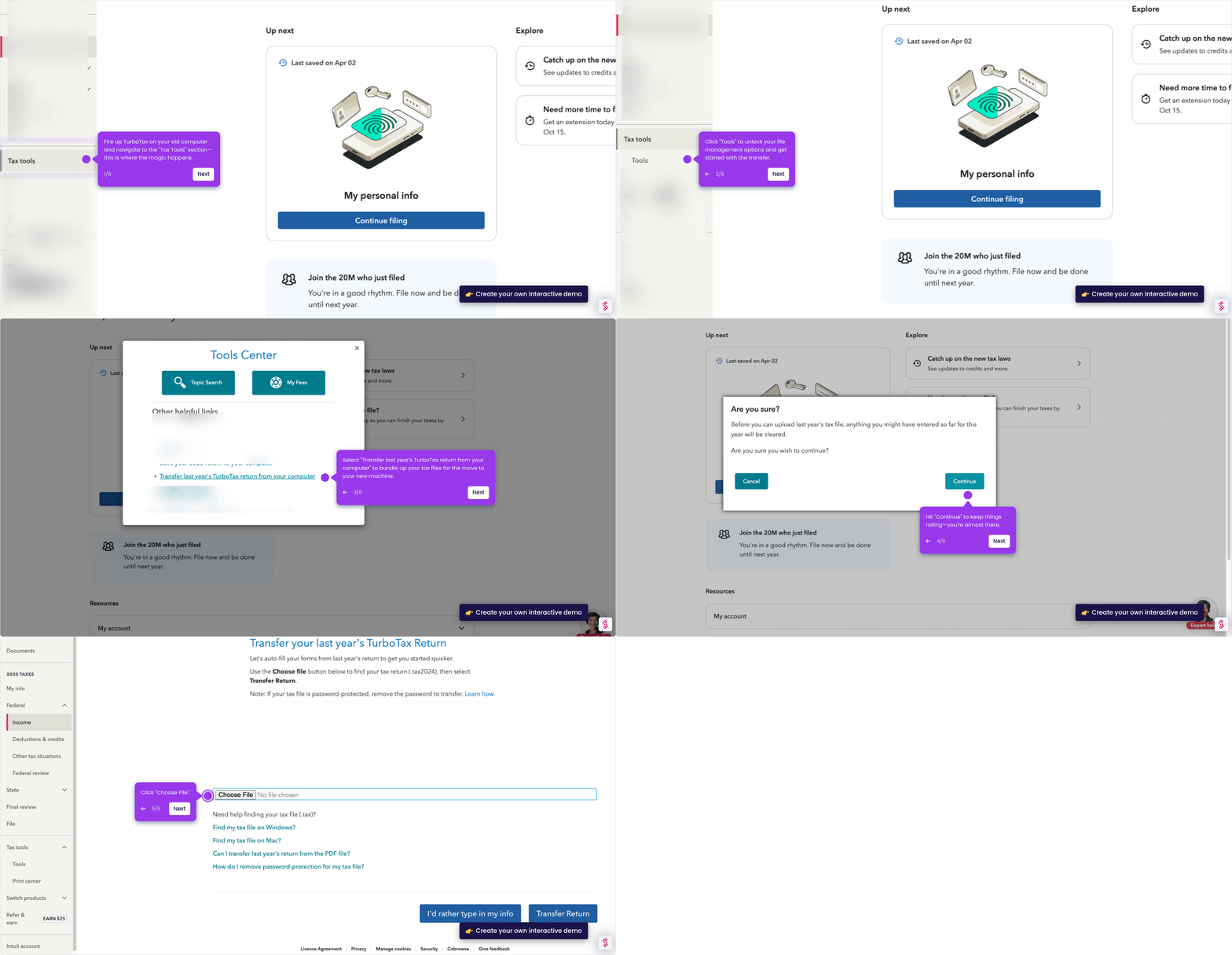
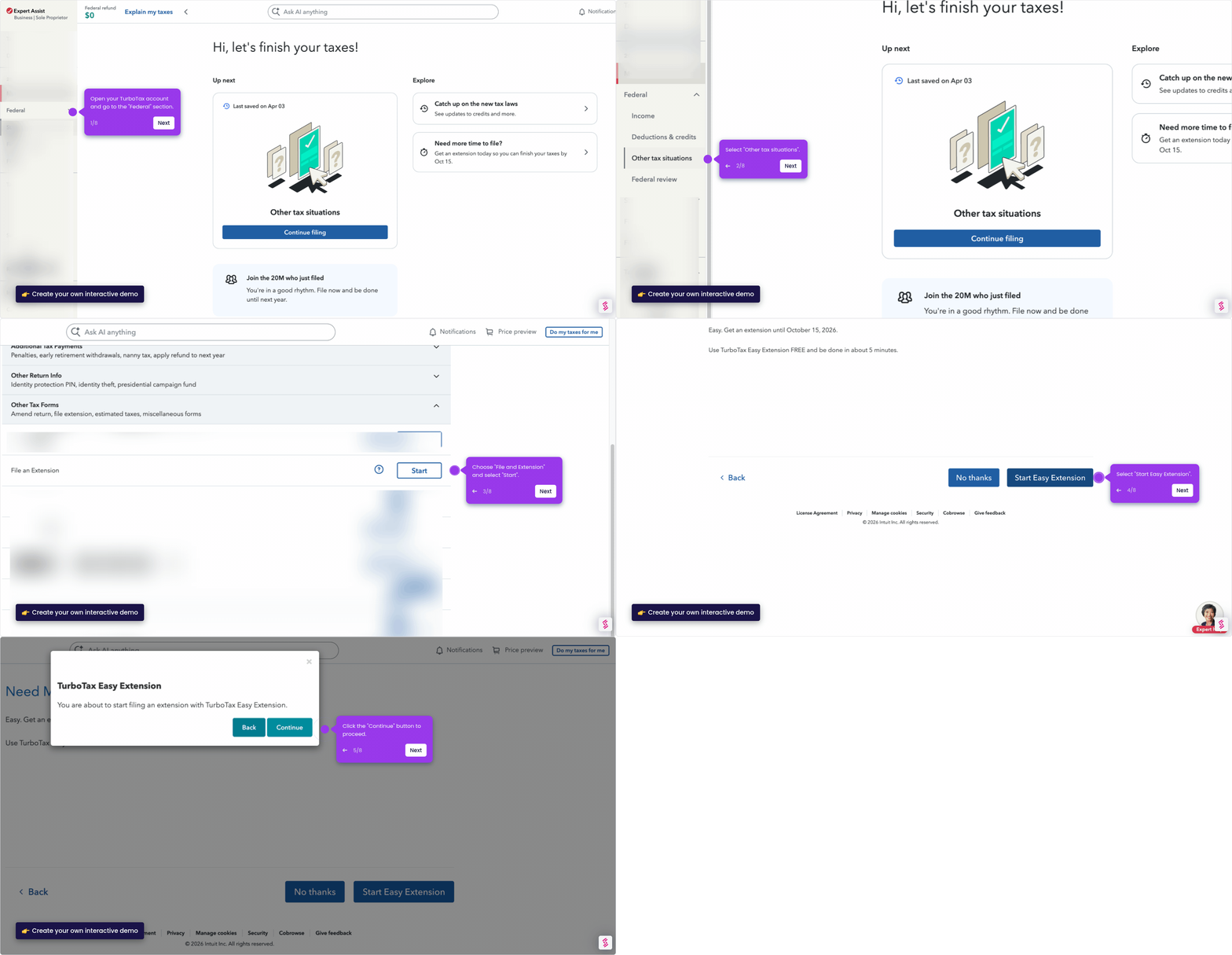
This demo shows how to pay taxes owed in TurboTax by filing a tax extension through the Easy Extension page. You can submit your estimated taxes owed and continue working on your return — all within TurboTax Online.
Steps
- Open your TurboTax account and navigate to "Tax tools".
- Under "Tax tools", select "Tools" to open available options.
- In the "Tools Center", choose and select "File an extension".
- Click "Continue" to be directed to the TurboTax Easy Extension page.
- Enter your personal information and click "Continue".
- Fill in your estimated taxes owed in the text field provided.
- Click "Work on my taxes" to move forward and continue your return.