.svg)
.svg)
.gif)


Quick summary
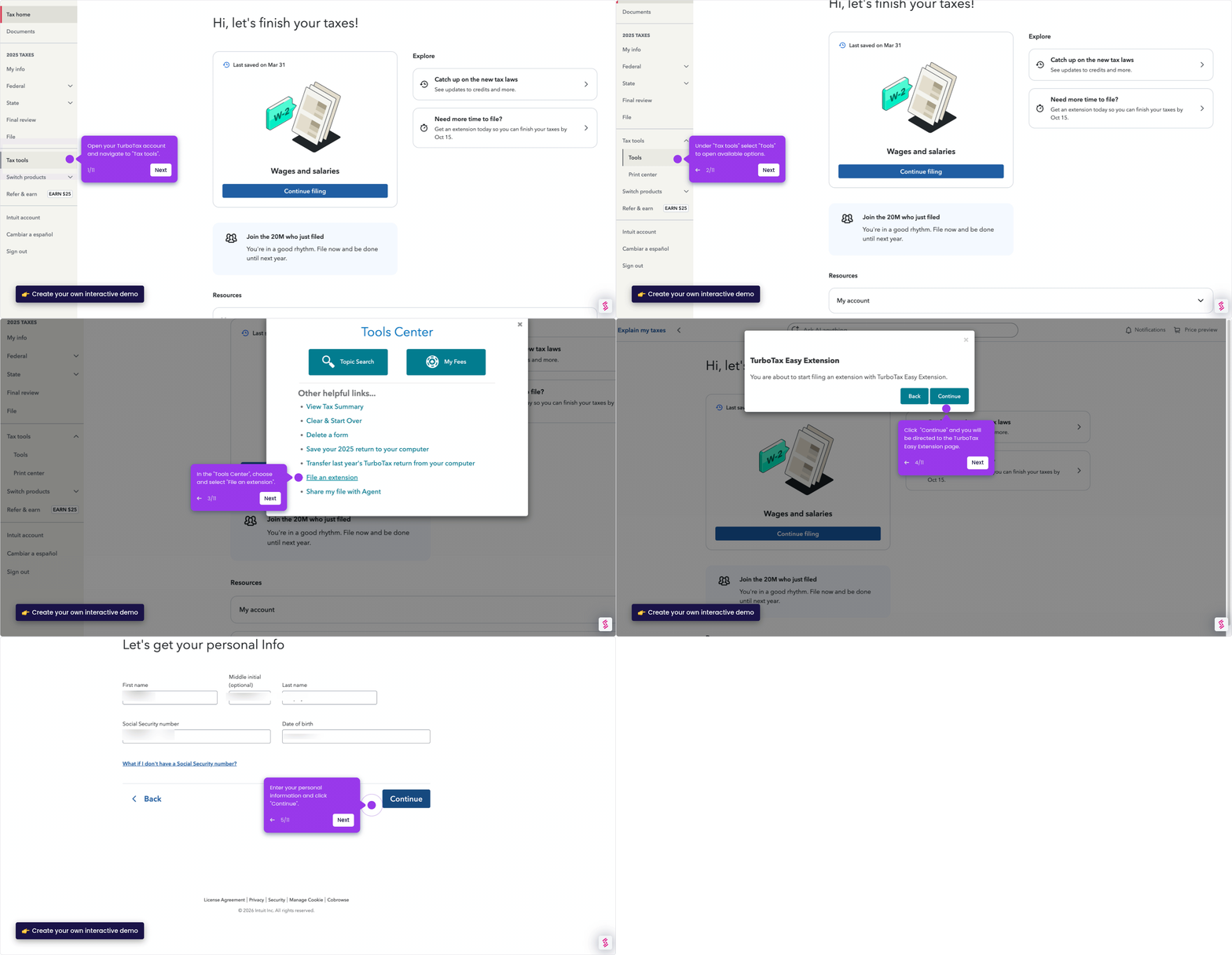
This demo shows how to request a federal tax extension in TurboTax Online using the built-in Easy Extension feature. In just a few clicks, you can file for more time to submit your return without leaving the TurboTax interface.
Steps
- Open your TurboTax account and navigate to the Federal section.
- Select Other tax situations from the menu.
- Choose File an Extension and click Start to begin the process.
- Select Start Easy Extension to launch the extension filing flow.
- Click the Continue button to proceed through the setup screens.
- On the filing plan screen, select On my own and click Continue.
- Review your taxpayer information and contact details, then click Continue.
- After reviewing all information, tap Transmit my returns now to submit your extension request.