.svg)
.svg)
.gif)



Quick summary
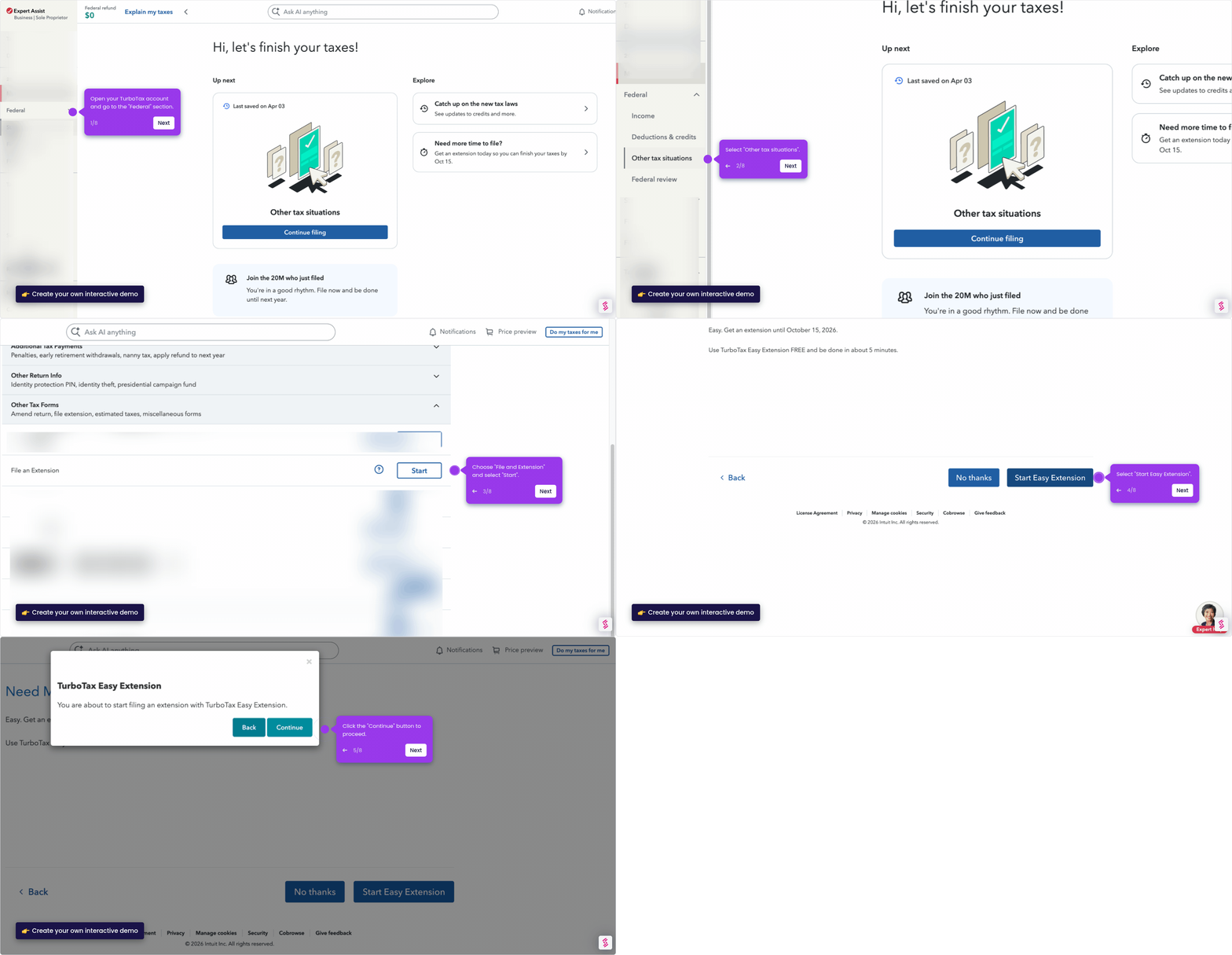
TurboTax lets you file a tax extension online in minutes using the built-in Easy Extension tool, giving you extra time to complete your federal return. This step-by-step demo walks through the entire process from the Tax Tools menu to transmitting your extension request.
Steps
- Open your TurboTax account and navigate to "Tax tools".
- Under "Tax tools", select "Tools" to open available options.
- In the "Tools Center", choose and select "File an extension".
- Click "Continue" to be directed to the TurboTax Easy Extension page.
- Enter your personal information and click "Continue".
- Fill in your estimated taxes owed in the text field provided.
- Click "Continue with extension" to proceed.
- Review all details to ensure they are correct, then click "Continue".
- Create and enter a 5-digit signature ID.
- Mark the "I'm not a robot" box to verify your identity.
- Click "Transmit my returns now" to submit your tax extension.