
.svg)

Your sales engineer just watched a loading spinner kill their momentum mid-demo. Again.
If you're here, you're weighing a tough decision: spend $30,000+ on Saleo's live overlay demos or go for Storylane's interactive HTML demos, and if you want the fuller competitive landscape beyond just these two, our Saleo alternatives roundup covers the rest of the field. The tech is fundamentally different—one overlays demo data on your live product, the other creates standalone HTML replicas.
We'll show you where Saleo works well and why we think Storylane fits most teams better.

Let's be honest about what Saleo does well
Let's start with credit where it's due: Saleo is great for running live product demos.
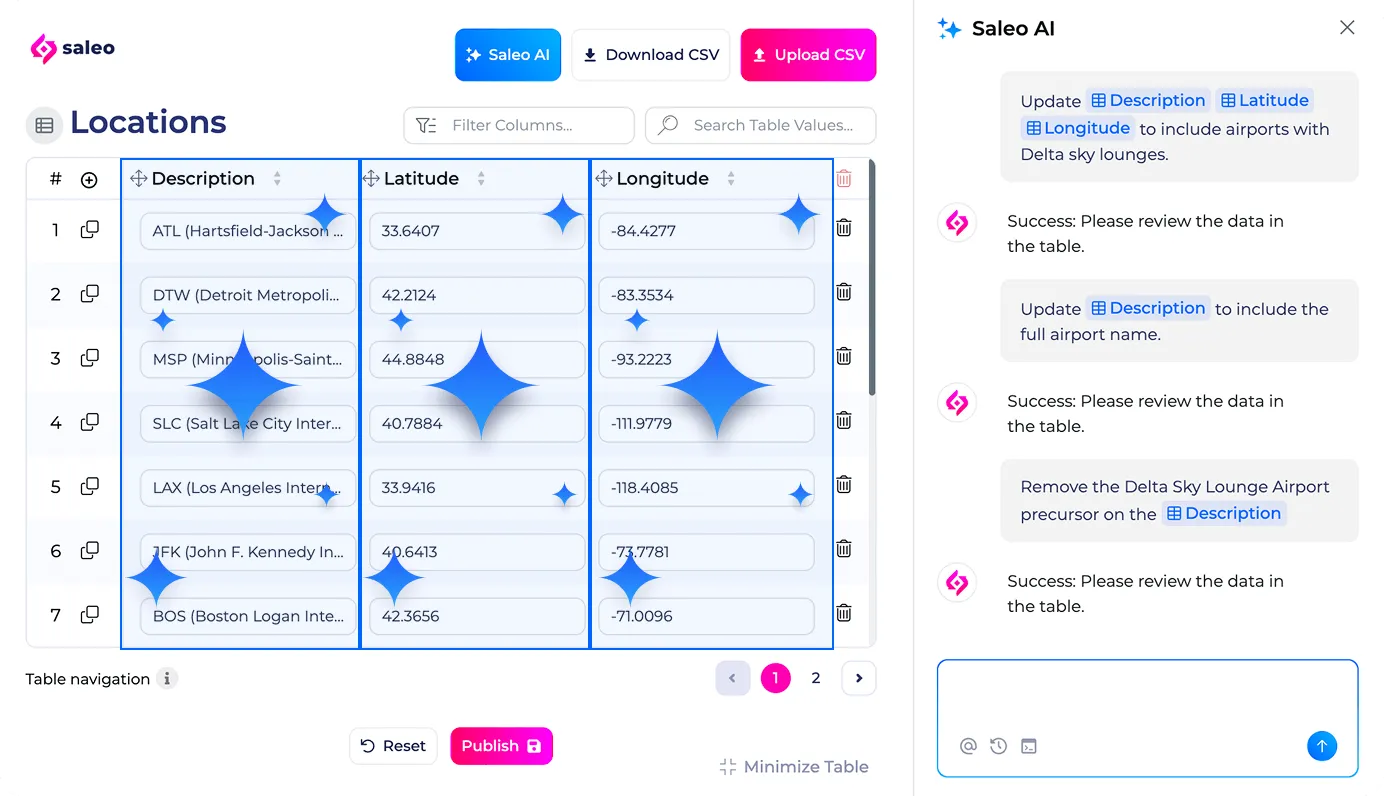
Saleo overlays allow you to show your product with clean demo data—perfect numbers, the right logos, no messy real data.
- Instant switch from overlay to live product. Turn off overlays mid-call and immediately show your real product running. No switching environments, no losing context—that instant switch is what teams pay for.
- Quick personalization and reusability. Set up your product once, then overlay different data in minutes. Demo to Dolce & Gabbana, then Ruffle Butts, then Next Retail—each taking minutes instead of hours of teardown and reconfiguration.
- AI-powered data modeling. Change one metric and Saleo automatically updates related fields across your entire product. No manual configuration needed.
- Authentic product experience. Prospects interact with your actual product interface, not a simulation. Every click, navigation, and workflow is real—only the data displayed changes.
But this specialized focus creates limitations for most teams:
- Narrow scope - Saleo specializes in live screen-share demos. While they offer Saleo Capture for async demos, that's a newer feature with not much market presence yet.
- Expensive and hard to scale - The overlay tech you would pay $30,000-$100,000+ annually can be overkill for most teams. The complexity and the price make it hard to give access beyond your SE team
- Your product's problems become demo problems - You inherit bugs, server lag, and loading times. G2 reviews mention "weekly bugs/glitches" during live calls.
- Takes forever to set up - Implementation takes 3+ months with a steep learning curve described as "overwhelming" in G2 reviews.
- SEs still do all the work - Only sales engineers can really use it, creating a demo factory problem instead of letting everyone make demos.
For teams whose sales motion centers on live, SE-led technical validation with enterprise buyers, Saleo makes sense. For everything else, simpler and more powerful alternatives exist.
Now, let’s break down the key differences between the two platforms.
1. Demo creation & personalization
We’ll explore how these tools enable SEs to create demos at scale.
Speed to first demo
Saleo requires building a demo environment first
You can't use Saleo on your production environment. When you turn off the overlay to show the "live product," you'd expose real customer data. So you need to build a separate demo environment with sanitized data first. Then Saleo overlays on it, and when you switch to "live," you're showing the demo environment (safe), not production.
Building a demo environment takes 20-100+ hours, depending on product complexity. Once that exists, Saleo's reusability kicks in: set up once, swap data quickly for different prospects.
Storylane bypasses demo environments entirely
Creates an interactive HTML replica of your product in minutes:
- AI-powered HTML capture: Click through your product's interface, and Storylane auto-captures screens, AI generates context-specific tooltips, voiceovers (in 15+ languages), and videos in seconds
- No data exposure risk: The HTML capture is completely separate from your live product. There's no connection to production during demos
- Multi-format guided demos and sandboxes: Create guided product tours with step-by-step walkthroughs or full sandbox environments where prospects explore freely
Personalizing demos for different prospects
Once you have demos ready, you need to customize them.
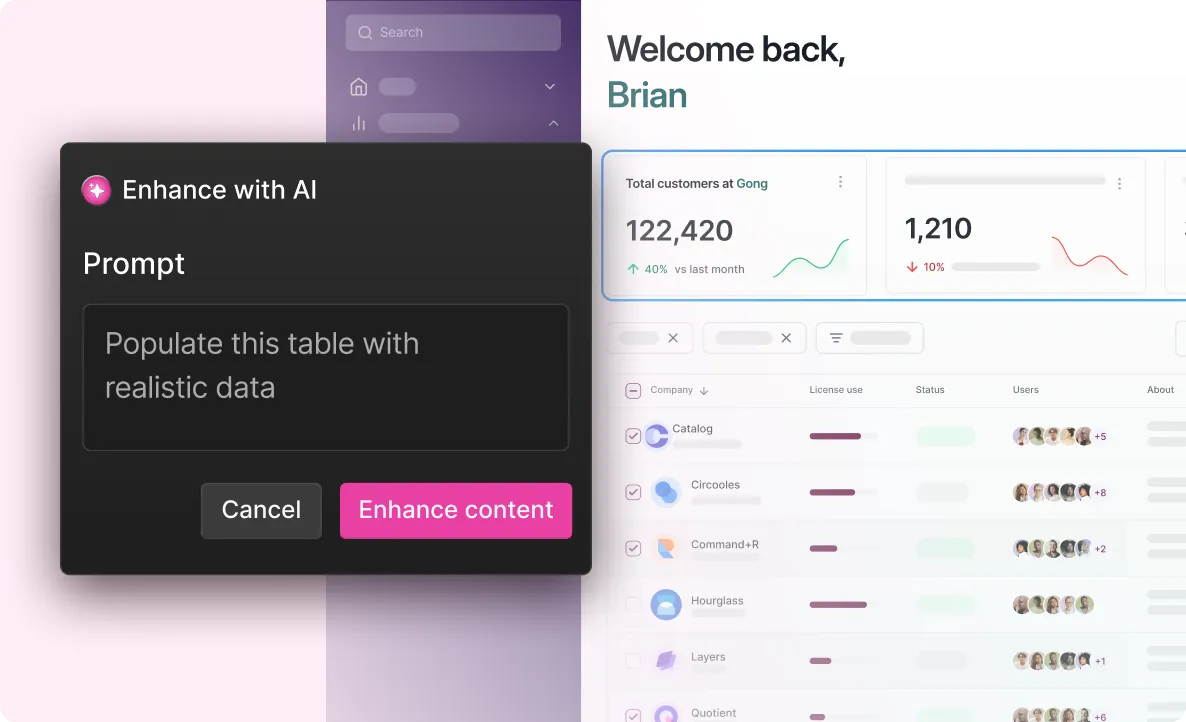
Storylane uses an AI HTML editor for personalization. Use simple prompts to customise demos instantly. Or edit the HTML directly. Use tokens for dynamic data like company names, currencies, and user names.
Saleo excels here through data injection and overlays. It intercepts what displays on screen and replaces it with demo data.
- Set up your product once, swap data in minutes.
- AI modeling updates related fields automatically
Verdict: Both platforms offer fast personalization through AI. The difference is the initial demo environment setup needed in Saleo. Storylane bypasses that setup entirely—anyone can create and personalize demos in minutes.

2. Demo sharing and distribution
You've built a demo. Now you need to get it into prospects' hands—whether that's sharing after a call, embedding on your website, or sending in follow-up emails.
Async demos and sharing capabilities
Modern B2B buying involves 6-10 decision makers. Most never attend your live demo call. They need async access to evaluate your product and share it internally with their buying committee. Our own research into 637 B2B deals backs this up — buying committees are bigger and less visible than most sales motions plan for.
Saleo's async sharing capabilities are new, with limited market presence
Saleo's core strength has always been their live demos via (Saleo Live). To catch up to the innovations in the demo automation space, they launched Saleo Capture in 2026. On paper, Saleo Capture helps you create product tours and website embeds and create shareable demos. However, this isn't their core offering and has very limited market presence of real customers actually using it.
Storylane is built async-first with proven distribution at scale
Storylane was designed for async demos from day one. Create once, deploy everywhere:
- Prospects explore demos independently without you
- Champions forward to buying committees (finance, legal, IT)
- Export demos as videos and GIFs for email campaigns, social platforms, and offline presentations
This matters when your internal champion needs to present your product to stakeholders who weren't on the original call.
3. Buyer experience
You've sent the demo to prospects. But how does it actually perform when they interact with it?
Demo reliability and performance
Your product's performance directly impacts your demo's success. A loading spinner or bug during a Fortune 500 call can kill momentum and credibility.
Saleo inherits your product's performance issues
Because Saleo Live overlays data on your live product, whatever happens to your product happens to your demo:
- Your product loads slowly? Your demo loads slowly
- Server latency during peak hours? You ride it out
- A bug surfaces mid-call? You see it during the demo
G2 users report this friction:
"Slows tech down...if I pre-load a lot of windows for a demo it can cause the system to slow down or even crash." (Katherine A., Solutions Engineer, Enterprise)

Some product features legitimately take time to load—complex dashboards process data, reports generate calculations, integrations pull from external systems. That wait makes sense in the actual product. But during a demo call, that same delay kills momentum.
Storylane runs independently without product dependencies
Storylane demos are standalone HTML files. They don't connect to your backend, query databases, or make API calls.
Your product hits a bug during a call? Server latency spikes? Doesn't matter—Storylane isn't connected to your infrastructure. Every prospect sees the same fast, stable experience regardless of what's happening with your product.
"Allows us as a team to take the manual show and tell of demo-ing off of our plates and puts the power in the users hands. By creating demo flows, we are not only creating enablement for sales that is scalable but are able to provide the value props of the tools as well." - Solutions Engineer (5001-10,000 employees) | G2
AI sales agent for buyer enablement
Storylane's Lily AI handles product conversations 24/7
Lily AI is a conversational sales agent that handles product conversations like your best sales rep. She manages inbound prospects by answering product questions and addressing objections.
- Enables buyers to independently evaluate your product by surfacing relevant demos and other assets
- Qualifies leads based on fit and engagement
Lily is trained on your playbooks, scripts, and documentation—working 24/7 without waiting for your team.
Saleo doesn't offer an AI sales agent
Saleo doesn't have an equivalent AI agent feature for buyer enablement.
Verdict: Storylane wins on reliability and buyer enablement. Standalone architecture means demos work consistently regardless of product performance. Lily AI extends buyer support beyond your team's availability.
4. Analytics
Both tools provide a view of how your demos are performing. Track completions, time in tour, drop-offs, and captured leads. Straightforward interface focused on actionable metrics.
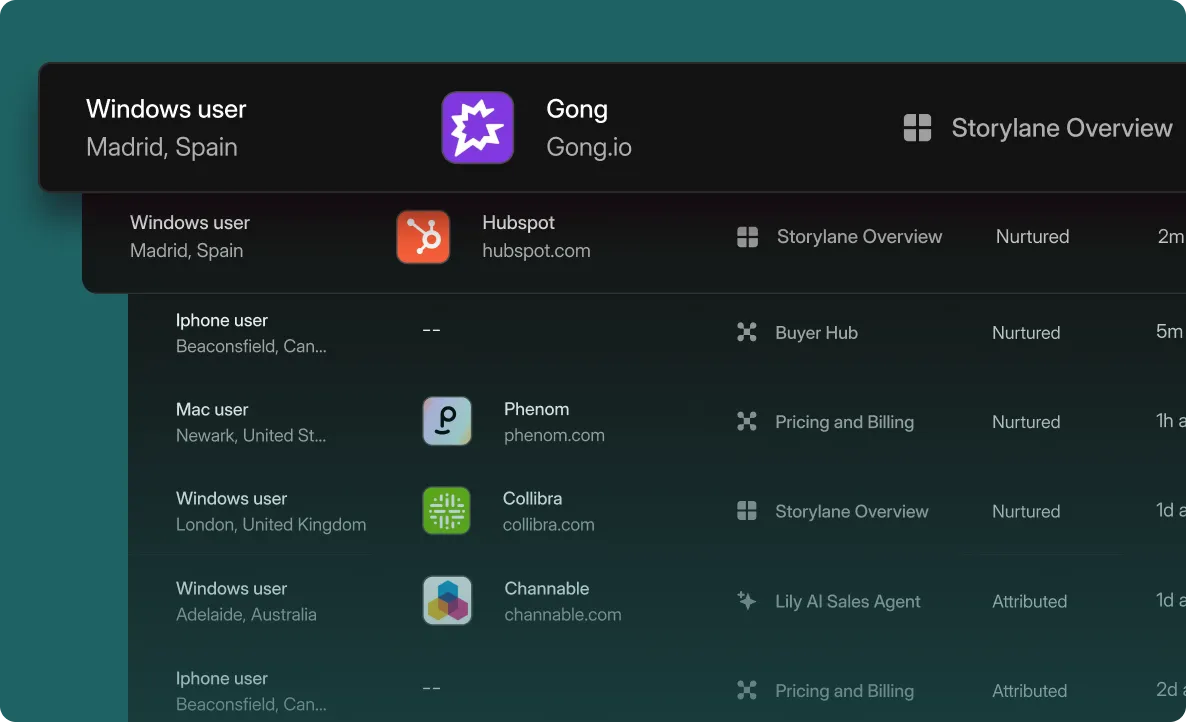
However, Storylane has an edge over Saleo's standard analytics with deanonymization capabilities. Account Reveal gives you account-level insights on who is engaging with your demo. This info is really useful to prioritize outreach to high-intent accounts and follow up with prospects at the right time based on their actual engagement.
5. Cross-team adoption
Your demo needs to extend beyond your SE team. Can everyone create demos, or does it stay locked with technical resources?
Who can actually create demos
Saleo requires technical expertise and SE involvement
Saleo's learning curve is steep. G2 reviews consistently mention:
- "Learning curve can be overwhelming" with "trial and error" configuration
- Setup requires SE technical knowledge
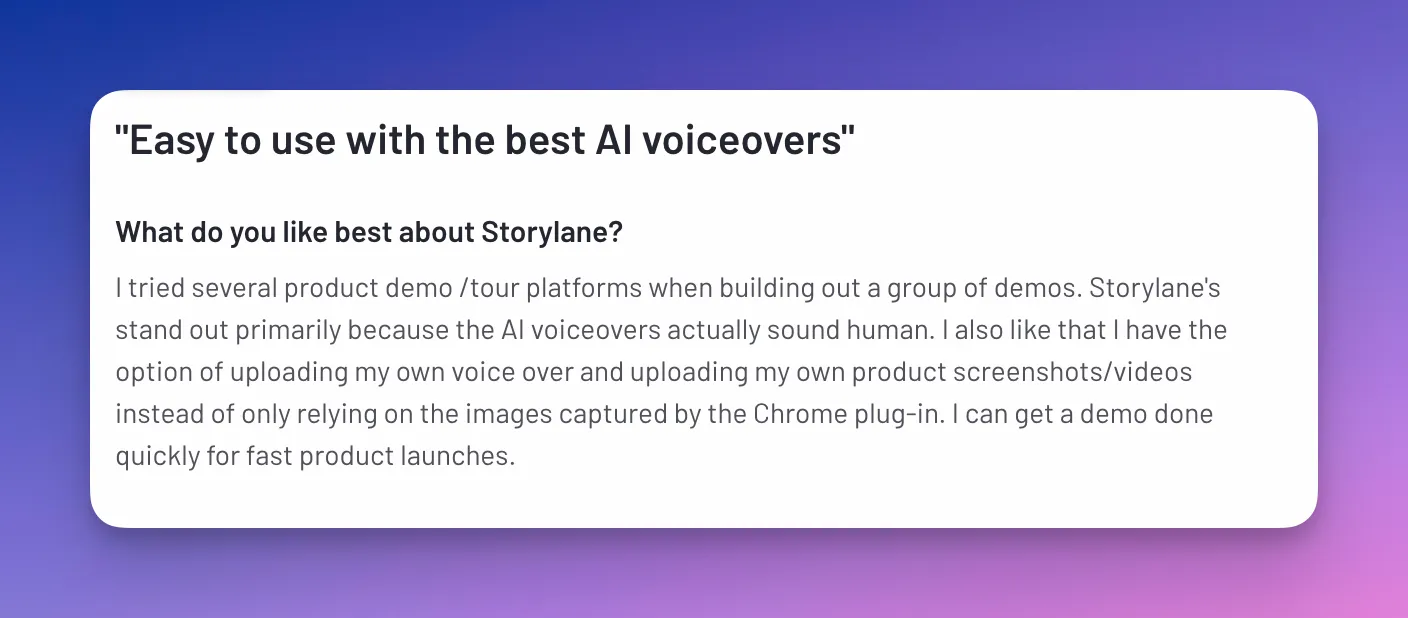
As SAP’s Demo Project lead, Jane Zhou states on G2:

This keeps demo creation centralized with sales engineers. AEs and CSMs can't build demos independently—they need SE support. For teams with limited technical resources or those needing rapid deployment, this creates a bottleneck.
The business impact: Your 6 SEs become the bottleneck for 45 AEs, 45 CSMs, and your entire BDR team.
Storylane enables cross-team demo creation without bottlenecks
Storylane has the highest ease of use rating in demo automation (9.5/10 on G2). Anyone on your GTM team can create demos. It enables cross-team demo creation without bottlenecks
- AEs build personalized demos for their prospects
- BDRs embed demos in outreach sequences
- Marketing adds demos to landing pages
- CSMs create demos for upsell conversations
Setup takes minutes. No technical training required. No ongoing SE support needed.
Time to value
Saleo takes weeks to months for implementation
Initial setup requires 2-3 months for full implementation with continuous technical resources from both your team and Saleo's. Building demo environments alone takes 20-100+ hours, depending on product complexity.
You need budget approval, technical setup, SE training, and ongoing maintenance before your first demo goes live.
Storylane gets you productive in minutes
Sign up and start building immediately. Your first demo can be live in minutes with no sales calls required to access the product. The intuitive interface means teams create without training sessions—self-serve from day one.
Verdict: Storylane wins on scalability and speed to value.
Storylane features that go beyond Saleo's scope
- Buyer Hubs Bundle multiple product tours, PDFs, videos, and resources into a single shareable link. Different personas get different content—all from one URL.
- AI voiceovers: Choose from dozens of voices in 25+ languages to create professional narration without recording. Saves hours on manual recording, speaks to your audience's language, and is perfect for global teams creating localized demos.
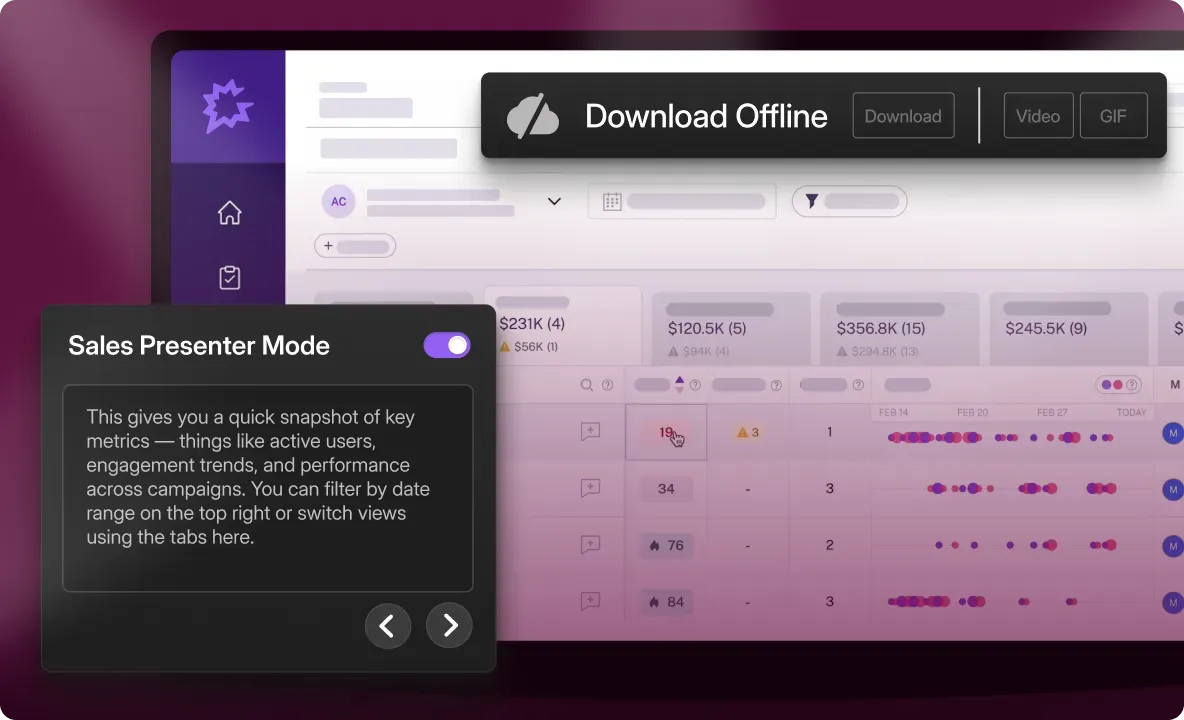
- Offline Demos: Download and run demos without WiFi at conferences, trade shows, and site visits. No more worrying about spotty conference WiFi or connectivity issues during high-stakes presentations. Your demos work flawlessly whether you're online or offline.
- Presenter Demos: Run polished live demos with hidden guides and presenter notes visible only to you in a separate tab. Prospects see a clean demo experience while you have talking points, product specs, and scripts at your fingertips. Helps newer reps deliver demos with the confidence of your top performers.
6. Pricing and flexibility
Demo tools are a significant investment. Understanding the actual costs and what you get at each tier matters.
Pricing structure and access
Saleo requires annual contracts with enterprise pricing
Saleo doesn't publish pricing publicly. Based on market research and past users, pricing ranges from $30,000 to $100,000+ annually, depending on the number of users, demo instances needed, and product complexity.
Key pricing considerations:
- Per-instance pricing model: Each new demo variant or product line is a separate line item
- No free tier or trial to test before committing
- Requires sales conversations to get pricing and nnual contract commitment
The cost structure makes horizontal adoption difficult. At $30K-$100K, you can't easily enable your entire GTM team—demos stay centralized with your SE organization.
Storylane offers flexible pricing with self-serve access
Storylane shows pricing publicly and offers multiple entry points. The free tier includes 1 demo with AI creation and unlimited views—test the platform before committing. The $40/month starter tier provides unlimited screenshot and video demos with basic integrations, perfect for product tours on your website.
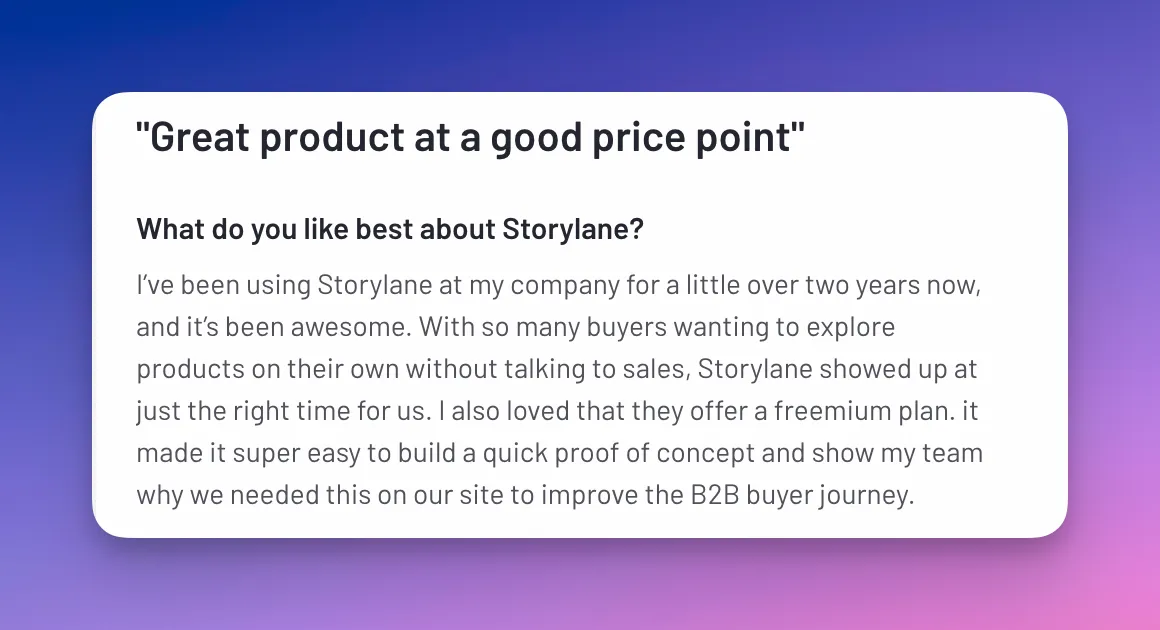
At $500/month, the HTML plan includes
- Full interactive HTML demos with advanced personalization features
- 20+ native integrations for marketing and sales,
- Dedicated customer success manager.
At comparable pricing to Saleo's entry tier, Storylane includes features that enable your entire team—not just SEs.
Implementation costs beyond subscription
Saleo requires significant technical investment
Beyond the annual subscription, you're looking at 2-3 months initial setup time and 20-100+ hours building demo environments. You'll need ongoing technical resources for maintenance, and API integration costs are customer-funded separately.
You're paying for the subscription and the internal resources to implement and maintain it.
Storylane requires minimal setup investment
Get to your first demo in minutes. No technical implementation required, no ongoing maintenance resources needed. Start creating immediately after signing up.
Verdict: Storylane offers more accessible entry ($40/month vs $30K+ annually) and flexible contract terms.
7. Decision framework: Which platform fits your team?
Choose Saleo if:
Your sales motion focuses on live product demos for late-stage deals where buyers need to see your actual product running with real interactivity. You have $30,000-$100,000+ annually, dedicated SEs to manage demos, and your sales motion is live-call driven with decision makers attending demos.
Choose Storylane if.
Your demos need to work beyond live calls—buyers sharing internally, website embeds, email campaigns, and post-call follow-ups. You want cross-team creation where AEs, BDRs, and Marketing build demos without SE bottlenecks. Performance matters and you need demos that won't inherit your product's bugs or loading times.
Budget: $500/month vs $30,000+ annually for unlimited demos across your entire GTM team.
Frequently asked questions - Saleo vs Storylane
Q. Can I use both Saleo and Storylane together?
Yes, you can use both Saleo and Storylane together. Most teams use Storylane for the majority of their demos (website embeds, email outreach, leave-behinds, early-stage calls) and reserve Saleo for the 10% that require live product validation during enterprise POCs.
Q. Which tool is better for early-stage demos?
Storylane is better for early-stage demos. Early-stage prospects need fast, shareable experiences they can explore async and forward to their team. Saleo only works during live screen shares. By the time you're doing live demos, most buying committee members have already formed opinions based on what they saw (or didn't see) earlier.
Q. What if my product updates frequently—which tool requires less maintenance?
Storylane requires recapturing affected screens when UI changes (5-10 minutes). Saleo requires managing overlays after product updates and debugging when changes break your demo environment. Recapturing a screen is instant without the complexity of replacing overlays on a live product.
Q. What are the best Saleo alternatives for sales engineers?
TestBox and Storylane are the best Saleo alternatives for sales engineers. For live product demos: TestBox creates actual demo instances with better stability than Saleo's overlay approach. For everything else: Storylane creates HTML replicas that work for website embeds, email campaigns, leave-behinds, and early-stage calls without Saleo's cost, technical complexity, or reliability issues.
Q. How does Storylane compare to Saleo for demo personalization?
Both Storylane and Saleo personalize demos, but the approaches differ fundamentally. Saleo overlays custom data on your live product during screen shares. Storylane uses tokens to dynamically insert prospect data into HTML demos. Both achieve personalization—Storylane does it without product dependencies
Q. How long does it take to build a demo in Saleo vs Storylane?
Saleo setup: Weeks to months for initial implementation. Minutes to overlay data once configured.
Storylane setup: Within minutes. Click through your product once, edit what you need, deploy everywhere.
"Saleo's data got out of date very quickly and was always a bit risky to use on a Demo as some pages would be populated with data but not others and it couldn't really handle the complexity of HubSpot." - Philip Neeves, Solution Engineer (5001-10,000 employees) | G2
Q. Which demo tool helps reduce sales engineer time on demos?
Storylane reduces sales engineer time on demos more effectively. AEs, BDRs, and CSMs create their own Storylane demos in minutes without SE involvement. SEs focus on deals requiring deep technical validation instead of being demo factories for every early-stage call.
Q. What's the best demo software for complex technical products?
The best demo software depends on the use case:
- Need live product validation with real calculations? Saleo or TestBox.
- Need reliable demos that don't inherit your product's performance issues? Storylane.
- Most complex products need both: Storylane for everything except final technical validation.