
.svg)

If you're looking for Saleo alternatives, you're probably dealing with demos that break during live demo calls, setup that takes forever, or realizing you need more than just live demo overlays. You want a platform built specifically to not do that.
Here's the reality that many GTM teams often miss: demo tools fall into two categories.
- Live demo platforms (like Saleo, TestBox, and Demostack) add custom data to your actual product during sales calls. They're built for sales engineers who need to show complex software to prospects in real-time.
- Interactive demo platforms (like Storylane, Walnut, and Navattic) create interactive product demos for marketing, sales, and presales teams that work across your entire funnel—from website visitors to sales calls to post-demo follow-ups.
Both get called "demo automation tools," but teams often spend $30-60k annually on live demo overlays when a $6-12k interactive demo platform delivers better results for their marketing and presales needs.
As a PMM at Storylane who's used demo platforms across different teams, I'll help you decide what Saleo alternative you need.
Here are 6 Saleo alternatives that actually work for how modern GTM teams work.
Best Saleo alternatives: top picks
1. Storylane - Best for cross-functional teams
Storylane is an AI-powered interactive demo platform designed for GTM teams who need demos that work across multiple touchpoints—not just live sales calls.
Like Saleo, Storylane creates customizable product demos. The key difference: Saleo overlays data on your live product during calls, whereas Storylane creates interactive demos that work everywhere—your website, marketing emails, sales follow-ups, and demo calls.
What you get with Storylane:
- AI-powered HTML capture: Click through your product’s interface, and Storylane auto-captures screens into an interactive demo. The AI then generates context-specific tooltips, voiceovers, and presenter videos in seconds.
- Codeless customization and personalization: Drop in prospect names, company logos, and relevant data with HTML tokens—without engineering dependency.
- Lily AI sales agent: Conversational sales agent trained on your best sales resource for automated product discovery, lead qualification, and objection handling
- Guided tours and sandbox demos: Create guided product tours for your prospects with HTML, screenshots, or video demos. Or a sandbox demo, if you need a stable demo environment that doesn't glitch during demo calls.
- Enterprise-grade security with SOC 2 and GDPR compliance, as well as SSO and SAML 2.0 support built for enterprise rollouts.
"Storylane allows us to spin up an interactive product demo in minutes. The HTML capture makes things an absolute breeze, so we can quickly tweak or blur data as needed. We love video, but it just can't replicate the experience of using and clicking around inside our product. Storylane bridges the gap perfectly. It's ideal for SaaS companies who want to embrace product-led growth, without draining any dev resources." - Alex Quaye, Head of Marketing, Audiens (11-50 employees) | G2
"Storylane allows us to spin up an interactive product demo in minutes. The HTML capture makes things an absolute breeze, so we can quickly tweak or blur data as needed. We love video, but it just can't replicate the experience of using and clicking around inside our product. Storylane bridges the gap perfectly. It's ideal for SaaS companies who want to embrace product-led growth, without draining any dev resources." - Alex Quaye, Head of Marketing, Audiens (11-50 employees) | G2
Why teams choose Storylane:
- No more technical headaches: While Saleo users report "weekly bugs/glitches" and demos that "get stuck on a step," Storylane's demos run independently without real-time technical management.
- Actually user-friendly: Saleo's "learning curve can be overwhelming" with "trial and error" configuration. Storylane customers get demos running in 15 minutes without technical expertise.
- Works beyond sales calls: Storylane works across marketing, sales, and presales teams—from website embeds to follow-up emails to live demos.
- Cross-team efficiency: Instead of presales engineers spending hours creating new demo environments for every sales call, they create one reusable demo that AEs can use independently—eliminating a typical presales bottleneck.
👆Storylane's cross team enablement frees up presales bandwidth to focus on what actually converts: building POCs for enterprise accounts and improving winning demos based on engagement insights.
When to Skip It: You specifically need to show your live product with custom overlay during sales calls, and you have dedicated technical resources to manage the setup complexity.
Pricing: Starting free for 1 demo; $500/month for unlimited HTML demos

2. Navattic - Best for enterprise HTML-only demos
Navattic is an HTML-first interactive demo platform that positions itself as the premium choice for enterprise marketing teams. While most demo platforms offer multiple formats, Navattic deliberately focuses only on HTML demos— arguing this approach delivers superior product replication.
Unlike Saleo's live overlay approach, Navattic creates standalone interactive demos (similar to Storylane) that work independently of your live product.
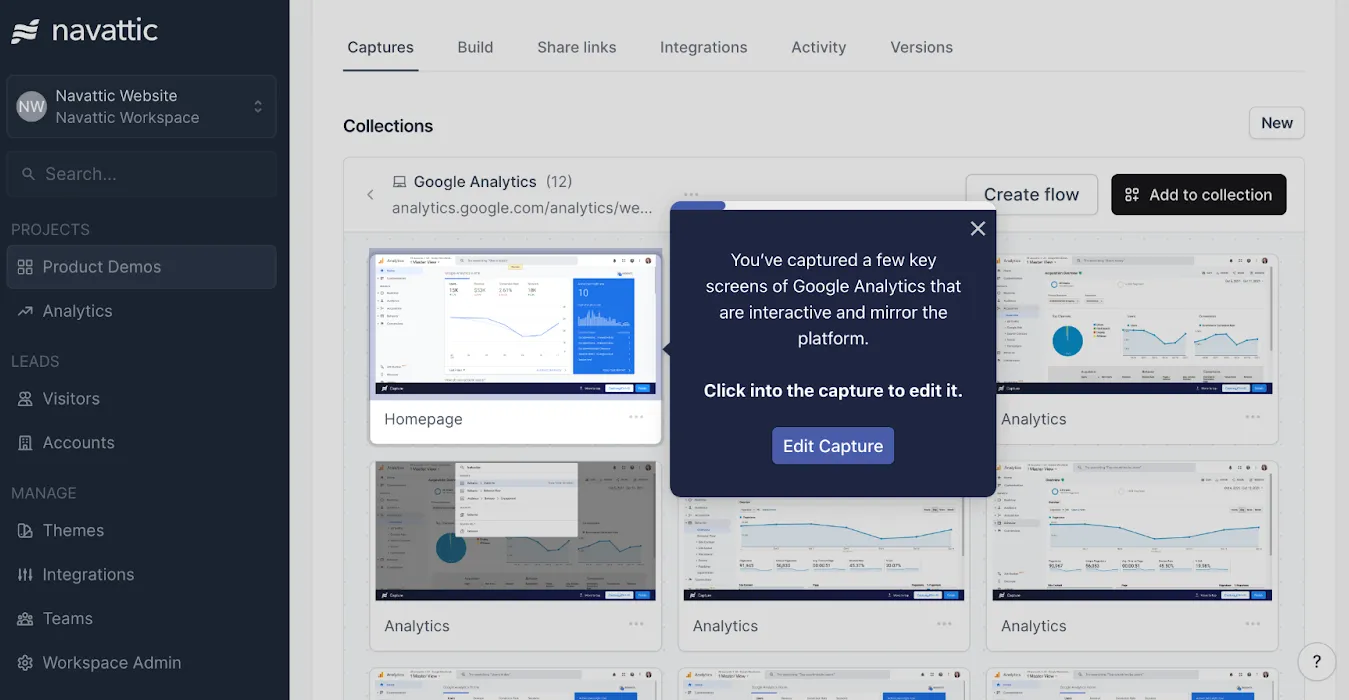
Why teams choose Navattic:
- HTML-only specialization: Focuses exclusively on HTML capture to maintain visual fidelity
- Enterprise analytics: Advanced engagement tracking, account identification, and A/B testing capabilities
- Dedicated support: CSMs included on all paid plans with strategic demo coaching
- Advanced customization: Navattic JS for custom behaviors and conditional demo paths
- Enterprise features: Offline demos, audit logs, SSO, and advanced ABM integrations
Why you might skip Navattic:
- Requires more technical knowledge for HTML capture and customization compared to simpler alternatives. Former customers raise frustrations about Navattic’s manual screen capture and ordering process as well as its disjointed storyboard and editing stations
- Mobile limitations: Users report challenges with mobile responsiveness and optimization
- When you need multi-format flexibility, mobile optimization, or rapid demo creation capabilities..
Pricing: $500/month for 5 seats, $1000/month for 10 seats, custom enterprise pricing.
3. Demoboost - Comprehensive demo automation
Demoboost is a demo automation platform that offers multiple demo formats and focuses on buyer engagement throughout the entire sales process.
Demoboost creates interactive demos across multiple formats—tours, videos, sandboxes, and product overlays (same as Saleo) that can be distributed across different touchpoints.
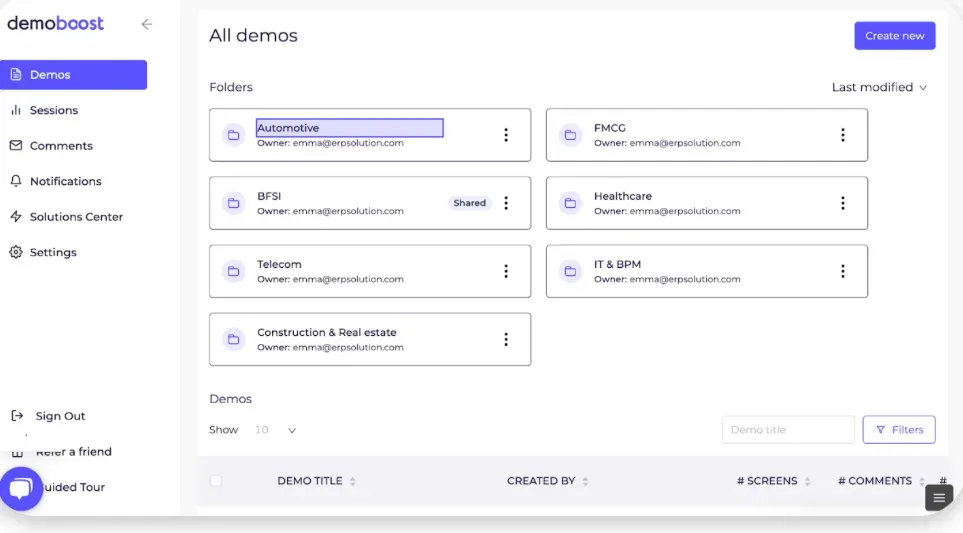
Why teams choose Demoboost:
- Multiple demo formats: Create tours, videos, sandboxes, and overlays all within one platform
- High engagement rates: Reports 88% median demo completion rate and 89 average NPS score
- Choose your own journey: Branching demo experiences that adapt to viewer preferences
- Live demo support: Real-time speaker notes and analytics during live presentations
- Comprehensive analytics: Track engagement across all demo formats with CRM integration
Why you might skip Demoboost:
- Setup complexity: Users report "time-consuming" initial setup and learning curve for first demos
- Feature maturity: Some users note "the product itself is not yet fully mature" with missing features
- Performance issues: Reports of slow performance and "time-consuming setups"
Pricing: Custom pricing based on user needs: starts ~$10,000/year
4. TestBox - Best for live product environments
TestBox creates fully functional product environments allowing prospects to experience your actual software without affecting production systems.
This differentiates it from Saleo's product overlays as it creates completely separate, fully functional instances of your product with AI-generated data injected directly into live product instances—creating authentic environments that update automatically with product changes.
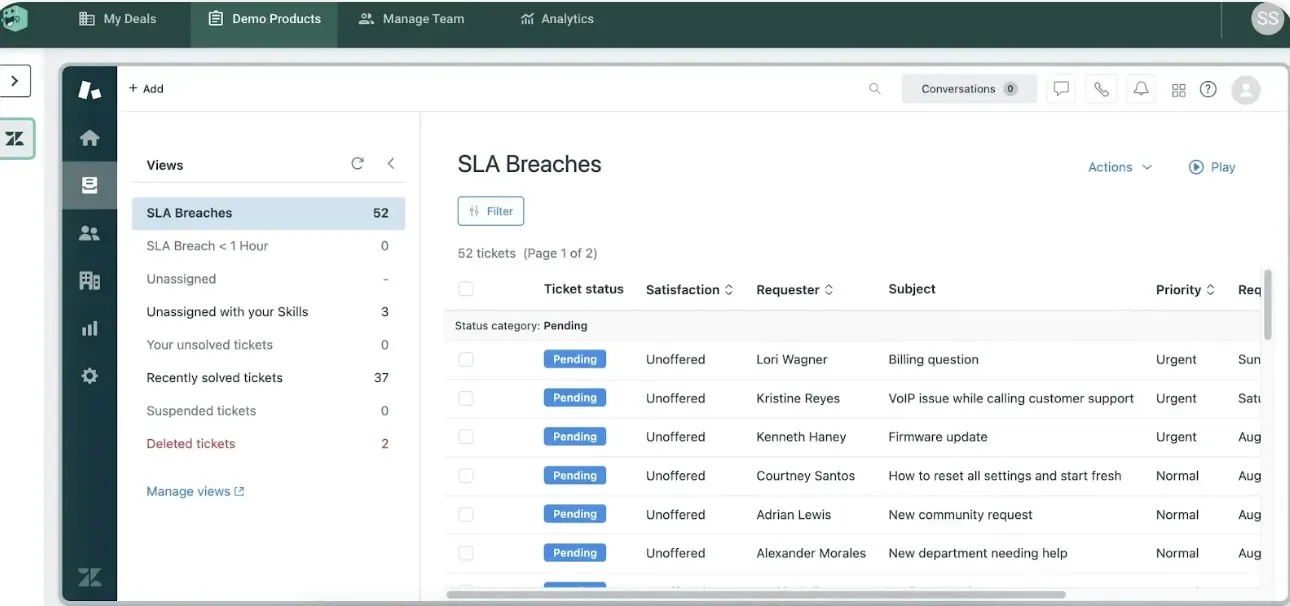
Why teams choose TestBox:
- Live product instances: Operate on actual product versions with full functionality
- AI-generated data: Creates realistic, industry-specific datasets automatically
- Zero maintenance: Demo environments stay current with product updates without manual work
- Broad integration support: Demonstrate third-party integrations within the demo environment
- Fast POC creation: Convert demo environments into proof-of-concept trials quickly
Why you might skip TestBox:
- High cost barrier: Starting at $44,750 annually for 15 users minimum
- Complex implementation: Requires significant technical integration and setup time
- Enterprise-only focus: Pricing and features designed specifically for large organizations
Pricing: Starting at $44,750/year for 15 users, additional users at $1,200/year each.
5. Demostack - Best for production environment cloning
Demostack is a demo automation platform that creates pixel-perfect clones of your production environment, allowing sales teams to demonstrate fully customized product experiences without affecting live systems.
While Saleo enhances your live product during sales calls, Demostack's "Cloner" technology captures your entire frontend and backend interactions to create independent demo environments that function exactly like your real product.
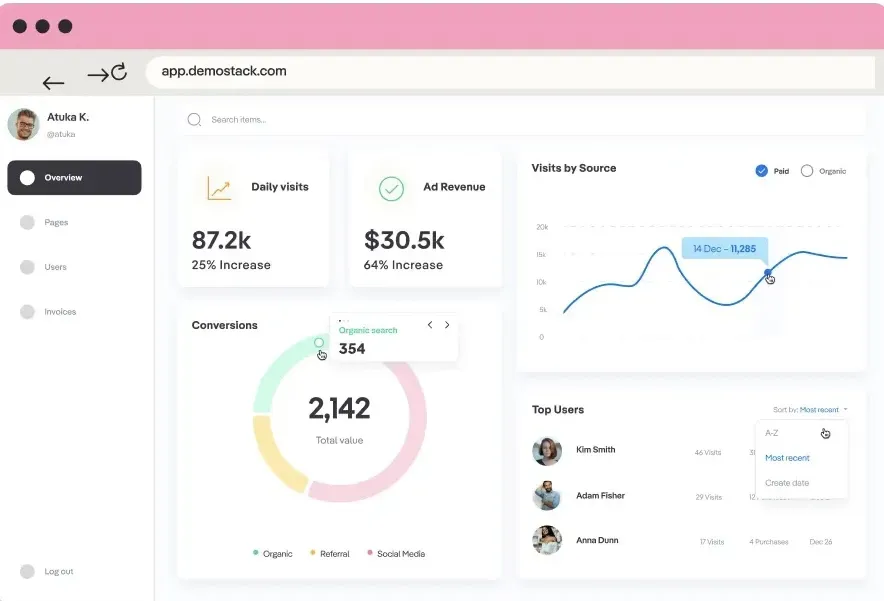
Why teams choose Demostack:
- Production environment cloning: Creates exact replicas that are "99% indistinguishable from actual platforms"
- Zero dependencies: Demo environments work independently without API calls or live system connections
- Unlimited customization: Modify any UI element, workflow, or data point without coding
- Auto-reset functionality: Every demo session starts fresh with clean, consistent data
- Multi-format support: Interactive tours, live overlays, mobile demos, and sandbox environments
Why you might skip Demostack:
- High implementation cost: Annual pricing starts at $55,000 with no free trial
- Complex setup process: Users report significant onboarding time and technical requirements
- Enterprise-only focus: Designed specifically for large B2B software companies with complex products
Pricing: Starting at $55,000/year, custom pricing based on features and user count.
6. Reprise - Best for enterprise sandbox environments
Reprise is an enterprise demo platform that specializes in creating comprehensive sandbox environments for complex B2B software demonstrations across multiple enterprise use cases.
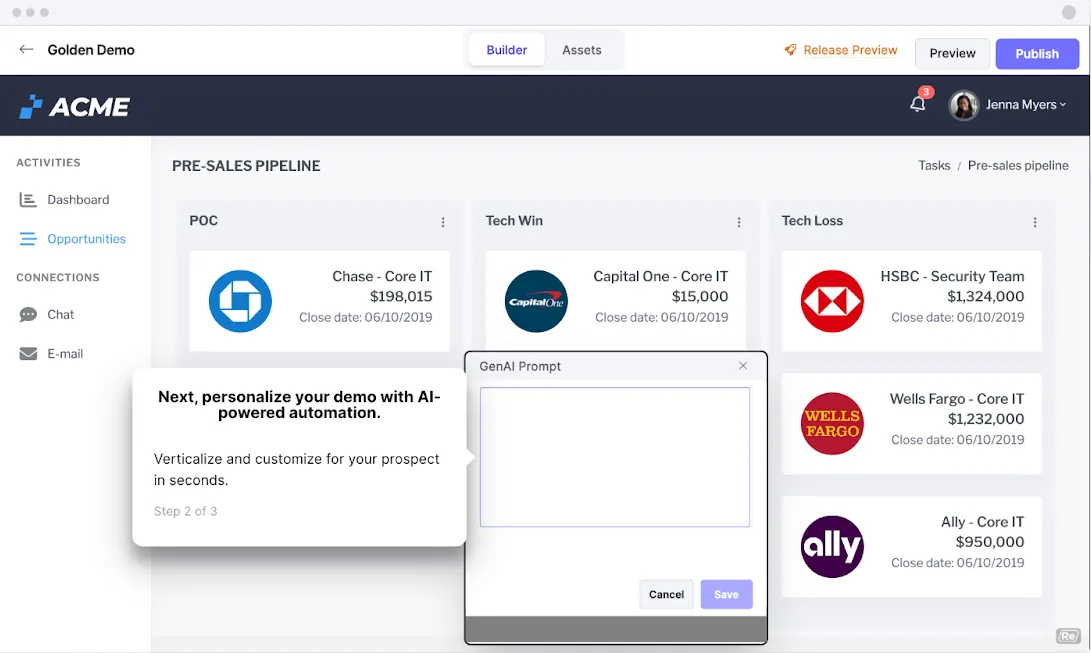
Where Saleo focuses on live demo enhancement, Reprise offers three distinct products: Capture for guided tours, Reprise Reveal for live demo overlays (same as Saleo), and Replicate for full product cloning—giving teams flexibility in how they approach different demo scenarios.
Why teams choose Reprise:
- Complete product ecosystem: Replicate captures not just UI but also backend requests, API calls, and integrations
- Enterprise-grade security: SOC 2 Type 2 compliance, GDPR compliance, and enterprise access controls
- AI data injection: Automatically populate demos with realistic, industry-specific data
- Offline demo support: Sandbox environments work without internet connectivity
- Custom sandbox creation: Build tailored environments for specific industries, personas, or use cases
Why you might skip Reprise:
- Premium enterprise pricing: Median contract value around $30,000 annually
- Complex implementation: Requires significant technical setup and ongoing maintenance
- Narrow use case focus: Primarily designed for complex enterprise software demonstrations
Pricing: Custom enterprise pricing, typical range $15,000-$50,000+ annually depending on features.
Demo stability comparison - Live call reliability
When your prospect is on the call, your demo needs to work. Here's how these tools handle live call stability:
The stability gap matters most during live calls. Interactive demo platforms like Storylane eliminate real-time technical dependencies, while live overlay tools require ongoing technical management to prevent mid-call failures.
Best sandbox demo tools for sales teams
Sales teams need demos that work every time, personalize quickly, and don't require technical support. Here's what actually works:
- TestBox Creates full product instances with AI-generated data. It works well when you need to demonstrate actual product functionality with real integrations. Higher upfront cost ($44,750/year minimum), but engineering teams set it once and forget it.
- Storylane delivers the fastest HTML sandboxes without live product dependencies during demo calls. It uses AI to instantly customize sandbox data—company names, metrics, UI elements giving you Saleo's personalization without the crash risk
- Reprise uses live product overlays like Saleo with Reprise Reveal. But also offers Reprise Replicate, which clones your entire product environment for enterprise sandbox demos.
Start with your biggest pain point. If demos break during calls, that's your filter.
What to choose if your product keeps crashing during live calls
Live product demos fail for predictable reasons: API timeouts, staging environment issues, network problems during calls, data that breaks your UI. Saleo's overlay approach doesn't fix these—it adds another layer that can fail.
Choose interactive demo platforms like Storylane for reliability without engineering overhead.
- Capture your product once, create a stable demo without live product dependency
- Sales teams run demos independently without waiting for engineering to fix staging.
- Never worry about crashes again.
Skip live overlay tools if stability is your primary concern.
Which Saleo alternative is right for you?
The right Saleo alternative depends on the type of platform, your use case, and budget flexibility.
For most teams: start with Storylane
Why: Fastest implementation, multiple demo types, and scales throughout your GTM teams— so you can work cross-functionally with your marketing, sales and presales team without investing in multiple platforms. It's also great for:
- Website embeds, email follow-ups, and leave-behind assets
- Quick demo creation without technical complexity
- Budget-friendly options under $12k annually

When to choose: You need demos for different audiences (technical buyers, executives, end users) and want to prove product value without the headache of maintaining demo environments.
"Super easy to use, very user friendly iterface. I'm a non-technical founder and it takes me minutes (literally) to create a pofessional-looking walk-through click-demo. It was easy to integrate on my website as well as within my no-code app. Customer support is extremely fast, friendly, and efficient at solving glitches." - Tamar S (Myself Only) | G2
When should you consider enterprise sandbox demos?
If you have dedicated technical resources for implementation and want:
- Full product environments with backend functionality
- Enterprise-grade security and compliance
- Complex B2B software with intricate workflows
- Enterprise budgets of $55k+ annually
For enterprise sandbox demos—go with TestBox.
TestBox is perfect when you want sandbox functionality and need an automated maintenance.
What is the best Saleo alternatives for sales engineers
Sales engineers need tools that balance technical depth with reliability during live calls.
- TestBox: Real product instances with AI-generated data. Choose this when prospects need to interact with actual functionality and you want automated maintenance.
- Storylane: Create stable sandbox demos without live production dependencies. Best when you need reliable demos that work consistently across multiple calls without ongoing maintenance.
For SEs who want simpler workflows: If you're managing demos alongside other responsibilities, simpler platforms let you focus on selling instead of troubleshooting. Storylane lets you build demos in minutes without technical setup.
For SEs with dedicated demo engineering support: Enterprise sandbox tools like TestBox gives you complete control over product environments. You get maximum flexibility since you are demoing the actual product.
Most mature SE teams run a hybrid approach—using interactive platforms like Storylane for standard demos and sandbox tools like TestBox for complex enterprise deals that require live product functionality.
Frequently asked questions - Saleo alternative
Here are some frequently asked questions by people looking for a Saleo alternative:
Q. What's the main difference between Saleo and interactive demo platforms like Storylane?
Saleo overlays custom data on your live product during sales calls, while interactive demo platforms create standalone demos that work across your entire funnel—from website embeds to email follow-ups to live presentations.
Q. Can I use interactive demo platforms for live sales calls?
Yes! Interactive demo platforms like Storylane offer sandbox demos specifically designed for live calls, but without the technical complexity and reliability issues of enterprise sandbox tools or live overlay tools.
Q. How much should I expect to spend on a Saleo alternative?
Interactive demo platforms typically cost $6-12k annually, while live overlay and sandbox solutions range from $30-60k+. Go for a tool that gives you a free trial option to understand the intuitiveness.
Q. Do I need technical resources to implement these alternatives?
Interactive demo platforms like Storylane require minimal technical setup—most teams are creating demos within 15 minutes. Live overlay and sandbox platforms typically require dedicated technical resources for implementation and maintenance.
Q. Our product has complex workflows and integrations—can interactive demo platforms handle that, or do we need live overlays?
Modern interactive platforms like Storylane can demonstrate complex workflows, dropdowns, and multi-step processes. You only need live overlays if you must interact with your ACTUAL live product during the demo.
Q. What if I need demos that work offline?
Storylane, Navattic, and Reprise offer offline demo capabilities. This is very useful during events and conferences where you want to showcase your product without relying on the poor hotel WiFi.
Q. My team doesn't have dedicated sales engineers—can we still create professional demos?
Interactive platforms like Storylane are designed for non-technical users (AEs, marketers, CSMs) to build demos independently. Live overlay platforms require dedicated SEs or technical presales resources for setup and maintenance.
Q. What features do sales engineers prioritize in demo tools?
Sales engineers prioritise: Reliability during live calls, demo customization depth, and tools with less setup complexity.
- Live call stability: Storylane runs independently without technical management. Saleo has weekly bugs and demos that get stuck mid-call.
- Customization depth: How much you can personalize with prospect data, branding, and workflows. Enterprise tools offer more control but need technical resources.
- Setup burden: Storylane takes 15 minutes with no technical expertise.
Ready to move beyond Saleo's limitations? Start free with Storylane and see why it's the #1 rated demo automation platform for cross-functional teams.