
.svg)

If you've ever asked your GTM team: "Hey, where's the latest interactive demo?" and gotten three different answers from three different people, you've met the problem we're talking about in this article.
Demo sprawl is real. For mid-market and enterprise teams scaling past their first twenty or so seats, it's not hypothetical. We hear it from prospects every week. The SE team has golden demos somewhere. Marketing has landing-page demos somewhere else. Individual reps have personalized versions scattered across email drafts and Slack threads. Nobody's certain which one to send the prospect on the next call.
The fix isn't fewer demos. It's organizing them with intent and structure so everyone, from the newest rep to the VP of product marketing, knows where to look and what they're allowed to touch.
The playbook below is what we see working at mid-market scale.
The problem at scale
At five seats, demo sprawl isn't all that bad. Everyone knows what's in the workspace and who built it. At dozens of seats, the same habits turn into:
- Two versions of the same demo with slightly different screens, and nobody's sure which one is current.
- A golden demo that a new rep accidentally edited because nothing stopped them.
- Marketing pushing a demo into a campaign without telling the SE team they changed the messaging.
- A prospect asking for a walkthrough of a specific workflow, and the rep building a new one from scratch because they couldn't find the existing version.
Each of these challenges has a fix that's already built into the Storylane platform. Let’s check it out.
Internal structure: where demos live, who can touch them
The internal side of the demo library is about three things: folders, roles, and teams
Folders: the organizing unit
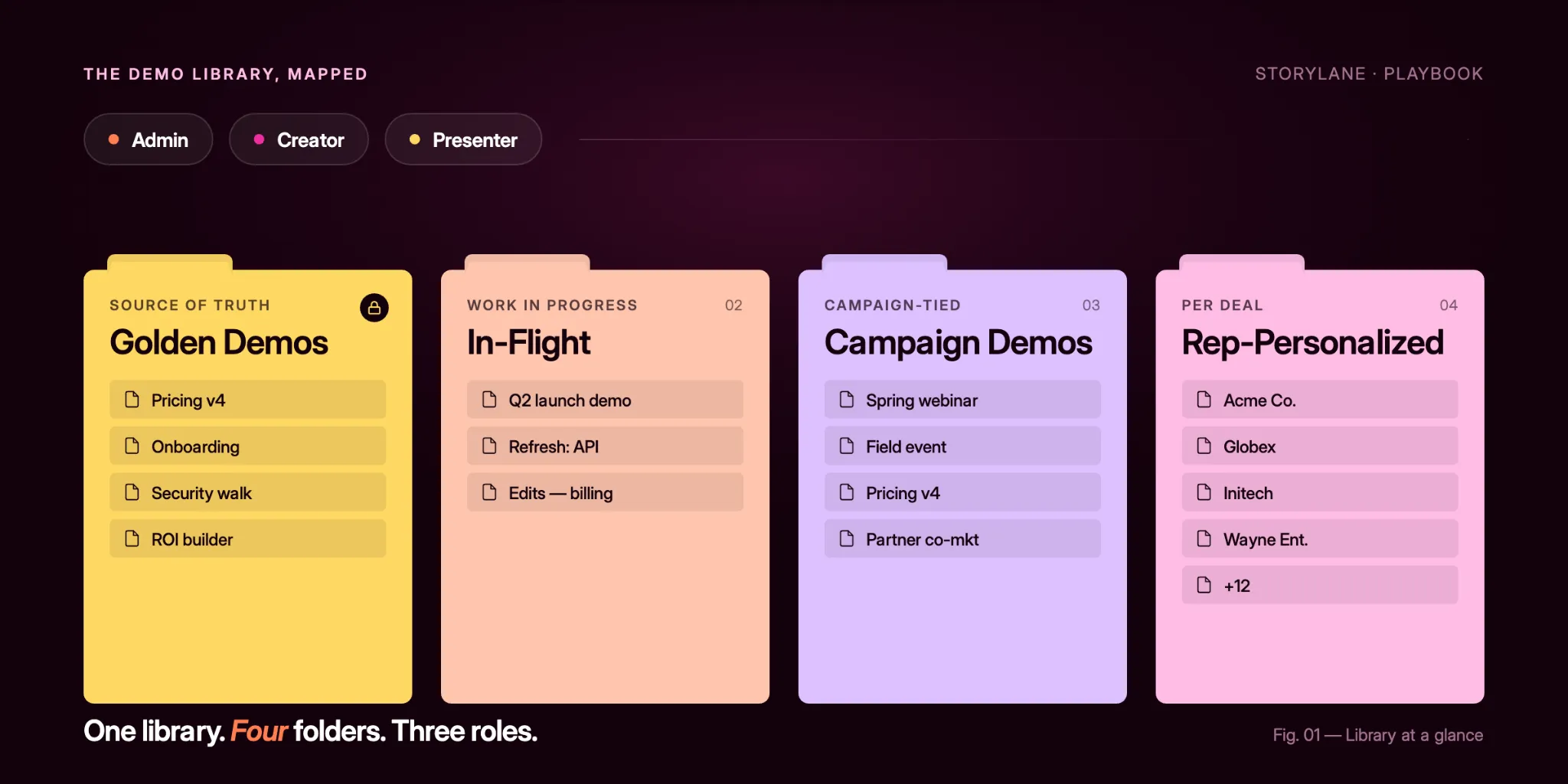
Most organization converge on roughly the same folder taxonomy:
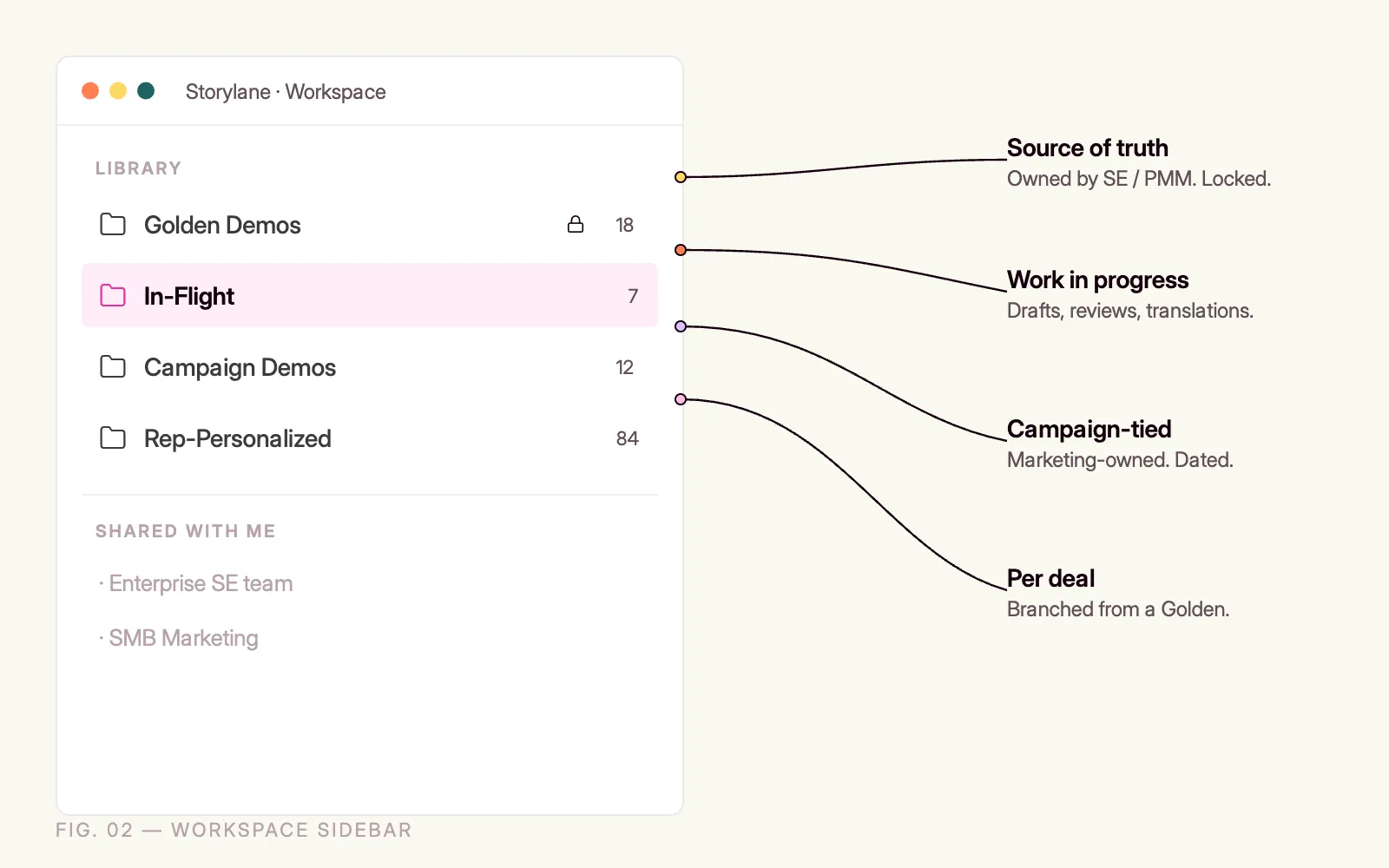
- Golden demos: The source-of-truth, production-ready demos owned by the SE or product marketing team. Nothing ships to a prospect that doesn't come from here, or from a personalized copy of something here.
- In-Flight: Demos being built, reviewed, or translated. Work in progress, not ready for external eyes.
- Campaign demos: Marketing-owned demos tied to specific launches, events, or web campaigns. Dated and retired on a schedule.
- Rep-personalized: Copies of golden demos personalized by sellers for specific prospects. A branch off a source of truth, not a source of truth itself.
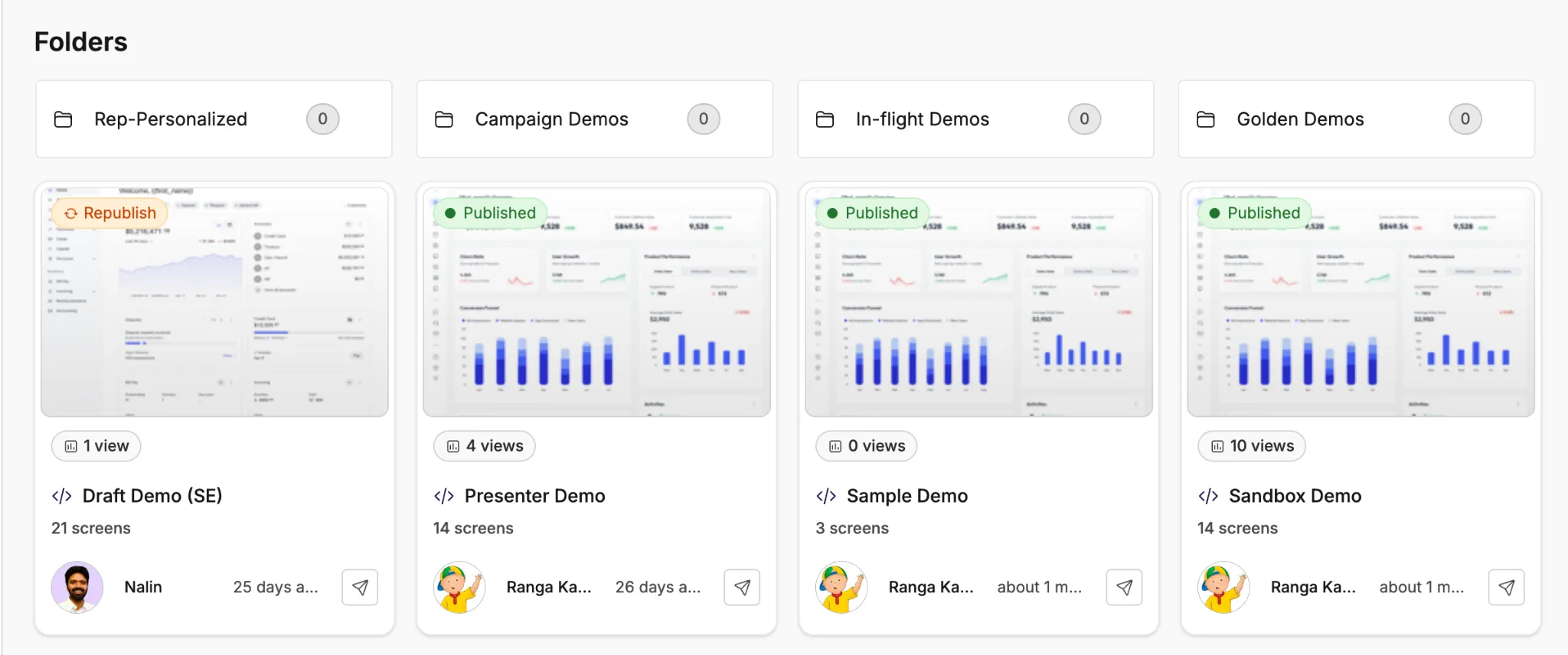
The naming convention matters, yes…but less than the separation. The goal is that anyone glancing at the workspace can tell what's canonical, what's in flight, and what's per-deal.
Roles: who's allowed to do what
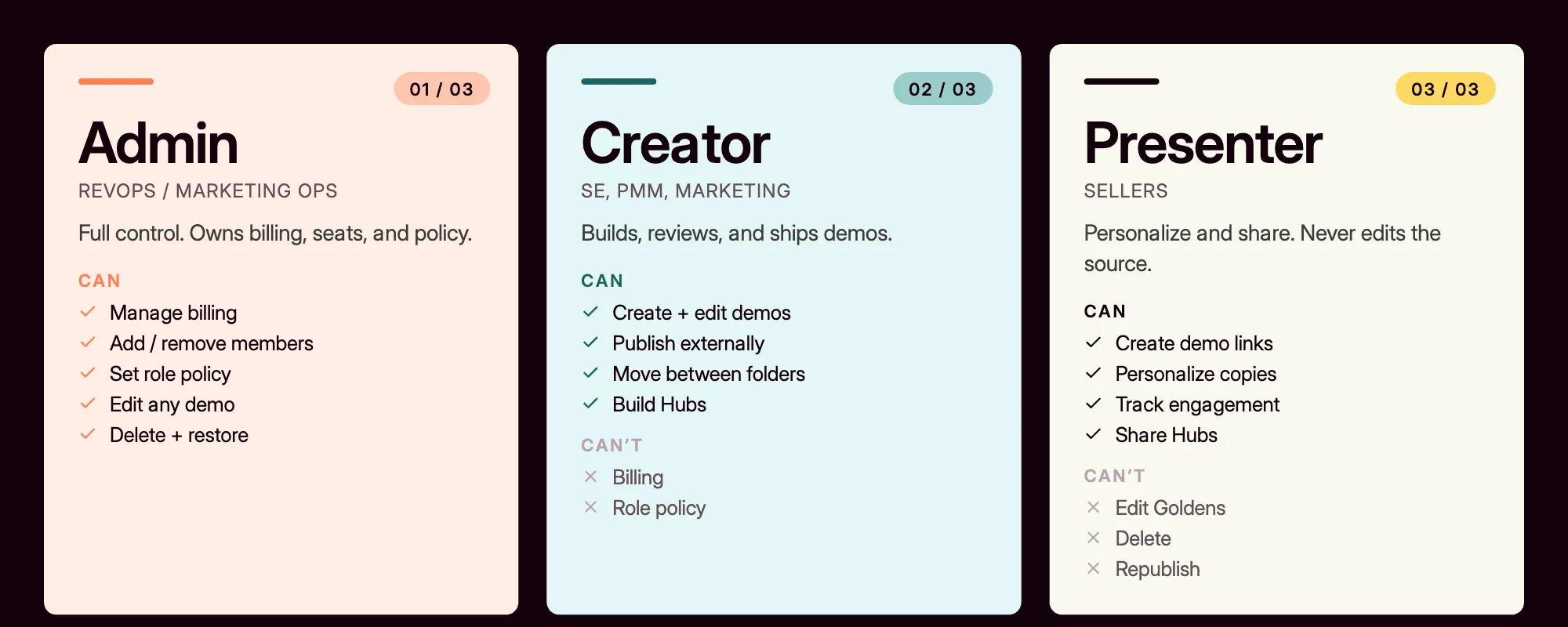
This is where most teams underuse what's already available. Storylane's role model splits into three:
- Admin or Owner. Full control, including billing and team management. Usually sits with a RevOps or Marketing Ops lead.
- Creator. Can create, edit, and publish demos. The right role for marketers, SEs, and anyone whose job involves building demos. Full access to the dashboard and editor.
- Presenter. View-only on demos, with the ability to create individual demo links, personalize them, and track engagement. The right role for sellers. They can share, but they can't accidentally break the source.
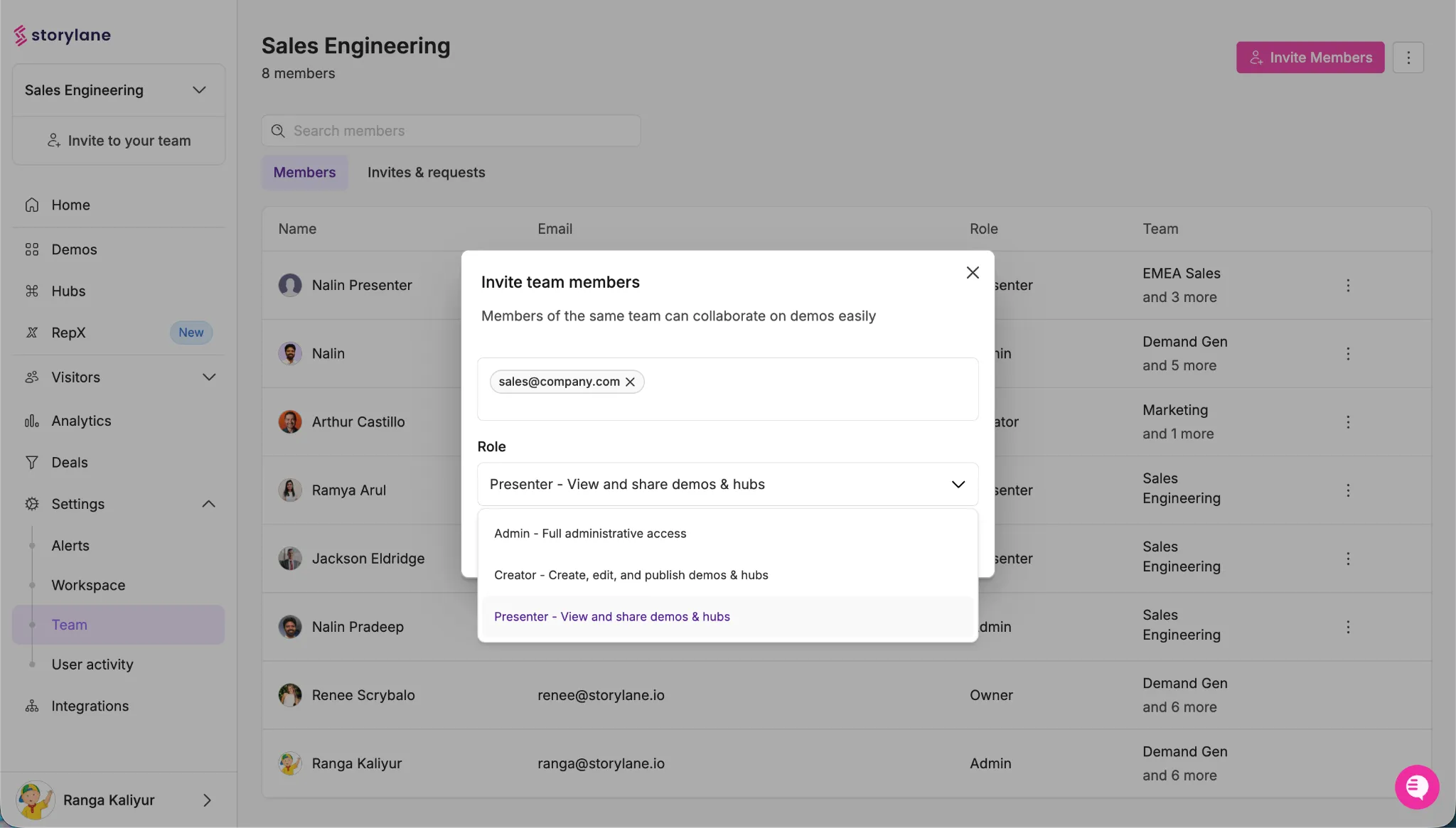
The trap to avoid is making everyone a Creator because it feels generous. It isn't. A seller who can edit the golden demo is a seller one wrong click away from pushing a broken version to a prospect. The Presenter role exists specifically to give sellers the power they need (personalize, share, track) without the risk they don't (edit, delete, republish).
Team workspaces for cross-functional separation
For teams large enough to have multiple product lines or segments, workspace separation matters too. A single workspace for "Enterprise SE team" and another for "SMB Marketing" keeps the libraries from colliding, while shared members can sit in both. When a demo needs to move between them, it can. By default, the boundaries hold.
External structure: how prospects encounter demos
The internal library is about keeping your own house in order. The external side is about the experience the buyer has when you actually share something. This is where Hubs and Interest Screens do the heavy lifting.
Hubs: one URL instead of eight attachments
A Hub is a buyer-facing resource, equivalent to a deal-room. Instead of emailing a prospect eight links (the demo, the case study, the pricing one-pager, the security doc, the ROI calculator), you send them one Hub URL. Everything is there. When they forward the URL to their procurement lead or their CFO, that person lands in the same well-organized space.
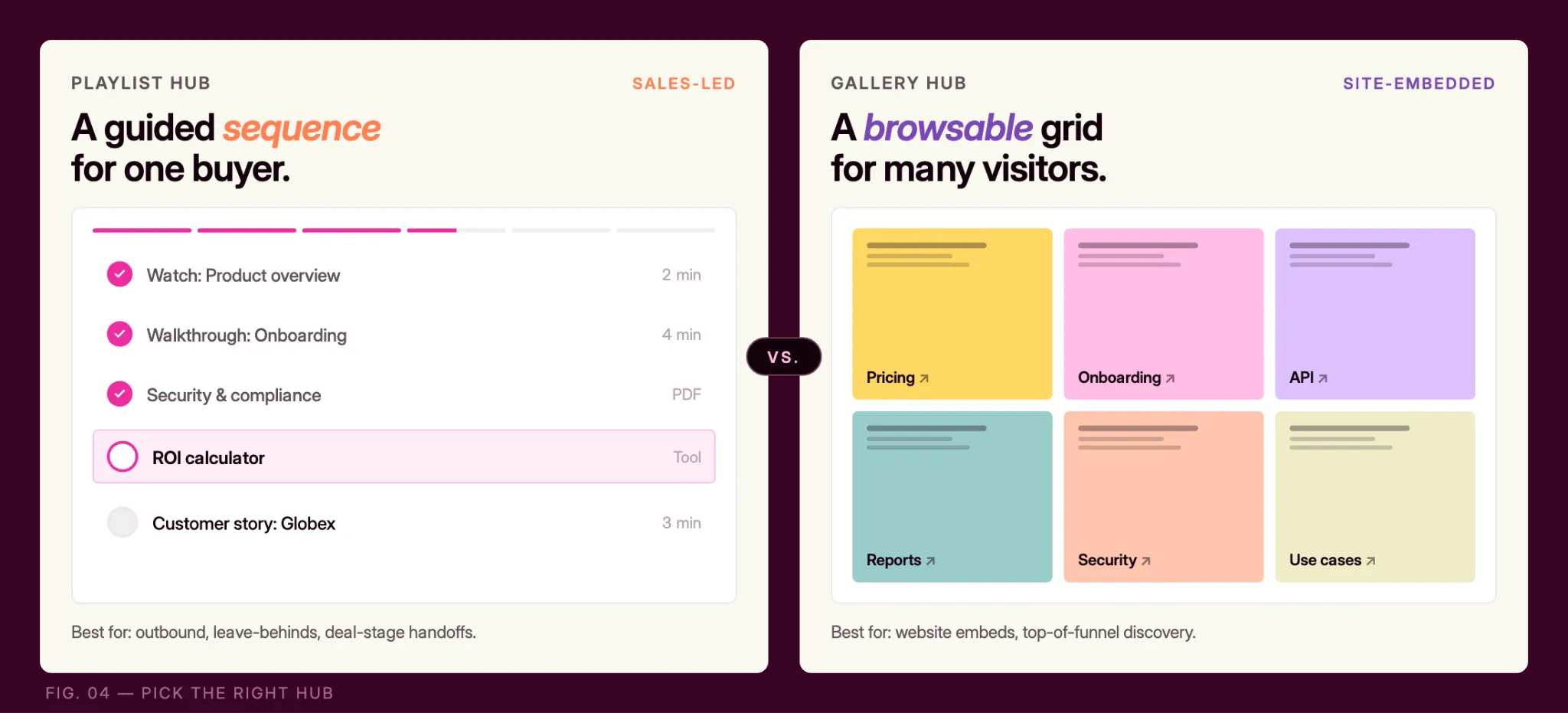
Two Hub formats are worth knowing, and picking the right one changes the prospect's experience:
- Playlists: Walk the buyer through content in a specific sequence. Demo 1, then the video testimonial, then the case study. Best for sales-led journeys where you want to control the narrative.
- Gallery: present everything as thumbnails the buyer can choose from. Best for top-of-funnel, website-embedded, or self-service scenarios.
Rule of thumb: if a seller is sharing it, Playlist. If it's on the website, Gallery. Don't default-pick. Match the format to the buyer's intent.
Interest Screens: let the buyer self-select
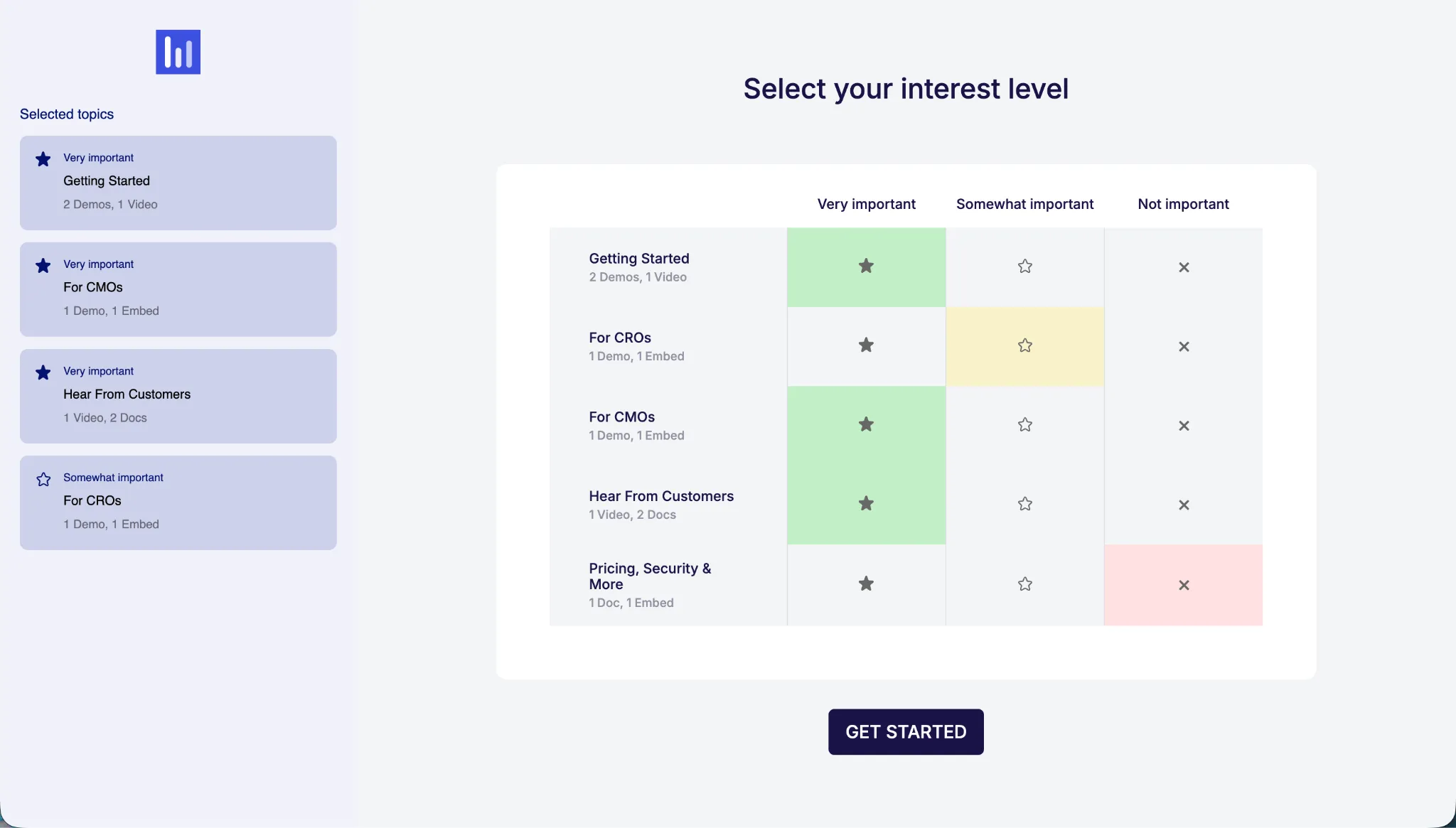
One of the more underrated features with Hubs is Interest Screens. When enabled on a Hub, it lets sellers quickly pick and choose what assets to compile and shows the prospect a quick selection screen before they five into the Hub. Overall, it provides both buyer and seller control over which topics matter most to them and how important each one is.
Two things happen when they answer:
- The prospect skips straight to what's relevant to them. They don't scroll past twelve case studies to find the one in their industry.
- You learn what they care about before your next call. If a procurement lead says security and compliance are very important, pricing is somewhat important, and feature deep-dives are not important, you know exactly how to structure the next conversation.
That's real buyer signals, generated by a feature the prospect sees as helpful, not invasive.
A maturity model
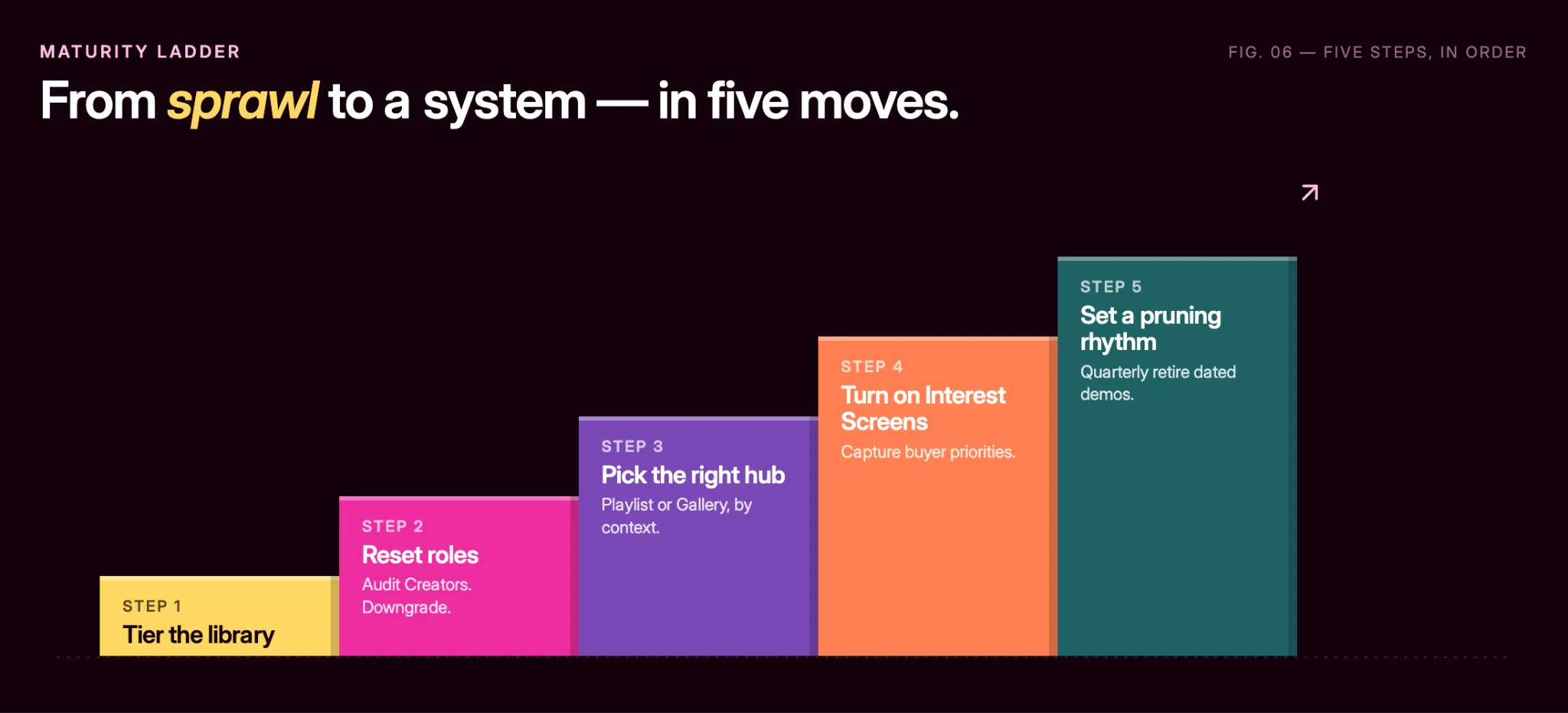
If you're starting from zero, the order that works:
- Tier the library. Separate Golden Demos from In-Flight and Rep-Personalized. Don't try to boil the ocean. Start with three folders.
- Reset roles. Audit who has Creator permissions. Downgrade anyone who doesn't actually build demos to Presenter. Sellers won't miss the edit access; they'll keep the sharing and tracking power.
- Pick the right Hub format per context. Playlist for sales-led outbound and leave-behinds. Gallery for website and top-of-funnel.
- Turn on Interest Screens on your sales-led Hubs. Make the buyer's priorities visible before the next call.
- Set a quarterly pruning rhythm. Dated campaign demos retire on a schedule. Old in-flight demos get archived. The Golden Demos folder stays tight on purpose.
You don't need to do all five to see value. Most teams we talk to get the biggest single win from step 2: fixing the Creator and Presenter split. The compounding benefit across all five is what builds the library that stays clean year over year.
What good looks like
When the library is working, it's invisible.
The new rep onboards and finds the right demo on day one. Marketing ships a campaign without stepping on SE work. The VP of Sales doesn't open the weekly forecast call asking "wait, which version of the demo are we showing?" The buyer gets a Hub URL and tells their team "this is the most organized vendor I've dealt with this quarter."
None of that requires new software. It requires using the platform's structure on purpose, week after week. That's the playbook.