
.svg)

You have an incredible product idea you know is sure to succeed💡
You build the product without any market research around it.
And then the major collapse happens: you take your final product into the market with lots of hopes and excitement.
But what do you get in return? Pin drop silence.
There's no demand for your product. Your efforts, time and funds—everything is duped.
It's a terrible feeling. And we know you don't want it to happen to you.
And that's why you need a solid plan before taking your final product into the market for your SaaS product.
You need a SaaS go to market strategy!
Go To Market Strategy: Definition and Need
A go-to-market strategy is a comprehensive plan a business uses to bring and introduce its product or service to the market.
It covers everything from who your ideal customer is, where they are present, creating a marketing plan to reach out to them, and how to position and price your product.
A go-to-market strategy asks the following questions:
- Who is your ideal target audience and what pain points or challenges do they struggle with?
- What product are you selling?
- What's the unique problem or pain point your ideal customers solve?
- Where will you sell your products?
- How will you reach your target customers and create demand for your product?
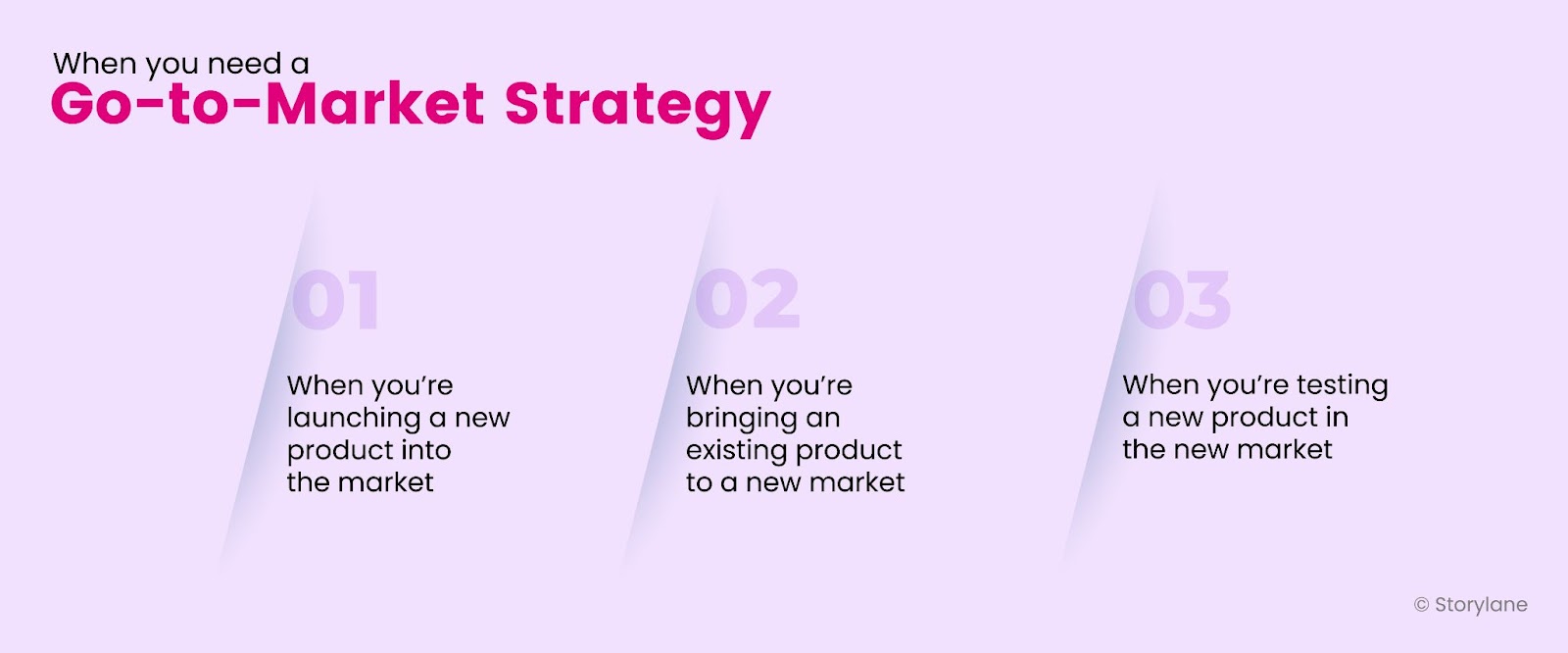
You need a go to market strategy mainly in three situations.
Situation 1: When you’re launching a new product into the market
Situation 2: When you’re bringing an existing product to a new market
Situation 3: When you’re testing a new product in the new market
Unique Factors That Make Up a SaaS Go-To-Market Strategy
Before you launch your product into the market, you need to understand several go to market strategy SaaS factors:
- Target audience: Who are the people in need of your product?
- SaaS product offering: What value are you offering to the ideal customers with your product?
- Product market fit: Does the market facing challenges need your product and will be willing to pay for it?
- Competition landscape: How are your competitors progressing with their product and how can you stand out?
- Marketing and distribution strategy: How will you market and distribute your product to create awareness about your product?
- Sales strategy: How will you create a strategy to sell your product?
- Customer experience strategy: How will you give a premium, positive experience to your customers with your products?
- Customer funnel: How will you keep the customers moving from awareness to conversion stages?
The Different Types of Go-To-Market Strategies

Sales-Led
A sales-led growth has sales reps as its revenue drivers. It requires sales reps reaching out to prospects and converting them.

Usually, there are three ways of approaching this:
Inbound and Outbound
- Inbound: Your marketing team leverages content marketing assets to attract prospects and the sales team further nurtures and warms the prospects and converts them.
- Outbound: Your sales team does outreach in larger volumes—cold calls, cold messages and cold emails.
- Ecosystem: Your sales team builds relationships with partners and brings in work collaborations—integrating apps and partnering on use cases. For example, Storyane’s integration with Slack or HubSpot.
Market-Led
A marketing-led growth happens when SaaS acquires customers through marketing assets like blog posts, videos, webinars, affiliate marketing, and building partnerships. Here are 3 marketing-led GTM strategies you should know about:
- Community-led: It focuses on building, nurturing, and growing a community of users to improve customer acquisition, boost engagement and increase retention. For example, Rocketlane built their Slack community in September 2020—before launching their product.
- Event-led: It focuses on educating prospects through webinars, virtual and in-person events. For example, the 2020 Tech Conference conducted by HackerEarth for recruiters and engineering leaders
- Channel-led: It focuses on educating the resellers, agencies and partners about the product and its features for them to sell it further.
Product-Led
It focuses on naturally weaving the product and its use cases into your content. However, when you plug in specific features of your product into articles, guides and ebooks very evidently and unrelated to the overall narrative you’re weaving—that’s not product-led content.
Here's an example of how Semrush uses product-led growth. Semrush uses its blog post to educate its readers and shares how the readers can use Keyword Magic tool to find primary and secondary keywords.

The Step-By-Step Guide to Developing an Effective SaaS Go-To-Market Strategy
Here's a 10-step process you need to follow to build your SaaS Go-to-market strategy:
Step 1: Identify the Problem
The first step to initiating the product idea: find the problem the target audience faces.
For example, ClickUp makes project management easy for teams by replacing five different tools with one. Fireflies.ai helps your team record, transcribe, search, and analyze voice conversations. Both products offer a unique value proposition that addresses customers' pain points.
- ClickUp’s value proposition: Get all your work in one place with one app that replaces others
- Fireflies.ai’s value proposition: Record, transcribe, search, and analyze voice conversations for your teams.
The demand for these products grew after the pandemic when companies shifted to working remotely, which means people were already interested in their solution.
Product-market fit is the degree to which your product satisfies strong market demand. But here’s the catch: to build product-market fit, you need to focus on your target audience’s pain points first, not the product.
And that’s why Brian Balfour, the CEO of Reforge calls this term market-product fit.

The approach they used: Building the product first, and then looking for the target audience’s problems.
For sure, this approach was meant to fail.
The right approach? Tap into the market first, get feedback, and then build the product. By doing this, you’ll already have a market in place that is interested in the product (as it solves their problem)—making your product the right fit for them.
For instance, Superhumans, an email client software, did that to determine if the market-product fit was right. The company surveyed 100-200 users who had used Superhumans within the past two weeks, and asked the following questions:
- How would you feel if you could no longer use the product? Very disappointed, somewhat disappointed, or not disappointed
- What type of people would benefit from Superhuman?
- What benefits does Superhuman provide?
- How can we improve Superhuman for you?
Step 2: Define the Target Audience
Understand your target audience. Start by asking questions like:
- Who is experiencing the problem your product is trying to solve?
- What pain points can your product reduce?
- How much are they willing to pay for the solution?.
To define your target audience, craft an ideal customer profile and buyer persona. Take a peek at how Mixmax has done laser-targeted research to find its target audience and their needs:
- Individuals who want to leverage calendaring and email productivity
- Small and mid-sized companies who need email campaigns and calendaring for their teams
- Companies who want to automate sales for growing teams
- Companies who want to use sales engagement with Salesforce integration for their teams
- Enterprises that want a customized setup for larger teams
Step 3: Understand the Competition and Demand Landscape
Since you have identified your product’s unique value proposition and target audience, it’s time to wear the ninja lens and spy on your competitors👀
During your research, ask:
- Who is offering a similar product in the market?
- What audiences and geographical regions does your competitor target?
- How does your product differ from your competitor?
- What additional solutions are you providing that your competitors aren’t?
- Is there a demand for the product or is the market oversaturated?
To answer these questions, you need an in-depth competitor analysis. Here are six methods you can use to conduct your research:
- Surveys:
- Interviews
- Focus groups
- Social media monitoring
- Online review sites like Capterra and G2
- Competitor analysis tools

This further helped Rocketlane in two ways:
- Helped find the product-market fit
- Helped build the marketing engine in the early stage

Step 4: Decide Key Messaging
The key messaging helps you convey your value proposition to your customers and prospects—helping them understand how your company can solve their problems and benefit them. Your key messaging shows:
- How customers can achieve their goals
- How your product can be the medium to achieve their goals.
💡Tip: You need to communicate unique key messaging for each buyer persona.

To map your key messaging for each buyer persona, create a value matrix.
A value matrix breaks down each buyer persona, their pain points, the value your product brings to them, and a key message about how your product solves their problem.
Let’s take a look at how Mixmax crafts its key message for each buyer persona👇
Pain Points
- Sales reps miss following up with cold outreach prospects
- Sales reps forget the stage the prospect is at and miss out on incredible opportunities
- Teams go back and forth while coordinating meetings leading to wasting time
- Teams spend hours updating their CRM
Product Value
- Leverages emails to engage with prospects, find opportunities, and close deals as it is the place businesses sit.
- Enables your teams to send timely follow up to prospects on time and stay on track
- Mixmax saves time by creating endless email templates for different sales funnels teams can use when sending the response to the next prospect
- Helps teams create a team Calendly feature that enables them to create and send a customized meeting schedule that all prospective recipients can see and confirm
- Creates customized meeting schedules to send to each person on the other side of the email altogether
Key Message
- Keep functionality, cut tech speed. Save money on sales engagement while keeping all the features your sales team loves to use to close more deals and delight more customers.
Step 5: Choose a Pricing Strategy
Should you offer a free demo or a freemium package? Or should you offer a limited trial period? Which packages should be priced differently? Premium or low-end?
Coming up with the right price is one of the most critical components of a successful go to market strategy SaaS.
Flat-Rate
You offer a single product and a single price for a specific set of features. You don’t get different pricing options to choose from.
For example, Hostinger offers a Google Workplace plan to its users at flat-rate pricing.

Tiered
You can offer different versions of the product to the customer. This different version can be based on features and users or usage.
For example, Storylane offers 3 different pricing tiers: Free, Starter, and Growth.

Usage-Based
You can charge the customer based on product usage. If they’ve used the product less, they’ll be charged less and if they have used more features, they’ll be billed more.
For example, ConvertKit charges its customers based on the number of email subscribers they have. If they have 1000 subscribers, they can use the product for free. But if they have more than 1000 email subscribers, the price increases.

Seat-Based
You can charge customers based on the number of users using the product.
For example, Superhuman charges $30 for 1 user using the Starter package. But, if the number of users increases by 5, the price increases to $150 per month.

Freemium
You offer a limited set of features for free to customers, which lures them to sign up and test out the product for free.
For example, ClickUp offers a free forever plan to their customers where they don’t have to spend a penny.

Step 6: Map the Buyer’s Journey Based on their Awareness Levels
So now you’ve decided on the pricing model for your SaaS. Yay. Big win!
Now you need to map the buyer's journey, and how you’ll start the process and move the buyer from awareness to conversion.
In marketing, a buyer’s journey is traditionally classified into 5 different awareness stages:
Unaware
Here, the target audience is not aware of their need to solve the problem.
Imagine you reach out with your product offering to an unaware target audience.
Do you think they’ll buy from you? Definitely not.
You can never sell to an unaware audience, and that’s why for most B2B SaaS companies, the goal is to reach the target audience that is at least pain aware.
However, you can make the unaware prospects aware of their problem with content assets like:
- Educational long-form blog posts
- Youtube videos
- Webinars
- Social media posts (by influencers)
💡Tip: When you're targeting an unaware prospect, the sales cycle from nurturing to conversion will be double times longer that of pain-aware prospects.
To make an unaware prospect aware of their pain points, you’ll need to talk to these prospects, dissect their lives and ask them thought-provoking questions—ultimately making them realize the problem that exists.
For example, When Topmate launched their product and reached out to their ideal customers, i.e., content creators — few prospects considered it as just another mentoring platform where they could do video calls with their prospects.
Even though Topmate offered impactful features, these content creators were not aware why they should use the platform if they could use another platform like Calendly, and Google Meet to conduct calls and webinars.
Here was the problem: These content creators didn’t know what exactly was needed for them to streamline their entire consultations and webinar process—which led this audience to not test out the product.
Pain Aware
Here, the target audience has identified their problems but they aren’t aware of the possible solutions that exist.
Such an audience needs to be nurtured through content assets like:
- Long-form blog posts
- Podcasts
- Communities
- Youtube videos
- Newsletters
For example, many B2B SaaS companies know they are losing out on conversions even with the Book a Demo call-to-action on their website. That’s a problem but they don’t know the solution to it yet.
In this case, the solution for these B2B companies is to add automated product demos on the website’s homepage for the visitors to understand how the product can solve their problem.
So, you’ll create content assets like long-form blog posts and Youtube videos showcasing how they can create an interactive product demo, and what factors make a video demo engaging.
Solution Aware
Here, the ideal prospect knows well about their problems and the solution they need. Yet, they are not aware of the products that exist to solve their problem.
Such an audience needs to be nurtured through content assets like:
- Long-form blog posts
- White papers
- Reports
- Tutorials via Youtube or emails
- Social media posts
- Communities and public forums
For example, once the B2B SaaS company has figured out that they need product demos embedded on their website instead of offering live demos at the initial stage, they’ll find products and platforms offering such solutions.
To do this, they’ll ask about the products in the communities they’re part of, or maybe read social media posts by experts who are already using the solution.

Product Aware
Here, the prospect knows about your solution but isn’t sure if your product is the right fit for them or not.
Such an audience needs to be nurtured through content assets like:
- Automated email sequences with product benefits
- Long-form blog posts, case studies and comparison articles
- Landing page that addresses all the features and benefits of your product
For example, Storylane’s blog features blog posts where we highlight the prospect’s problems and present Storylane as the ideal solution.
Now the buyer would want more details about the product and its credibility. This is where they’ll land on case studies and customer success stories. It helps them understand how the tool allowed them to overcome those friction points.
Take a peek at how we’ve created this case study and highlighted everything from problem to solution for our customer, Toplyne:
- The problem Toplyne was struggling with product demos,
- The solution they found
- How Storylane’s solution became their best fit
- The features they loved about Storylane

When the prospect goes through the library of these customer stories, they’ll understand how the platform helped these customers and whether or not it will be the right thing for their company—which eases their decision-making process with the right product.
Now, the buyer navigates educational content you’ve created, and the case studies to boost credibility, yet they haven’t made the decision. Offer a demo. If the buyer is interested, they’ll click on the ‘Request demo' option. Next, the sales reps will connect with the buyer and schedule a live demo.
So, instead of having your sales reps give a manual demo, record and put up an interactive product demo on your website that the buyer can click on and understand the product better.
Most Aware
Here, the prospect is very well aware of your product and how you can solve their problem. They know you’re the right fit for them yet, they aren’t your customers yet.
Such an audience needs nurturing on a higher level as they are too close to the conversion stage. For them, you’ll need a high-value sales funnel and nurture them through a combination of educational and promotional content. This includes:
- Sending them newsletters and automated sequences (product tutorials, new feature announcements, and discounts)
- Leveraging webinars to showcase how the prospect can use certain features they aren’t aware of
- Showcasing live demos, addressing objections and offering a periodic offer for them
For example, by now, the prospective buyer knows Storylane’s platform and how it can solve their challenges. They are in between the thinking and decision-making process. They have a few objections too. They think the price point is high. Maybe they have a few questions they want to be answered by Storylane’s team.
At this point, they’ll book a live demo with the sales reps to guide them through the product while they raise their objections.
If the price point is their concern, maybe the sales rep will offer them a discounted price they’ll agree upon.

Step 7: Identify Marketing Channels
Now, start identifying the marketing channels you’ll leverage: content marketing, SEO, partnerships, or PPC.
This is where you need to analyze whether to stick with organic or paid marketing.
A majority of B2B SaaS companies use organic marketing channels first, especially long-form and short-form content marketing, and then add paid marketing to their go-to-market strategy.
Let's take a look at how Mixmax has consciously picked its marketing channels:
- It leverages long-form text content—blog posts, and case studies to educate the buyers about their product.

- It uses social media channels like LinkedIn, and Twitter to interact with its target audience, garner engagement and create awareness about its product.

- Once you opt-in for their freemium plan, you’ll start receiving an automated email sequence from them that highlights the impactful features of Mixmax.

- It uses webinars to educate the user about powerful Mixmax features they may not know.
Step 8: Create a Sales Plan
A SaaS go-to-market strategy aims to sell your product. And that’s why it is crucial to decide which sales strategy you’ll use to convert prospects into customers. Here are 4 sales strategies you can use:
Self-Service Model
Customers navigate through the product and purchase it.
For example, Grammarly uses a self-service sales model where no sales demo is provided. All you have to do is go to their website and purchase the subscription.
Inside Sales Model
Your sales team nurtures prospective customers to convince them to buy the product. For example, once the user signs up for Saleshany’s free trial, they receive emails from their sales team—which is an excellent way to nurture the prospects.

Field Sales Model
Your sales team may need to meet the prospect in-person, show them how the product works, and close deals. This sales model requires a longer cycle and conversion time. You should use this sales strategy only when converting enterprise deals.
Channel Model
You team up with an external partner who’ll sell your product for you. These people are usually resellers or affiliate marketers who have collaborated with you.
Step 9: Choose Metrics to Track Success
Metrics and KPIs help you get informed data-driven insights and accomplish the goals you have set with the GTM strategy.
By regularly tracking your KPIs, you can:
Identify key areas where you’re succeeding in achieving your goals
- Identify key areas where you need to improve your strategy
Few KPIs to track your GTM strategy:
Marketing campaign KPIs
- Leads generated: Track the number of product demos requested, free trials started or guides downloaded
- Promotion effectiveness: Track email open rates, and pay-per-click advertising rates
Product usage KPIs
- Trial signups: Track the number of free/paid trial signups started by prospects in a specific timeframe
- User retention rate: Track how many customers were retained by the company
Market success KPIs
- Monthly revenue: Track how much monthly revenue you bring in
- Market share: Track the percentage of the market buying your product
Step 10: Launch the Product
Alright! So you have found your product market fit, identified your target audience, created your go to marketing strategy and tracked your KPIs.
What next?
Well, it's the final step—launch your product to the market!
When xTiles launched their product on Product Hunt, it received immense love and appreciation for the productivity tool it built. And most of the traction they gained came from the Slack community of early adopters they had built.
It was major win for the team because just after the launch of the product, xTiles became one of the top productivity tools on Product Hunt😍
3 Tips to Keep in Mind While Developing a SaaS Go-To-Market Strategy
Let's hear what experts have to say about creating a comprehensive GTM strategy—what are the must to follow while creating the strategies👇
Tip 1: Ensure Customer-Centricity
Not product-centric but customer-centric. That should be your goal. From finding the exact pain points your target audience is struggling with to finding who your ideal customer profile is—focus on your customer.
"If you're developing a SaaS Go-to-Market (GTM) strategy, it's crucial to keep the customer in mind at all times. One tip is to focus on their pain points and how your product can solve them. By doing this, you can tailor your messaging, positioning, and pricing to resonate with your target audience.”
“By focusing on our customers' pain points, we reduced our customer acquisition cost by 30% on PPC campaigns. Our messaging became more targeted, resulting in higher conversion rates and increased revenue. We also received more positive feedback from customers and engagement in our email sequences, leading to higher customer retention rates. Ultimately, this approach helped us create a more effective and efficient GTM strategy”
— Angelo Sorbello, Founder of Linkdelta
Tip 2: Understand Your Differentiating Factors
How do you stand out from the noise of zillions of emerging B2B SaaS products? Well, you need a differentiating factor that highlights your unique value propositioning.
“Understand our differentiating factors. We have cracked what makes our product unique compared to rivals and emphasized this in our content marketing. Being distinctive is essential to stick out in a crowded market.”
“Because we knew everything about our target audience and the way they think about sales, we decided to shorten our demo to just 15 minutes. This seemed peculiar, but it brought results: we managed to increase our close rates by 27%. Why? Because we knew that our target audience doesn't like to chit-chat. They want to see our product in action and that's the reason they sign up for a demo in the first place. And luckily, the product is as simple as it is powerful in that it does all the talking for us”.
— Nebojsa Savicic, Cofounder of Plainly
Tip 3: Build Your Brand Even Before the Product Launch
Strong brand = strong community + more leads. It’s important for B2B SaaS companies to start marketing right from the early stages.
“The one tip that really stood out to me while developing a SaaS GTM strategy is to build a strong brand before you start collecting leads. This will make it easier to collect leads later on since you’ll be able to rely on the trust and goodwill you built up over time. The biggest impact of using this tip was that we were able to start generating leads almost immediately after launching the product because people were already familiar with our brand.”
—Matthew Ramirez, Founder at Rephrasely

How Can Storylane Help With Your B2B SaaS Go-To-Market Strategy?
Replace Manual Sandboxes with Interactive Demos
What if you want your prospects to get a look and feel of your actual product, but don’t want to manually create sandbox environments every single time?
With Storylane's interactive demos, you can create a safe playground for them to test out your product, in a guided way.
See an Uptick in Inbound Leads
Inbound leads, who doesn't want that?
Once you create your first interactive demo with Storylane, you can embed it on your website's homepage. You can then identify who engages with your demo using a lead form or by integrating it with your CRM and enabling tracking. See how to do it here.
Create Detailed Knowledge Base
Huge blocks of texts are not always a good solution. Imagine you get stuck while using the tool and go to the product's knowledge base to find out the solution. And what you see? Textual step-by-step processes—which sadly, you don't understand. That's where you can create the demo of each feature of your product and make the knowledge hub experience for users and customers easier.
You can also checkout the effective growth marketing strategy.
Get. Set. Launch
Developing a B2B SaaS go-to-market strategy is not complicated. But, it demands you to spend enough time with your target audience and understand their problem.

And once you have cracked the code: found your value proposition, identified your target audience, found the product market fit, and finally developed your go-to-market strategy, it's a breeze.
But but but, to showcase your prospect's value proposition, you *also* need to focus on visual presentations and videos.
Use Storylane's platform to create interactive demos, and analyze how users interact with those demos.
Want to know how to leverage your B2B SaaS's go-to-market strategy? Schedule a free demo to find out!