
.svg)

Your sales team is burning hours on live demos that don't convert. Prospects sit through 30-minute product walkthroughs, nod politely, then disappear into the abyss of "we'll be in touch." In fact, a Storylane report finds that 4 in 5 members of the buying committee never show up to a call in the first place.
Here's the brutal reality: 85% of sellers say self-service tools are game-changers, and interactive demos outperform free trials, user reviews, and almost every other sales asset. But most sales teams are still winging it with screen sharing and PowerPoint presentations from 2015.
After testing dozens of sales demo platforms across multiple B2B campaigns - from seed-stage startups to enterprise deals - I've identified the tools that actually move prospects from curious to committed. This guide cuts through the vendor marketing noise to show you which platforms deliver real results.
| Tool | Pricing (2026) | Best for | Storylane advantage |
|---|---|---|---|
| Storylane | Free plan + $40/month | Fast-moving SaaS and marketing teams | This is the baseline: fastest setup with AI HTML capture and AI-generated guides and voiceovers |
| Consensus | Custom, roughly $10k+/year | Enterprise sales with many stakeholders | Storylane ships an interactive demo in minutes instead of gating buyers behind video |
| Walnut | $9,200/year (no free plan) | Established sales teams | Storylane offers a free plan and faster editing without the setup overhead |
| Navattic | Free plan + $600/month | Startups and website embeds | Storylane adds AI voiceovers and guided flows on top of a comparable free tier |
| Demostack | From $25,000/year | Enterprise, complex products | Storylane skips full product cloning so demos go live in minutes, not weeks |
| Reprise | Custom pricing | Mid-market, multiple demo formats | Storylane keeps pricing transparent and setup self-serve |
| TestBox | From $44,750/year | Technical products, hands-on trials | Storylane needs no 6-month API integration to publish a demo |
| Saleo | Custom (multi-month rollout) | Live demos, complex integrations | Storylane captures your UI without live-product access |
| Loom | Free plan + $8/month per user | Quick personalized video outreach | Storylane demos are interactive, not passive video |
See how Storylane compares, live
Get a personalized walkthrough and see how fast your team can ship interactive sales demos that book more meetings.
Book a demoTL;DR, Top sales demo tools at a glance
| Tool | Pricing | Key Strength | G2 Rating | Best For |
|---|---|---|---|---|
| Storylane 👑 | Free plan + $40/month | AI-powered HTML capture with fastest setup | 4.8/5 | Fast-moving SaaS teams, Marketing |
| Consensus | Custom ($10k+/year) | Complex stakeholder management | 4.6/5 | Enterprise sales, Complex B2B |
| Walnut | $9,200/year | No-code simplicity with collaboration | 4.4/5 | Established teams, Collaboration focus |
| Navattic | Free plan + $600/month | Professional features on free plan | 4.5/5 | Startups, Website embeds |
| Demostack | $25,000/year | Full product cloning with AI data | 4.3/5 | Enterprise, Complex products |
| Reprise | Custom pricing | Multiple demo formats in one platform | 4.2/5 | Mid-market, Flexible demos |
| TestBox | $44,750/year | AI-powered sandbox environments | 4.1/5 | Technical products, Hands-on trials |
| Saleo | Custom (6+ months) | Live demo overlays with real product | 4.0/5 | Live demos, Complex integration |
| Loom | Free plan + $8/month | Quick video recording and sharing | 4.7/5 | Quick demos, Personalized outreach |
- Best overall: Storylane - AI-powered demo creation with HTML capture technology and the fastest setup process in the market. Coupled with Buyer Hub (multi-format enablement library), Storylane is the perfect balance of features, ease of use, and price.
- Best for early-stage demos: Navattic - solid free plan with professional features and seamless website embedding capabilities. Ideal for growing teams on tight budgets.
- Best for video-based sales demos: Consensus - Advanced stakeholder management and champion enablement features designed for complex B2B sales cycles with multiple decision-makers.
- Best for website embeds: Storylane - Superior embed capabilities with pixel-perfect interactive demos that integrate seamlessly with marketing campaigns and landing pages.
What is sales demo software?
Sales demo software enables teams to create interactive, self-guided product demonstrations that prospects can explore on their own time. Unlike live screen-sharing sessions or static onboarding tools, these platforms capture your actual product interface and transform it into engaging, shareable experiences that qualify leads and accelerate deal velocity.
How we evaluated these tools
Each platform was evaluated using consistent criteria:
- Demo interactivity and engagement features,
- Ease of use for sales teams,
- Integration capabilities with existing sales stack,
- Analytics depth and lead intelligence,
- Pricing transparency and value,
- And most importantly - measurable impact on demo-to-opportunity conversion rates
9 Best sales demo tools (ranked & reviewed)
1. Storylane - Easiest interactive demo platform for marketing and sales teams
Storylane has rapidly become the go-to choice for sales and marketing teams looking to create compelling interactive demos without technical expertise. The platform's strength lies in its speed and simplicity - you can capture your product interface and build a professional demo in minutes. What sets Storylane apart is its AI features that help generate context-specific guides, videos, voiceovers, etc.
Key Features:
- HTML Capture Technology: Records your actual product interface, not just screenshots, creating authentic demo experiences
- AI-Powered Content Generation: Automatically creates step-by-step captions, voiceovers in 15+ languages, and personalized messaging
- Buyer Hubs: Bundle multiple product tours, PDFs, videos, and more into a single shareable link for different personas or use cases
- Comprehensive Analytics: Track viewer engagement, drop-off points, time spent, and lead scoring insights
Pros:
- Fastest demo creation process in the market - from capture to share in minutes
- AI features eliminate the need for manual content creation and localization
- Seamless integration with major CRM and GTM tools
- Enterprise-grade security with SOC-2 compliance and SSO capabilities
- Excellent customer support with dedicated success managers
Cons:
- Advanced customization requires higher-tier plans
- Focus on demo creation rather than complex sales workflow automation
Pricing:
- Starter: $40/month (image/screenshot demos, video demos, Lily AI, account reveal)
- Growth: $500/month (adds 5 seats, HTML demos, personalization tokens)
- Premium: $1,200/month (adds Demo Hub, offline demos, demo coaching)
- Enterprise: Custom pricing (adds Sandbox demos, multi-workspace, enterprise security)
Best For: Sales teams that need to create high-converting demos quickly, especially those in fast-moving SaaS environments where speed-to-market matters.

2. Consensus - Video-based platform for multi-stakeholder buyer enablement
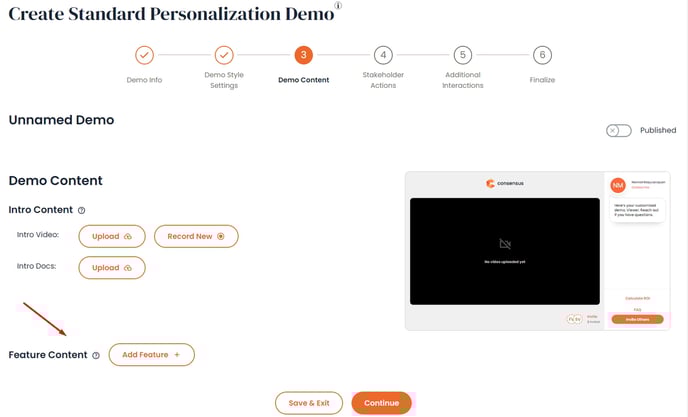
Consensus positions itself as the first “Product Experience Platform:, combining demo automation with buyer enablement features. The platform excels at managing complex B2B sales cycles where multiple stakeholders need to evaluate your product. Its unique approach focuses on turning prospects into internal champions by providing them with shareable, personalized demo experiences.
Key Features:
- Automated Product Simulations: One-click sandbox environments that skip engineering constraints
- DemoBoards: Branded landing pages that consolidate multiple demo experiences for different stakeholders
- Actionable Intent Data: Deep analytics showing which features resonate with specific buyer personas
- Champion Enablement: Tools that help prospects sell internally to their own organizations
- Video Tour Integration: Personalized video demos that adapt based on prospect preferences
Pros:
- Sophisticated stakeholder management features ideal for complex B2B sales
- Comprehensive analytics provide deep insights into buyer behavior and preferences
- Strong focus on champion enablement and internal selling
- Excellent integration with major CRM and sales engagement platforms
- Proven track record with enterprise clients
Cons:
- Higher learning curve compared to simpler demo tools
- Pricing is custom and typically higher than basic demo platforms
- May be overkill for straightforward sales processes
Pricing: Custom pricing based on licenses and use cases. Enterprise-focused with plans typically starting in the five-figure range.
Best For: Enterprise sales teams dealing with complex buying committees and long sales cycles where stakeholder alignment is critical.
3. Walnut - HTML demos for sales teams
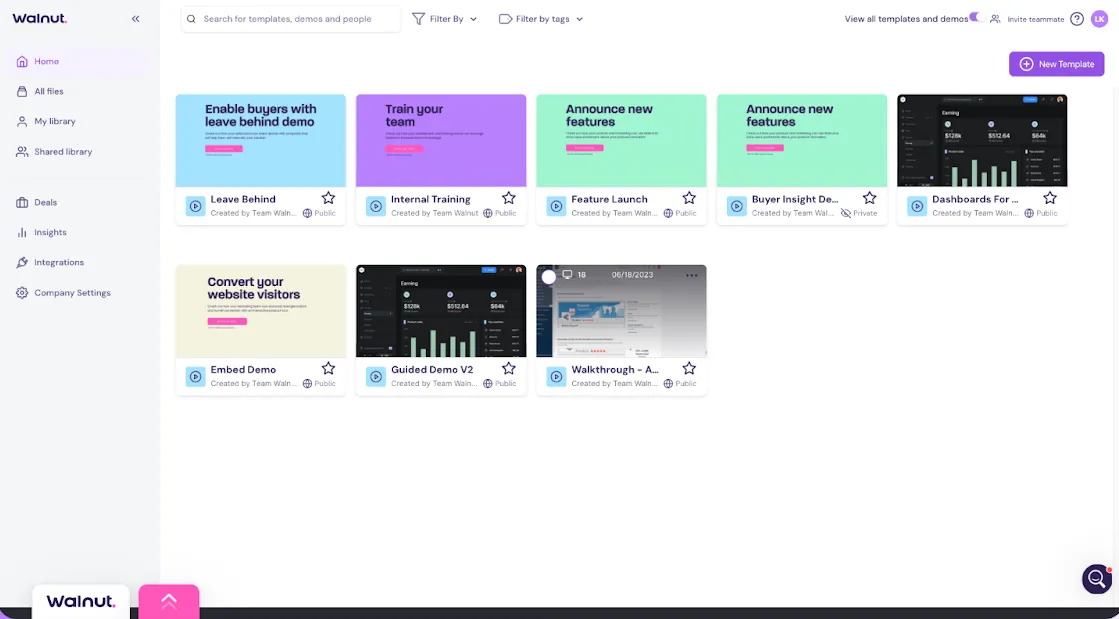
Walnut has built its reputation on providing an intuitive, no-code platform that sales teams can master quickly. The tool focuses on creating interactive HTML demos that feel like exploring the actual product, without the complexity of live environments or the limitations of screenshot-based tours. Walnut's strength lies in its balance of functionality and simplicity.
Key Features:
- No-Code Demo Builder: Intuitive interface that requires no technical skills to create engaging demos
- Template Library: Pre-built demo frameworks for common SaaS use cases and industries
- Collaboration Features: Multi-user editing and commenting capabilities for team-based demo development
- Deal Intelligence: Analytics that connect demo engagement to deal progression and outcomes
Pros:
- Strong collaboration features enable efficient team-based demo creation
- Good integration ecosystem with popular sales and marketing tools
- Reliable platform with strong uptime and performance
- Responsive customer support with comprehensive onboarding
Cons:
- Limited to HTML linear tours, no screenshot demos or video capabilities
- Higher pricing compared to newer alternatives in the market
- Analytics could be more detailed for advanced optimization
- User satisfaction challenges, Walnut currently has a satisfaction score of 32/100 on G2
Pricing: No free plan available. Lite plan starts at $9,200/year, Pro plan at $20,000/year.
Best For: Established sales teams that prioritize ease of use and collaboration over advanced customization features.
4. Navattic - HTML demos for marketing teams
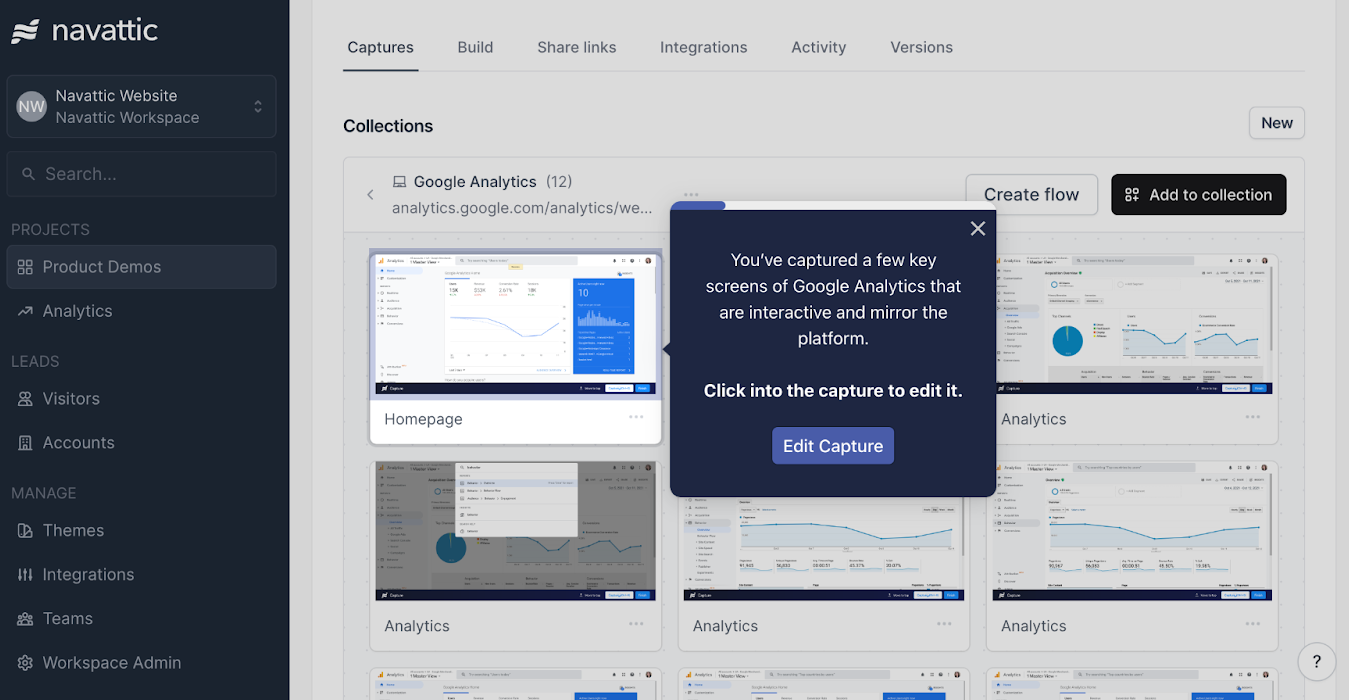
Navattic stands out for its generous free plan and professional feature set, making it particularly attractive to startups and growing companies. The platform creates pixel-perfect interactive demos by capturing your product's actual interface, then allows extensive customization without affecting your live product environment.
Key Features:
- HTML Capture System: Creates authentic product replicas that maintain the look and feel of your actual software
- Interactive Elements: Checklists, hotspots, and guided tours that engage prospects actively
- Embed Capabilities: Seamless integration with websites, landing pages, and marketing campaigns
- Engagement Analytics: Detailed tracking of prospect behavior and interaction patterns
- Account-Based Personalization: Customize demos for specific prospects or market segments
Pros:
- Generous free plan makes it accessible for startups and small teams
- High-quality demo output that closely mimics actual product experience
- Strong customer support with responsive assistance and guidance
- Good balance of features without overwhelming complexity
- Effective for both marketing and sales use cases
Cons:
- Limited advanced features compared to enterprise-focused platforms
- Demos require manual updates when product interface changes
- Less sophisticated analytics than premium alternatives
- Integration options are more limited than comprehensive platforms
Pricing: Starter plan is free with basic features. Base plan at $600/month, Growth plan at $1,200/month.
Best For: Startups and growing SaaS companies that need professional demo capabilities without enterprise-level pricing.
5. Demostack - Product cloning for realistic sandboxes
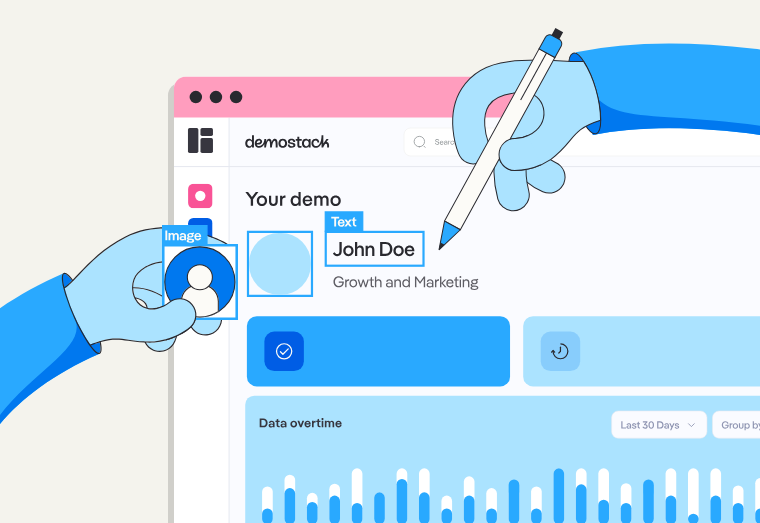
Demostack takes a comprehensive approach to demo creation by cloning both front-end and back-end product functionality. This creates incredibly realistic demo environments that can showcase complex workflows and integrations. The platform particularly excels at creating personalized demo experiences that incorporate prospect-specific data and scenarios.
Key Features:
- Full Product Cloning: Replicates entire product functionality including back-end processes
- AI Data Generator: Automatically populates demos with realistic, prospect-relevant data
- Sandbox Environments: Creates trial-like experiences where prospects can explore freely
- Live Demo Overlays: Enhances live presentations with interactive elements and guided tours
- Advanced Personalization: Incorporates prospect company data and use cases into demo experiences
Pros:
- Most comprehensive demo replication available truly mirrors actual product functionality
- Excellent personalization capabilities create highly relevant prospect experiences
- Strong analytics provide detailed insights into prospect engagement and preferences
- Good for demonstrating complex products with multiple integrated features
- Supports various demo use cases from marketing to sales to customer success
Cons:
- Requires browser extension installation which may raise security concerns
- Higher learning curve and longer implementation time
- Premium pricing puts it out of reach for many smaller organizations
- Can be overkill for simpler products or straightforward sales processes
Pricing: Reportedly starts at $25,000/year, with costs increasing based on complexity and requirements.
Best For: Enterprise sales teams with complex products that require comprehensive demonstration capabilities and have budget for premium solutions.
6. Reprise
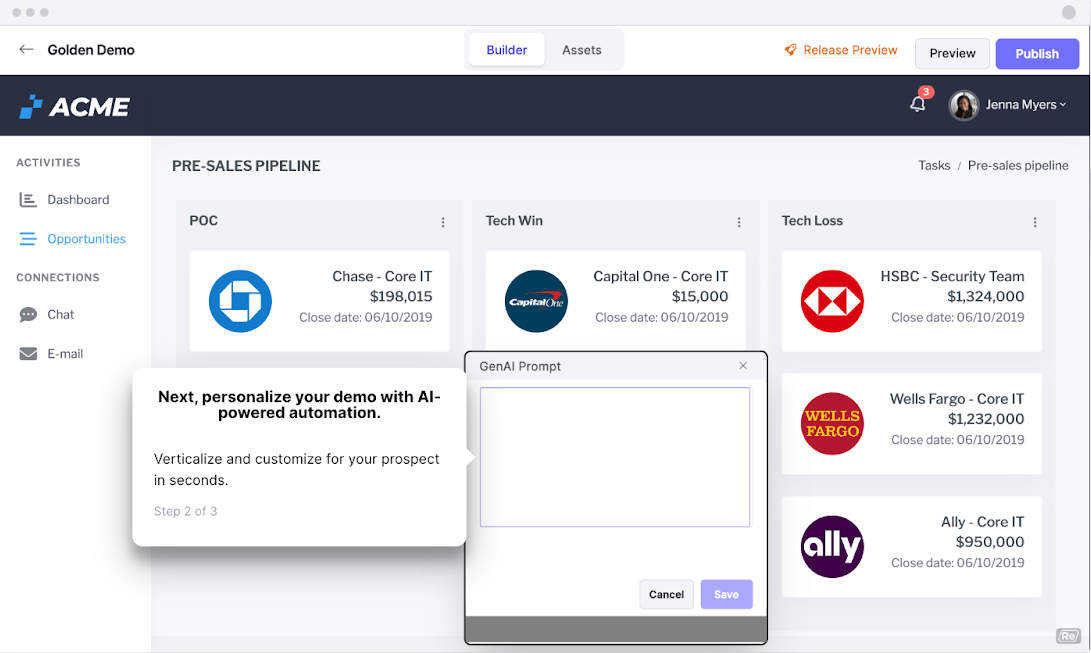
Reprise offers a versatile platform that supports multiple demo formats, from interactive product tours to live demo overlays to comprehensive sandbox environments. The platform's strength lies in its flexibility, allowing sales teams to choose the right demo format for each situation and prospect type.
Key Features:
- Multiple Demo Types: Supports product tours, live overlays, and sandbox environments in one platform
- Reveal Technology: Overlays and customizes live applications for enhanced presentations
- Replay Capture: Records and builds shareable demos from actual product interactions
- Replication Engine: Clones core product functionality for authentic demo experiences
- Comprehensive Analytics: Tracks engagement across all demo formats and provides unified insights
Pros:
- Flexible platform supports various demo strategies and use cases
- High-quality demo output that closely matches actual product experience
- Good integration capabilities with existing sales and marketing tools
- Suitable for both simple and complex products
- Strong customer support with technical expertise
Cons:
- Custom pricing model lacks transparency
- Learning curve for utilizing all available features effectively
- Implementation can be complex for advanced use cases
- May require technical resources for optimal setup
Pricing: Custom pricing not publicly available. Enterprise-focused with pricing typically in the high four to five-figure range.
Best For: Mid-market to enterprise sales teams that need flexibility to support different demo scenarios and buyer preferences.
7. TestBox - Full sandbox environments for hands-on proof-of-concept
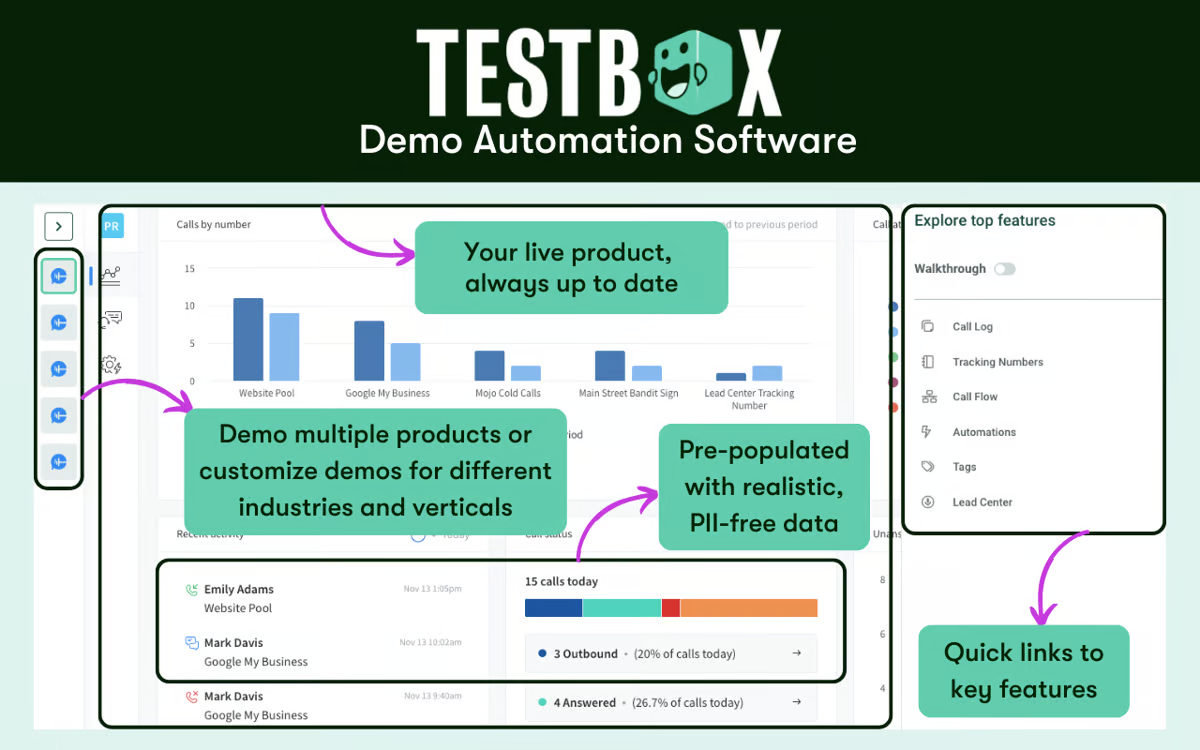
TestBox focuses specifically on creating sandbox environments and proof-of-concept demonstrations that give prospects a hands-on experience with your product. The platform uses AI to automatically populate sandbox environments with prospect-relevant data, creating authentic trial-like experiences without the complexity of actual product trials.
Key Features:
- AI-Powered Data Generation: Automatically creates realistic datasets that match prospect use cases
- Sandbox Environments: Provides full product functionality in controlled demo environments
- Data Template System: Customizable templates for different products, personas, and industries
- True Feature Functionality: Demonstrates actual product capabilities without overlays or simulations
- Standardized Demo Scripts: Provides sales teams with consistent messaging and demonstration flows
Pros:
- Creates most authentic product trial experience possible in a demo format
- AI data generation saves significant time in demo preparation
- Excellent for complex products that benefit from hands-on exploration
- Strong analytics provide insights into prospect feature usage and preferences
- Good for technical products where functionality demonstration is critical
Cons:
- Higher pricing limits accessibility for smaller organizations
- Implementation can be complex and time-consuming
- Limited to products that can be effectively sandboxed
- Requires technical resources for optimal setup and maintenance
Pricing: Startup plan starting at $44,750/year, Growth plan at $59,500/year, with custom enterprise pricing.
Best For: Enterprise sales teams with complex technical products that benefit from hands-on prospect exploration and evaluation.
8. Saleo - Live overlay technology for customized presentations
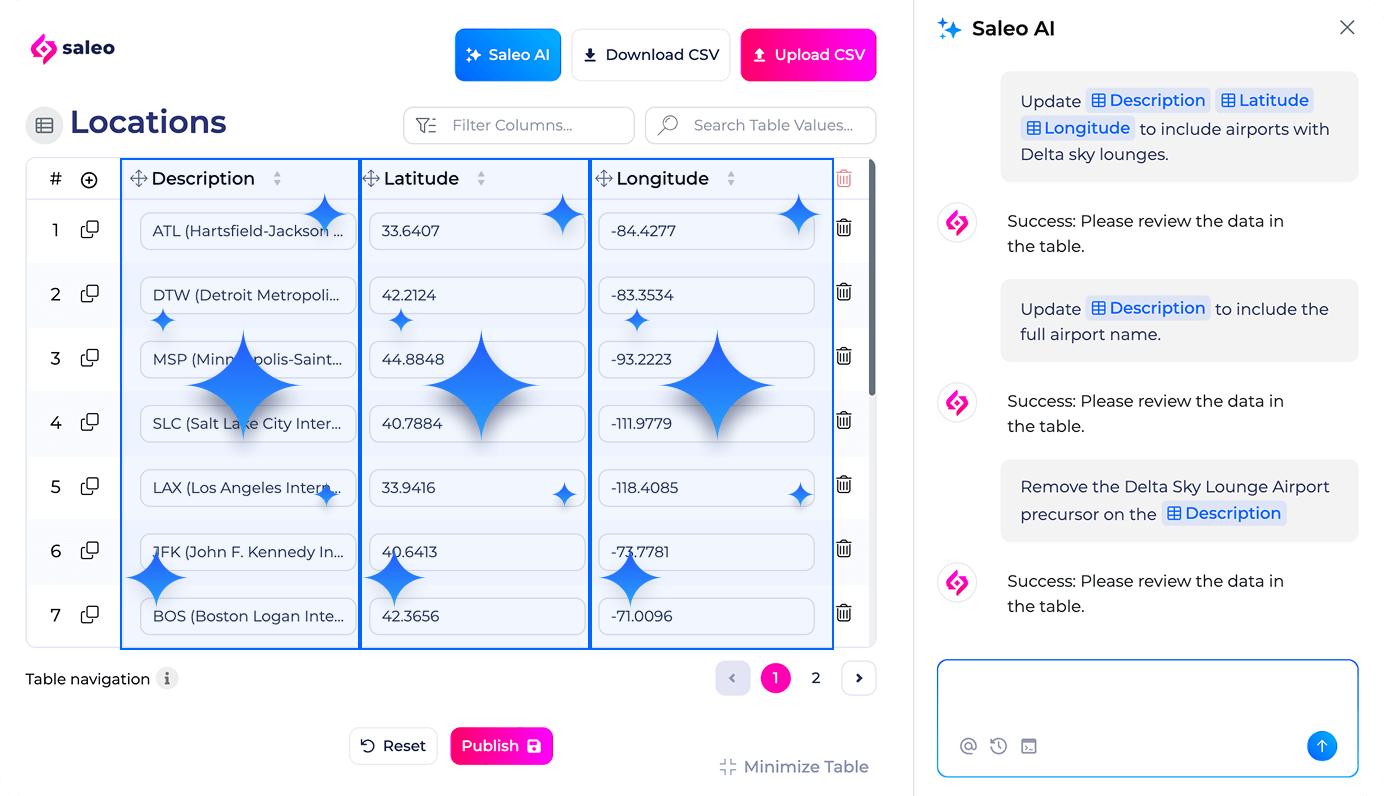
Saleo takes a unique approach by focusing on enhancing live product demonstrations rather than creating separate demo environments. The platform allows sales teams to overlay customized data and scenarios onto their actual product during live presentations, creating personalized experiences without the risks of live demo failures.
Key Features:
- Live Demo Overlays: Customize displayed data in real-time during live product demonstrations
- No-Code AI Modeling: Simplifies data management and enables detailed workflow storytelling
- Authentic Software Experience: Uses actual product interface rather than simulations or replicas
- Data Personalization: Easily incorporate prospect-specific data and scenarios into live demos
- Team Collaboration: Enhanced collaboration features for demo preparation and execution
Pros:
- Enables authentic product experiences using actual software
- Eliminates risk of demo failures or outdated environments
- Excellent for complex products where live interaction is valuable
- Strong data personalization capabilities
- Good for sales teams comfortable with live demonstration approaches
Cons:
- Requires expensive API integrations that clients must fund
- Implementation timeline can exceed six months
- Limited to live demo scenarios rather than self-service options
- Higher complexity compared to automated demo platforms
Pricing: Custom pricing with significant setup costs due to API integration requirements.
Best For: Enterprise sales teams with complex products who prefer live demonstration approaches and have budget for extensive customization.
9. Loom - Simple video creation for personalized sales outreach
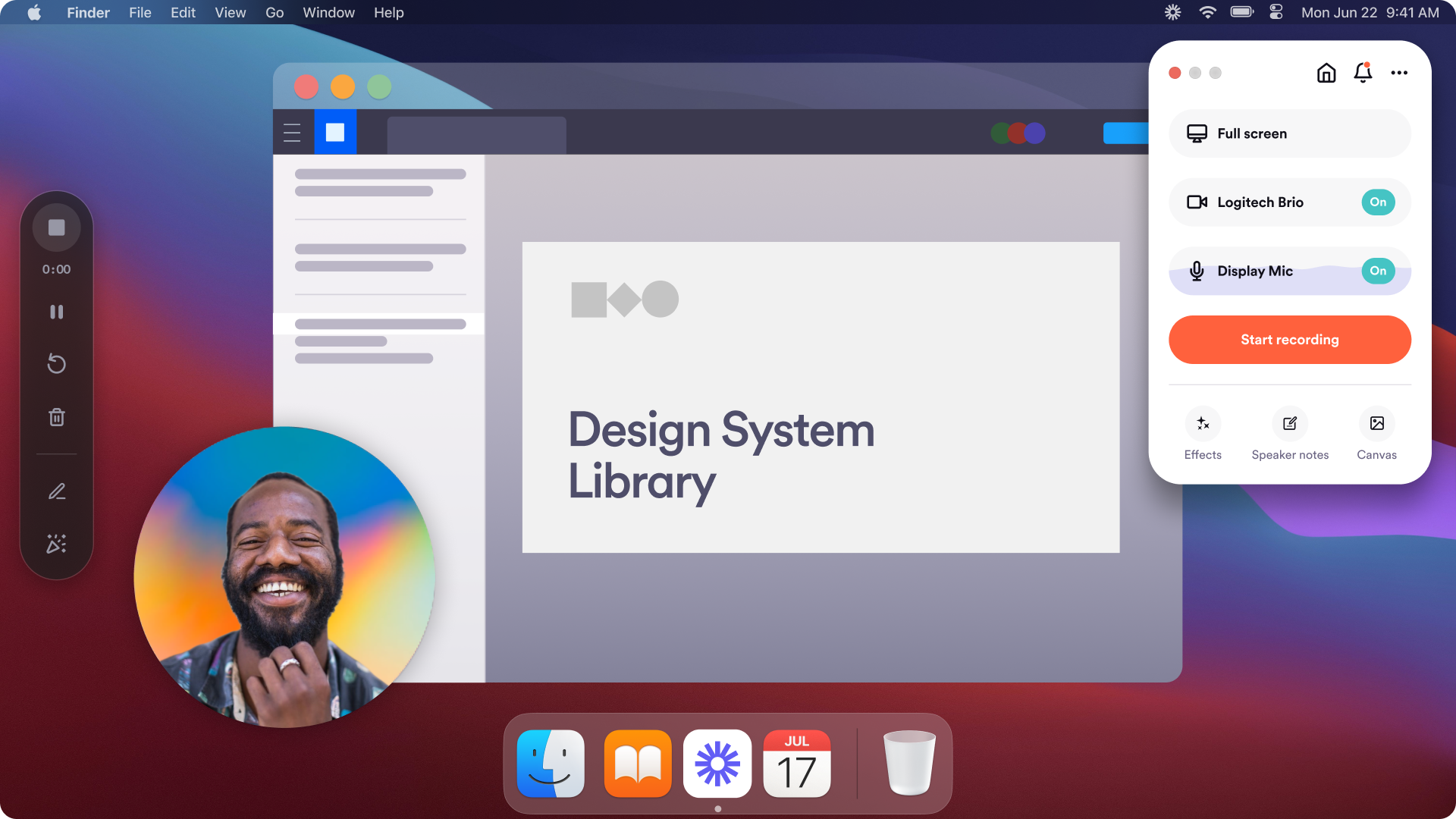
While not specifically designed for sales demos, Loom has become a popular choice for sales teams who need to create quick, personalized video demonstrations. The platform's simplicity and speed make it ideal for follow-up demos, feature explanations, and personalized outreach sequences.
Key Features:
- Instant Screen Recording: Quick screen and camera recording with one-click sharing
- Shareable Links: Easy sharing via email, social media, or embedding in other platforms
- Viewer Analytics: Basic insights into who watched your videos and engagement levels
- Password Protection: Secure sharing options for sensitive demonstrations
- Integration Capabilities: Connects with popular collaboration and communication tools
Pros:
- Extremely easy to use with minimal learning curve
- Fast video creation and instant sharing capabilities
- Affordable pricing makes it accessible for teams of all sizes
- Good for personalized outreach and follow-up demonstrations
- No installation required, works directly from browser
Cons:
- Limited interactivity compared to dedicated demo platforms
- Basic analytics provide limited insights for sales optimization
- Not suitable for complex product demonstrations
- Limited editing capabilities for polished presentations
Pricing: Free plan available with basic features. Paid plan starts at $8/month per user.
Best for: Sales teams that need quick, personalized video demonstrations for outreach and follow-up activities.
Best demo tools to reduce sales engineer's time
Sales engineers spend 60-70% of their time on repetitive early-stage demos rather than complex technical evaluations. Demo automation platforms eliminate this bottleneck by letting AEs run standardized demos independently, freeing SEs for high-value POCs and technical deep-dives.
Here's how leading platforms stack up on SE time savings:
| Platform | SE Time Saved Per Demo | Automation Level | Self-Serve Capability | Best For |
|---|---|---|---|---|
| Storylane | 2-3 hours → 5 minutes | High (AI-powered templates) | Yes - AEs clone & personalize | Early-stage demos, product tours |
| Consensus | 1.5-2 hours → 10 minutes | Medium (video automation) | Yes - Stakeholder self-qualification | Multi-stakeholder sales cycles |
| Navattic | 2 hours → 15 minutes | Medium (HTML capture) | Yes - Marketing team can build | Website embeds, top-of-funnel |
| TestBox | Varies (SE still needed for setup) | Low (requires technical setup) | Partial - SEs build, prospects explore | Technical evaluations, sandbox POCs |
| Demostack | 1 hour → 20 minutes | Medium (full cloning) | Partial - Initial setup requires devs | Complex product demonstrations |
When to automate vs. involve SEs:
- Automate: Discovery calls, product overviews, feature comparisons, post-demo follow-ups, multi-threading to stakeholders
- Keep SEs involved: Technical POCs, custom integrations, security/compliance deep-dives, enterprise architecture discussions
For early-stage discovery and product overviews, AEs can run templated demos independently. No for technical POCs, custom integrations, or security deep-dives where SE expertise is essential.
Security & data protection in demo software
When demoing products with customer data or proprietary information, you need tools that prevent exposure of sensitive information. Demo platforms handle this in three ways:
- HTML capture tools (Storylane, Navattic, Walnut) let you manually blur, redact, or edit out sensitive data before publishing demos. You control exactly what prospects see.
- Sandbox platforms (TestBox, Demostack) generate synthetic datasets automatically, creating realistic but fake data that mimics your product without exposing real customer information.
- Live overlay tools (Saleo) mask data in real-time during presentations, substituting prospect-specific information on the fly.
For regulated industries (healthcare, finance, government), verify that your chosen platform offers SOC-2 compliance and SSO capabilities. For general B2B SaaS, basic editing tools to remove PII typically suffice.
What’s the right sales demo tool for you?
For reducing sales engineer workload
If your SEs are drowning in discovery calls and early-stage demos, prioritize automation:
- Storylane - Fastest setup, AI-powered demo creation let AEs clone and personalize in minutes
- Consensus - Video automation for stakeholder self-qualification
- Navattic - Marketing teams can build demos without SE involvement
For technical products & sandbox needs
When prospects need hands-on exploration or integration testing:
- TestBox - Full product sandboxes with realistic data
- Demostack - Complete product cloning for complex demonstrations
For data security-conscious teams
If you handle sensitive data or serve regulated industries:
- Storylane, Consensus, Walnut - SOC-2 compliant with PII masking + SSO/SAML support for enterprise security requirements
- TestBox, Demostack - Automated data anonymization
Your first sales demo is on us
While every platform has its strengths, Storylane uniquely combines speed, innovation, and simplicity. The HTML capture technology creates authentic product experiences in minutes, not weeks, without wrestling with technical setup or waiting for engineering resources.
Now coupled with a suite of AI features, Storylane consistently delivers results across different sales motions while growing with your needs without forcing tool migrations.
See how Storylane helps 4000+ sales and marketing teams create compelling interactive experiences that turn curiosity into customers.
Frequently asked questions - Sales demo tools
Q. What's the difference between HTML demos, sandbox demos, and video demos?
HTML demos (Storylane, Navattic, Walnut) capture your interface for quick editing, sandbox demos (TestBox, Demostack) clone your entire product for a sandbox experiences at ($25K-55K/year), and video demos record screens cheaply but lack interactivity. HTML demos deliver the best ROI for most teams.
Q. What features should I look for in a sales demo tool?
Essential features include: interactive elements that engage prospects, analytics that provide lead intelligence, easy sharing and embedding capabilities, customization options for different personas, integration with your existing sales stack, and security features for enterprise requirements.
Q. How much does sales demo software actually cost in 2026?
Sales demo software ranges from free plans (Navattic, Storylane) to $500-1,200/month for HTML demo platforms, up to $25K-55K/year for full sandbox environments like Demostack or TestBox.
Q. Which demo platform offers the best product demos for B2B SaaS?
Storylane ($40-1200) excels for speed and AI personalization (minutes to first demo), Consensus ($25k+/ year)handles complex enterprise deals with multiple stakeholders, and Navattic works for budget-conscious startups with generous free plans.
Q. Do sales demo tools integrate with Salesforce, HubSpot, and my existing tech stack?
Yes. Storylane, Consensus, Walnut, and Navattic integrate directly with Salesforce, HubSpot, Marketo, and Pardot, pushing demo engagement data to your CRM. Sandbox platforms like TestBox require 6+ month API integrations.
Q. Storylane vs Navattic vs Walnut: Which interactive demo tool should I choose?
Storylane wins on speed and AI features with HTML capture plus AI-generated guides and voiceovers. Navattic offers the most generous free plan for bootstrapped teams. Walnut suits established sales orgs wanting collaboration tools.
Q. How do demo automation tools work without accessing my live product?
HTML capture tools (Storylane, Navattic) record your product interface once, then let you edit and share that snapshot.
Done evaluating Sales Demo softwares? Start a free trial with Storylane and see why it's ranked #1.