Build a Winning Presales Process in 2026: A Complete Guide

Keerthana Selvakumar
June 29, 2026
Table Of Contents

Is your sales team under constant stress and unsure how to close deals? Are you giving them hours of training, sharing motivational TED talks, and whatnot?

Though sales teams are directly proportional to closing deals, there is one more crucial step you need to ace if you want to take over 2026. It's building a fool-proof Presales process!

A robust Presales process plays a crucial role in achieving success for individual sales opportunities and the sales organization as a whole.

Let's quickly build together a strong Presales process and drive your bottom-line growth.

What is Presales Process?

A Presales process covers all the activities that happen before closing a deal. These activities include product and market research, prospecting and qualifying leads, crafting a unique selling proposition, and lead nurturing.

In other words, they identify, qualify, prepare, and nurture prospects before handing them off to the sales team. This helps the sales team focus on the hottest leads and close deals faster.

Who is Involved in the Presales Process?

The Presales process typically involves several key individuals and teams within a business. These include:
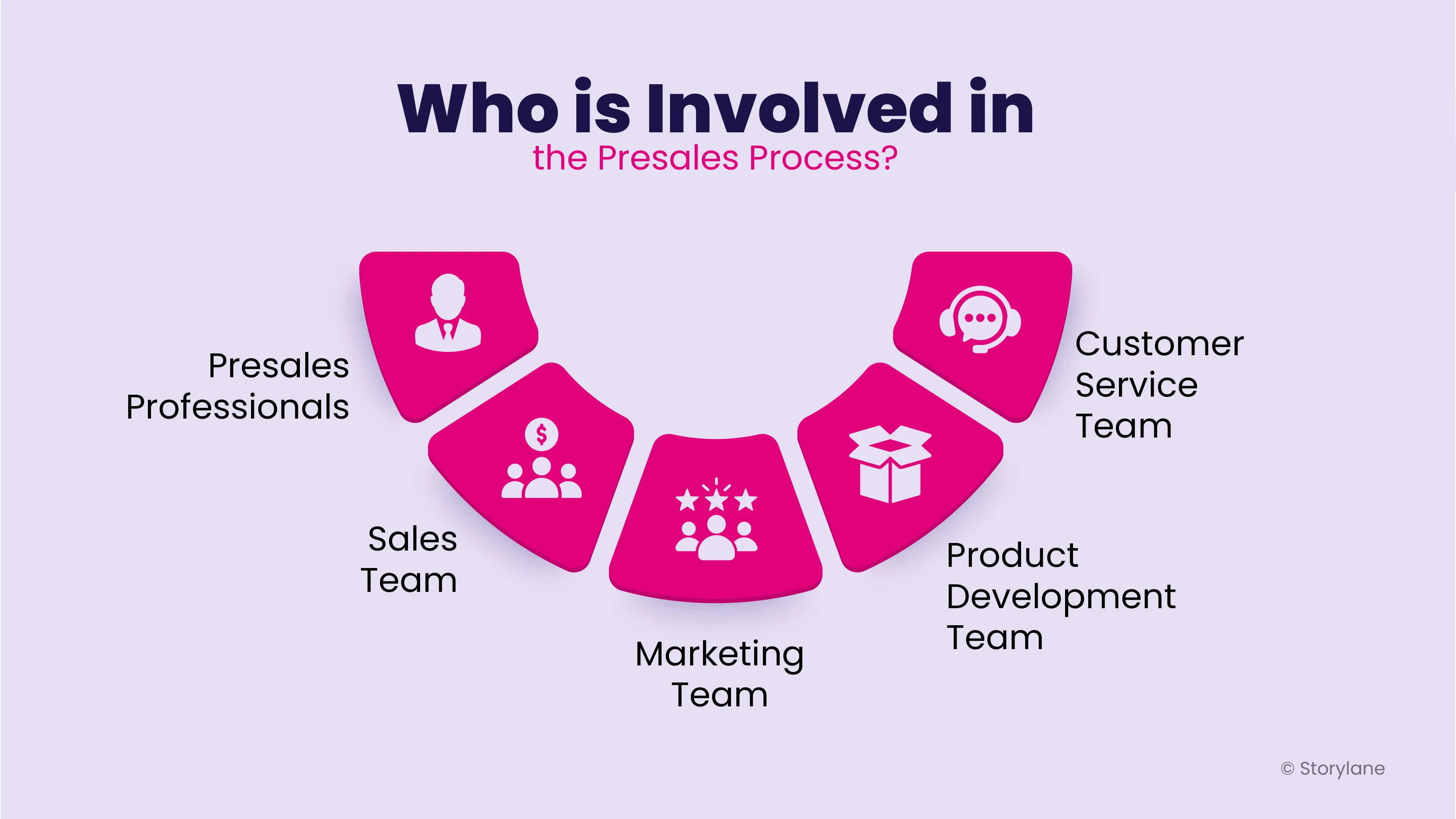
Collaborative Efforts: Teams Involved in the Presales Process for B2B Sales Success
  1. Presales Professionals
    Presales professionals are responsible for the overall presales process. They work closely with the sales team to identify potential customers, understand their needs, and provide them with the necessary information to make an informed decision.
  2. Sales Team  
    The sales team works closely with Presales professionals throughout the B2B sales cycle to ensure that potential customers have the necessary information to make an informed decision. (Find out how to close more deals)
  3. Marketing Team
    The marketing team plays a critical role in the Presales process by developing marketing materials and campaigns to generate leads and create awareness of the product or service being offered.
  4. Product Development Team
    The product development team works closely with Presales professionals to provide technical specifications, pricing information, and other details required in creating product demonstrations and other materials.
  5. Customer Service team
    The customer service team may be involved in the Presales process to provide information about customer needs and pain points.

Creating a Winning Presales Process in 2026

Similar to how the entire Universe revolves around five important elements of nature, master these five important steps that you need to achieve the best Presales process.

Step 1: Qualifying Leads

61% of companies rank lead generation as their number one challenge and we cannot deny it. Finding leads is challenging, and finding quality leads is even more challenging. That’s where pre-sales come in.

But with data analysis and lead evaluation expertise, Presales teams will ace lead generation. Sales teams leverage both sales technology and customer insights to create comprehensive profiles of their ideal clients, analyzing their behavior patterns to pinpoint the most promising opportunities for closure. The lead qualification process then enables the team to focus their efforts and resources on the leads with the greatest potential value.

Here's a quick cheat sheet that you can use for qualifying leads during Presales:

  • Budget: Determine if the potential customer has the financial resources to make a purchase.
  • Need: Understand the potential customer's pain points and determine if your product or service can address those needs.
  • Authority: Identify the decision-makers within the potential customer's organization who have the authority to make purchasing decisions.
  • Timeline: Determine the potential customer's timeframe for making a purchasing decision and whether it aligns with your company's sales cycle.
  • Fit: Evaluate if the potential customer's needs align with the strengths of your product or service and if there is a good match between their requirements and your offerings.

Step 2: Discovery

Right on cue is customer discovery. This is an important step where the initial contact is made with the customer right after they've been qualified.

This is similar to a pre-screening interview where the Presales team tries to find out what the customer is looking for and their unique challenges. A strong Presales team will have expertise in understanding the business solutions and the customers' business needs. Without understanding these, learning how to best position their product or service solution is impossible, and the next step highly depends on this.

Also read: How to Run a Sales Discovery Process?

Step 3: Product Demonstration

The actual step for which your potential customers are waiting with all the skeptical glasses right on. But you can turn the skepticism into a beautiful smile by helping them visualize how the product or service can solve their specific needs and challenges. Showcasing interactive product demos with can help customers understand how products solve their challenges more clearly. Offer an interactive experience that keeps potential customers interested and invested in the sales process.

Pro tip: Today's business decision involves more than just a single buyer. There is an entire team of stakeholders who does not get easily convinced by just communicating verbally. What if you can show your product in action? Learn more about Storylane’s interactive product demos and how they can help you make a very good first impression.

Here's how Semrush uses Storylane's interactive product tours to showcase their platform 👇

Also read: Guide to product demonstration

Step 4: The Proposal and Approval

Now, the lead is qualified and validated! Hurray! Not yet. Here, we need to draft a proposal outlining the customer's primary pain points and a tailored solution.

In many instances, the Presales teams will need help to do this. They collaborate with the sales team to review and approve the proposal for the client—a crucial step for both Presales and sales. Remember how we discussed understanding customer needs to learn the pain points earlier? This is where all that hard work pays off. The Presales team will shape the proposal to address the customer's needs.

Step 5: Sales Handoff

Now, the Presales have completed all the work, and the foundation is extremely strong. But it is still not the time to retire. They also play an important role in customer retention by doing a proper sales handoff.

Once the deal is closed, pre-sales work with the sales team to ensure the implementation is successful and aligned with the proposal. It is like how the force lives even without the Jedi or the lightsaber! Presales continue to work on identifying future opportunities for growth, improving client satisfaction, and increasing retention.

Factors Influencing the Presales Process

Here are a few things you should be aware of and keep in mind when you’re creating your Presales process.
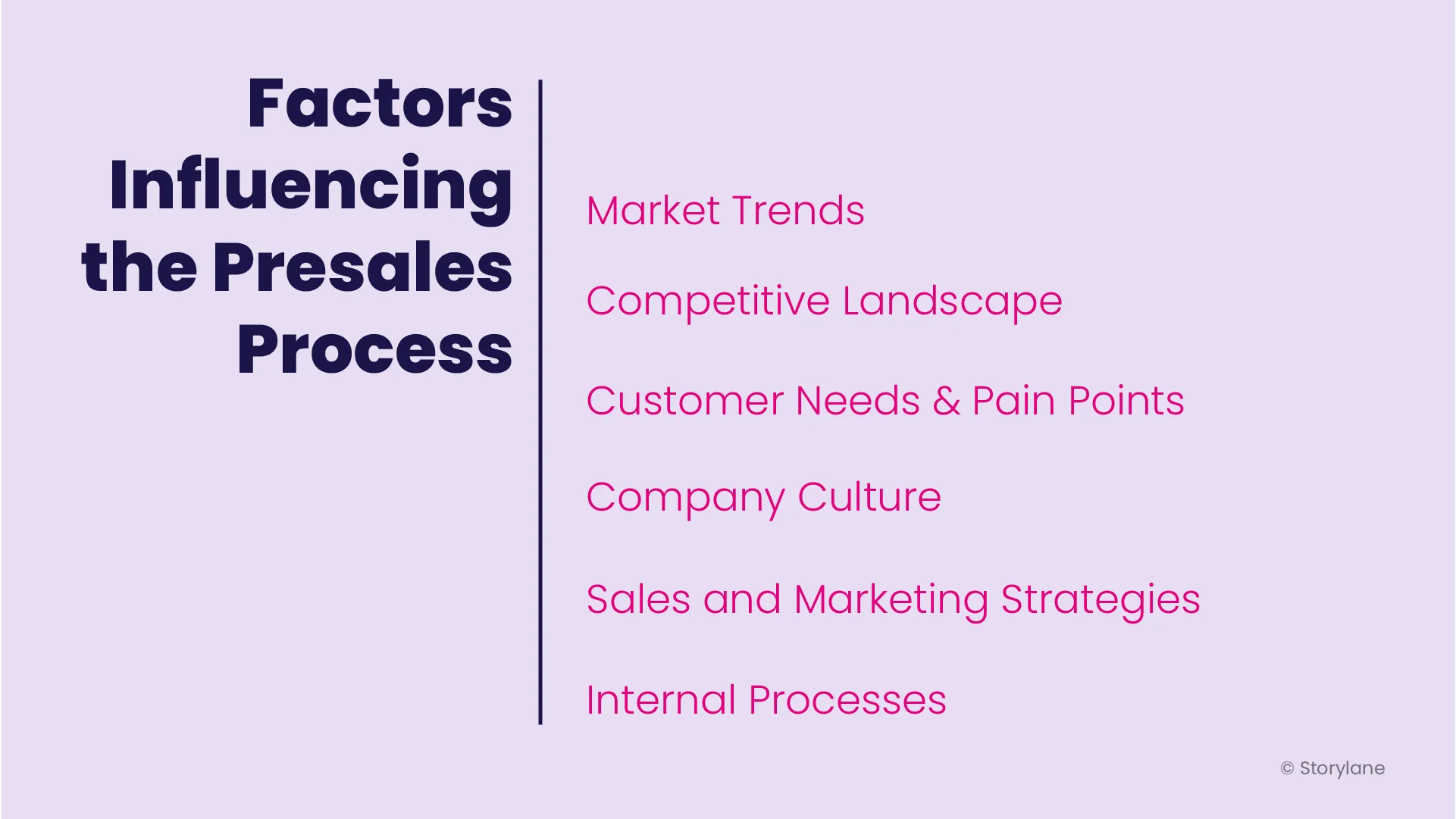
Factors that influence the Presales process, including customer needs and preferences, market trends and competition, available resources and budget, and company goals and strategies.
  • Market trends: Market trends, changes in consumer behavior, shifts in demand, and new technologies influence how potential customers perceive a product or service.
  • Competitive landscape: Potential customers always compare the product or service being offered to similar offerings from competitors.
  • Customer needs and pain points: Understanding customer needs and pain points are critical to the presales process.
  • Company culture: The company culture influences how presales professionals interact with potential customers and how they represent the company.
  • Sales and marketing strategies: Sales and marketing strategies, including pricing, promotional activities, and marketing campaigns, can also impact the presales process.
  • Internal processes: Internal processes, such as the availability of resources and the efficiency of internal communication, influence the nature of the Presales process.
Also read: 7 Most Popular Pre-sales Software Tools for 2026

Presales Process FAQs

1. What are pre-sales steps?

Pre-sales steps are all the groundwork laid before closing a sale. This involves tasks like qualifying leads, understanding their needs, showcasing your product's value, and crafting proposals.

2. What is the purpose of a presales process?

A presales process aims to streamline these pre-sale activities, ensuring your sales team focuses on qualified leads most likely to buy. This helps increase win rates, improve sales forecast accuracy, and shorten sales cycles.

3. Who's involved in the presales process?

The presales process can involve various people depending on company size. It often includes sales development reps (qualifying leads), solution architects (understanding needs), sales engineers (technical expertise), and account executives (closing deals).

Killer demos for every stage

Build demos and agents that turn curious buyers to closed won
Book a demo

Related Articles

Read All Articles
Research
July 3, 2026
6 min read

68,000 deals, 3 findings: Measuring the ROI of interactive demos

This report analyzes ~68,000 deals (~50,000 of them closed) across 20+ anonymized B2B SaaS pipelines to measure what interactive demos actually do for pipeline metrics..
Ranga Kaliyur

This report analyzes ~68,000 deals (~50,000 of them closed) across 20+ anonymized B2B SaaS pipelines to measure what interactive demos actually do to pipeline metrics. Most demo benchmarks stop at engagement rates and time on page. I wanted the part that matters: do deals where buyers use a demo do better than deals where they don't?

My approach is simple. Using aggregated, anonymized Deal Intelligence data, I connected demo activity to real CRM outcomes, then compared deals with Storylane demos against deals without, inside each pipeline.

In summary

When buyers use an interactive demo, deals tend to...

  • Win 20% more often (38% vs 46% win rate), and it climbs the more they engage.
  • Reach 60% more of the buying committee (more stakeholders on the deal).
  • Land 2.75x bigger specifically in enterprise motions (flat in SMB and mid-market).

Methodology

  1. Using Storylane's Deal Intelligence, I connected demo engagement to CRM deal records (HubSpot and Salesforce) across 20+ anonymized pipelines: ~68,000 deals, nearly 50,000 closed.
  2. For each deal, I compared two groups: buyers who engaged with a demo (at least one demo session tied to the deal) and buyers who didn't. I measured win rate, deal size, and number of stakeholders.
  3. I report the median within each pipeline, then across pipelines, so a handful of large accounts don't skew the average (Simpson’s Paradox). The findings come from the 20 pipelines where the demo-to-deal link was clean enough to compare.

One caveat worth stating up front: this is a pattern, not proof of causation. Reps demo the deals worth demoing, so demo use partly reflects deal quality. Read these as strong, repeatable signals.

1. Conversion Lift: Buyers that engage with interactive demos close 20% more often

This is the big one: deals where the buyer engaged with an interactive demo won 46% of the time, versus 38% for deals with no demo  (about 20% more often), and it held in 14 of 20 pipelines analyzed.

The most interesting part is that the impact compounds with every session. The more a buyer returned to the demo, the higher the win rate. In our own pipeline the climb was steady: 87% (no demo) → 90% (1 session) → 91% (2–3) → 96% (4+ sessions). 

Across the dataset, deals with 4+ sessions won more often than zero-session deals in 71% of pipelines analyzed. A single view nudges the odds; repeat engagement moves them.

The logic is intuitive: a buyer who keeps coming back to a demo is a buyer building conviction. A static page can tell someone your product is good; a demo lets them prove it to themselves, and repeat visits usually mean they're selling it internally too.

🥡 Takeaway: Treat repeat demo use as a buying signal. When an account keeps coming back, get Sales in early.

2. Stakeholder Reach: Demos bring 60% more people into the deal

Deals with an interactive demo carried about 60% more stakeholders: a median of 1.6 contacts per deal vs 1.0 without, and more stakeholders in 15 of 17 pipelines. The gap was widest in enterprise pipelines, where one averaged 4.6 stakeholders per interactive demo-influenced deal vs 2.7 without, and another 5.2 vs 3.8.

Here's why it matters: B2B software isn't bought by one person anymore, it's bought by a committee. A demo is the rare sales asset that's easy to forward and relevant across functions, so it travels. One champion shares it, and suddenly the economic buyer, a security reviewer, and two end users have all seen the product for themselves. Deals that reach more of the committee are the deals that close.

🥡 Takeaway: Multi-thread on purpose. Send shareable, role-specific demos so the whole committee sees the product firsthand, not just your champion's secondhand pitch.

3. ACV Lift: In enterprise, deals with a demo are 2.75x bigger

Demos don't inflate every deal, and that's the honest part. The deal-size effect depends entirely on who you sell to.

  • Enterprise motions (large, complex, multi-team deals like GRC/compliance and enterprise healthcare): deals with a demo were 2.75x bigger at the median, and larger in 4 of 5 such pipelines. In one, median deal size went from roughly $16k without a demo to $127k with one; in another, from about $170k to $468k.
  • SMB and mid-market: no size difference. Demos there still won more deals and reached more people, they just didn't make deals bigger.

This tracks with how big deals actually get done. The larger and more complex the purchase, the more people and the more scrutiny involved, and the more room a demo has to do the explaining across stakeholders, functions, and weeks of evaluation. In a quick self-serve motion there's simply less for it to move.

🥡 Takeaway: if you sell enterprise, use demos as a late-stage lever, not just a top-of-funnel asset. That's where they move deal size.

How to read this report

The honest question is cause versus correlation. Demos land on the deals worth demoing, so some of this reflects deal quality alongside demo impact. To me that's what makes it worth taking seriously: across dozens of independent pipelines, the same three patterns keep showing up next to the deals that win, spread, and grow.

A few caveats. This is a first look at a subset of pipelines, deal values span multiple currencies, and a handful of accounts run against each trend. I've held an industry-by-industry breakdown for the next version, once there's enough data per vertical to say something solid.

What's next

A larger, cleaner dataset and a proper apples-to-apples comparison of similar deals with and without a demo, to turn these patterns into measurable lift, with industry and company-size cuts.

Guides
June 29, 2026
6 min read

Five ways B2B teams are using interactive demos that nobody talks about

What a conference booth in London, an EHR rollout for a differently-abled community, and a fintech triage system have in common — and what it tells us about where demo automation is actually going.
Ranga Kaliyur

What a conference booth in London, an EHR rollout for a differently-abled community, and a fintech triage system have in common — and what it tells us about where demo automation is actually going.

The standard demo automation playbook is predictable: marketing website tour, sales leave-behind, email nurture embed. That is what most companies start with.

But spend time in actual customer conversations and you see something different: teams using demos to solve problems the standard playbook never imagined.

This week, we reviewed a working session with an engineer at a large cloud computing company preparing for a technology summit in London. Her problem: she needed a product demo to play on a loop at her conference booth (no clicks, no one to navigate it, just a screen running in the background while conversations happened around it.)

Nobody markets demo automation as a conference booth tool. But that's exactly what she needed it for. And it wasn't the only unexpected use case this week.

1. Trade show and conference booth displays

The conference loop use case has specific requirements: autoplay enabled, 4-6 second transitions on title cards and pause slides, video clips set to 1.5-2x playback speed for longer recordings, and the entire thing downloaded onto the device. Conference WiFi is unreliable. You need the offline version ready before you walk in the door.

The structural formula that worked: technology stack slide (static) -> 4-second pause slide (blank) -> demo 1 with title card framing the problem ("Can I detect performance issues before they cause outages?") -> demo 2 -> repeat on loop. The problem-framing title cards are what make this work at a booth — a passerby reads a question they recognize and stops.

2. Staff onboarding for organizations with diverse accessibility requirements

A director of organizational performance at a nonprofit came to us mid-EHR transition. Her organization (200-plus staff, statewide) was moving to a new electronic health records platform and needed tutorials for everyone from clinicians to program administrators. Complicating factor: their staff includes a deaf and hard-of-hearing community.

Her requirements were specific: self-paced clicking rather than auto-advancing video, AI voiceover as an optional layer, and demos organized by function and embedded in SharePoint so staff could browse by department and role.

The training-center use case of interactive demos replacing annotated PDFs  is not new. The accessibility angle is. When a demo is self-paced, the viewer controls the speed versus video. That's a meaningful accommodation for populations that need more time, and it requires zero additional effort from the team building the content.

3. Multi-system integration demos

"We get asked all the time: what do these integrations actually look like?" said a co-founder at an early-stage health tech company. They had been answering that question in live demos, switching between systems in real-time and hoping nothing broke.

What they discovered: you can capture from multiple platforms in a single demo session. Finish recording in system one, click "add to existing demo," then capture from system two. The viewer moves between platforms seamlessly — without any live switching, without any risk of a broken environment. 

Live integration demos are high-risk, tedious (from a data management pov) and unrepeatable. Captured integration demos are neither. For a company whose primary sales objection is "show me exactly how the integration works," this is not a minor workflow change; it's a competitive differentiator.

4.Inside sales automation for long-tail accounts

An inside sales leader at a fintech company described a problem his team lives with daily: they manage accounts "where we're seeing very less revenue and more effort going from an account manager's point of view." His team's solution was a self-serve portal paired with interactive demos that replace human demos entirely for lower-priority accounts. Reps focus on the accounts with revenue potential; the demo handles the education and qualification for everyone else.

He had used this approach at a previous company and was replicating it here. The key insight: he was not evaluating demo automation as a way to improve existing demos; He was using it as a triage mechanism for a coverage problem. Interactive demos let you maintain a presence in accounts that don't justify a rep's time. That's a fundamentally different value proposition than "make your demos better," and it's one that VP of Sales audiences will understand immediately.

5. Localized demos for non-English-speaking markets

An inside sales team at a fintech company with a large India-based sales operation had one specific question: how many languages does the AI voiceover support? The answer, over 30, prompted an immediate workflow: build the demo once in English, then translate and duplicate into regional languages.

In markets where English-language demos create friction in the sales process, this is not a nice-to-have. It is a conversion rate issue. Prospects engage more deeply with content in their first language. The ability to generate a localized demo without re-recording or hiring a voice actor changes the economics of localization for inside sales teams that are already stretched thin.

Research
June 29, 2026
6 min read

Interactive demos vs. product videos: why revenue teams are switching over

Should you use interactive demos or product videos for sales? Compare creation time, maintenance, personalization, and analytics to decide.
Ranga Kaliyur

When sharing async product demos, sales teams have traditionally reached for a couple of options: quick and dirty screen recordings (think Loom, Vidyard, etc.) and high-end video productions (think Camtasia, Consensus, etc.). While there’s a time and place for both; AEs, SEs, and PMMs are increasingly adopting a third format — interactive demos — as a “better than both worlds” alternative. Here's why:

Interactive Demos vs Video: Feature Comparison
Compare Interactive demos
(Storylane)
Screen recordings
(Loom, Vidyard)
Video productions
(Camtasia, Consensus)
Time to create ✅ Fast, capture and creation often completed in minutes ✅ Fast but requires narration, timing, retakes, etc. ❌ Slow, can take weeks to script, shoot, and edit
Editing ✅ Self-serve, easy: replace screens, tweak text, reorder steps; no re-recording ❌ Limited scope: re-recording, trimming, stitching clips, fixing audio ❌ Technical dependency: needs expertise in pro editing software
Polish and branding ✅ Professional, consistent themes built-in; no editing software needed ❌ Low production value. Harder to maintain consistency; requires design/video tools ✅ Cinematic quality but requires video editing expertise
Publishing ✅ One-click publish; instantly updates everywhere ❌ Requires re-uploading and re-sharing new versions ❌ Requires re-uploading and re-sharing new versions
Maintenance & Updates ✅ Replace screens and content in minutes, auto-update instantly ❌ Requires re-recording entire sections/full-video ❌ Requires re-producing entire sections/full-video
Personalization ✅ Personalize at scale with dynamic tokens ❌ Hard to scale: Requires re-recording ❌ Impossible to scale: Requires re-production
Analytics ✅ Granular: Track views, interests, completion, and time-spent per step ❌ Limited to views, no actionable analytics or Opinions ❌ Limited to views, no actionable analytics or Opinions
Buyer experience ✅ Interactive, two-way experience ❌ Passive, one-way experience ❌ Passive, one-way experience
Ideal for… Across the board Ad-hoc touches, quick Q&A Top-of-funnel brand awareness campaigns

Why revenue teams are adopting interactive demos

Since our inception, we've noticed revenue teams of all sizes, from early-stage startups to Fortune 500 enterprises, switch over from videos to interactive demos. Here are the most common reasons we hear from customers.

Reason #1 - Speed without sacrificing quality

Screen recordings are quick and easy to produce but lack the polish and quality needed for high-value deals. On the other hand, producing polished video demos means days of planning, hours of environment prep, multiple recording attempts, and extensive editing. Interactive demos eliminate this friction entirely, especially now with AI, to instantly generate product-specific content (Guides, voiceovers, etc) from captured screens — no need for multiple takes. 

"Video is really strong at capturing people's attention and welcoming them into your story. But the thing that video can't do is provide a “click-through experience” allowing users to actually get their hands on the product — to feel it, to see it, to understand what the actual day in and day out of working with your tool is going to be like. Especially with its AI and automation, Storylane allowed us to build demos in such a quick amount of time."
- Michael DeMarco, PMM, Phenom

Reason #2 - Asset maintenance and scalability

Traditional videos are like baked cakes — once ingredients (product screens, click path, narrative) are combined into a video, it’s difficult to swap individual components. When your product UI changes six months from now, you face full reproduction from scratch.

Interactive demos keep these elements separate. Update a screen in minutes without touching the narrative. Adjust messaging without re-recording. Reorder workflows without starting over. This durability enables demos to stay current as your product evolves.

Further, creating persona-specific, industry-tailored, or localized video content means producing multiple versions of each asset — a multiplication problem that quickly becomes unmanageable. Storylane's AI editor recontextualizes entire demos for different personas or industries in seconds. Dynamic tokens automatically swap prospect information without creating separate versions. One base demo adapts to dozens of scenarios without manual overhead.

Reason #3 - Modern buying preferences 

Interactive demos respect buyer time by letting them jump to relevant sections, skip familiar concepts, and control their pace. Video forces a fixed timeline — even if viewers only care about one feature, they must scrub through the entire recording to find it. This level of control and self-serve flexibility reflects the preference of modern buyers, who'd rather click around a product tour for themselves than rely on a passive, one-way video.

"Nobody wants to watch a 5-minute video anymore. So my team sends a Storylane demo and the prospect sees the demo in 5 clicks."
- Jon Dolan, Sales Director, Cognism

The difference in analytics is equally striking. Video platforms show watch time and opens. Interactive demos reveal which features prospects explored, where they spent time, which stakeholders engaged, and where they dropped off. These step-level Opinions enable targeted follow-up conversations that video simply can't support.

Make buying easy with Storylane