Quick summary
You can send a PDF to ChatGPT by clicking the attachment icon and selecting your file, allowing ChatGPT to instantly read and analyze the document so you can ask questions about its content.
Steps
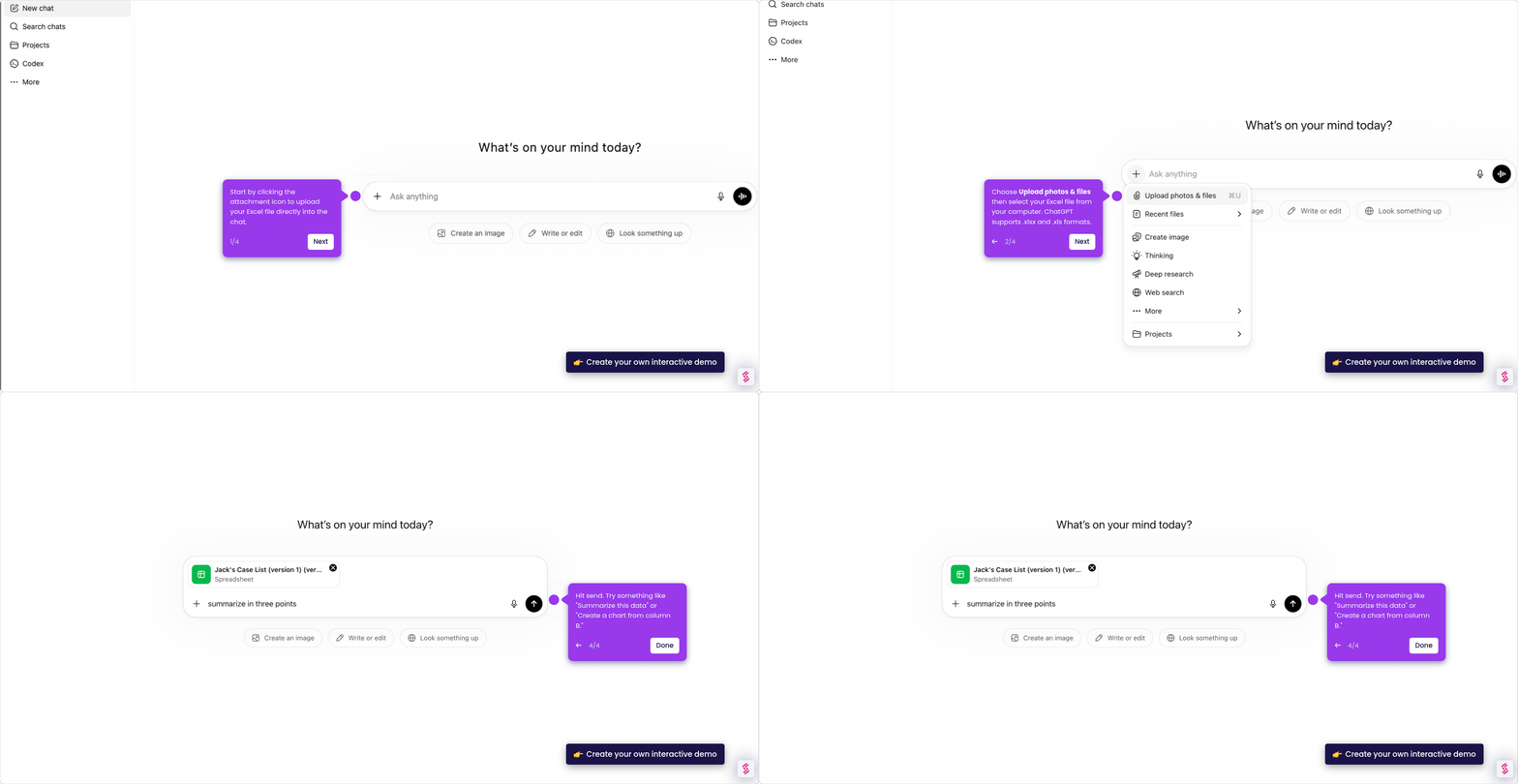
- Click the attachment icon in ChatGPT to open the file upload menu, which lets you upload your PDF for processing.
- Select Upload photos & files, then choose your PDF file — it will be ready to analyze in seconds.
- Type your question about the PDF, such as requesting summaries, key points, or specific details — ChatGPT has already read the document.
- Hit Send and ChatGPT will pull insights directly from your document with no manual searching required.
- Continue with follow-up questions to dive deeper, clarify points, or explore related topics as needed.