
This interactive demo was created free with Storylane in 2 minutes. Create your own demo
Start free
All Tutorials /MS Teams

How to Integrate Microsoft Teams with Pipedrive

Updated on:
May 12, 2026
By:
Madhav Bhandari
Use this interactive demo to learn how to connect Microsoft Teams with Pipedrive using Make.com.

Quick summary

This tutorial shows how to integrate Microsoft Teams with Pipedrive using Make.com by building an automated scenario that triggers Teams notifications from Pipedrive events. The step-by-step workflow covers everything from creating a new scenario to running a live test of the completed integration.


Steps

  1. Go to your Make.com dashboard and click '+Create a new scenario'.
  2. In the scenario editor, click the add icon, search for 'Pipedrive' and click on it.
  3. Select a trigger event for Pipedrive depending on what event you want to trigger this integration.
  4. Click 'Create a webhook'.
  5. Connect Make with Pipedrive by clicking the 'Create a connection' button.
  6. Click the drop-down arrow and select a connection type.
  7. Paste the API token of your Pipedrive account in the empty field.
  8. Click 'Save'.
  9. Add relevant details to your webhook and click 'Save'.
  10. After setting the trigger with Pipedrive, add a second module by clicking the add icon and click 'Microsoft Teams'.
  11. Select the action you want for Microsoft Teams.
  12. Set up the workflow to define how Pipedrive triggers should result in actions in Microsoft Teams and click 'OK'.
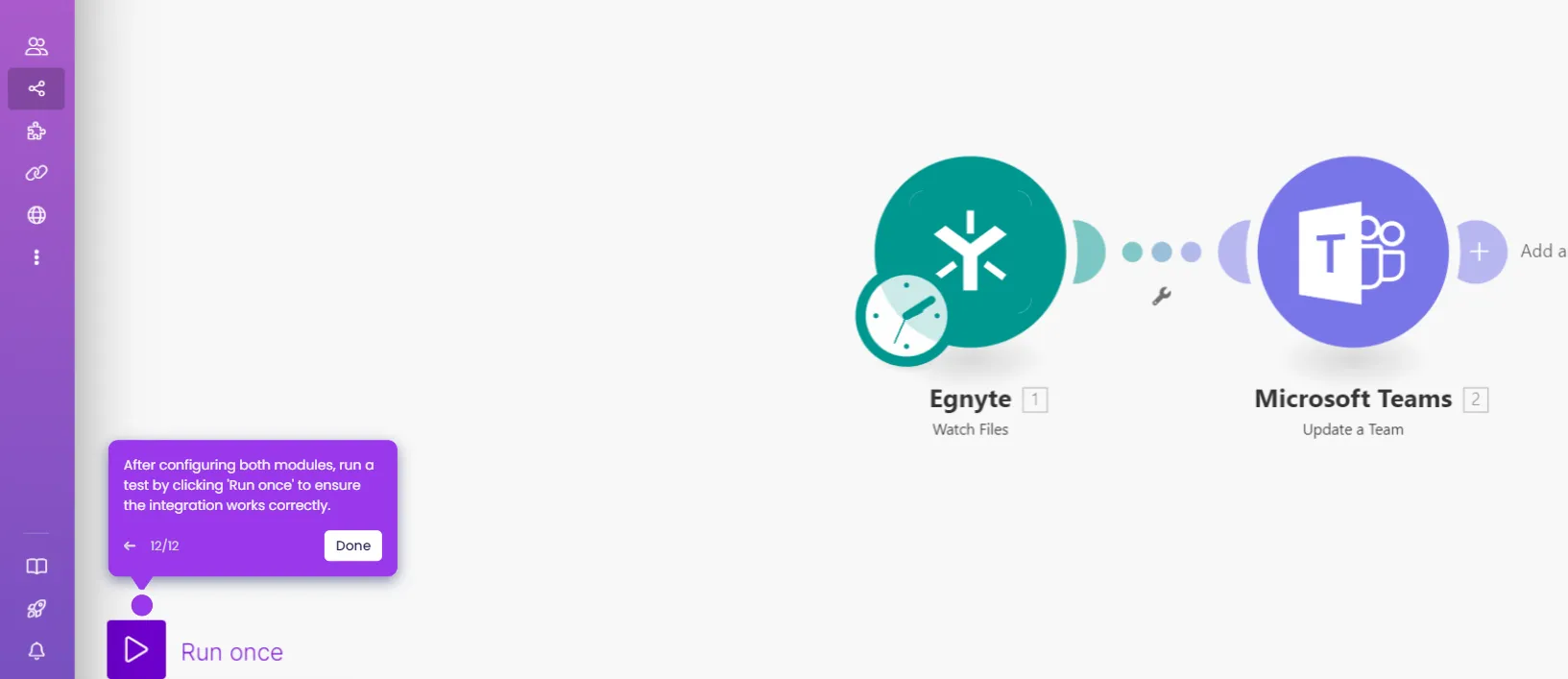
  13. After configuring both modules, run a test by clicking 'Run once' to ensure the integration works correctly.

📌 Why this matters

Integrating Microsoft Teams with Pipedrive eliminates the gap between your CRM and team communication tools, ensuring that sales events in Pipedrive automatically surface as real-time notifications in Microsoft Teams. This automation removes the need for manual updates, keeping sales teams instantly informed about new deals, updated contacts, or pipeline changes without switching between platforms. Using Make.com as the no-code automation layer means the integration can be configured in minutes without developer resources, making it accessible to any revenue operations or sales enablement team. Connecting these two widely-used platforms directly accelerates response times, improves team alignment, and helps close deals faster.
Your product deserves an interactive demo
Start free
Similar Articles
MS Teams

How to Integrate Microsoft Teams with Basecamp

Madhav Bhandari
Director of Marketing @ Storylane
MS Teams

How to Integrate Microsoft Teams with Egnyte

Madhav Bhandari
Director of Marketing @ Storylane
MS Teams

How to Integrate Microsoft Teams with Avaya

Madhav Bhandari
Director of Marketing @ Storylane
No items found.
Platform
Interactive Demos
Sandbox Demos
Buyer Hub
RepX
Integrations
Solutions
Product Marketers
Growth & Demand Gen
Sales Reps & AEs
Presales & SEs
Customer Success
Product Managers
Customers
Demo Showcase
Customer Stories
Finer Demos Club
Features
Demo Signals
Personalization
Deal Intelligence
Resources
Blog
The Plot
Tutorials
Events & webinars
Help Docs
What’s New
Demo Dundies
Company
Careers
Pricing
Partners
Contact
Trust Center
Backed by
Chrome Extension Icon
Chrome extension
Download
Desktop app
Download
Built in San Francisco Bay Area - ©2026 Storylane
Privacy PolicyTerms & Conditions
X Corp (formerly Twitter)LinkedIn
This website uses cookies to ensure you get the best experience on our website. Learn More
Got it
This website uses cookies to ensure you get the best experience on our website. Learn More
Got it