Quick summary
Integrating Microsoft Planner with Outlook lets you view your Planner tasks and deadlines alongside meetings directly inside your Outlook calendar. This is done by enabling Microsoft 365 sync settings in Outlook and using the iCal link from Planner to subscribe your plan as a shared calendar.
Steps
- Open Microsoft Outlook and navigate to Settings by clicking the gear icon.
- From the settings menu, select General.
- Toggle on "Use my Microsoft 365 settings" to enable sync with other Microsoft apps, allowing Planner to integrate with Outlook.
- Select Sync settings to confirm the change.
- Click Restart Outlook to apply the new settings.
- Go to your Planner account and click on My Plans.
- Select the plan you want to share with Outlook.
- Click the arrow beside the plan title to reveal more options.
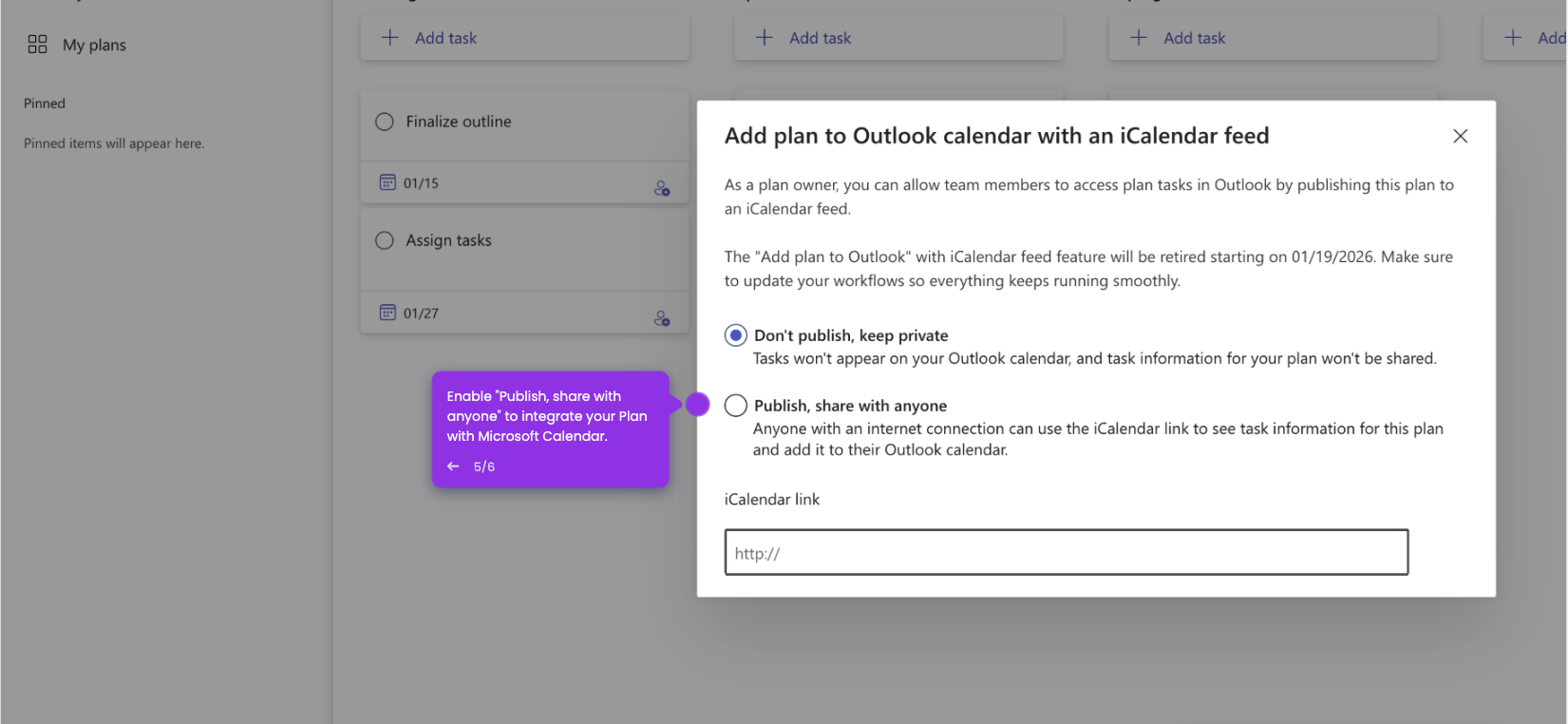
- Select "Add plan to Outlook calendar" from the dropdown menu.
- Enable "Publish, share with anyone" to generate a shareable calendar link.
- Paste the shareable iCal link from your Microsoft Calendar into Outlook to view tasks and deadlines alongside your meetings.