


8-10% of RepX conversations end with an email conversion, and a good share of the gap comes down to three mistakes you can fix this week.
We looked at about 4,400 conversations across three companies' website agents, pooled and anonymized. Four in 10 visitors send one message and leave, so many chats never get a chance to convert. Among the visitors who do stay, we kept seeing the same three mistakes. Each one maps to a setting in RepX, and each has a simple fix.
1. Don't ask for the email too early
Visitors who were asked for their email in the very first message shared it 12% of the time. Visitors asked by their third message shared about 20% of the time. Only around 1 in 14 asks came that early, so treat this as a pattern in our data, not a rule.
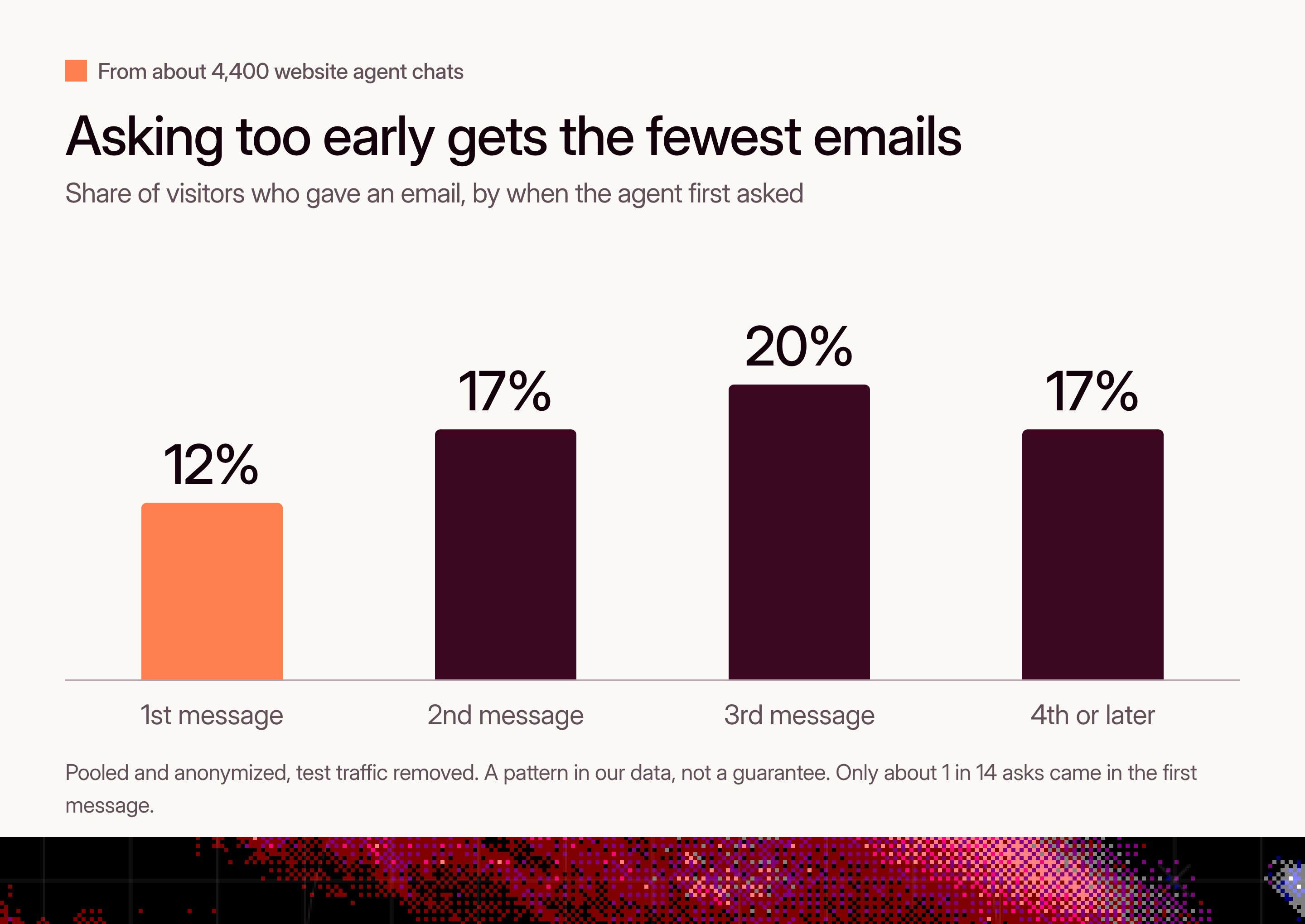
A visitor who hasn't had an answer yet has no reason to hand over their contact details. Give them something useful first, then ask in the same message and say why.
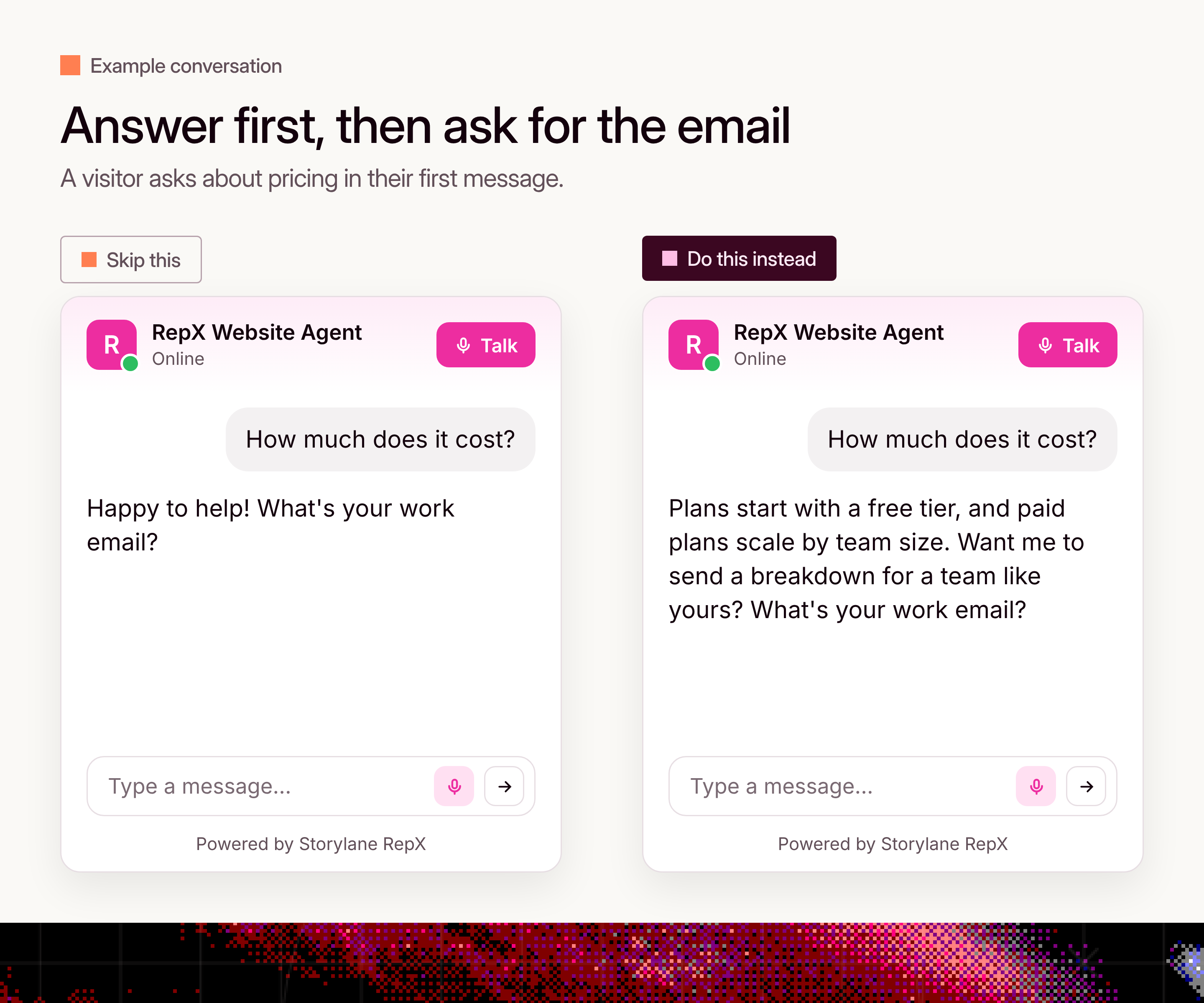
In RepX: open the email capture settings and choose when the agent asks, either "After a set number of messages" or "After the conversation meets qualification criteria". Either way, the ask waits until the visitor has had a useful answer.
2. Don't set the ask criteria too high
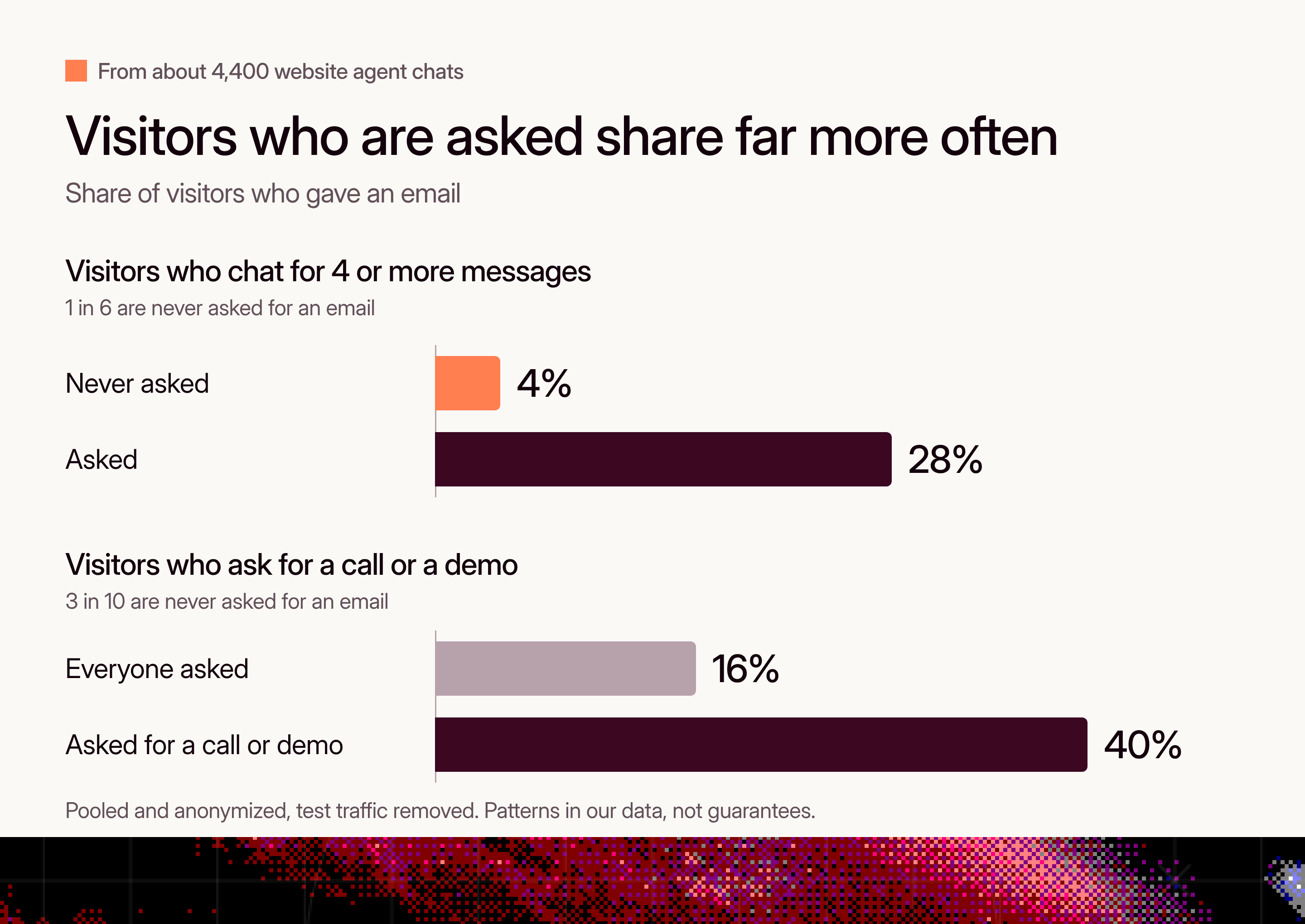
This one sounds obvious, and it's still the most common miss. Among visitors who sent four or more messages, 1 in 6 were never asked for an email. Those chats shared an email 4% of the time. The ones that were asked shared 28% of the time.
The clearest signals get missed too. Visitors who asked for a call, a demo or to talk to someone shared an email 40% of the time when asked, against 16% across all visitors who were asked. But 3 in 10 of them were never asked.
A likely cause is criteria that demand a perfect fit, such as company size, budget and timeline, before the agent asks. Plenty of interested visitors never tick every box. Count real interest as qualified instead.
Skip this
Qualified if the visitor has 50+ employees, a set budget and a timeline under 3 months.
Do this instead
Our ICP is typically companies with 50+ employees, a set budget and a timeline under 3 months. However, consider the visitor qualified if any of these are true:
- They ask to book a call, talk to someone or see a demo.
- They ask about pricing, plans or a custom quote.
- They ask several questions about the product or say they are comparing tools.
- They share their team size, use case or timeline.

If they are only asking general or educational questions, keep helping and don't ask for an email yet.
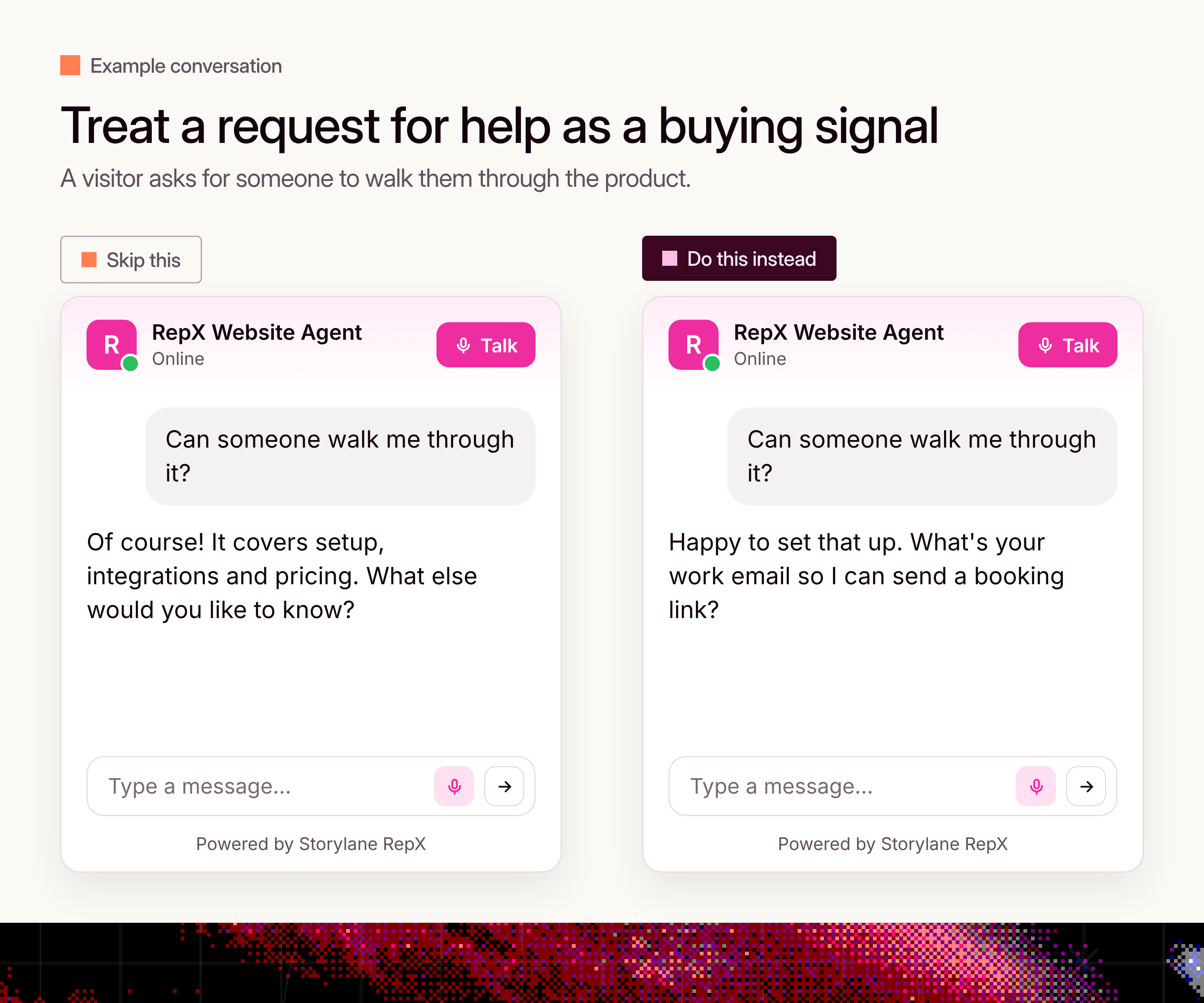
In RepX: open Qualification behavior on your playbook and paste in criteria like the ones above, then set email capture to ask "After the conversation meets qualification criteria".
3. Don't give up after one ask
About half of visitors answer the first ask with something other than an email, usually a question. Only 4 in 10 of them were asked again. Those who were asked again shared an email 15% of the time, against 9% for those who weren't.
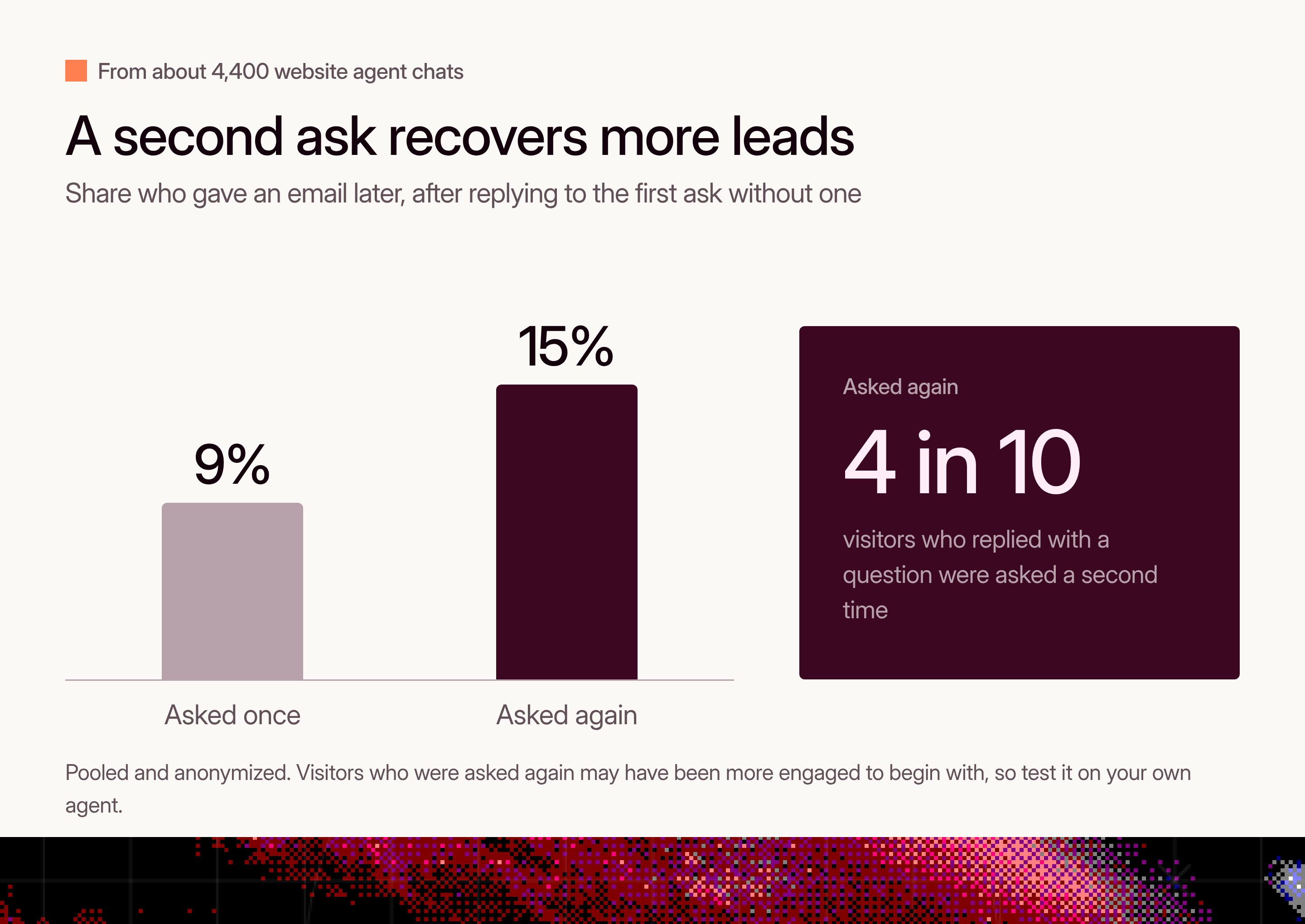
A question in reply to an ask usually means "not yet", not "no". An agent that answers and moves on lets that moment pass. Visitors who were asked again may also have been more engaged to begin with, so read the gap as a reason to test this, not a guarantee.
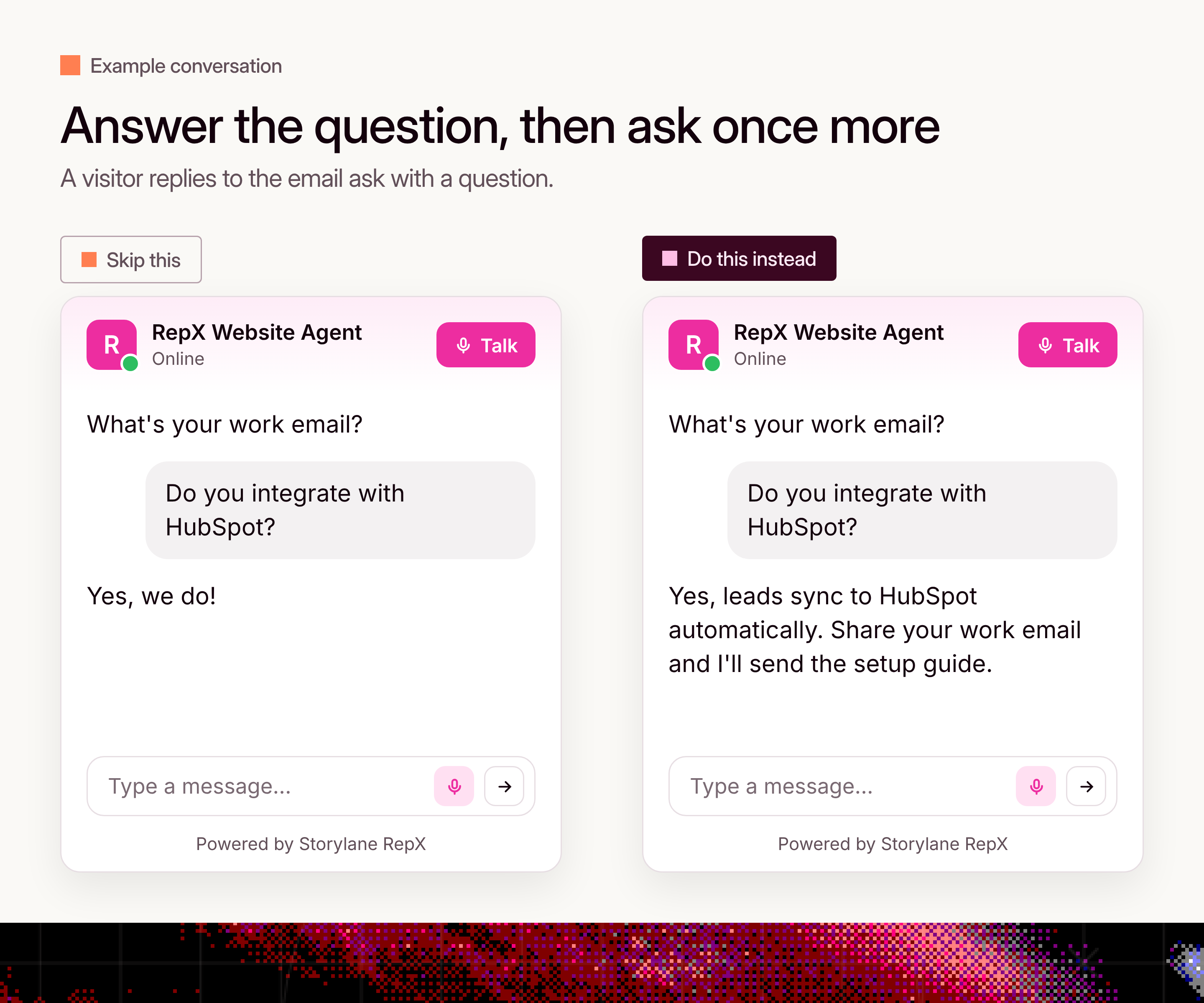
A rule you can copy:
If the visitor asks a question instead of sharing their email, answer it first, then ask once more. Don't ask a third time.
In RepX: add this as a rule on your agent's brand page, so it applies to every conversation.
How to set this up in RepX
All three fixes live in your playbooks. A playbook is a set of behaviors for the pages it covers: the opening message, qualification, email capture and call to action. Your default playbook covers the whole site, and you can add page playbooks, for example one for pricing, that match URLs such as "contains /plans". To put it in place:
- Open Playbooks and start with your default playbook. Add a page playbook later for pages where visitors behave differently, such as pricing.
- Open Qualification behavior, set the goal (book a meeting, start a trial or hand off to sales), and paste in the criteria from section 2.
- In email capture, choose "After the conversation meets qualification criteria". If you prefer a message count, pick a low one so most chats reach it.
- Decide on work emails only. If your visitors often use personal addresses, leave it off. In our data, the share of personal addresses among captured emails ranged from about 1 in 16 to 7 in 10 across companies.
- Add the re-ask rule from section 3 to your brand page rules.
- Test before you go live. Open a chat with your agent and try three things: ask about pricing, ask for a demo, and reply to the email ask with a question. Then save each as an eval so you can rerun them after future changes.
How we measured it
We pooled about 4,400 text conversations from three companies' website agents, after removing internal and test traffic. All figures are combined and anonymized, and no company or visitor is identified. An email counts as captured when the visitor shared one in the chat.
These are patterns, not guarantees. We can't see every agent's settings, and some groups are small, such as visitors asked in the first message. Use the numbers to decide what to test, and check the results against your own conversations.