This interactive demo was created free with Storylane in 2 minutes. Create your own demo
Start free
All Tutorials /Airtable

How to Integrate Airtable with Zoho Books

Updated on:
April 10, 2026
By:
Madhav Bhandari
Use this interactive demo to learn how to integrate Airtable with Zoho Books.

‍

It is very easy to integrate Airtable with Zoho Books using Zapier. Here’s a short tutorial on how to do it:

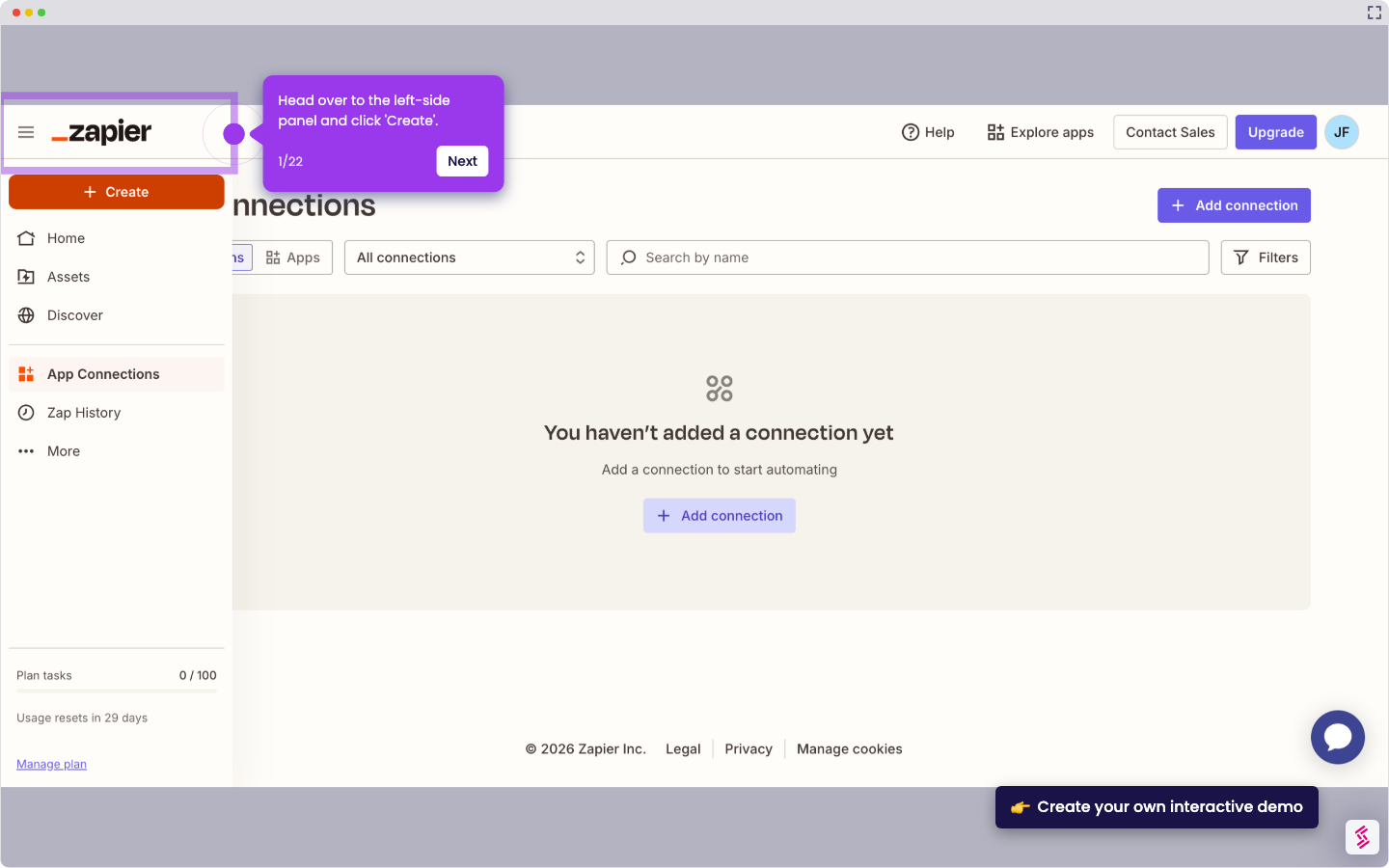
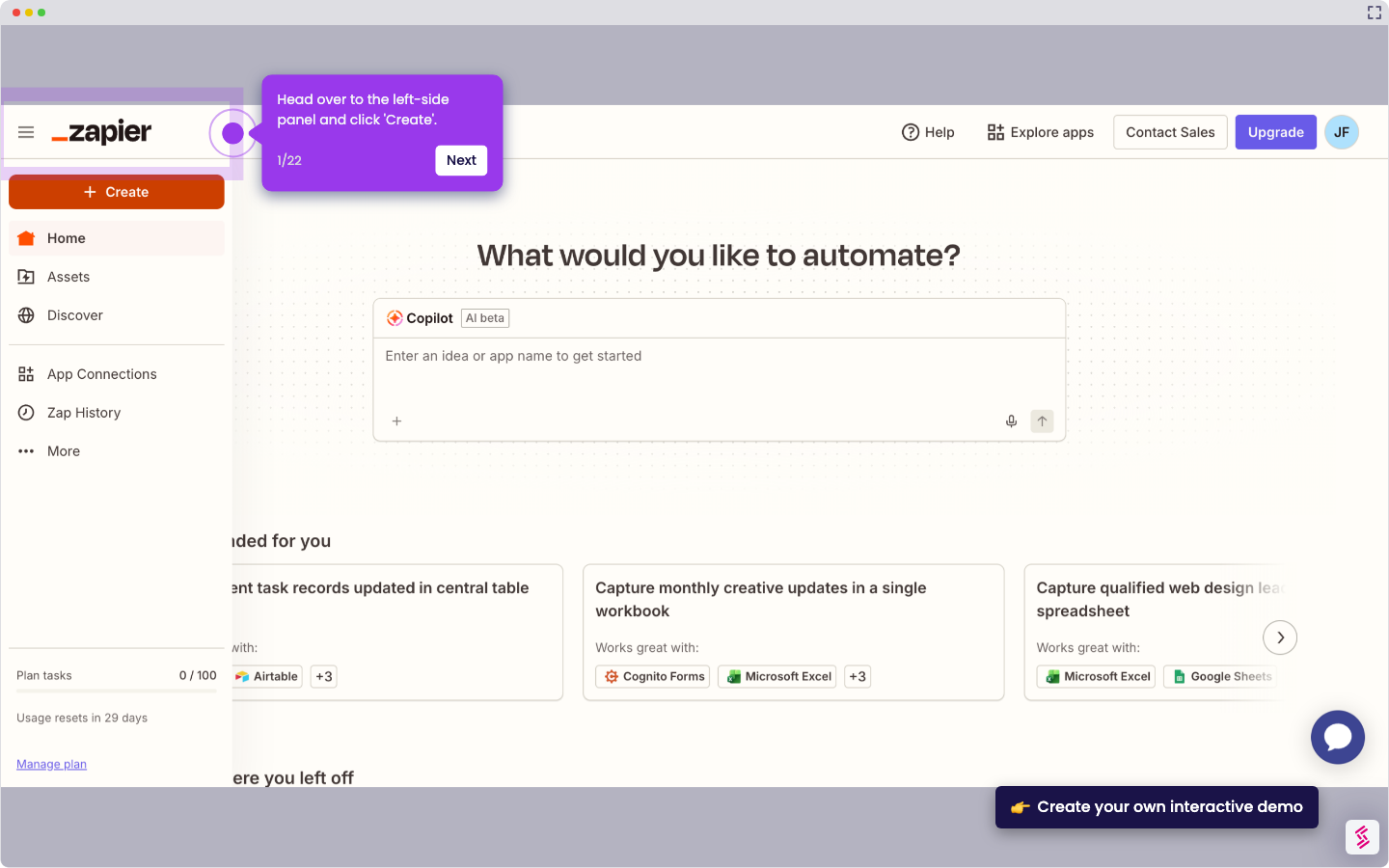
  1. Head over to the left-side panel and click 'Create'.
  2. Choose 'Zaps' from the list of options.
  3. After that, click the 'Trigger' tab to start the integration process.
  4. Search for 'Airtable' and select it from the suggested results.
  5. Next, specify your preferred 'Trigger Event'.
  6. Tap 'Sign In' afterwards, then log in to your Airtable account.
  7. Subsequently, set your preferred access. Click 'Add All Resources' or 'Add a Base'.
  8. Once done, tap 'Grant Access' to allow the necessary permissions.
  9. Click ‘Continue’ to move forward.
  10. Following that, provide all the required details to set up the Trigger. Enter them into their respective input fields.
  11. Tap ‘Continue’ afterwards.
  12. Subsequently, tap 'Test Trigger' to run your input.
  13. Choose the record you prefer to use, then click 'Continue With Records' afterwards.
  14. Following that, search for ‘Zoho Books’ and select it as the Action app.
  15. Next, click the drop-down menu and pick the 'Action Event' you wish to execute.
  16. Click 'Sign In' afterwards to connect your account.
  17. Subsequently, specify the Sub Domain and Domain you want to use. After that, tap 'Yes, Continue to Zoho Books' and then log in to your account.
  18. Tick the checkbox to agree to the terms, then click 'Accept'.
  19. Tap ‘Continue’ to move forward.
  20. One by one, fill out the input fields with the required information.
  21. Once done, tap 'Continue' to publish and enable the integration.
  22. Finally, your Airtable account will be integrated with Zoho Books.

📌 Why this matters

This integration eliminates the tedious double-entry of financial data between your project management and accounting systems. When client information or invoice details change in Airtable, they automatically sync to Zoho Books, preventing costly billing errors and saving hours of manual data transfer. The real advantage goes beyond automation though – you can structure complex project data in Airtable's flexible database format while still maintaining clean, compliant financial records. This creates a unified workflow where your team collaborates on projects without losing the financial accuracy your accountant demands.

Your product deserves an interactive demo
Start free
Similar Articles
Airtable

How to Integrate Jira with Airtable

Madhav Bhandari
Director of Marketing @ Storylane
Airtable

How to Integrate Airtable with Wufoo

Madhav Bhandari
Director of Marketing @ Storylane
Airtable

How to Integrate Airtable with Zoho CRM

Madhav Bhandari
Director of Marketing @ Storylane
No items found.
Platform
Interactive Demos
Sandbox Demos
Buyer Hub
RepX
Integrations
Solutions
Product Marketers
Growth & Demand Gen
Sales Reps & AEs
Presales & SEs
Customer Success
Product Managers
Customers
Demo Showcase
Customer Stories
Finer Demos Club
Features
Demo Signals
Personalization
Deal Intelligence
Resources
Blog
The Plot
Tutorials
Events & webinars
Help Docs
What’s New
Demo Dundies
Company
Careers
Pricing
Partners
Contact
Trust Center
Backed by
Chrome Extension Icon
Chrome extension
Download
Desktop app
Download
Built in San Francisco Bay Area - ©2026 Storylane
Privacy PolicyTerms & Conditions
X Corp (formerly Twitter)LinkedIn
This website uses cookies to ensure you get the best experience on our website. Learn More
Got it
This website uses cookies to ensure you get the best experience on our website. Learn More
Got it