
.svg)

Last updated: October 2026. We re-checked both vendors' websites and pricing pages for this update and removed older claims we could no longer verify.
Demostack vs Walnut is really a choice between two different demo philosophies. Demostack builds a working clone of your application (it calls itself a product simulation platform), so sales engineers can click through a realistic, safe copy of the product. Walnut captures your product once and turns it into guided, personalized interactive demos that sellers can share and embed. Both companies are still operating independently under their original names as of October 2026.
This guide is written for sales engineers, presales leaders, heads of sales and enablement teams who are weighing walnut vs demostack for their demo motion. We cover what each product does now, what pricing is public, who should pick which, and where Storylane fits as a third option (full disclosure: that's us).
Demostack vs Walnut at a glance (2026)
Every vendor fact below was checked on the vendor's own website on October 5, 2026.
| Category | Demostack | Walnut | Storylane (third option) |
|---|---|---|---|
| What it is now | "Agentic product simulation" platform for enterprise GTM teams | AI powered interactive demo platform, plus deal rooms and an AI agent inside demos | Interactive demo platform (Demo Suite) plus RepX, an AI agent for your website |
| Core approach | Cloner copies your product's frontend and simulates backend responses, independent of production | Capture the product once, then build, personalize and embed guided demos | Screenshot, video and HTML capture via Chrome extension, desktop app (Mac, Windows) or Figma plugin |
| Best for | SE teams that need high fidelity clones, sandboxes and custom POCs for complex products | Sales teams that want guided demos, playlists and prospect personalization | Teams that want to build demos themselves quickly, from a free plan up to enterprise |
| Standout capability | AI Simulation Builder Agent, AI data editing and Demo Partner agent (launched June 2026) | AI Mode drafts demos from captured product; sandbox demos and translations on higher tiers | AI voiceovers and translation into 27+ languages, personalization tokens, presenter demos |
| Sandbox demos | Yes (Demostack Sandbox) | Yes, from the Accelerate plan | Yes, as an add-on |
| Pricing model | Not public; quote-based | Ignite $575/month and Accelerate $1,550/month (billed annually); Scale is custom | Free plan; Starter from $40/month, Growth from $500/month, Premium from $1,200/month (yearly billing); Enterprise custom |
| Free plan | None listed | None listed | Yes (1 seat, 1 published demo, unlimited views) |
| Where it falls short | Highest cost of entry; Demostack's own pricing FAQ says it "costs more than many other demo-solutions" | No free plan; sandbox, personalization and translations sit on higher tiers | Not a full product clone; sandbox is an add-on and the full HTML editor starts on Growth |
Is Demostack still around? Is Walnut? What changed
Both are. We found no acquisition or rebrand for either company. Here is what is different from older comparisons of the two, including earlier versions of this page:
- Demostack now positions itself as an "agentic product simulation" platform. On June 9, 2026 it announced two AI agents in a GlobeNewswire release: Builder Agent, which lets teams change a simulation with natural language, and Demo Partner, an agent that sits on top of an interactive demo and presents the product to the viewer.
- Walnut now publishes its pricing. Its pricing page lists three tiers built around editor seats, presenter seats and annual AI credits, instead of the single starting price older articles quoted.
- Older price figures are gone from this page. We previously cited third party estimates for both vendors. Demostack does not publish prices, so we now say quote-based. Walnut's figures below come from its own pricing page.
Demostack: product simulations for complex products
Demostack's core product is the Demostack Cloner. In Demostack's words, you "click through your ideal demo flow inside your app once, and Demostack instantly turns it into a safe, fully functional replica sellers can deliver again and again." Its pricing page FAQ explains that the Cloner clones your product's frontend and simulates backend responses, so demos run without connecting to your live production system.
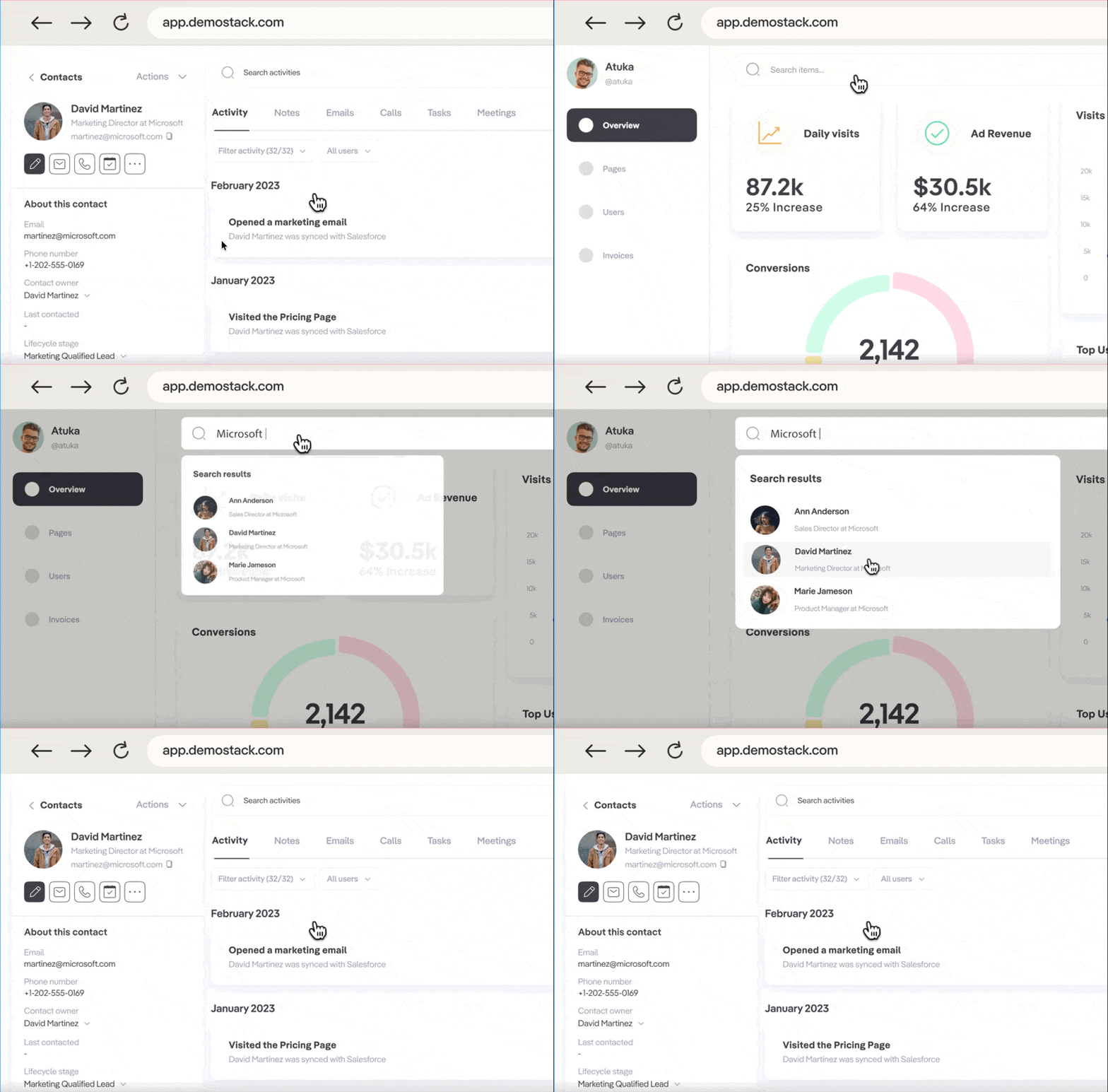
Beyond the Cloner, Demostack's product menu now covers Product Demos, Product Sandboxes and Product Tours, and its pricing page mentions guided tours and live software overlays on top of the cloned environment.
Why teams choose Demostack
- Fidelity for complex products. Because the demo is a clone rather than a set of captured screens, an SE can click into areas that were not scripted and the product still behaves like the product. That matters for data heavy, technical software where buyers push past the happy path.
- Data you can reshape per deal. Demostack promotes AI Database Bulk Category Editing, an AI Text and Image Generator and AI for Data Rules, which changes application logic and states with natural language instead of code overrides. Its homepage pitches this to SE teams as a way to create stable clones and custom POCs without maintaining demo environments by hand.
- Hands-on sandboxes. The Demostack Sandbox gives prospects or trainees a safe environment to explore, which also makes it useful for partner enablement and certification.
- Enterprise governance. Demostack's pricing page lists SOC2 compliance, RBAC and SSO as part of every plan.
What you trade off with Demostack
- Cost and commitment. Pricing is not public, and Demostack's own FAQ says it costs more than many other demo tools because you are buying cloning, sandboxes, analytics, integrations and dedicated services. Budget for a sales cycle and an annual contract, not a self-serve trial.
- A heavier build than screen capture. A clone has to be set up, staged with demo data and kept in line with your product as it changes. Demostack's AI agents and bulk editing are aimed at reducing that work, but it is still more of a project than capturing a few screens.
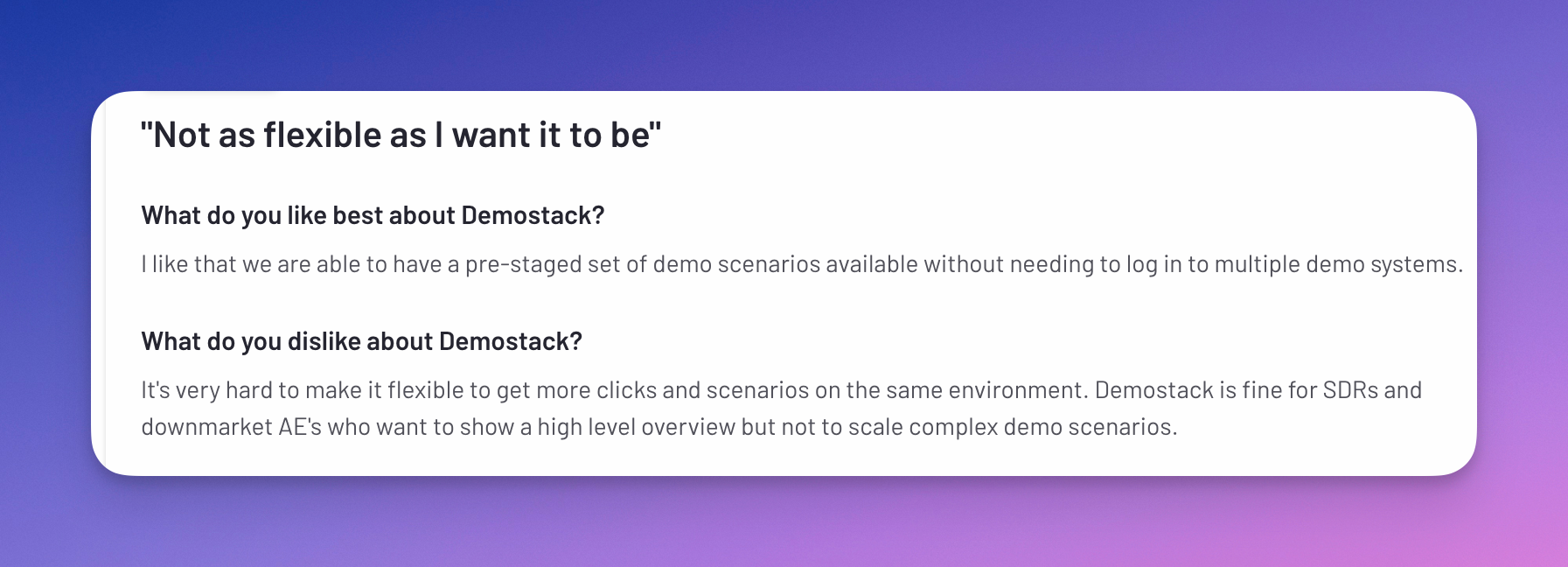
- Flexibility depends on how you stage scenarios. Some reviewers have said it was hard to fit many scenarios into one environment; test your most complex demo flow during evaluation.
Demostack pricing
Demostack pricing is not public; it is quote-based. The Demostack pricing page lists no plan names or prices and sends visitors to schedule a call. It does say that every plan includes cloning and personalization, presentation features, analytics and enterprise governance, and that it does not put its best features behind add-on pricing. There is no free plan listed.

Walnut: interactive demos built for sales teams
Walnut describes itself as an AI powered platform where you capture your product once, then create, personalize and embed guided demos without engineering. Alongside interactive demos it now sells Interactive Deal Rooms (shared spaces for a buying group) and Buyer Xpert, an AI agent that answers product questions inside demos.

Why teams choose Walnut
- Built around sales workflows. Demos, playlists ("choose your own adventure" paths), deal rooms and CRM sync are designed for reps sharing demos before and after calls.
- AI Mode for demo creation. On every plan, you describe the demo you need and Walnut drafts it from your captured product (screens, flow and narrative), and you approve each screen before a buyer sees it. AI usage is metered against annual AI credits.
- Prospect personalization. From the Accelerate tier you can personalize demos with a prospect's name, logo and relevant content, and add video overlays with AI avatars.
- Sandbox demos and global reach on higher tiers. Accelerate adds sandbox demos; Scale adds Digital Sales Rooms, advanced translations into up to 243 languages and a Data API.
- Maintenance claims. Walnut's homepage says that when your product changes, your demos update themselves. Treat that as a vendor claim and test it against your own release cadence.
What you trade off with Walnut
- Captured, not cloned. Walnut demos are built from captures of your product. That is faster to build than a clone, but you are showing a curated experience rather than a full working copy, so deep, unscripted exploration of backend behavior is limited.
- Key features sit on higher tiers. Sandbox demos, prospect personalization and advanced analytics start on Accelerate; translations, deal rooms and the Data API are on Scale.
- No free plan. Every tier routes to "Book a demo", so you cannot build a real demo before you buy.
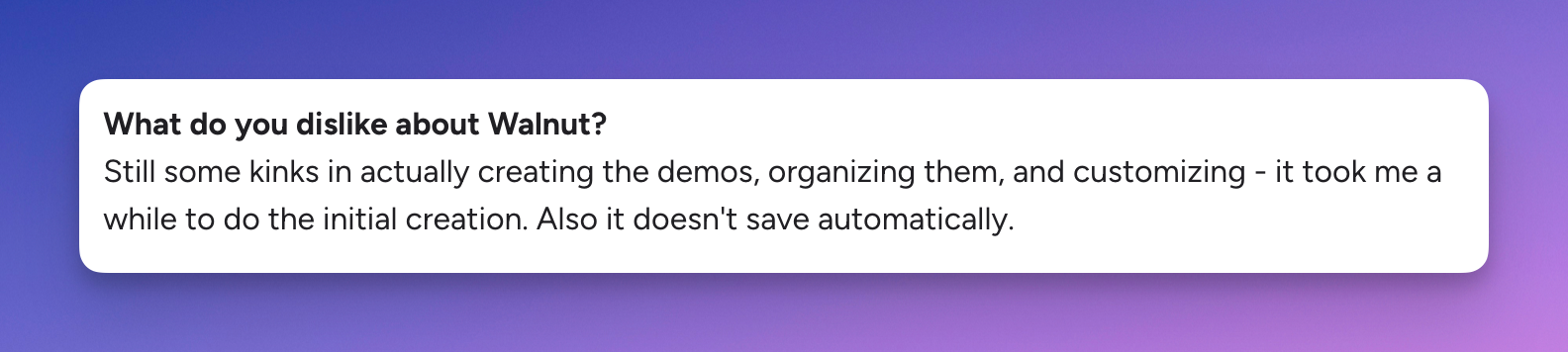
- Creation effort. Some reviewers have said the initial build and organization of demos took longer than expected. Run a time-boxed build during evaluation.
Walnut pricing
Walnut publishes its pricing (checked October 5, 2026):
- Ignite: $575 per month, billed annually. 3 editor seats, 3 presenter seats, 50,000 AI credits per year, unlimited demos, AI Mode for demos, playlists, analytics and CRM integrations.
- Accelerate: $1,550 per month, billed annually. 6 editor seats, 6 presenter seats, 100,000 AI credits, plus sandbox demos, prospect personalization, video overlays and advanced analytics.
- Scale: custom pricing. Custom seats, 200,000 AI credits, plus Digital Sales Rooms, advanced translations, Data API and bring-your-own-key for AI.
Extra seats are add-ons, and extra AI credits are sold in annual packs. The pricing page lists no free plan.
Walnut vs Demostack: who should pick which
For a presales or sales leader, the decision usually comes down to how much fidelity your buyers need versus how fast your team needs to build.
- Pick Demostack if your product is complex and data heavy, your SEs regularly get pulled off script, you want sandboxes and POC-style environments without touching production, and you have an enterprise budget and time for an implementation.
- Pick Walnut if your sellers mostly need guided demos, playlists and personalized leave-behinds, you value published pricing, and a curated captured demo is enough to show value.
- Look at a third option if you want to start free, build demos yourself in an afternoon and add HTML editing, sandboxes or an AI website agent only when you need them.
Also comparing Consensus? See our Walnut vs Consensus and Demostack vs Consensus breakdowns.
Does your team really need product cloning?
A full clone only pays off for a specific subset of companies: products where buyers need to explore freely, see realistic data respond, or get hands-on in a sandbox before they believe the value. If that is your deal, clones and sandboxes are worth the cost and setup. For many SaaS teams, a guided interactive demo covers most of the sales cycle. Our guide to demo environment types for sales engineers walks through when each one fits.
What most teams actually need:
- Fast demo creation without engineering dependencies
- Reliable demos during live presentations
- Easy personalization per account
- Quick updates when the product changes
This is where Storylane steps in.
Where Storylane fits (full disclosure)
When teams evaluate Demostack and Walnut, some end up looking for a third option that is quicker to start with. Storylane is an interactive demo platform you can try on a free plan and grow into. It is not a full product clone like Demostack, so if unscripted exploration of a live-like backend is what wins your deals, weigh that honestly.
How Storylane compares with Demostack
- Lighter build. You capture screenshots, video or HTML with the Chrome extension, the desktop app (Mac and Windows) or the Figma plugin, then edit guides and data in the editor. See Storylane interactive demos for the full feature list.
- Sandboxes when you need them. Storylane offers sandbox demos as an add-on, so you can give prospects free exploration without buying a cloning platform for every use case.
- Published pricing. A free plan to start, then paid plans from $40 per month. Moving off Demostack? Read how teams switch from Demostack to Storylane or our direct Storylane vs Demostack comparison.
How Storylane compares with Walnut
Both are capture-based, so the differences are in how much the AI does and what each plan includes. If you are already on Walnut, see switching from Walnut to Storylane.
AI demo features
- AI guides and edits: AI splits steps and adds guides at key moments, and you can chat to describe changes and let AI apply them across the demo.
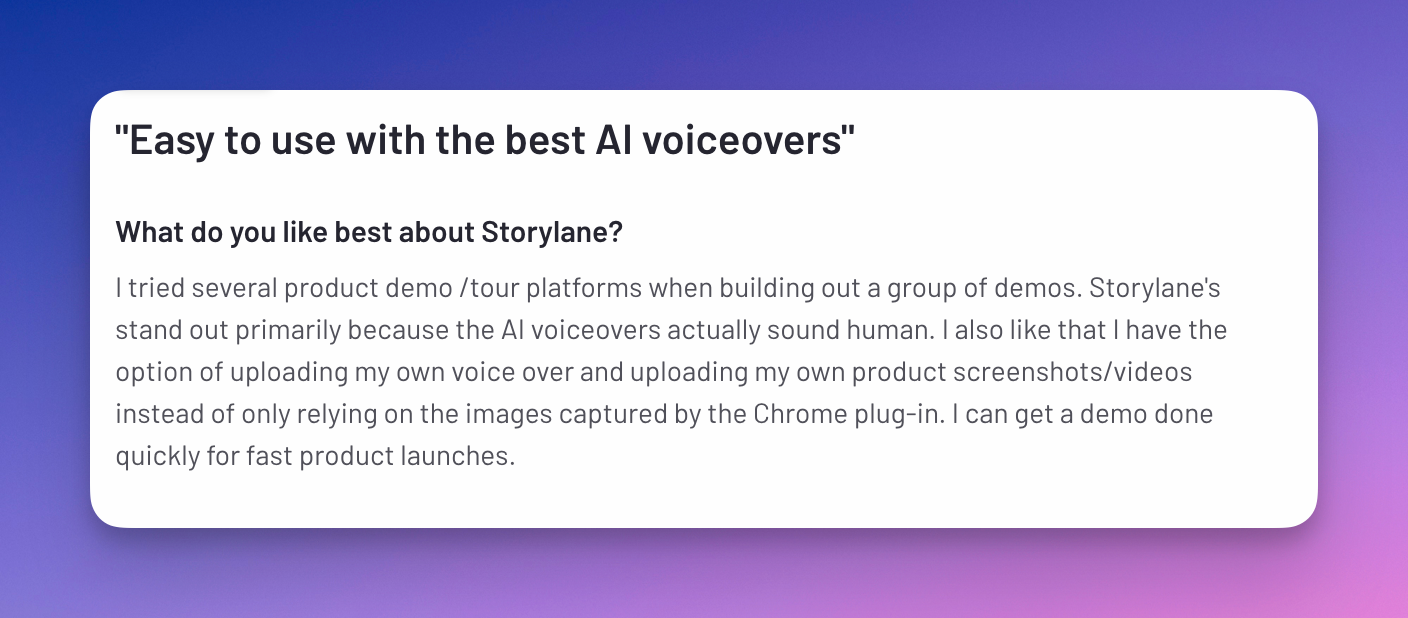
- AI voiceovers and avatars: Storylane lists 60+ avatars and voices and translation into 27+ languages, so you can publish once and let buyers pick a language.
Walnut's approach: AI Mode drafts a demo from your captured product, and you review and approve each screen. Both tools use AI to draft; compare the output on your own product during a trial.
Why teams choose Storylane over Walnut and Demostack
Fast to start, no engineering needed
Storylane is built for teams to create demos themselves with AI-assisted creation, and the free plan lets you build and publish a real demo before talking to sales. No complex editing interfaces to learn and no cloning infrastructure to configure.
The result: sales, presales and marketing can each build what they need without waiting on a central team.


For a detailed head-to-head on features and reviews, see our Storylane vs Walnut breakdown.
RepX: an AI agent for your website
Storylane also offers RepX, an AI agent on your website that answers, qualifies and books meetings with visitors in real time. It can pull up relevant interactive demos in the conversation, which helps presales teams spend less time on early, unqualified overview calls. Demostack's Demo Partner and Walnut's Buyer Xpert work inside a demo; RepX works across your site.
What RepX helps you with:
- Answers product questions for buyers exploring on their own
- Qualifies inbound visitors before they reach your team
- Shows the right demo for the use case being asked about
- Books meetings around the clock
Built for the whole GTM team
Storylane is used across go-to-market teams, not just sales:
- Sales teams use it for personalized demos and leave-behinds
- Presales teams use presenter demos (with hidden guides and presenter notes) on live calls
- Marketing uses it for website demos and campaigns
- Customer success uses it for onboarding and training
Multiple demo formats: screenshot and video demos on every plan, HTML demos from Growth, and sandbox demos as an add-on, so you can match the format to the job.
Storylane pricing
From the Storylane pricing page (checked October 5, 2026; yearly billing, monthly billing is higher):
- Free: $0. 1 seat, 1 published demo, unlimited demo views.
- Starter: $40 per month (screenshot and video demos, unlimited published demos, AI voiceovers, account reveal, HubSpot integration), plus $40 per additional seat.
- Growth: $500 per month for 5 seats, adding HTML demos, personalization tokens, A/B testing, offline demos and deal intelligence.
- Premium: $1,200 per month for 10 seats, adding Salesforce, SSO, presenter demos and Hubs.
- Enterprise: custom pricing.
So which demo automation platform should your team choose?
If you sell complex enterprise software and your deals hinge on buyers exploring a realistic product or sandbox, Demostack's cloning and simulation tools are built for that, at quote-based enterprise pricing.
If your reps mainly need guided, personalized demos and you like seeing prices up front, Walnut's published tiers start at $575 per month billed annually.
If you want to start free, build demos without engineering and add HTML, sandbox or an AI website agent as you grow, Storylane is worth a trial alongside both.
Still unsure? Ask: "What is actually slowing down our demo process right now?" If it is environment setup and maintenance, compare how each tool handles product updates. If it is build time or rep adoption, run a one-week build test on each shortlisted tool.
For a wider view beyond these three, see our guide to the best demo automation tools or our list of Walnut alternatives.
Demostack vs Walnut FAQ
What is the main difference between Demostack and Walnut?
Demostack clones your product's frontend and simulates backend responses, giving a high fidelity replica and sandboxes that run independently of production. Walnut captures your product once and turns it into guided, personalized interactive demos, playlists and deal rooms. Demostack favors fidelity for complex products; Walnut favors fast, sales-led demo creation.
How much do Demostack and Walnut cost?
Demostack pricing is not public; it is quote-based, and its pricing page says it costs more than many other demo tools. Walnut publishes its pricing: Ignite is $575 per month and Accelerate is $1,550 per month, both billed annually, and Scale is custom. Neither lists a free plan. Storylane has a free plan and paid plans from $40 per month.
Are Demostack and Walnut still operating in 2026?
Yes. As of October 2026 both companies operate under their own names and we found no acquisition or rebrand. Demostack launched two AI agents, Builder Agent and Demo Partner, in June 2026. Walnut now publishes tiered pricing based on seats and AI credits.
Do I need product cloning for demos?
Only if buyers need to explore a realistic product freely or get hands-on in a sandbox to believe the value, which is common for complex, data heavy software. Many SaaS teams can cover most of the sales cycle with guided interactive demos, which are faster to build and update.
What is the best alternative to Walnut and Demostack?
It depends on what you need. If you want a free plan, self-serve demo building and published pricing, Storylane is a common third option, with HTML demos from its Growth plan and sandbox demos as an add-on. If you need a full product clone, Demostack remains the closer fit.
See it on your own product
If you are comparing Demostack vs Walnut for your SE or sales team, the fastest way to judge Storylane is on your own product. Book a demo with Storylane and we will show you how it fits your demo workflow.