
.svg)

Product marketing sits at the intersection of product, marketing, and sales. If you're still drawing the line between product marketing and growth marketing on your team, we break down where each one starts and stops. Your tools need to reflect this complexity while staying simple enough for your entire team to actually use.
The days of cobbling together random marketing tools are over. Modern product marketing needs a system of tools that works together as a stack—from understanding user behavior to launching campaigns that actually convert.
Here's what we've noticed: the most successful teams organize their tools around GTM stages. So we decided to help you make the same decision and pick the right stack for your unique stage.
Whether you're building your first stack or upgrading an existing one, these tools work together to create a powerful yet simple system for your PMM needs.
Best product marketing tools at a glance
User analytics and insights
Before you can market effectively, you need to understand how users actually behave in your product. These tools give you the quantitative and qualitative insights that inform every other marketing decision.
1. Amplitude - Best for product analytics
Amplitude shows you exactly how users move through your product, which features drive retention, and where people drop off. Unlike Google Analytics which focuses on website behavior, Amplitude is built specifically for product teams who need to understand user journeys across complex applications.
The platform's behavioral cohorts let you segment users based on actions they've taken (or haven't taken) in your product. This means you can identify your highest-value user paths and replicate them in your marketing messaging.
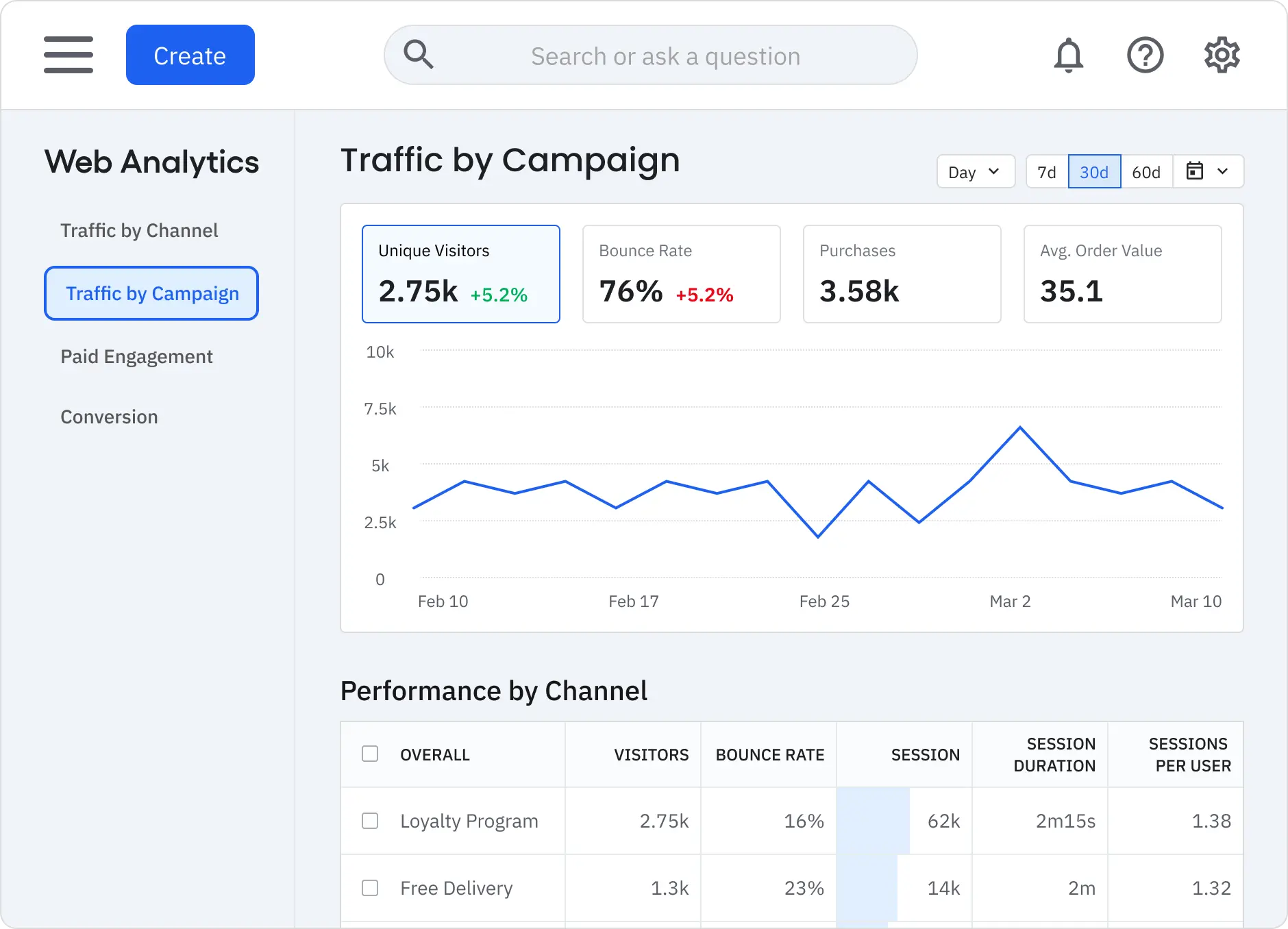
Why product marketers choose Amplitude:
- User journey mapping: Visualize the complete path from signup to conversion
- Behavioral cohorts: Segment users based on product actions, not just demographics
- Retention analysis: Identify which features keep users coming back
- Custom dashboards: Create executive-ready reports without SQL knowledge
When to skip Amplitude: You're pre-product with limited user data, or you need simple website analytics rather than product behavior tracking.
Pricing: Free tier for up to 10M events; paid plans start at custom pricing
G2 Rating: 4.5/5
2. Hotjar - Best for user behavior insights
Hotjar shows you what Amplitude can't—the visual story of how users actually experience your product. Heatmaps reveal where users click, scroll, and get frustrated, while session recordings let you watch real user sessions to understand pain points.
The feedback tools let you ask users specific questions at key moments in their journey. This qualitative data explains the "why" behind the behavioral patterns you see in Amplitude.
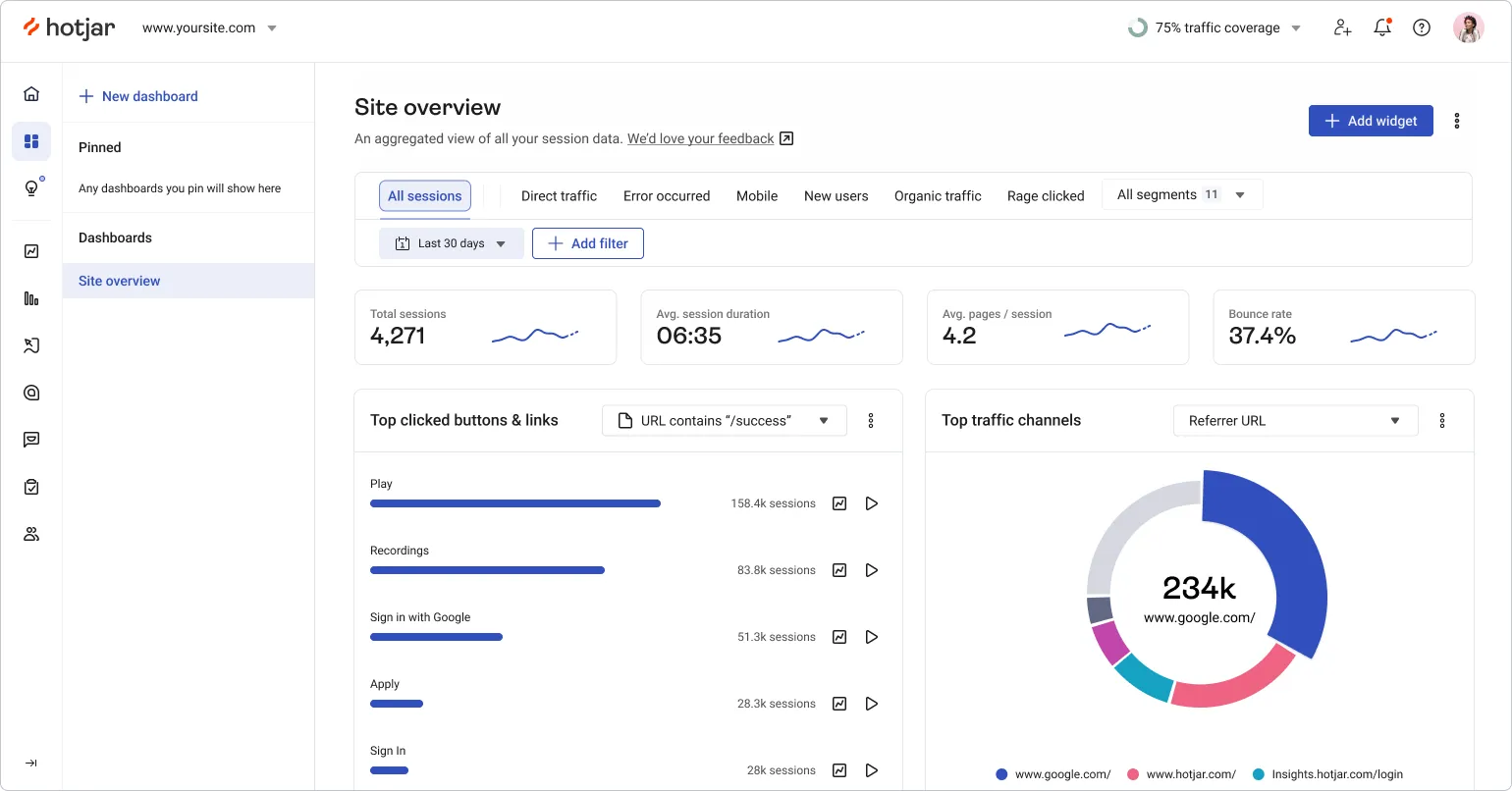
Why product marketers choose Hotjar:
- Visual behavior data: Heatmaps and session recordings show user experience issues
- In-moment feedback: Surveys and feedback widgets capture user sentiment when it matters
- Conversion funnel analysis: See exactly where users drop off in key flows
- No-code setup: Marketing teams can deploy without engineering support
When to skip Hotjar: You're focused purely on B2B sales motions rather than self-serve product experiences.
Pricing: Free plan - track 35 daily sessions; paid plans start at $32/month (100 daily sessions)
G2 Rating: 4.3/5
Demo and product education
Armed with user insights, you need to show prospects and customers how your product creates value. These tools help you create compelling demonstrations that work across your entire GTM motion.
3. Storylane - Best for interactive product demos
Storylane creates interactive demos that work across your entire GTM motion—from website visitors to sales calls to customer onboarding, the same cross-functional case made on our dedicated product marketers persona page. Unlike traditional demo tools that only work for live sales calls, Storylane demos function everywhere your prospects are.
"I pushed to get Storylane on day 1 of my founding Product Marketer role. Since then, we've used it primarily to enable our customers and colleagues. We're now using it to build a demo hub that will wow our prospects." - Daniel Barnes, Host/Founder, World of Procurement (51-200 employees) | G2
The platform's AI creator automatically generates demo scripts, creates realistic voiceovers in 65+ languages, and suggests optimal demo flows based on your product. This means your marketing team can create demos without constantly involving your presales engineers.
Why product marketers choose Storylane:
- Multi-format flexibility: Create HTML, screenshot, video, and sandbox demos from one platform
- AI-powered creation: Storylane’s AI generates scripts, voiceovers, and demo flows automatically
- Lily AI sales agent: Lily is an AI conversational sales agent trained on your best sales resource for automated product discovery, lead qualification, and objection handling
- Cross-team enablement: Marketing, sales, and customer success teams can all create and use demos
- No technical dependencies: Capture and edit demos without engineering support
"Storylane has been instrumental in transforming our product marketing approach by enabling interactive demonstrations of complex workflows. At events like RSA and BlackHat, our booth staff can now confidently showcase our platform using pre-built interactive walkthroughs." - Product Marketing Specialist (51-200 employees) | G2
When to skip Storylane: You specifically need to show live product functionality with real-time data overlays during sales calls.
Pricing: Free plan with 1 interactive demo with unlimited views; paid plans start at $40/month with unlimited demos.

G2 Rating: 4.8/5 (840 reviews)
4. Pendo - Best for product experience and onboarding
Pendo sits inside your actual product to guide users through key features and workflows. While Storylane creates demos for prospects, Pendo helps existing users discover value within your live product through in-app guides, tooltips, and walkthroughs.
The platform tracks which features users engage with and automatically suggests onboarding improvements. Product marketers use Pendo to reduce time-to-value for new users and drive adoption of underutilized features that impact retention.
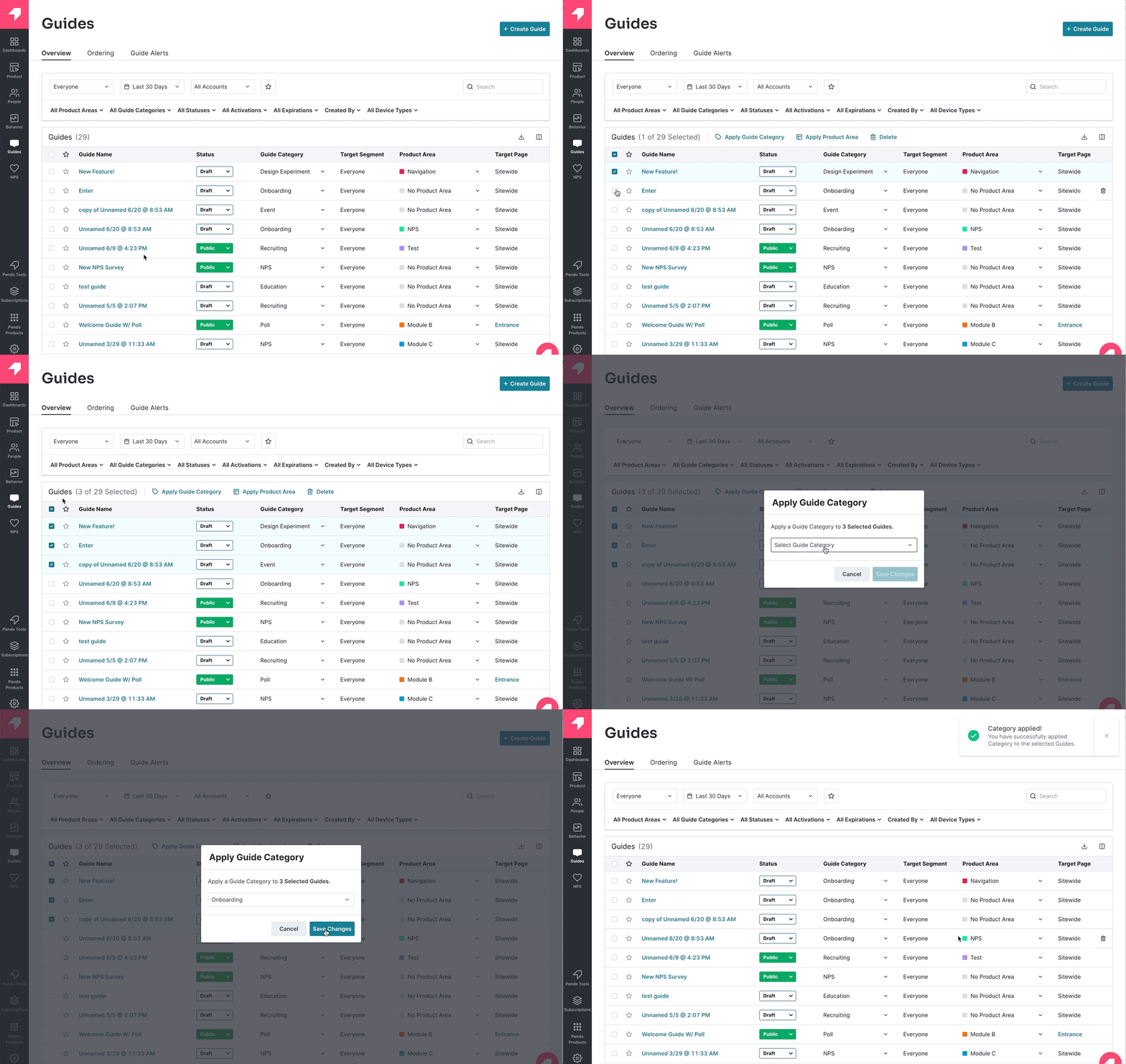
Why product marketers choose Pendo:
- In-app guidance: Create tooltips, walkthroughs, and feature announcements without engineering
- User segmentation: Target different onboarding flows based on user role or plan type
- Feature adoption tracking: See which features drive engagement and which are ignored
- No-code implementation: Marketing teams can launch guides and collect feedback independently
When to skip Pendo: You're primarily focused on pre-sales demos rather than customer onboarding, or your product is too simple to need guided experiences.
Pricing: Free plan for up to 500 monthly active users; paid plans start at custom pricing
G2 Rating: 4.4/5
Also read: Ultimate product marketing guide for saas for practical strategies to position, launch, and scale your saas in 2026
Research and intelligence
Understanding your market landscape and finding the right prospects is foundational to effective positioning. These tools help you gather competitive intelligence and identify target accounts.
5. Apollo.io - Best for prospect research and outreach
Apollo.io combines a database of 275+ million contacts with email sequencing and tracking tools. Product marketers use Apollo to identify target accounts, research decision makers, and conduct customer development interviews that inform positioning.
The platform's Chrome extension lets you research prospects while browsing LinkedIn or company websites. You can build lists of companies that match your ideal customer profile, then reach out for positioning interviews or competitive research.
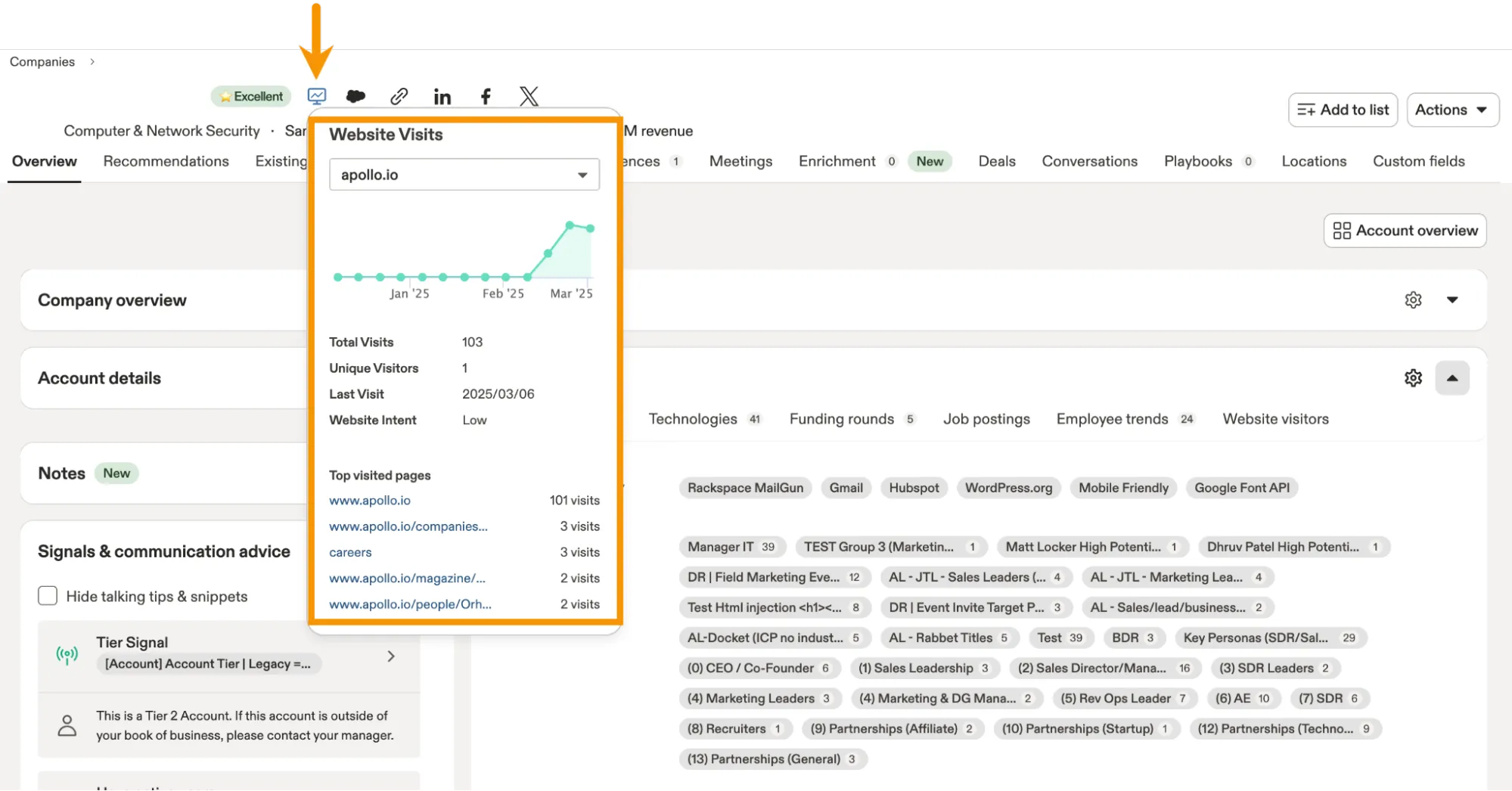
Why product marketers choose Apollo.io:
- Contact discovery: Find decision makers at target accounts with verified email addresses
- Company intelligence: Access technographics, funding data, and company insights for positioning research
- Automated outreach: Set up email sequences for customer development interviews
- Integration capabilities: Connects with CRM and marketing automation tools
When to skip Apollo.io: You're focused on inbound marketing rather than outbound research, or you have dedicated SDRs handling all prospecting.
Pricing: Free plan with 1200 credits/user/year; paid plans start at $49/month -30k credits/user/year
G2 Rating: 4.8/5
6. Crayon - Best for competitive intelligence
Crayon automates competitor tracking so you're not manually checking competitor websites every week. It monitors pricing changes, feature releases, marketing campaigns, and customer reviews across your competitive landscape.
Unlike basic Google Alerts, Crayon's AI analyzes competitive moves and highlights what actually matters for your positioning. You get automated battlecards that your sales team can actually use, plus alerts when competitors make moves that affect your market position.
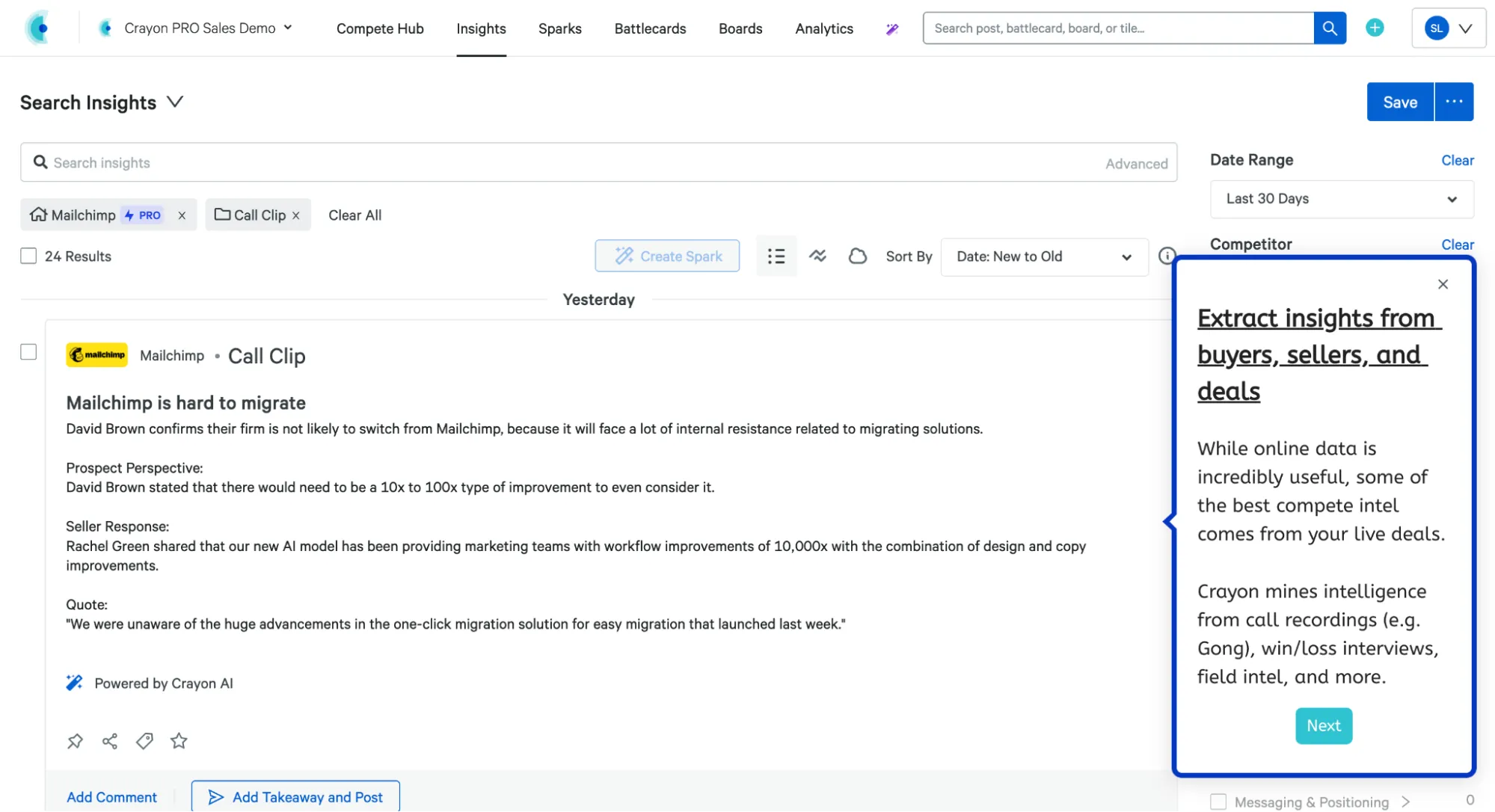
Why product marketers choose Crayon:
- Automated monitoring: Tracks competitor websites, social media, and review sites without manual work
- AI-powered insights: Highlights significant competitive moves rather than overwhelming you with noise
- Instant battlecards: Generates sales enablement materials automatically from competitive data
- Team collaboration: Share competitive insights across product, sales, and marketing teams
When to skip Crayon: You're in an early market with limited competition or have dedicated competitive analysts on your team.
Pricing: Custom pricing - not made publicly available
G2 Rating: 4.6/5
7. Perplexity - Best for AI-powered market research
Perplexity acts as your research assistant for market intelligence, customer insights, and competitive analysis. Unlike ChatGPT which works from training data, Perplexity searches the web in real-time and cites sources, making it perfect for current market research.
Product marketers use Perplexity to quickly research industry trends, analyze competitor messaging, and gather insights for positioning documents. The AI synthesizes information from multiple sources and provides citations, so you can fact-check and dive deeper into specific claims.

Why product marketers choose Perplexity:
- Real-time research: Access current market data and trends, not just historical training data
- Source citations: Every answer includes links to original sources for fact-checking
- Follow-up questions: Drill down into specific aspects of your research with conversational queries
- Market intelligence: Quickly analyze competitor positioning, pricing strategies, and messaging
When to skip Perplexity: You need highly specialized industry research that requires proprietary databases, or you have dedicated research analysts on your team.
Pricing: Free tier with limited queries; Perplexity Pro at $20/month for unlimited usage
G2 Rating: 4.7/5
Content creation and AI tools
With market insights and user behavior data, you need to create compelling content that resonates. These tools help you produce everything from video explanations to AI-generated messaging at scale.
8. HeyGen – Best for AI-powered video explainers at scale
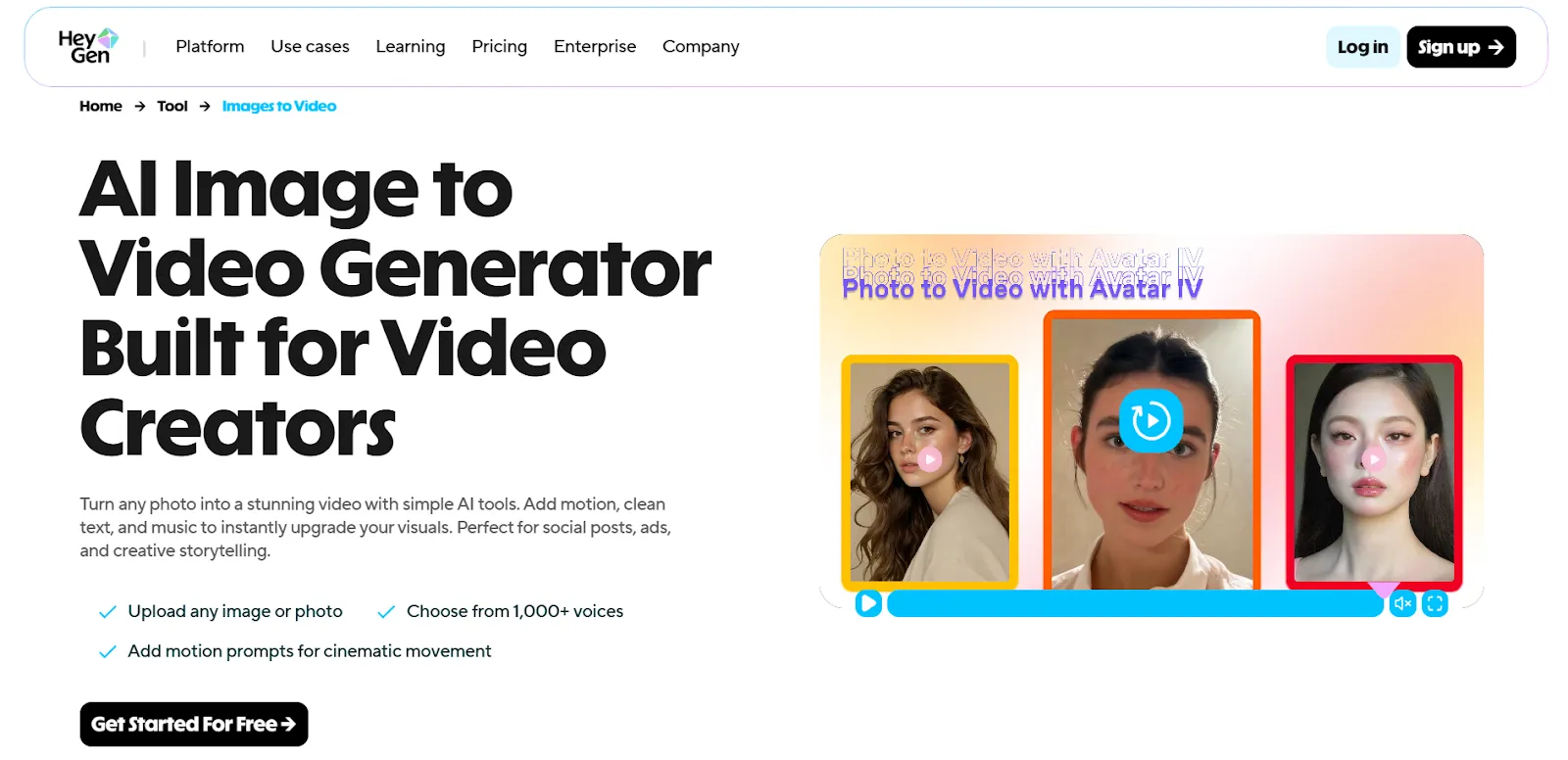
HeyGen helps product marketers create professional video content without cameras, studios, or complex editing workflows. Using image to video AI, teams can turn scripts, images, or slide-style inputs into polished presenter-led videos that explain features, onboard users, or support product launches across multiple channels.
Unlike screen recorders, HeyGen is built for repeatable, scalable video creation. Product marketers use it to standardize messaging, localize videos for global audiences, and produce consistent explainers that don’t require live recording sessions or reshoots. This makes it especially useful for asynchronous communication and evergreen content.
Why product marketers choose HeyGen:
- Image and text-to-video generation: Create presenter-style videos from scripts or static visuals
- Realistic AI avatars: Deliver explanations with natural gestures and accurate lip-sync
- Multilingual localization: Translate videos into 175+ languages without re-recording
- Brand consistency: Templates and brand kits keep messaging aligned across teams
When to skip HeyGen: You need cinematic, highly creative videos with advanced visual effects, or your content relies heavily on live screen interaction.
Pricing: Free plan available; paid plans start at $29/month
G2 Rating: 4.8/5
9. Loom - Best for video content creation
Loom makes it simple to create video content that explains complex product concepts. Product marketers use Loom to record product walkthroughs, create onboarding videos, and produce educational content that can be embedded across multiple channels.
The platform's AI automatically generates video titles, summaries, and even removes filler words from recordings. This means you can quickly produce professional-looking content without video editing skills or expensive production tools.
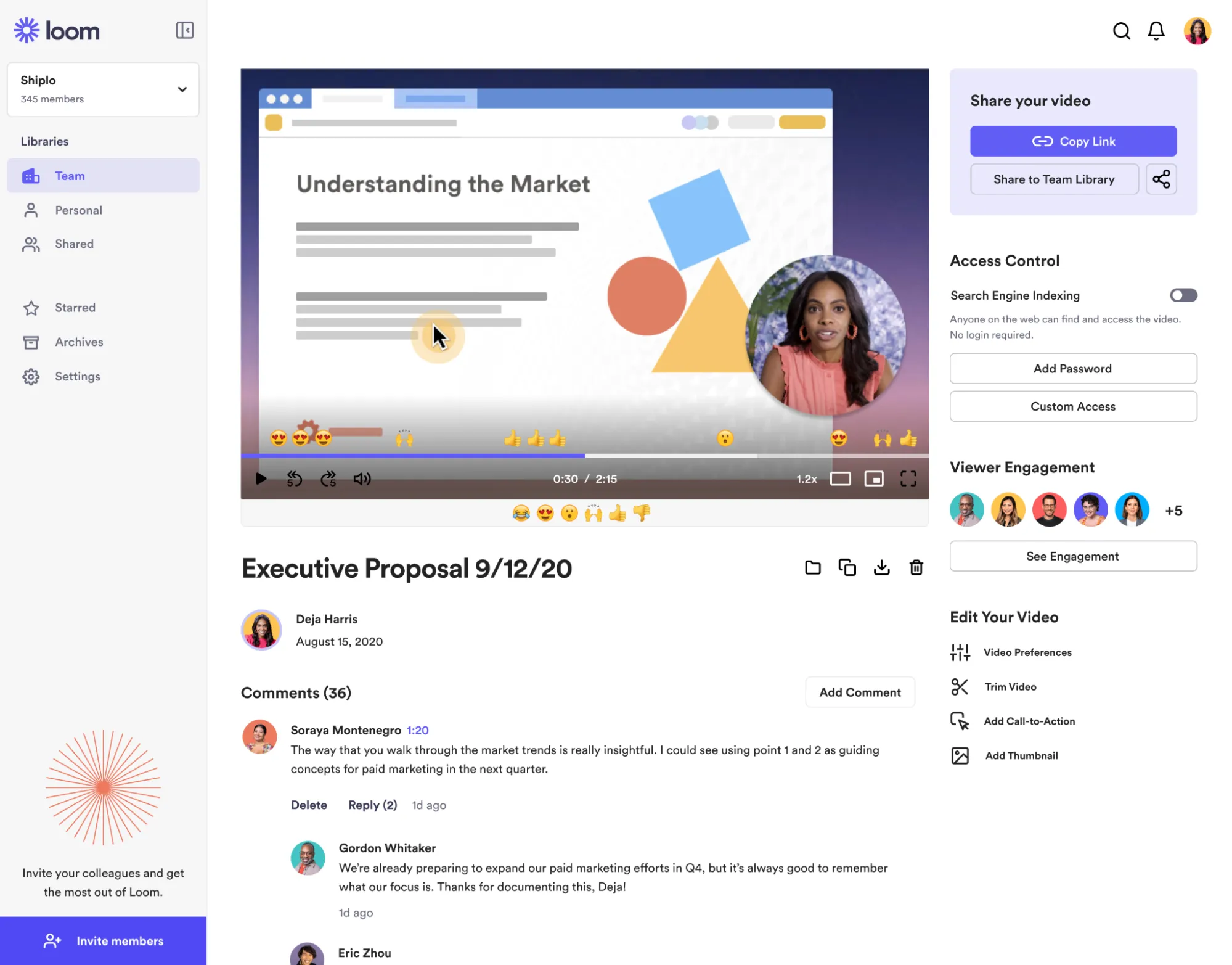
Why product marketers choose Loom:
- One-click recording: Capture screen, camera, or both with simple browser extension
- AI enhancement: Automatic transcription, summaries, and filler word removal
- Easy sharing: Generate shareable links that work in emails, websites, and sales sequences
- Engagement analytics: See who watched your videos and which parts they replayed
When to skip Loom: You need heavily produced marketing videos rather than quick explanatory content, or your audience prefers text-based communication.
Pricing: Free plan with 25 videos up to 5 minutes; paid plans start at $15/month
G2 Rating: 4.7/5
10. Visme - Best for AI content visualization
Visme is an all-in-one design platform that helps non-professionals create visual content quickly and easily. Its no-code tools, simple interface, and drag-and-drop editor make it easy for product marketers to design assets throughout the product cycle. With AI features, you can turn ideas into designs with just a few prompts.
You can brainstorm, create, and publish all your visual content from Visme's dashboard. It connects to your social media accounts for posting and scheduling, and you can embed forms and landing pages on your website using HTML code.

Why product marketers choose Visme:
- Collaborative features - Product teams can work on design projects together in real time
- AI powered features - Prompt based workflow simplify design
- Track project performance - Track analytics of your project within its dashboard
- Brand kit - Store and access all brand assets in one place for team consistency
- Customizable templates - 1000+ ready-to-edit templates with easy drag and drop functionality
When to skip Visme: Skip Visme if you need offline functionality, as it requires an internet connection.
Pricing: Free plan available, paid plans start at 12.50$ per month.
G2 Rating: 4.5/5
11. Copy.ai - Best for AI content generation
Copy.ai specializes in generating marketing copy that actually converts. While general LLMs like ChatGPT can write content, Copy.ai is trained specifically on high-performing marketing materials and includes templates for product marketing use cases.
The platform excels at creating product messaging, email sequences, landing page copy, and competitive battle cards. Product marketers use Copy.ai to maintain consistent messaging across campaigns while scaling content production.
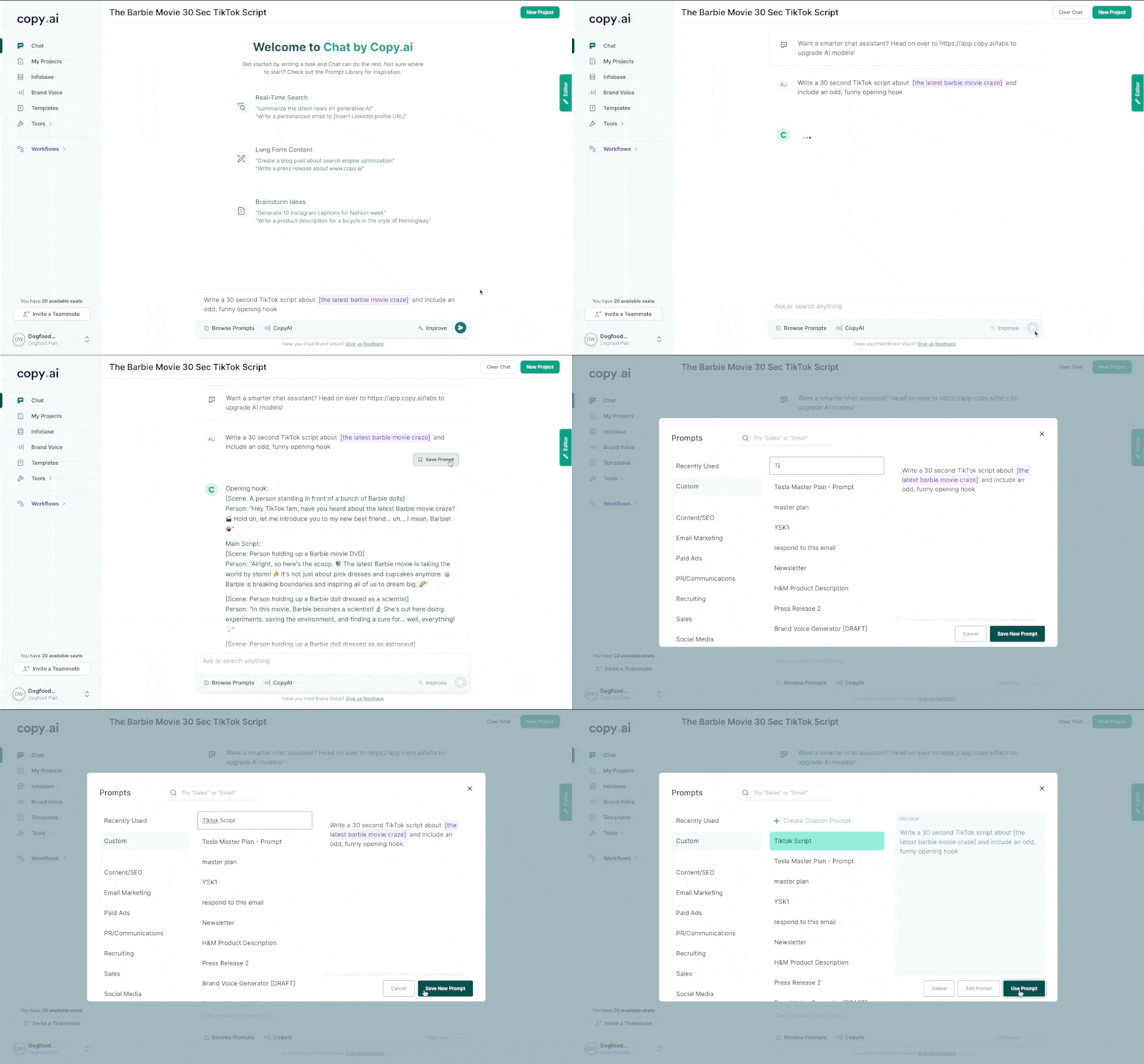
Why product marketers choose Copy.ai:
- Marketing-specific training: AI models trained on converting copy, not general content
- Product marketing templates: Pre-built workflows for positioning statements, feature releases, and competitive messaging
- Brand voice consistency: Maintains your tone and messaging across all generated content
- Workflow automation: Connect with other tools to automatically generate content for campaigns
When to skip Copy.ai: You prefer writing all copy manually, or you need highly technical content that requires deep product expertise.
Pricing: Free plan with 2,000 words per month; paid plans start at $49/month
G2 Rating: 4.7/5
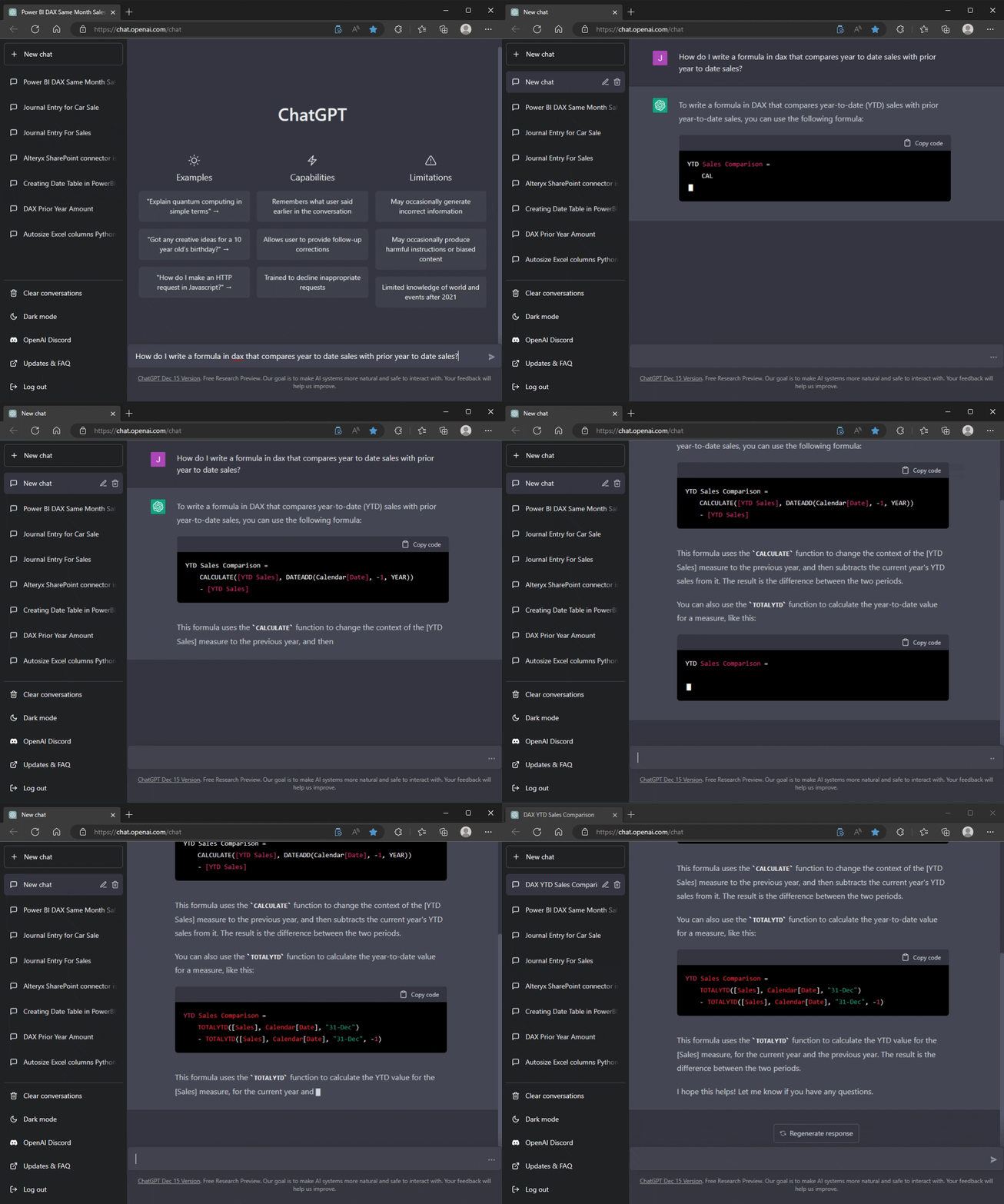
12. ChatGPT/Claude + Perplexity stack - Best for comprehensive AI research and content
While individual AI tools excel at specific tasks, combining ChatGPT or Claude with Perplexity creates a powerful research and content creation workflow. Use Perplexity for current market research and competitive analysis, then feed those insights to ChatGPT/Claude for content creation and strategic thinking.
This stack approach lets you gather real-time market intelligence, analyze competitor positioning, and generate content that reflects current market conditions. Product marketers use this combination for everything from positioning documents to campaign ideation.
Why product marketers choose this stack:
- Current + comprehensive: Real-time research combined with deep analytical capabilities
- Cost-effective: More affordable than specialized tools for many use cases
- Flexible workflows: Adapt the tools to your specific research and content needs
- No platform lock-in: Can switch between different AI providers as capabilities improve
When to skip this stack: You need specialized industry databases, or your company has restrictions on AI tool usage.
Pricing: ChatGPT Plus ($20/month) + Perplexity Pro ($20/month) = $40/month total; Claude Pro ($20/month)
G2 Rating: ChatGPT 4.7/5, Claude not rated on G2
Campaign execution
With insights, demos, and content ready, you need to test and deploy campaigns that convert. These tools help you optimize landing pages and run experiments that improve conversion rates across your GTM motion.
13. VWO - Best for A/B testing and conversion optimization
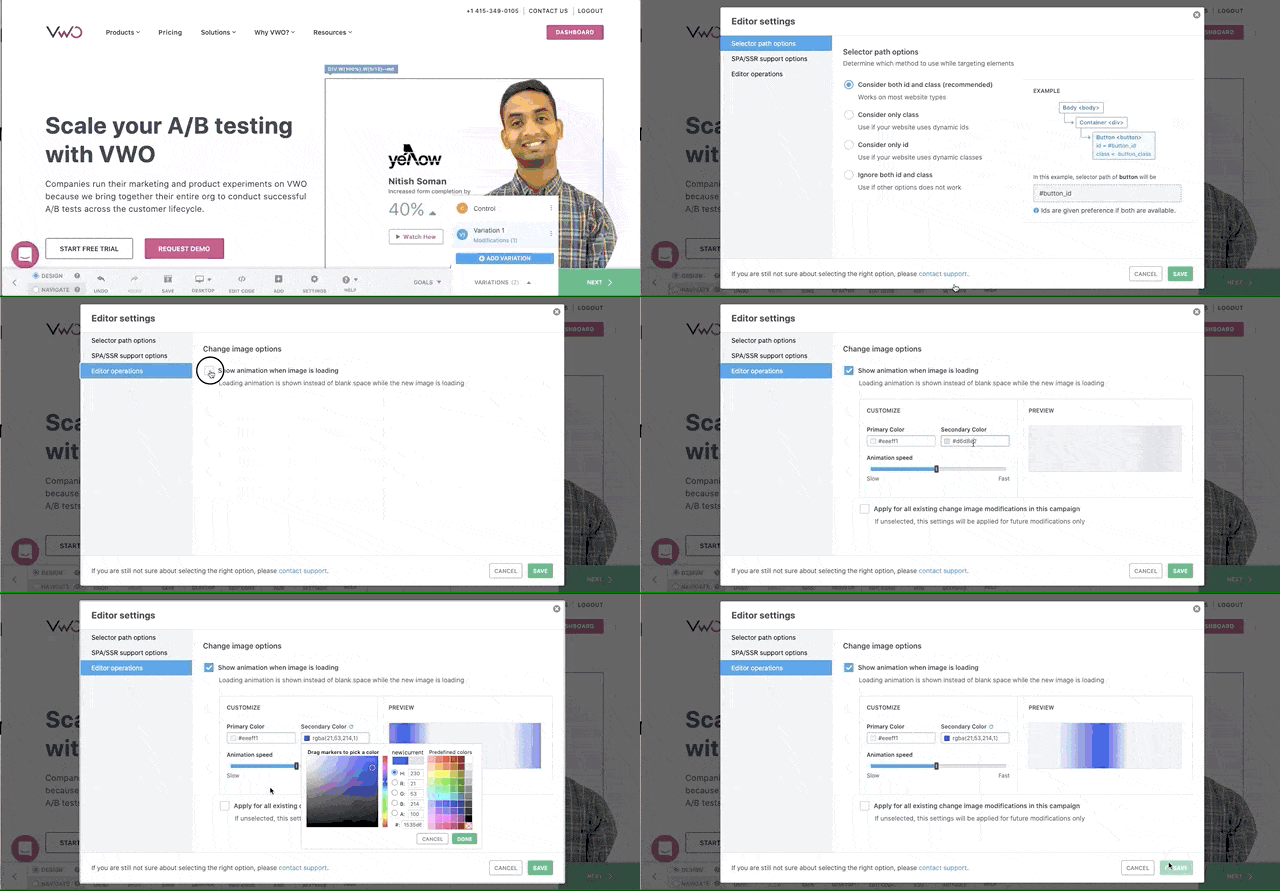
VWO lets you test different versions of your product marketing campaigns to see what actually drives conversions. Unlike basic A/B testing tools, VWO includes advanced targeting, multivariate testing, and behavioral analytics that help product marketers optimize entire user journeys.
The platform integrates with your existing analytics stack (like Amplitude) to show how page-level changes impact downstream product metrics. This means you can optimize not just for clicks, but for trial signups, feature adoption, and long-term retention.
Why product marketers choose VWO:
- Advanced targeting: Test different messages based on traffic source, user behavior, or firmographics
- Full-funnel optimization: Track how landing page changes affect product metrics and revenue
- No-code testing: Marketing teams can create and launch tests without developer resources
- Statistical confidence: Built-in significance testing prevents false positives from early results
When to skip VWO: You have limited traffic that makes testing statistically insignificant, or you're focused on organic growth rather than paid campaigns.
Pricing: Free plan for 1 test; paid plans start at $185/month for 10k MTU (Monthly Tracked Users)
G2 Rating: 4.3/5
14. Unbounce - Best for landing page creation and optimization
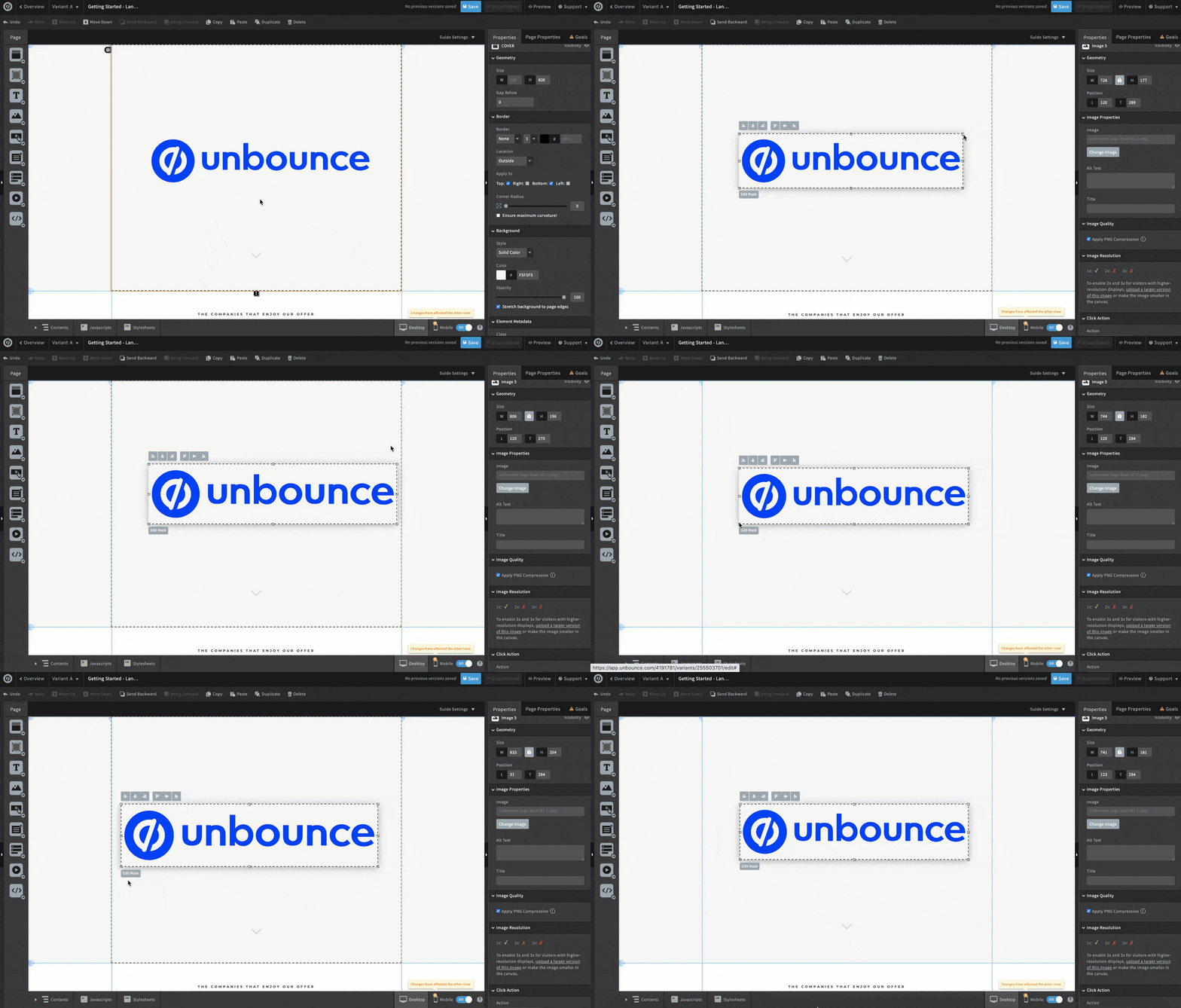
Unbounce specializes in creating high-converting landing pages without requiring design or development resources. Product marketers use Unbounce to quickly test different messaging approaches, create campaign-specific pages, and optimize conversion rates through built-in A/B testing.
The platform's Smart Traffic feature uses machine learning to automatically show each visitor the landing page variant most likely to convert them. This means your campaigns get smarter over time without manual optimization work.
Why product marketers choose Unbounce:
- Drag-and-drop builder: Create professional landing pages without design skills
- Smart Traffic AI: Automatically optimize which page variant each visitor sees
- Mobile optimization: All pages automatically adapt for mobile devices
- Conversion intelligence: Built-in analytics show exactly where visitors drop off
When to skip Unbounce: You have dedicated web developers and prefer custom-coded pages, or you're primarily focused on organic traffic rather than paid campaigns.
Pricing: Paid plan starts at $64/month
G2 Rating: 4.4/5
Project management
Product marketing involves coordinating across multiple teams and managing complex, multi-stage campaigns. These tools help you stay organized and keep projects moving forward without dropping important details.
15. Asana - Best for cross-functional project management
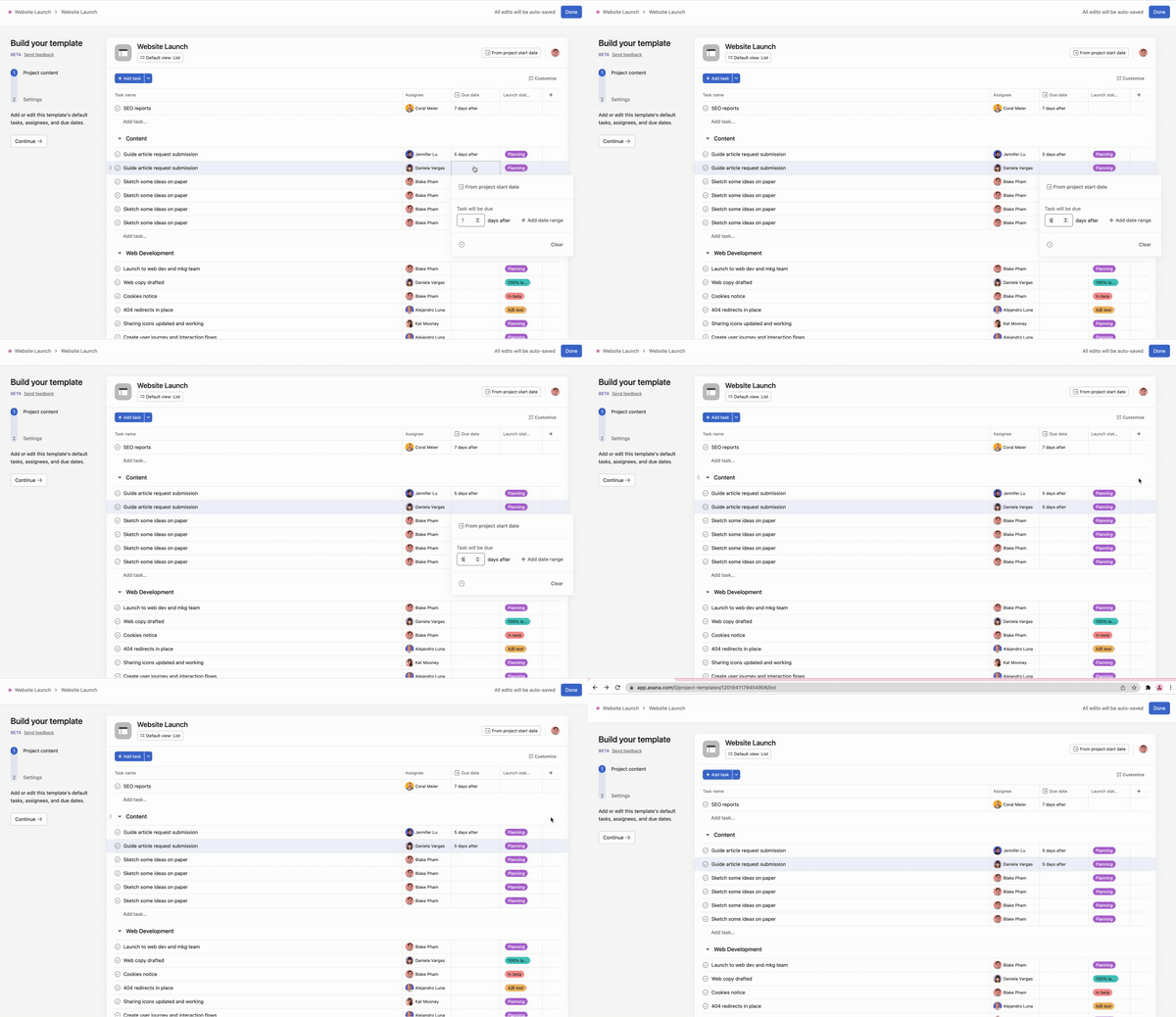
Asana excels at managing the complex workflows that define product marketing. From coordinating product launches across marketing, sales, and product teams to tracking competitive research projects, Asana provides the structure needed to execute multi-stage campaigns.
The platform's Goals feature lets you connect individual tasks to broader business objectives, so you can show how your product marketing work directly impacts company metrics. Custom fields and automation rules help standardize processes across different types of campaigns.
Why product marketers choose Asana:
- Cross-team coordination: Manage projects that span marketing, product, sales, and customer success
- Campaign templates: Standardize processes for product launches, competitive research, and content creation
- Goal tracking: Connect daily tasks to broader business objectives and OKRs
- Timeline management: Visualize project dependencies and critical paths for complex launches
When to skip Asana: You're a solo product marketer with simple workflows, or your team already has strong project management processes in place.
Pricing: Basic plan free for up to 15 team members; paid plans start at $10.99/month per user
G2 Rating: 4.4/5
How these tools work together
The real power comes from connecting these tools into a cohesive system:
♦️ Research flow: Use Apollo.io to identify prospects → Perplexity to research their market → Amplitude to understand your user behavior patterns → create targeted messaging
♦️ Content creation: Pull insights from Hotjar heatmaps → use Copy.ai to generate initial messaging → create Loom videos explaining key concepts → build landing pages in Unbounce
♦️ Campaign optimization: Test messaging with VWO → track results in Amplitude → create Storylane demos based on winning variants → coordinate execution in Asana
♦️ Competitive response: Crayon alerts you to competitor moves → research with Perplexity → create counter-positioning → deploy through your content and demo tools
The most successful product marketing teams don't use these tools individually—instead they create workflows that connect insights from one tool to actions in another.
What product marketing tool do you need right now?
Your tool needs depend on your company stage and current gaps. Here's how to prioritize:
Early stage (0-50 employees): Start with the essentials: Amplitude + Storylane + Asana. This gives you user insights, demo capabilities, and project coordination without overwhelming your budget.
Growth stage (50-200 employees): Add competitive intelligence and content creation: Crayon + Copy.ai + Hotjar. You now have enough market presence to need competitive monitoring and the volume to justify content automation.
Enterprise (200+ employees): Full stack with advanced optimization: VWO + Apollo.io + Pendo. You have the traffic for meaningful A/B tests and the complexity to need dedicated onboarding flows.
Budget-conscious teams: ChatGPT/Claude + Perplexity stack ($40/month) covers research and content creation. Add free tiers of Amplitude, Storylane, and Asana for a complete starter stack under $100/month.
High-growth teams: Focus on conversion optimization first: VWO + Unbounce + Amplitude. When you're scaling fast, small conversion improvements have massive impact.
Frequently asked questions - Product marketing tools
Q. What tools do product marketers use the most?
Analytics tools (like Amplitude) and demo platforms (like Storylane) see the highest daily usage among product marketers. These tools directly support the core activities of understanding users and communicating product value.
Q. What's the best tool for product tours?
Storylane leads for interactive demos because of its multi-format approach and AI capabilities. Pendo excels in in-app guidance within your live product. Choose based on whether you need pre-sales demos or post-sales onboarding.
Q. How can I automate product marketing tasks?
Start with Copy.ai for content generation and Crayon for competitive monitoring. These tools eliminate the most time-consuming manual work. Then add workflow automation through Asana to connect different tools together.
Q. What should I look for in a product marketing tool?
Prioritize tools that integrate with your existing stack, require minimal technical setup, and provide actionable insights rather than just data. The best product marketing tools help you make decisions, not just collect information.
Q. Is Storylane only for product demos?
No—while Storylane excels at interactive demos, teams also use it for customer onboarding, feature announcements, and sales enablement. The multi-format approach means one platform can serve multiple GTM needs.
Q. What's the difference between product marketing tools and regular marketing tools?
Product marketing tools focus on the intersection of product, marketing, and sales. They help you understand user behavior within your product (not just website traffic), communicate product value (not just brand awareness), and coordinate across multiple teams (not just marketing campaigns).
Regular marketing tools optimize for reach and brand awareness. Product marketing tools optimize for product adoption and revenue growth.
Done researching product marketing tools? Start a free trial with Storylane and see why it's ranked #1