How Respond.io increased trial clicks by 162% • 23rd April
Save your seat
Talk to RepX
Book a demo
Explore Hub
Platform
Products
Demos
Guided interactive demos and sandbox environments
Hubs
All the demos and collateral your buyers need in one place
New!
RepX
New
Conversational agents to qualify and convert prospects
Features
Demo Signals
Deal Intelligence
Personalization
Integrations
Enterprise
Download
Chrome Extension
Desktop App
Figma Plugin
Explore
AI-powered Lily
Built for Enterprise
Solutions
Used by GTM teams
Marketing
Turn curiosity into conversions with self-guided demos
Sales
Close more deals faster with interactive demo experiences
Customers
Customer Showcase
Check out how 5000+ GTM teams win with Storylane
Customer Resources
Customer Stories
Finer Demos Club
Demo Kitchen
Demo Dundies
    Our executive team continues to rave about how well Storylane visualizes our own tool!
Emily Elizabeth
VP Marketing
    Storylane's by far the easiest and most reliable out of other competitors.
Martin Kurowski
Product Marketing Manager
    Intuitive, powerful, and easy to use platform.
Matt Slotten
Marketing
35
demos in 3 weeks
Michael DeMarco
Product Marketing Manager
Read Case Study
    It’s actually kind of shocking how fast it was for us.
Katie Fairbank
Director of Product Marketing
Read Case Study
Wall Of Love
Resources
Resources
The Plot
Blog
Help Docs
Webinars
What’s New
Featured
Report
The impact of interactive demos on conversion rates & time to convert
What’s New
Release notes
New!
Pricing
Start for free
Book a demo
Platform
Products
Demos
Guided interactive demos and sandbox environments
Hubs
All the demos and collateral your buyers need in one place
New!
RepX
New
Conversational agents to qualify and convert prospects
Features
Demo Signals
Deal Intelligence
Personalization
Integrations
Enterprise
Download
Chrome Extension
Desktop App
Figma Plugin
Explore
AI-powered Lily
Built for Enterprise
Solutions
Used by GTM teams
Marketing
Turn curiosity into conversions with self-guided demos
Sales
Close more deals faster with interactive demo experiences
Customers
Customer Showcase
Check out how 5000+ GTM teams win with Storylane
Customer Resources
Customer Stories
Finer Demos Club
Demo Kitchen
Demo Dundies
    Our executive team continues to rave about how well Storylane visualizes our own tool!
Emily Elizabeth
VP Marketing
    Storylane's by far the easiest and most reliable out of other competitors.
Martin Kurowski
Product Marketing Manager
    Intuitive, powerful, and easy to use platform.
Matt Slotten
Marketing
35
demos in 3 weeks
Michael DeMarco
Product Marketing Manager
Read Case Study
    It’s actually kind of shocking how fast it was for us.
Katie Fairbank
Director of Product Marketing
Read Case Study
Wall Of Love
Resources
Resources
The Plot
Blog
Help Docs
Webinars
What’s New
Featured
Report
The impact of interactive demos on conversion rates & time to convert
What’s New
Release notes
New!
Pricing
Login
Start for free
Book a demo
It’s happening! Demo Dundies is back with Season 2.
Nominate your best demos
This interactive demo was created free with Storylane in 2 minutes. Create your own demo
Start free
All Tutorials /LinkedIn

How to Block All Employees of a Company on LinkedIn

Updated on:
May 4, 2026
By:
Akshaya Chandramouli
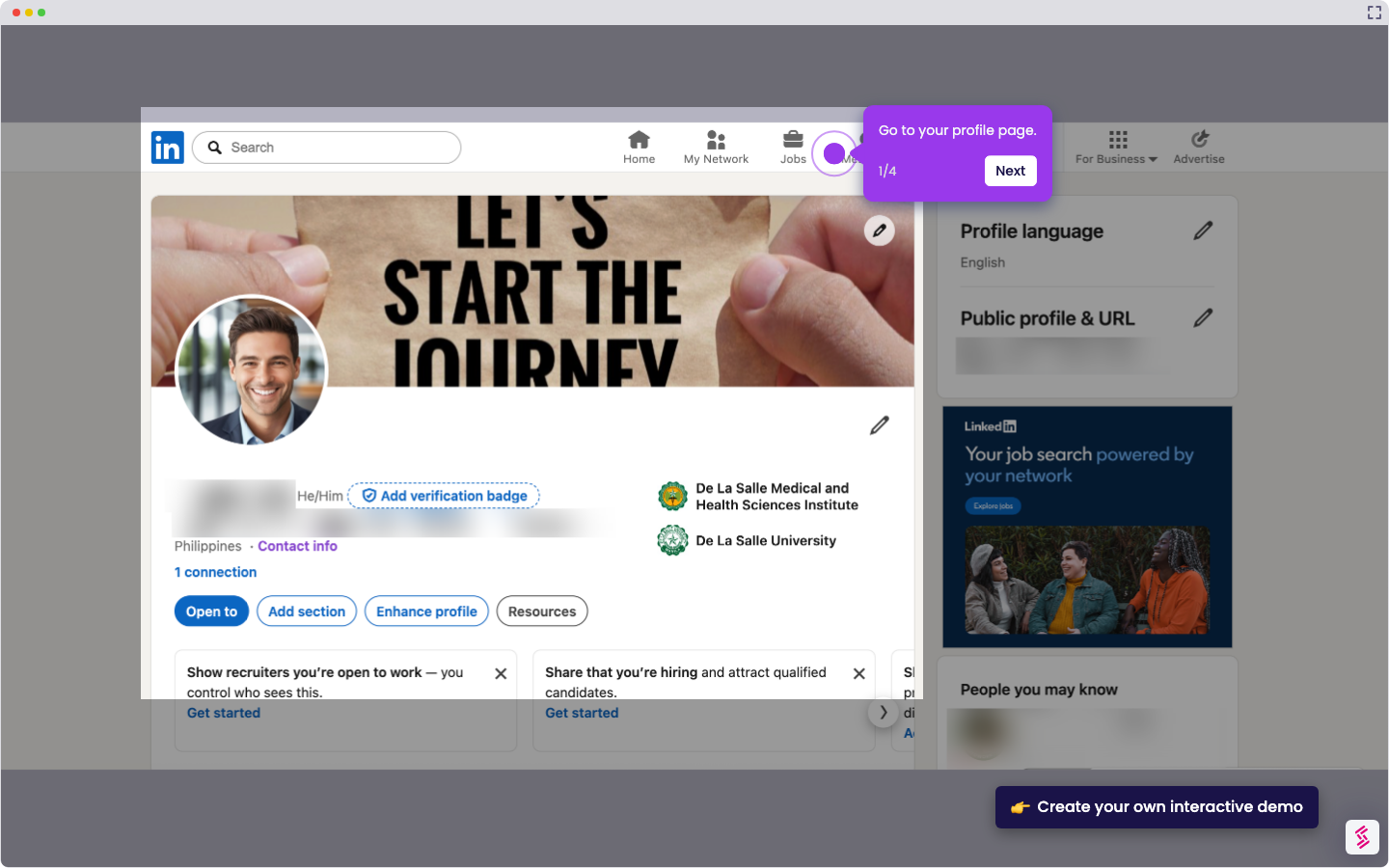
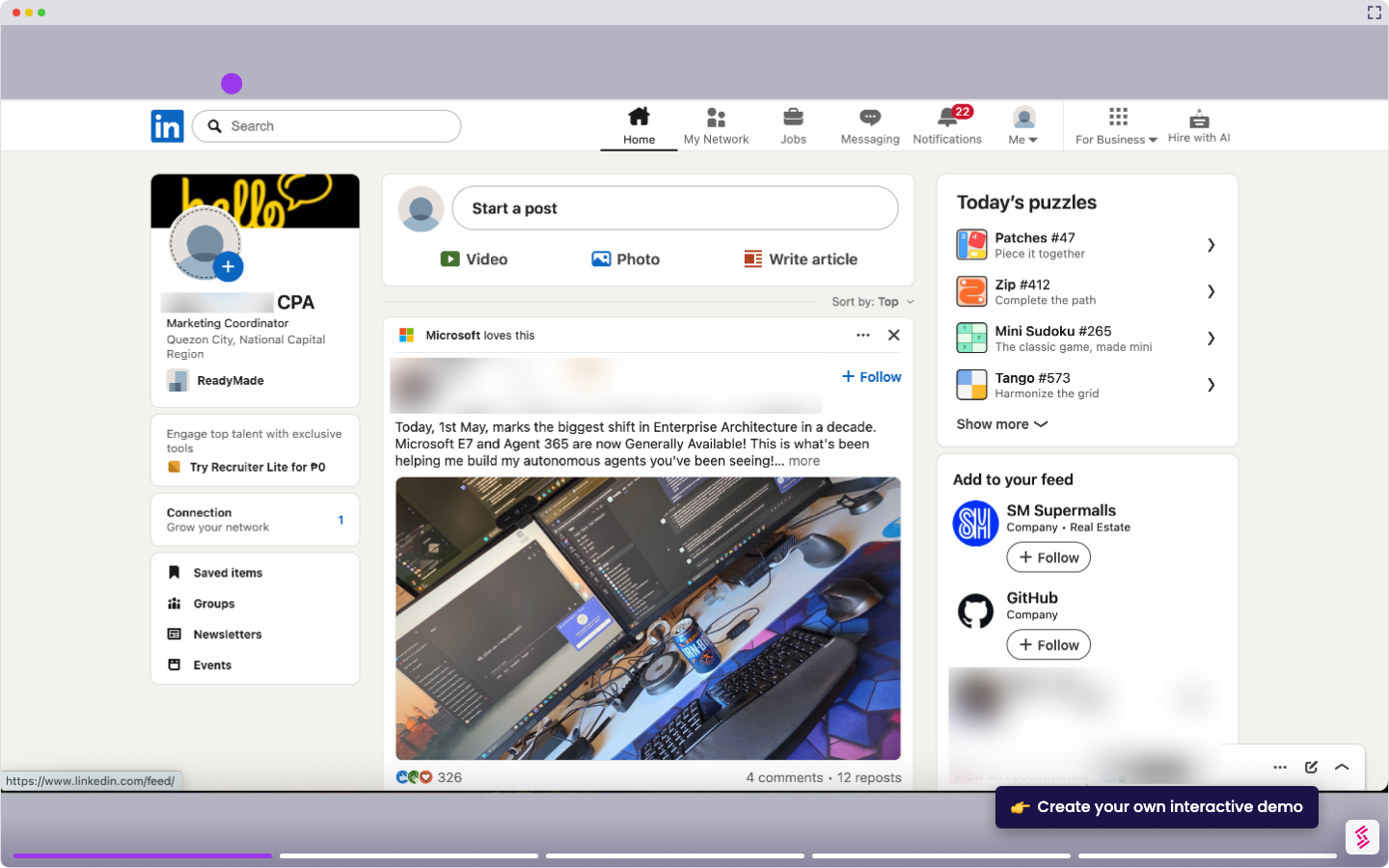
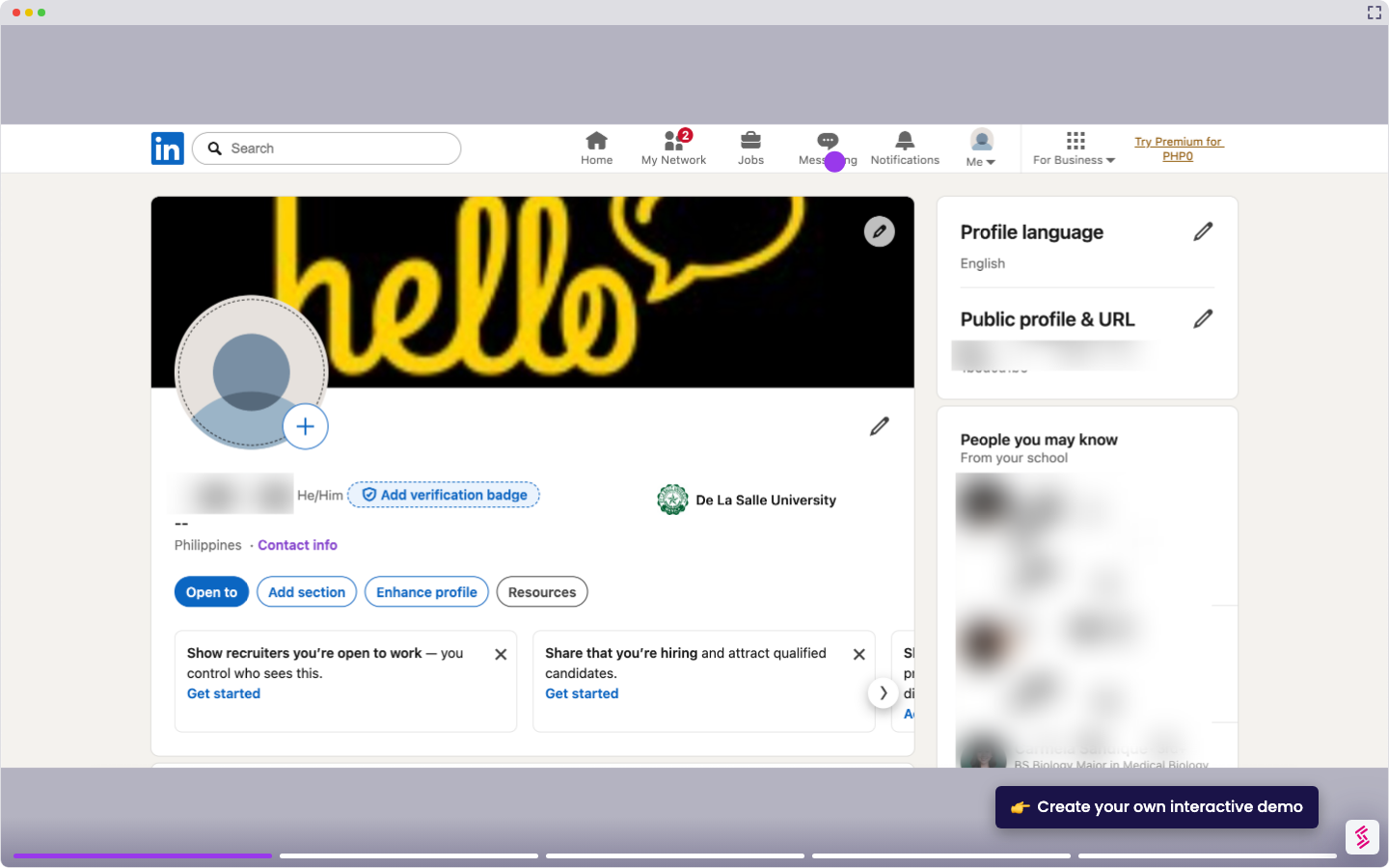
Use this interactive demo to learn how to find and block all employees of a company on LinkedIn.

Quick summary

This demo shows how to block all employees of a specific company on LinkedIn by using the search bar and People filter to locate profiles. You can narrow results by location and then block individual profiles directly from the search results.


Steps

  1. Go to the search bar on the top menu of your dashboard and type a company name.
  2. Click the 'People' tab filter at the top of the search results page.
  3. Use additional filters to narrow down results — for example, filter by the location of a company based in Asia.
  4. Review the list of current or former employees that appear, open each profile, and block them.
📌 Why this matters

Blocking unwanted contacts on LinkedIn — especially all employees of a specific company — is a critical privacy and focus management tool for professionals. This demo matters because LinkedIn's native search and People filter make it possible to systematically find and block company employees at scale, without needing third-party tools. For users dealing with spam outreach, competitive intelligence concerns, or simply wanting a cleaner feed, knowing how to use search filters and the block feature together saves significant time. This step-by-step walkthrough removes the guesswork and helps users take control of their LinkedIn experience quickly.
Your product deserves an interactive demo
Start free
Similar Articles
LinkedIn

How to Announce a New Job on LinkedIn

Madhav Bhandari
Director of Marketing @ Storylane
LinkedIn

How to Find Recruiters on Linkedn

Madhav Bhandari
Director of Marketing @ Storylane
LinkedIn

How to Add Volunteer Experience on LinkedIn

Madhav Bhandari
Director of Marketing @ Storylane
No items found.
Platform
Demos
RepX
Hubs
Integrations
Solutions
Marketing
Sales
Features
Demo Signals
Personalization
Deal Intelligence
Resources
Blog
Tutorials
Help Docs
What’s New
Demo Dundies
Customers
Demo Showcase
Customer Stories
Finer Demos Club
Company
Careers
Pricing
Partners
Contact
Trust Center
Backed by
Chrome Extension Icon
Chrome extension
Download
Desktop app
Download
Built in San Francisco Bay Area - ©2026 Storylane
Privacy PolicyTerms & Conditions
X Corp (formerly Twitter)LinkedIn
This website uses cookies to ensure you get the best experience on our website. Learn More
Got it
This website uses cookies to ensure you get the best experience on our website. Learn More
Got it