
.svg)

You've hit that awkward growth phase. Your scrappy startup system that got you to $1M ARR is now breaking under the weight of a 15-person sales team. Deals are slipping through cracks, your pipeline visibility is a mess, and your reps are juggling five different tools just to send one personalized email.
Growing B2B teams don't need more options. They need fewer, choices that actually work together.
Here's what we're not going to do: bore you with another generic list of "top 50 sales tools." Instead, this guide cuts through the noise to show you the 15 best sales management tools that actually move the needle for growing B2B teams.
By the end, you'll know exactly which tools to invest in, which ones to skip, and how to build a sales management stack that scales with your team.
TL;DR: Best sales management software

Your sales management tool stack needs these 4 core categories:
- CRM Platforms - Store customer data and manage deal pipelines
- Sales Intelligence & Prospecting - Find qualified buyers and research them before outreach
- Sales Automation & Engagement - Scale personalized outreach without hiring more SDRs
- Sales Enablement & Productivity - Speed up deal closure with demos, documents, and scheduling
I. CRM platforms
Your CRM is the backbone of sales—it helps you manage your entire contact database and your salespeople in one place.
1. HubSpot Sales Hub - Best CRM for the growing B2B teams
HubSpot bridges the gap between SMB tools and full enterprise platforms. It's built for companies outgrowing basic CRMs but not ready for Salesforce's complexity and cost. With HubSpot, you essentially get enterprise-grade features with startup-friendly usability! Which is why most Series A/B teams choose it.

Why growing B2B teams choose HubSpot:
- Marketing-sales alignment with a unified platform that tracks from the first website visit to closed deals. Essential when growth stage marketing teams start generating thousands of leads monthly
- Custom deal pipelines to build multiple pipelines for different product lines or regions without technical expertise
- AI-powered predictive lead scoring that analyzes engagement patterns to prioritize enterprise prospects
- Built-in email sequences, meeting scheduling, and document tracking (eliminates tool juggling)
- Custom properties for tracking B2B-specific data like budget authority, decision process, and buying committee roles
- Native integrations with essential tools (Slack, Zoom, Stripe), but can create friction if you're heavily invested in the Microsoft or Salesforce ecosystem
Pricing: The free version works for very early-stage teams. But most would need the Professional plan starting at $500/month (minimum 3 sales seats at $100 each), and Enterprise at $1,200/month (minimum 3 sales seats at $150 each) when you need advanced workflows and reporting.
Implementation: 3-4 weeks, including data migration and team training.
Best for: Growth stage teams wanting integrated sales and marketing / Series A/B companies with 10-75 reps who need reliable scaling without Salesforce overhead.
Skip HubSpot if: You need heavy customization, have unique industry workflows (but only if your team is already comfortable with more complex tools)
2. Pipedrive - Best CRM for startups and early-stage B2B teams
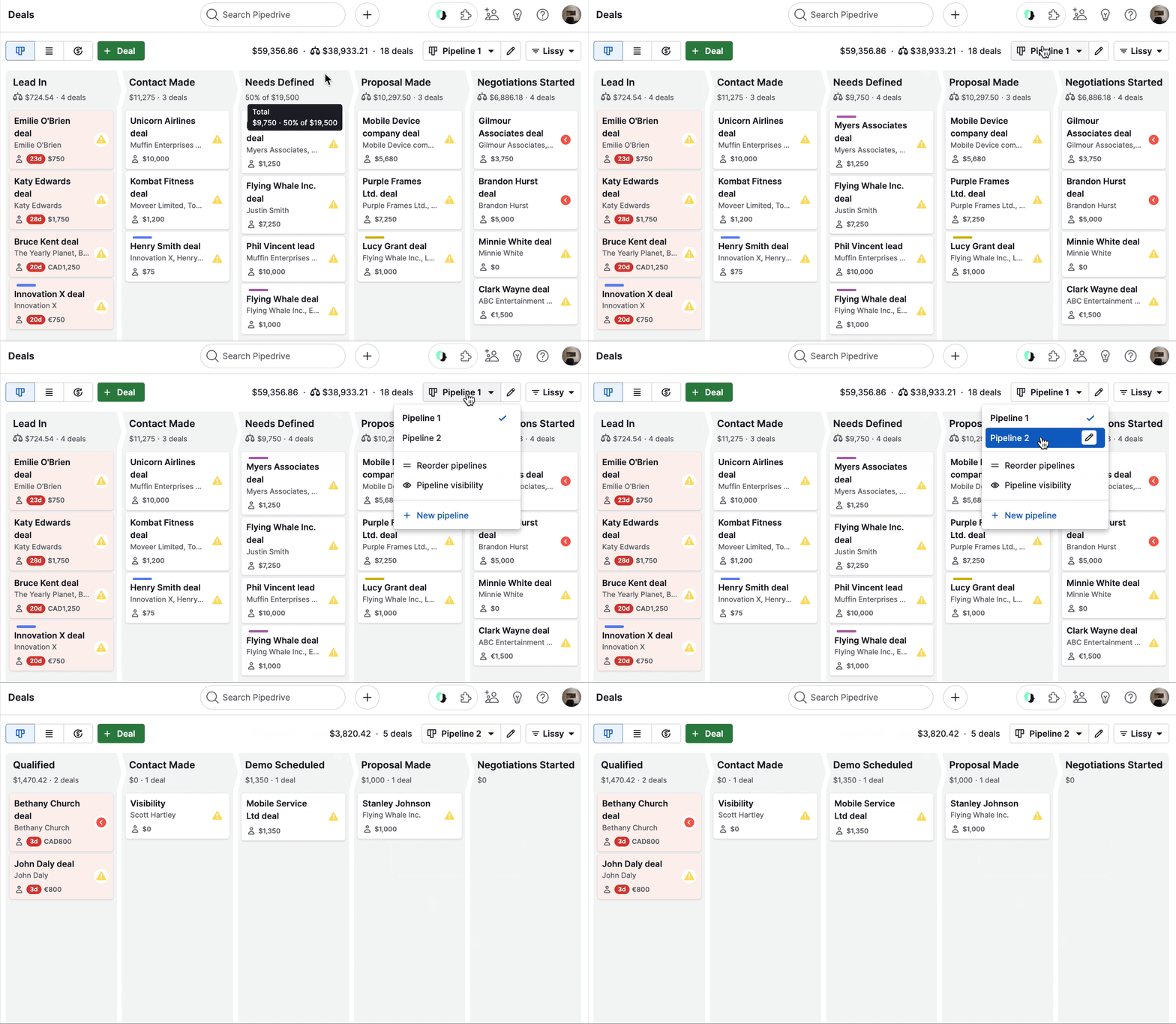
Built specifically for sales leaders who want to see their deals move through stages without getting lost in feature bloat. Pipedrive focuses on one thing—pipeline management—and does it better than anyone else.
Why early-stage B2B teams choose Pipedrive:
- Drag-and-drop deal management with visual pipelines that make sense to your entire team, not just sales ops
- An activity-based selling approach that tracks calls, emails, and meetings to keep reps focused on the next action
- Customizable pipeline stages that mirror your actual sales process without requiring technical help
- Built-in email sync and scheduling covers the basics without overwhelming new users
- Mobile-first design that works for field sales teams and remote workers
- 400+ integrations, including connections to popular tools like Zapier, Mailchimp, and Slack, though advanced integrations require higher-tier plans
Pricing: Lite plan starts at $24/user/month, Growth at $39/user/month, Premium at $49/user/month. Most growing teams need the Growth Plan to access full email automation and forecasting features.
Implementation: 1-2 weeks for basic setup. Data import is straightforward if you're coming from spreadsheets or simple tools. Considered extremely easy to get up and running.
Best for: Small to mid-size companies (1-20 sales reps) who need visual pipeline management without complexity or teams without a dedicated tech resource.
Skip Pipedrive if: You are a large enterprise with a complex reporting structure, or need complex multi-step automations.
3. Salesforce Sales Cloud - Best CRM for enterprise customization
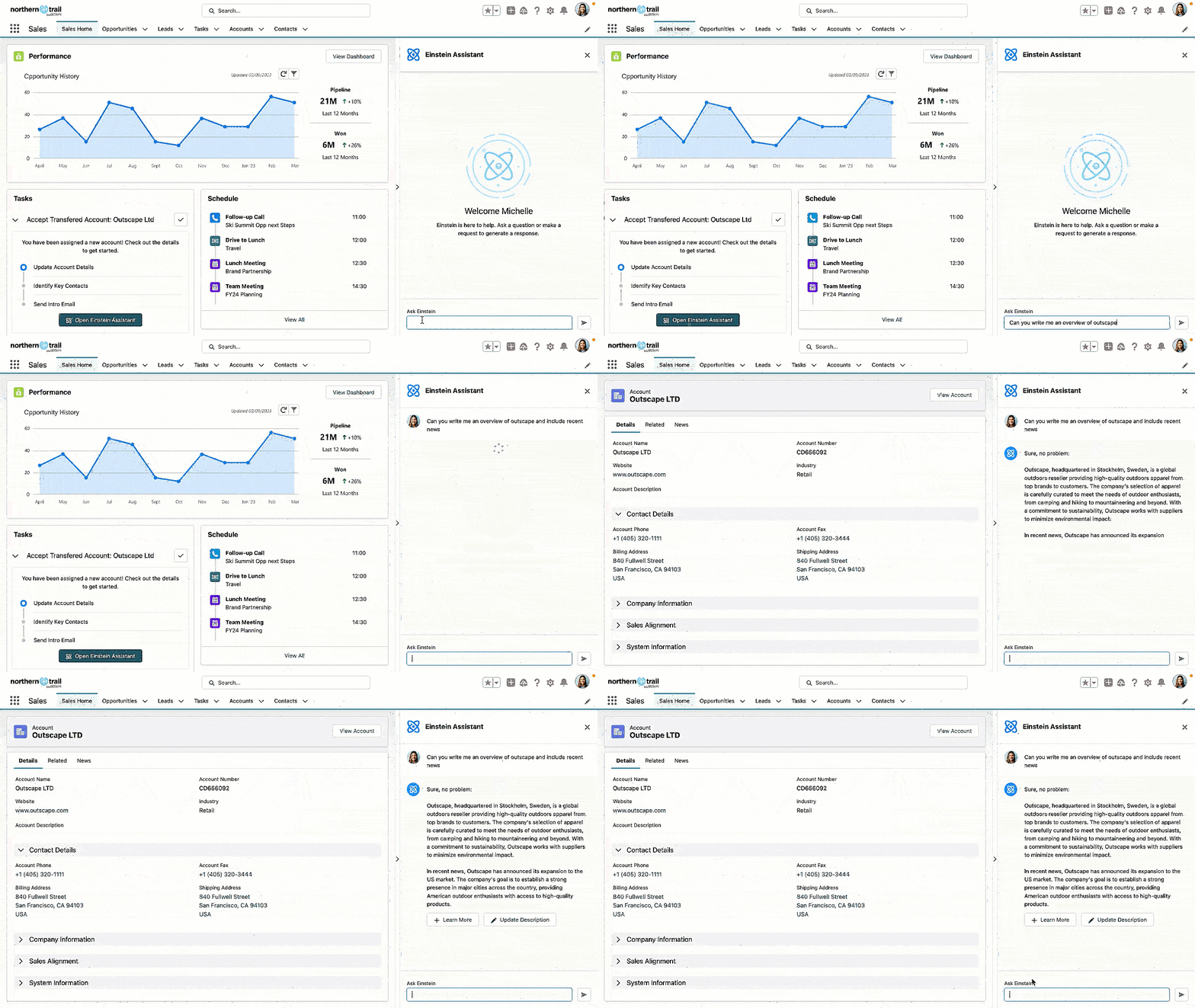
The industry standard that can handle any sales process you throw at it. Built for companies that need unlimited customization and don't mind the complexity that comes with it.
Why large sales teams choose Salesforce:
- Unlimited customization with custom objects, fields, and workflows for any complex sales process
- Buying committee tracking allows you to map stakeholders, decision makers, and influencers across 6-12 month enterprise sales cycles
- Territory and quota management to automatically assign accounts and track rep performance as you scale from 15 to 150+ reps
- Advanced workflow automation to route deals through legal, procurement, and finance approvals without manual handoffs
- 5,000+ native integrations through AppExchange - connects to virtually any business tool
- Predictive AI and analytics that identify deal risks and revenue forecasting
Pricing reality: Professional at $80/user/month is the minimum viable. Enterprise at $165/user/month is where most teams land. Plus implementation costs of $50K-200K.
Implementation: 3-6 months with a dedicated ongoing salary budget for a Salesforce admin.
Best for: Series B+ companies with 50+ reps and complex sales processes.
Skip Salesforce if: You want quick deployment, have limited technical resources, or need something reps will enjoy using.
II. Sales intelligence & prospecting
Sales intelligence tools help you find the right buyers and research them so your outreach isn’t a surface-level cold call, but allows you to establish relevance and trust.
1. Apollo - Best all-in-one prospecting platform
Combines a massive contact database with email sequences and phone dialing in one platform. Instead of juggling ZoomInfo for data, Outreach for sequences, and your CRM for tracking, Apollo handles it all.

Why growing B2B teams choose Apollo:
- 270M+ contact database with verified emails and direct dials for decision makers at target accounts
- Built-in email sequences and phone dialer - find prospects and reach out without switching tools
- Intent data and buying signals that show which companies are actively researching solutions like yours
- Advanced search filters for ICP targeting by company size, technology stack, funding stage, and hiring patterns
- Native CRM sync that automatically updates deal records and tracks engagement across your pipeline
- Built-in conversation intelligence to analyze call performance and optimize messaging
Pricing: Basic at $49/user/month is where most teams start. Professional at $79/user/month adds dialer and call recording. Organization at $119/user/month for advanced features and international calling.
Implementation: 1-2 weeks, including CRM integration and sequence setup.
Best for: Series A/B companies with dedicated SDR teams who need prospecting and engagement in one platform.
Skip Apollo if: You already have specialized tools for each function, need deeper intent data than they provide, or require more advanced conversation analytics.
2. ZoomInfo - Best enterprise database
The gold standard for B2B contact data. ZoomInfo costs 3x more than Apollo but gives deeper data, better accuracy, and a higher price tag. Perfect, when you need to know everything about your target accounts.
Why enterprise B2B teams choose ZoomInfo:
- Comprehensive company profiles with technographic data, recent funding, leadership changes, and org charts
- Intent data and buying signals that identify companies actively researching your category before competitors know
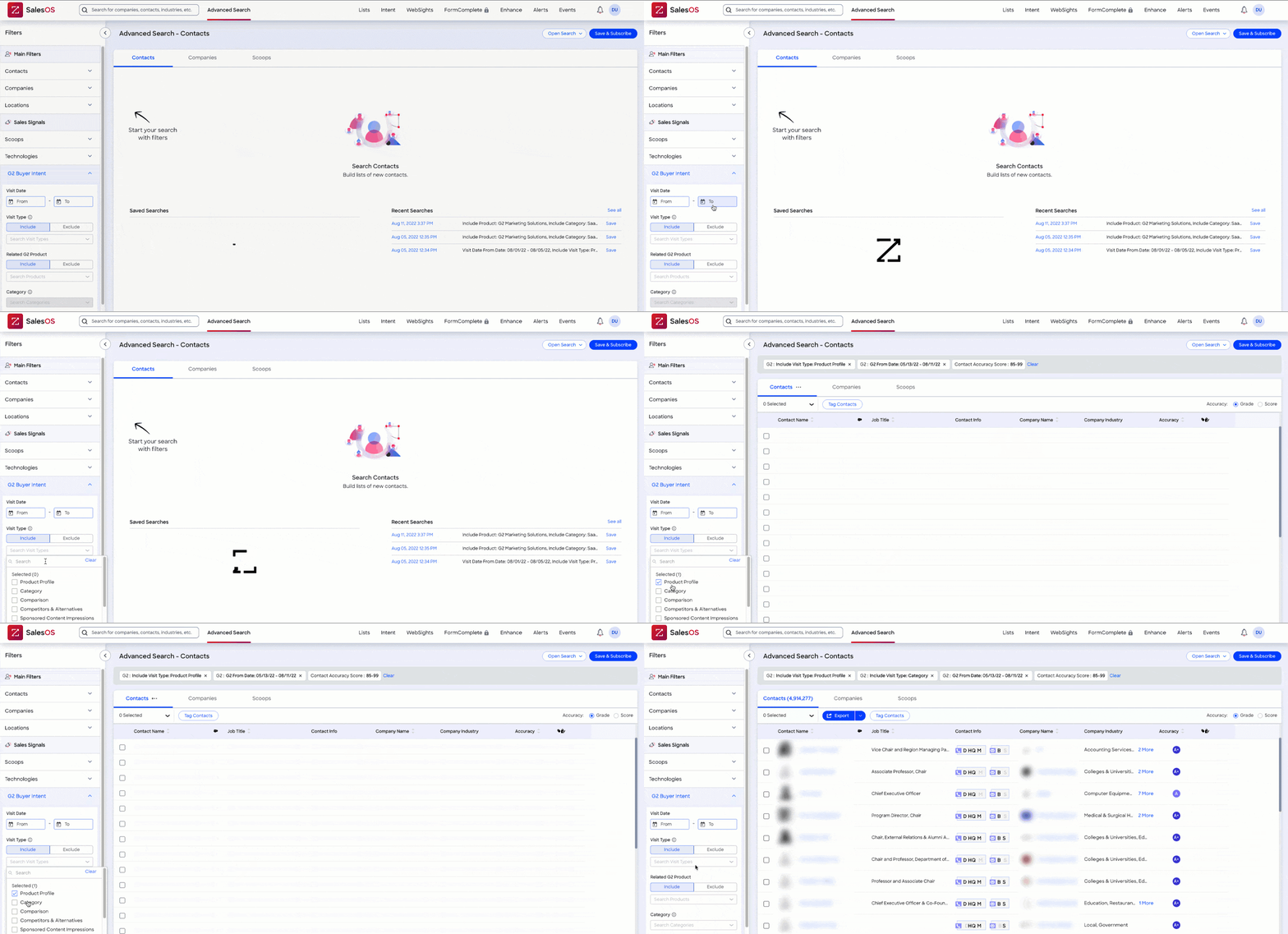
- Advanced search capabilities with 200+ filters, including growth rate, hiring patterns, and technology implementations
- Data accuracy and compliance with real-time verification and GDPR compliance for global outreach
- Organizational mapping that shows reporting structures and identifies all stakeholders in complex buying committees
- Seamless integrations with Salesforce, HubSpot, and Outreach for automated data enrichment
Pricing: Starts around $15,000/year for 3 users with 5000 credits. Most teams pay $25,000-$58,000 annually, depending on seats and usage. Advanced features push costs significantly higher.
Implementation: 2-4 weeks for full integration and team training on advanced search capabilities.
Best for: Series B+ companies with 25+ person sales teams who need comprehensive market intelligence and can afford premium pricing.
Skip ZoomInfo if: You're an early-stage startup with a limited budget, have simple prospecting needs, or sell to narrow markets where you already know your prospects.
3. LinkedIn Sales Navigator - Best for relationship-based selling
Turn LinkedIn into your prospecting engine. Essential when your B2B deals depend on warm introductions and relationship building rather than cold outreach.
Why relationship-focused B2B teams choose Sales Navigator:
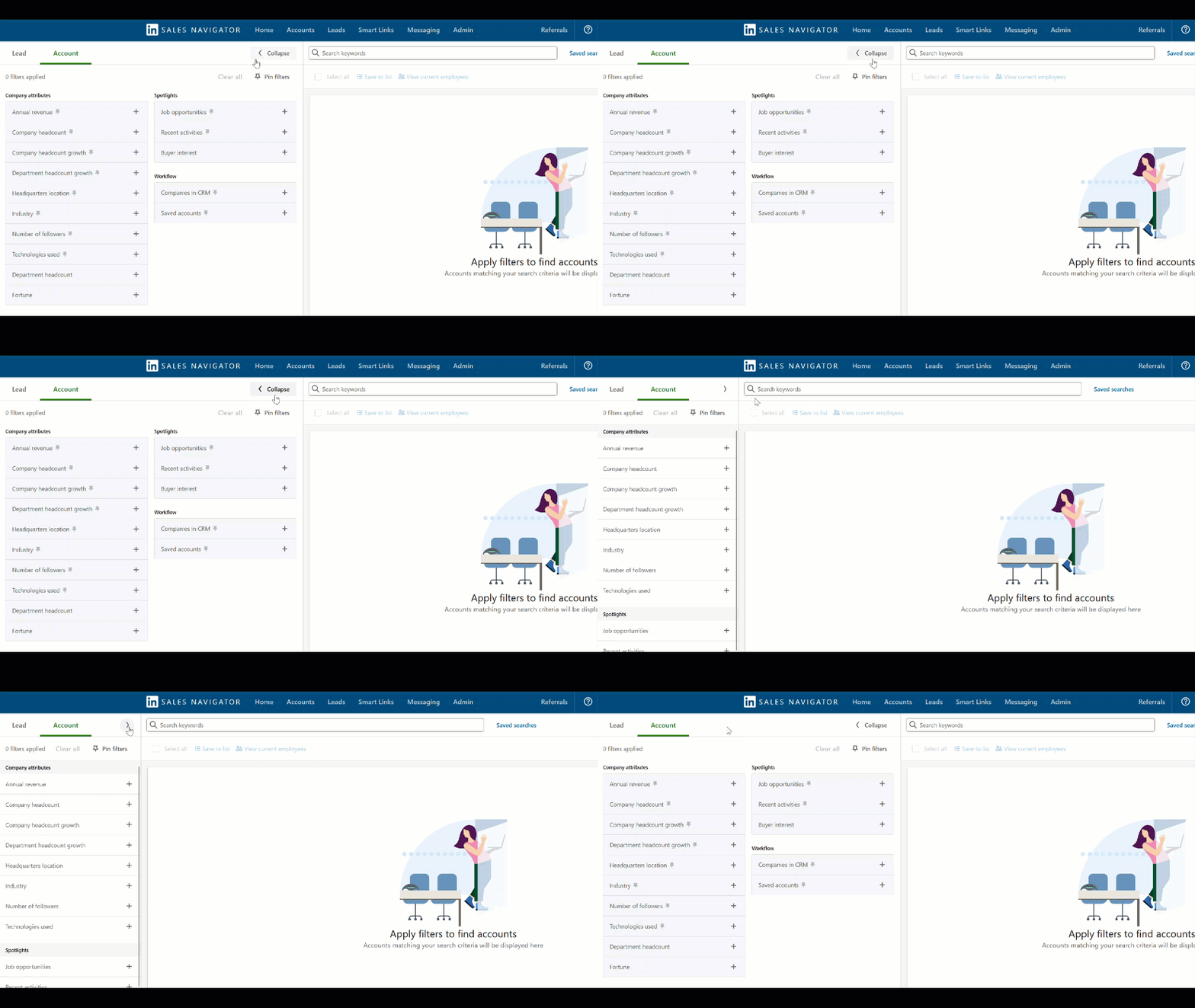
- Advanced search filters that let you find decision makers by company, role, recent activity, and mutual connections
- InMail credits for direct messaging prospects outside your network with higher response rates than cold email
- Lead and account alerts that notify you when prospects change jobs, post updates, or engage with your content
- Relationship mapping that shows mutual connections and warm introduction paths to key stakeholders
- CRM integration with Salesforce and HubSpot to track social selling activities alongside deal progression
- Team collaboration features to share leads and coordinate outreach across your sales team
Pricing: Core at $79/month, Advanced at $135/month. Most growing teams need Advanced for CRM integration and advanced search.
Implementation: 1-2 weeks for team training and CRM setup.
Best for: Series A/B companies selling to enterprise accounts where relationships and warm introductions matter more than volume outreach.
Skip Sales Navigator if: You rely on high-volume cold outreach, sell transactional products, or need comprehensive company data beyond LinkedIn profiles.
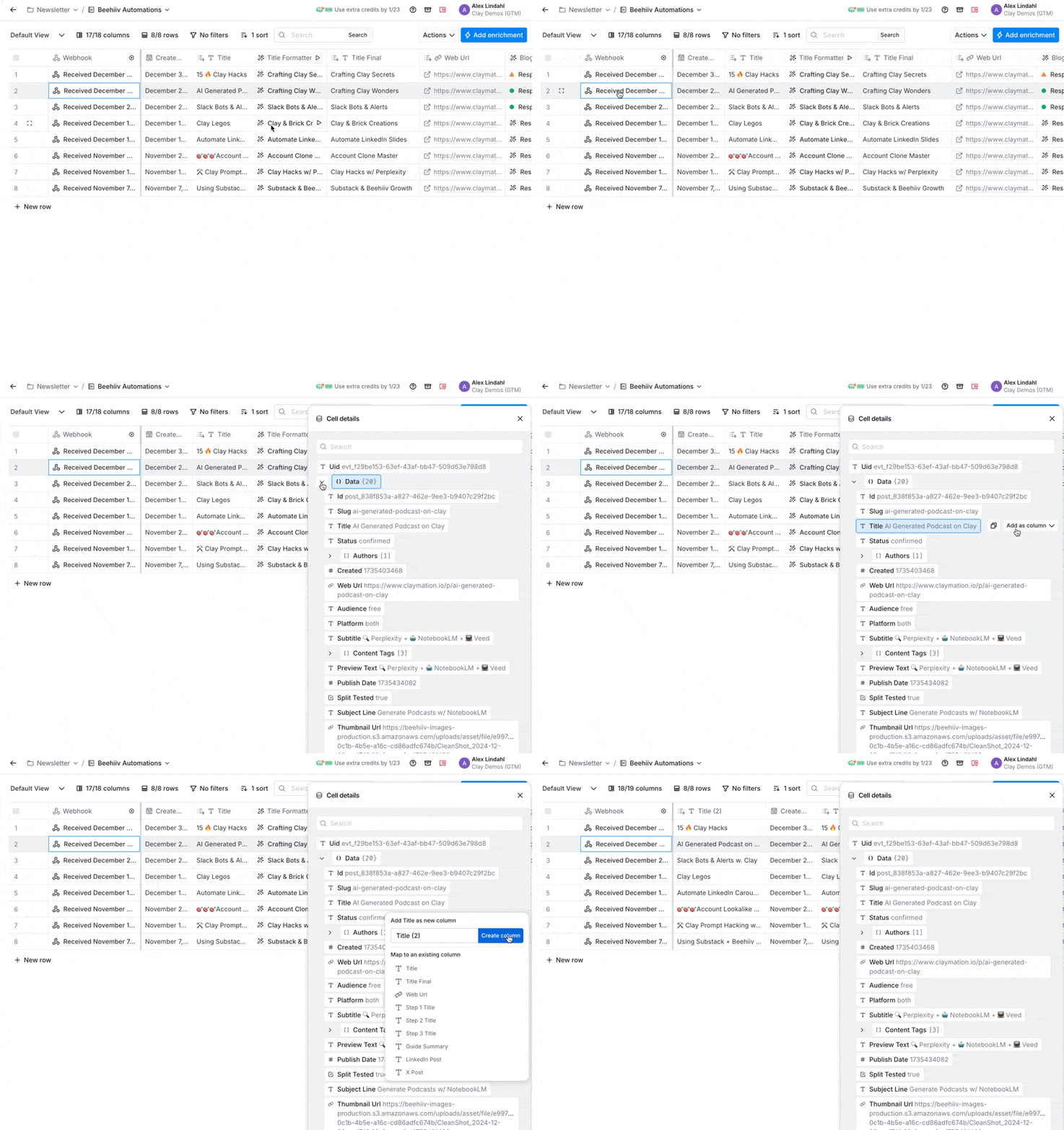
4. Clay - Best AI-powered data enrichment
The new kid on the block that uses AI to find and verify contact data from multiple sources. Perfect for teams who want cleaner data without paying ZoomInfo prices.
Why data-focused B2B teams choose Clay:
- AI-powered data enrichment that pulls from 50+ sources to find emails, phone numbers, and company details
- Automated list building that finds prospects matching your ICP without manual searching
- Real-time verification that cleans and validates contact data before you start outreach
- Custom enrichment workflows that add specific data points your team needs for qualification
- Native integrations with popular CRMs and outreach tools for seamless data flow
- Cost-effective pricing compared to enterprise databases while maintaining data quality
Pricing: Starter at $149/month, Growth at $349/month. Most teams need Growth for advanced features and higher credit limits.
Implementation: 1-2 weeks, including workflow setup and integration testing.
Best for: Series A companies with dedicated SDRs who need high-quality prospect data without enterprise database costs.
Skip Clay if: You need extensive company intelligence beyond contact data, have simple prospecting needs, or already invested heavily in ZoomInfo or Apollo.
III. Sales automation & engagement
Scale your outreach without losing the personal touch.
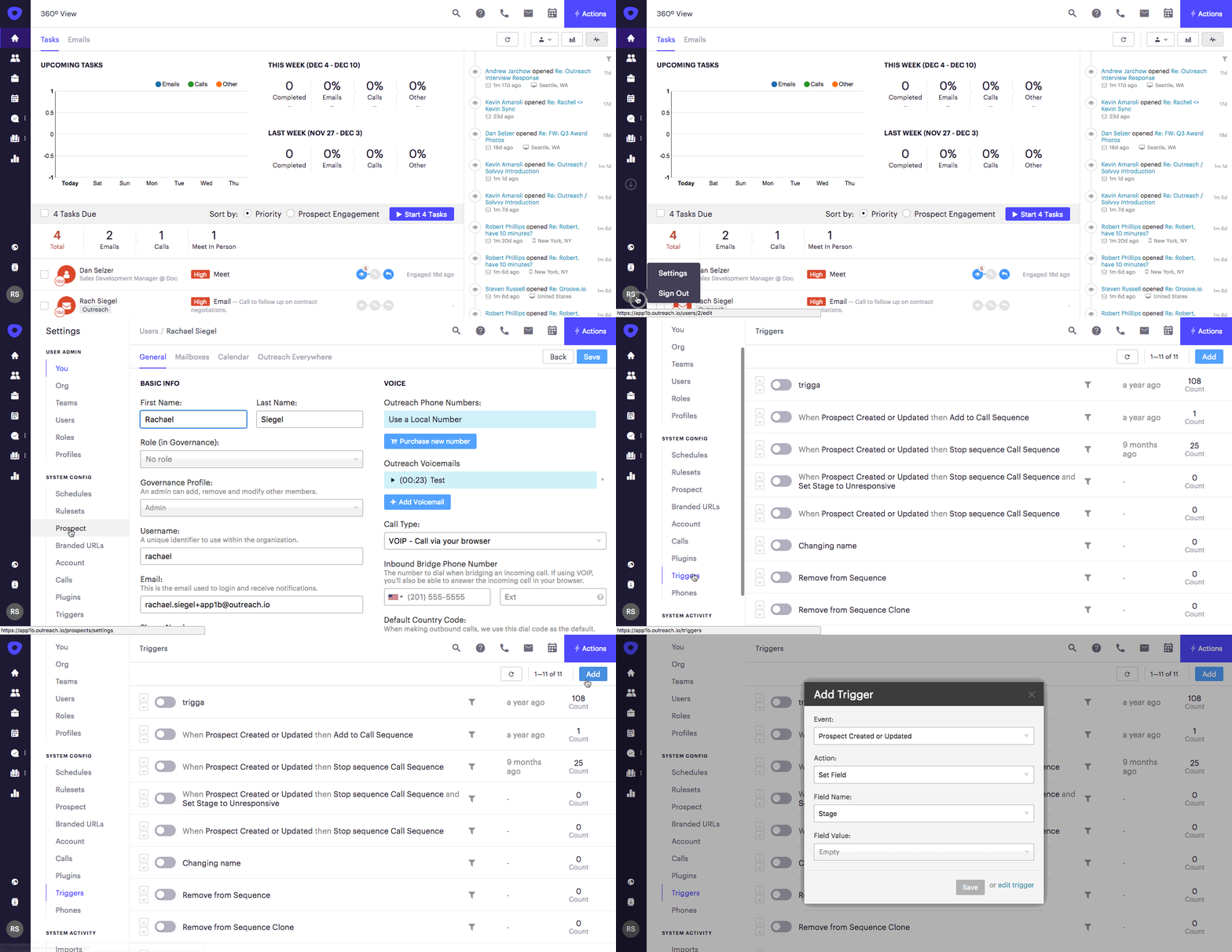
1. Outreach - Best for complex sequences
The heavyweight champion of sales engagement. Built for teams running sophisticated, multi-touch campaigns across email, phone, and social channels.
Why enterprise SDR teams choose Outreach:
- Advanced sequence logic that adapts based on prospect responses, email engagement, and CRM data changes
- Multi-channel campaigns that coordinate email, phone calls, LinkedIn messages, and video across one workflow
- A/B testing capabilities for optimizing subject lines, messaging, and timing at scale
- Team collaboration features for sharing sequences, templates, and best practices across global teams
- Deep CRM integration with bi-directional sync and automated workflow triggers
- Advanced analytics that track campaign performance, rep productivity, and conversion metrics across all channels
Pricing: Starts at $100/user/month. Most teams need the Professional plan for advanced features.
Implementation: 6-8 weeks, including sequence building, team training, and compliance setup.
Best for: Series B+ companies with 20+ SDRs running complex, multi-touch campaigns.
Skip Outreach if: You have simple outreach needs, a limited budget, or prefer all-in-one platforms like Apollo over specialized tools.
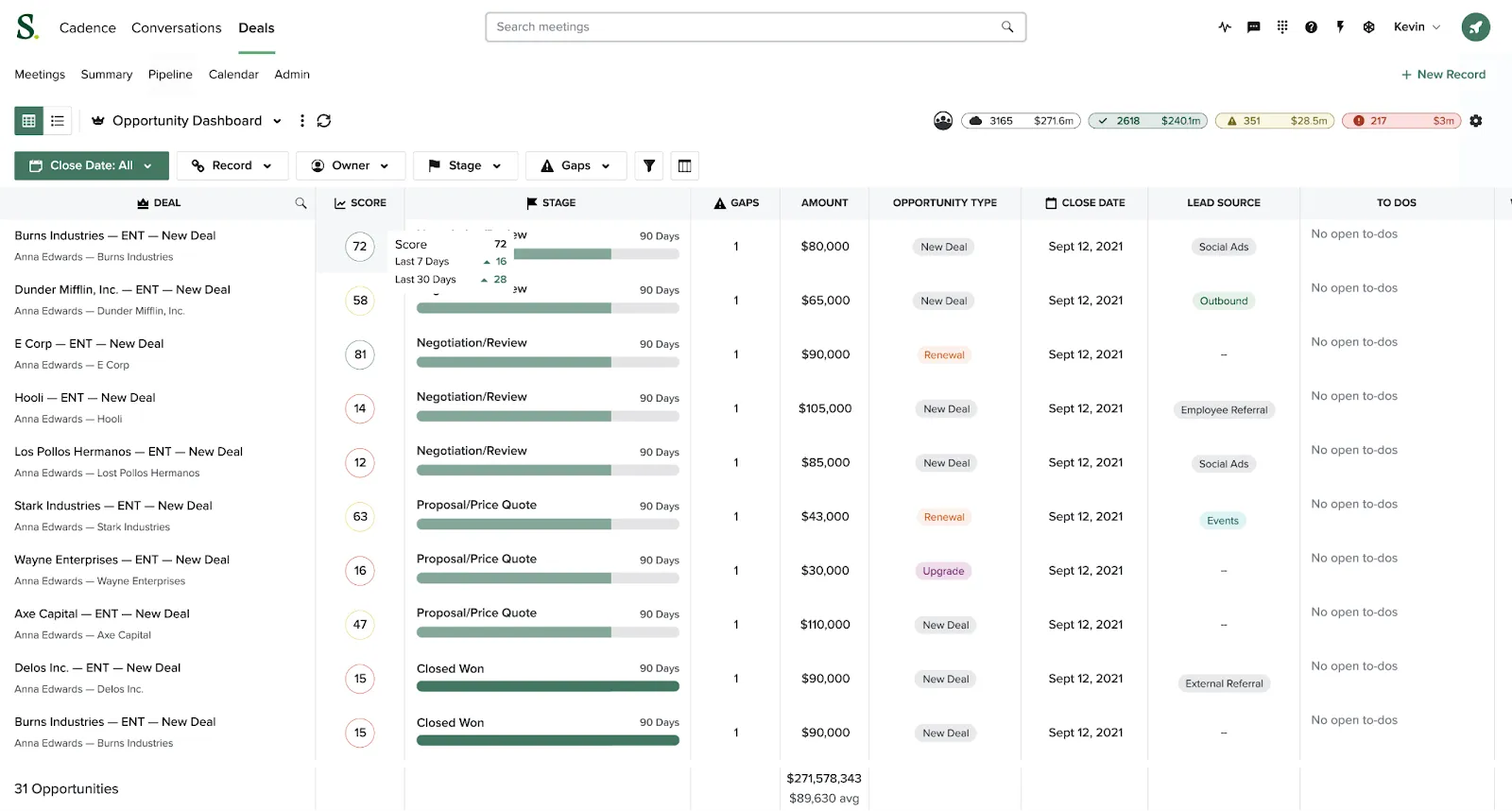
2. Salesloft - Best engagement + intelligence combo
Combines sales engagement with conversation intelligence in one platform. Less complex than Outreach but more sophisticated than basic email tools.
Why growing B2B teams choose Salesloft:
- Multi-channel sequences across email, phone, LinkedIn, and video with an intuitive drag-and-drop builder
- Built-in conversation intelligence that records calls and surfaces key insights like competitor mentions and next steps
- Revenue forecasting that predicts deal outcomes using AI analysis of communication patterns
- Dynamic personalization with custom fields and trigger events that adapt messaging based on prospect behavior
- Team performance analytics to track rep activity, response rates, and conversion metrics across campaigns
- Native CRM integration with real-time sync and automated activity logging
Pricing: The Advanced plan starts around $125/user/month. Most teams need this tier for conversation intelligence features.
Implementation: 4-6 weeks, including sequence setup and team training.
Best for: Series A/B companies with 10-30 SDRs who want engagement and intelligence without managing separate tools.
Skip Salesloft if: You need the most advanced sequence logic, already have dedicated forecasting tools, or prefer specialized best-of-breed solutions.
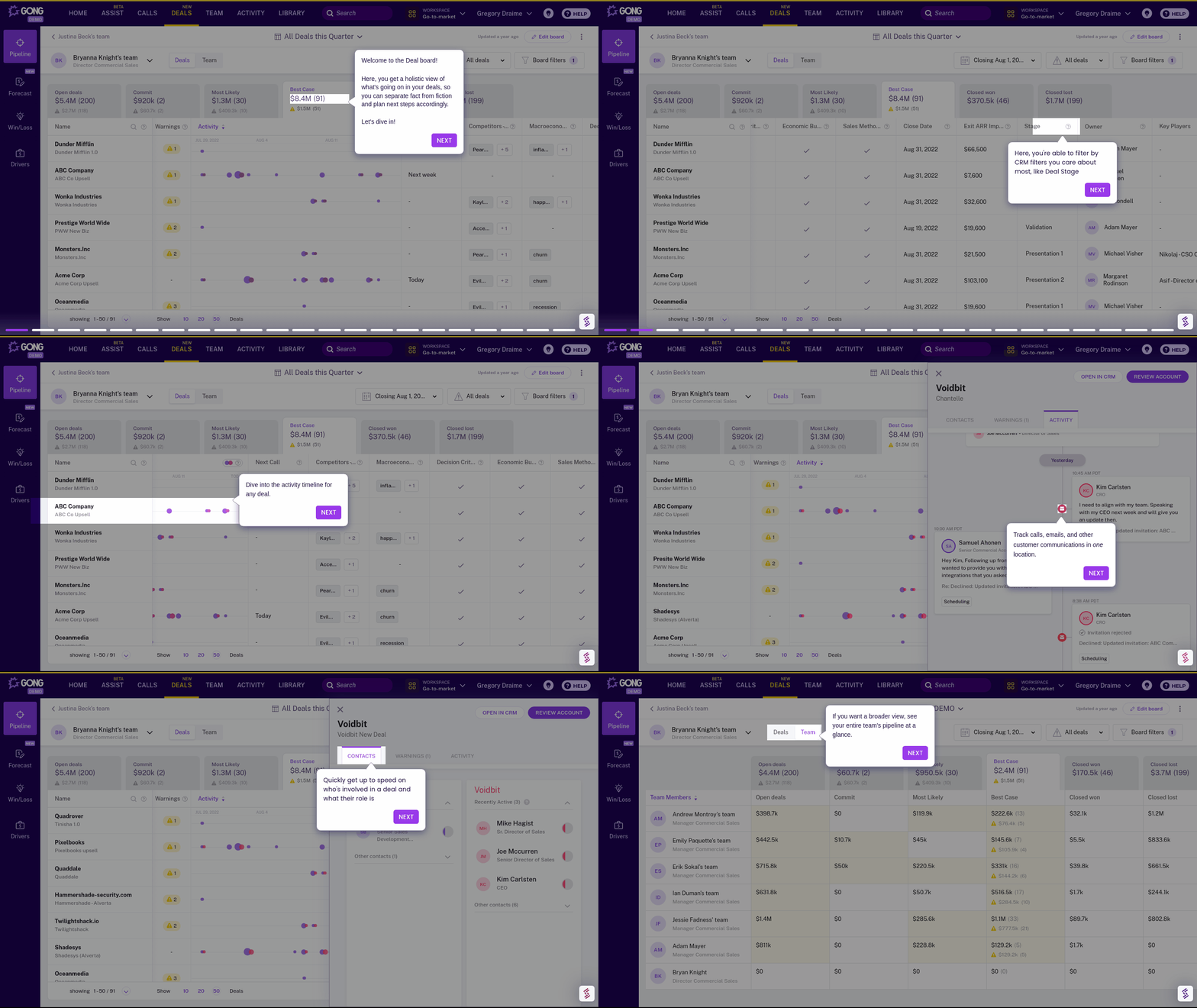
3. Gong - Best conversation intelligence
Records and analyzes every sales call to understand what actually drives deal success. Essential for teams who need to scale successful behaviors across reps.
Why data-driven B2B teams choose Gong:
- Call analysis and coaching insights that identify what top performers do differently on calls
- Deal risk scoring with AI that analyzes communication patterns to predict which deals will stall
- Competitive intelligence that automatically surfaces competitor mentions and win/loss themes
- Revenue forecasting that predicts outcomes based on conversation quality, not just CRM data
- Team performance benchmarking to identify coaching opportunities and scale best practices
- Integration with popular tools like Salesforce, HubSpot, and Zoom for seamless call capture
Pricing: Starts around $1,200/user/year plus platform fees. Total first-year costs often $80K-120K for mid-sized teams.
Implementation: 6-8 weeks, including call recording setup, compliance configuration, and manager training.
Best for: Series B+ companies with complex sales processes who need to improve deal predictability and scale successful behaviors.
Skip Gong if: You have simple transactional sales, limited phone/video interactions, or privacy concerns about recording customer conversations.
4. Reply - Best affordable automation
The budget-friendly alternative to Outreach and Salesloft. Gets the job done without the enterprise price tag or complexity.
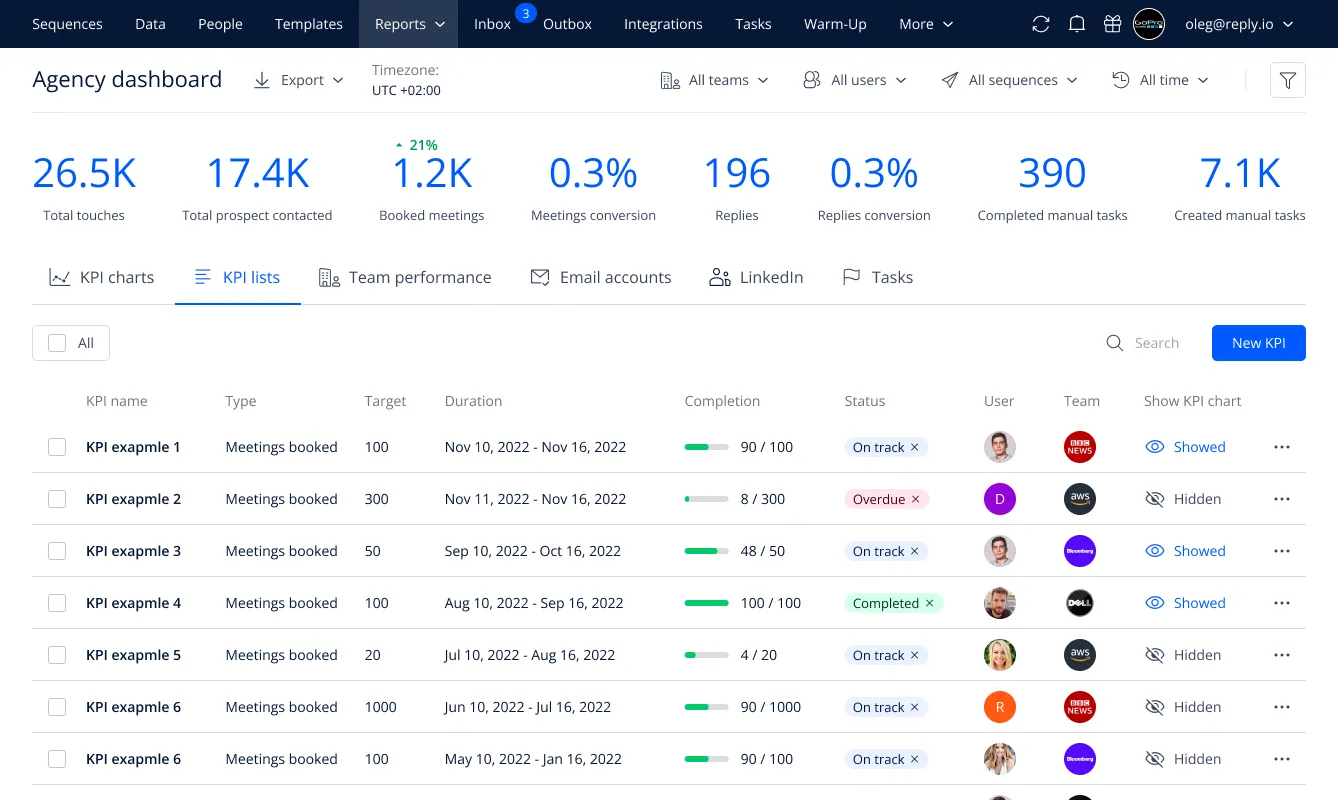
Why cost-conscious B2B teams choose Reply:
- Multi-channel sequences across email, LinkedIn, calls, and SMS at a fraction of enterprise tool costs
- Built-in prospecting database with contact finder and email verification tools
- AI-powered email writing that generates personalized messages based on prospect profiles
- Simple automation workflows that handle follow-ups and lead routing without technical complexity
- CRM integration with popular platforms for automated activity logging and deal updates
- Team collaboration features for sharing templates and coordinating outreach
Pricing: Professional at $60/user/month, Agency at $90/user/month. Most teams start with Professional.
Implementation: 2-3 weeks for sequence setup and basic training.
Best for: Early-stage companies with 5-20 SDRs who need reliable automation without enterprise costs.
Skip Reply if: You need advanced sequence logic, sophisticated analytics, or dedicated conversation intelligence features.
IV. Sales enablement & productivity
Close deals faster with the right content and workflows.
1. Storylane - Interactive demo software for cross-functional GTM teams
Storylane creates interactive product demos of your actual product interface that prospects can explore on their own—without needing access to your live production environment. It is ideal for B2B SaaS companies that need to demo their product to multiple stakeholders.
Why cross-functional teams choose Storylane:
- AI-powered no-code demo creation that eliminates presales engineering bottlenecks and lets GTM teams create demos without technical dependencies.
- Personalization at scale to customize demos with prospect company names, industry-relevant data, and different stakeholder use cases
- Analytics and insights that track which demo step prospects engage with most, and which stakeholders are most active
- Lead capture integration with embedded lead forms and qualification questions directly within demo experiences
- Sales handoff workflows with automatic notifications when prospects complete demos, including engagement data and email alerts for follow-up
- Enterprise security, including SOC 2 Type II, GDPR compliance, SSO integration, and password protection
Pricing: Free plan for basic demos. Professional at $40/month for screenshot demos, HTML capture starts at $500/month.
Implementation: 15 minutes for simple demos, 1-2 weeks for a comprehensive demo library with team training.
Best for: Series A/B SaaS companies doing 20+ demos per week who need to scale without hiring more SEs.
Skip Storylane if: You sell simple products that don't benefit from interactive exploration or prefer live-only demo experiences.
2. Calendly - Best meeting scheduling tool for B2B sales teams
Stop the back-and-forth email dance. Let prospects book meetings directly from your outreach sequences or website.
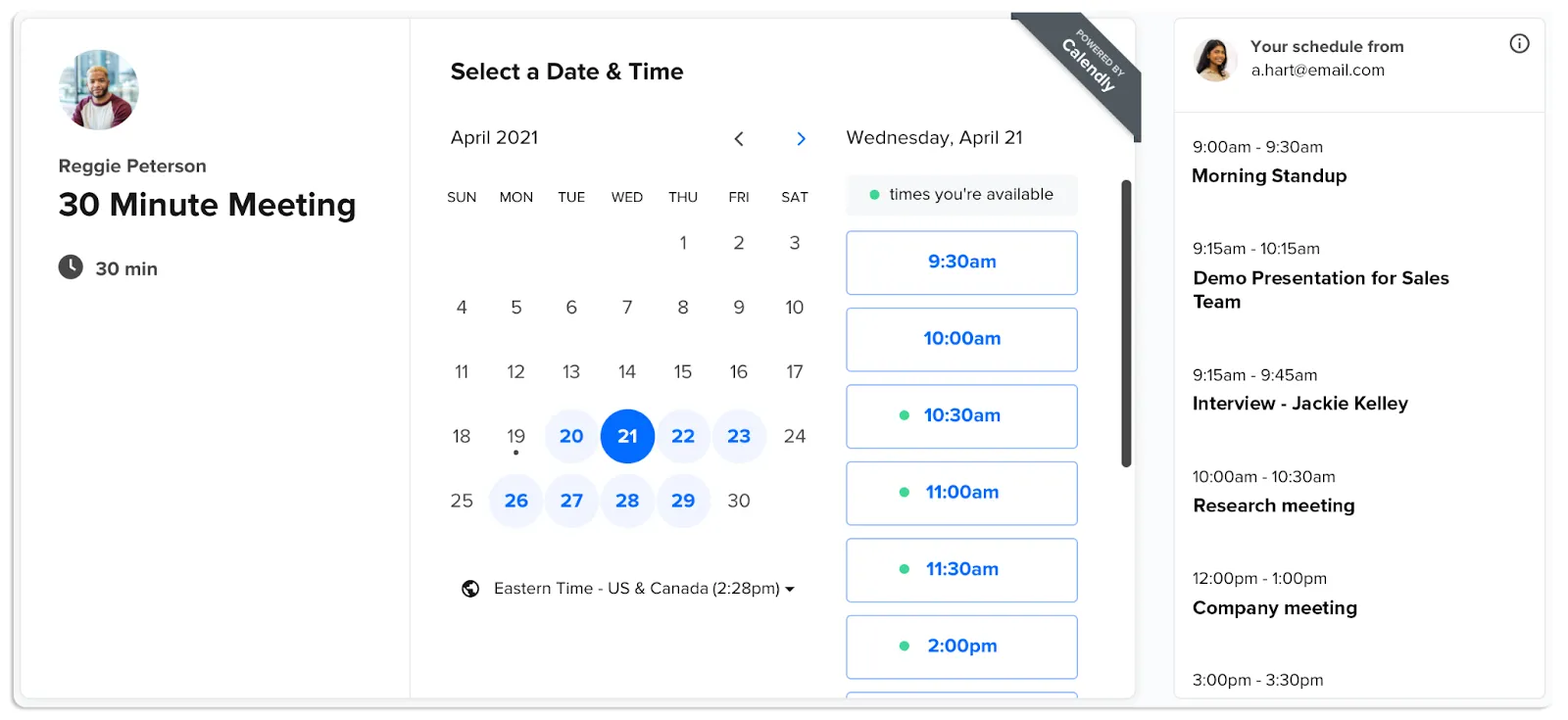
Why growing B2B teams choose Calendly:
- Automated scheduling that syncs with your calendar and prevents double-bookings across team members
- Meeting routing rules that direct prospects to the right rep based on territory, deal size, or product interest
- Buffer times and preparation with automatic blocks before/after meetings and custom intake forms
- Integration with video tools like Zoom, Teams, and Google Meet, with automatic link generation
- CRM sync that creates meeting records and updates deal stages automatically
- Team scheduling for complex meetings involving multiple stakeholders or demo resources
Pricing: Professional at $12/user/month covers most needs. Teams at $20/user/month for advanced routing.
Implementation: 1-2 days for basic setup, 1 week for complex routing rules and integrations.
Best for: Any B2B team scheduling more than 10 meetings per week, wanting to eliminate scheduling friction.
Skip Calendly if: You prefer manual scheduling control, have very simple meeting needs, or need more advanced qualifying questions than Calendly supports.
3. PandaDoc - Best document management
Handle proposals, contracts, and quotes without the legal team bottleneck. Built for B2B teams who close deals with documents, not just handshakes.
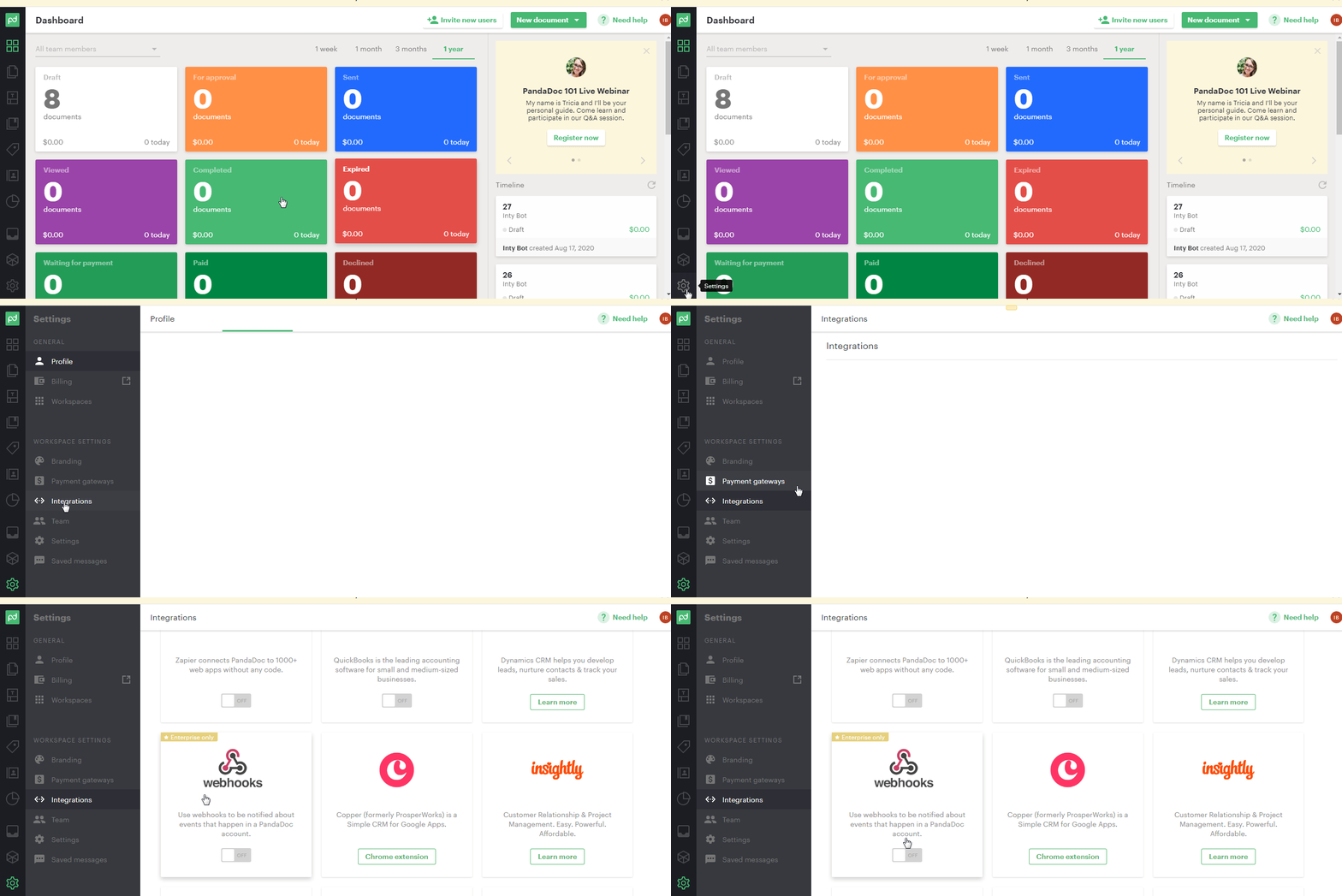
Why document-heavy B2B teams choose PandaDoc:
- Template library with customizable proposals, contracts, and quote templates that maintain brand consistency
- E-signature workflows that route documents through approval chains and capture legally binding signatures
- Real-time collaboration with commenting, version control, and simultaneous editing for complex deal negotiations
- CRM integration that automatically populates deal data and updates records when documents are signed
- Analytics and tracking that show when prospects open, review, and share documents with stakeholders
- Payment processing is built in for deals that require upfront payments or deposits
Pricing: Essentials at $35/user/month for basic features. Business at $65/user/month for advanced workflows and integrations.
Implementation: 2-3 weeks, including template creation, approval workflows, and team training.
Best for: Series A/B companies with complex sales contracts who need faster document turnaround times.
Skip PandaDoc if: You have simple sales processes, rarely use contracts, or already have established legal workflows that work efficiently.
4. Loom - Best video messaging
Add a personal touch to your outreach with quick screen recordings and personalized videos. Perfect for explaining complex concepts or following up after demos.

Why relationship-focused B2B teams choose Loom:
- Quick screen recording for personalized demo highlights, product walkthroughs, and proposal explanations
- Async video messaging that lets you deliver complex information without scheduling meetings
- Viewer analytics that show which parts of your videos prospects watch and replay most
- Easy sharing with automatic link generation and embedding options for email sequences
- Team libraries for sharing successful video templates and best practices across reps
- Integration with outreach tools like Outreach, Salesloft, and HubSpot for automated video insertion
Pricing: Business at $12.50/user/month for professional features. Enterprise at $24/user/month for advanced analytics and admin controls.
Implementation: Same day for basic use, 1 week for team training and workflow integration.
Best for: Any B2B team that needs to explain complex products or maintain personal connections in digital outreach.
Skip Loom if: Your product is simple to understand, you prefer text-based communication, or prospects don't engage well with video content.
Best sales management tools - TL;DR
How to decide what tool to choose
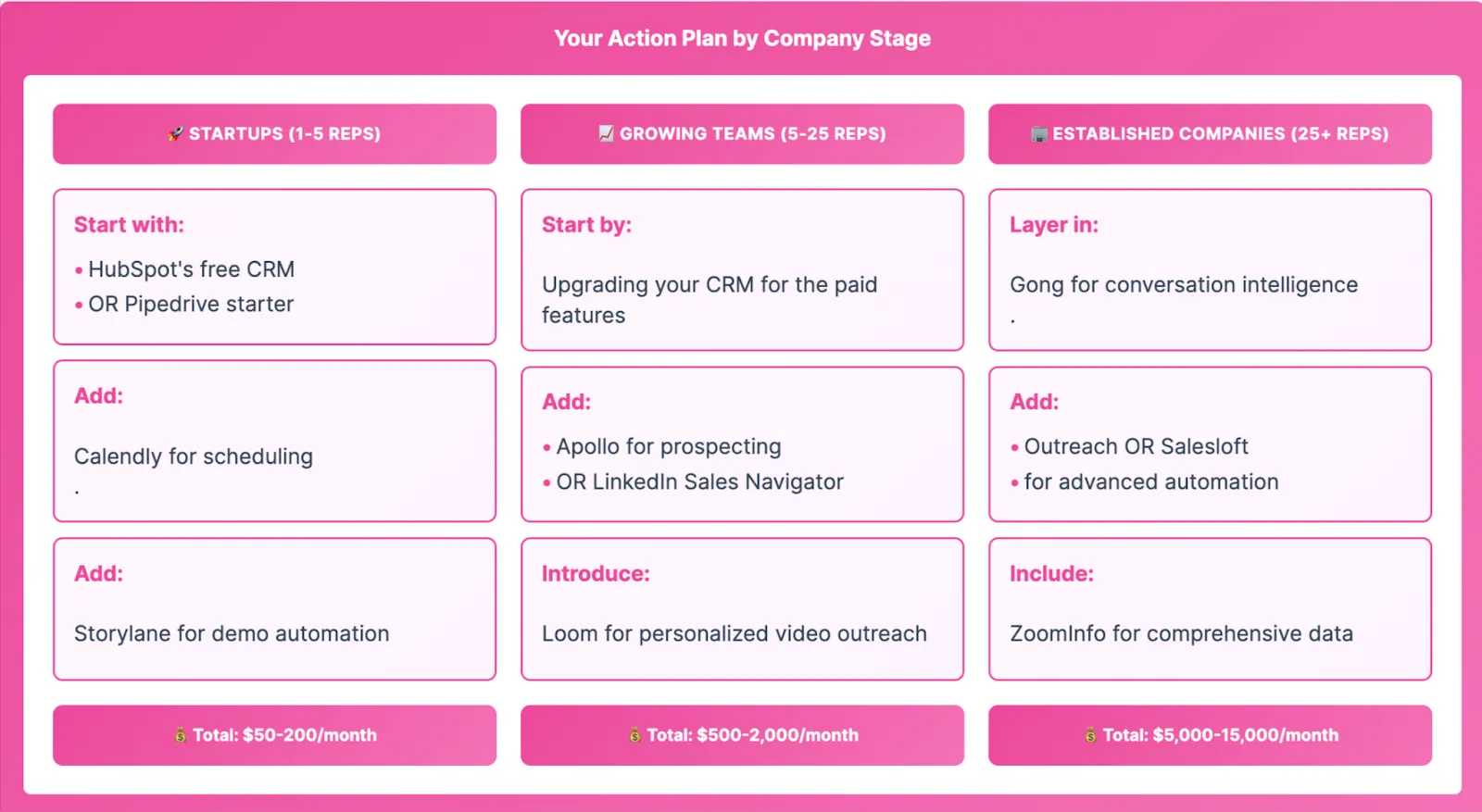
Choose tools based on your company stage:
Ending note:
Every sales management tool you add creates training overhead, integration complexity, and potential failure points. But it depends on the stage of the company to decide if those complexities are worth it or not.
If you're just starting out: Pick HubSpot's free CRM or Pipedrive, add Calendly and Storylane, and focus on building repeatable processes.
If you're scaling fast: Upgrade your CRM to a paid plan, add Apollo or LinkedIn Sales Navigator for prospecting. Also, double down on Storylane’s account reveal to uncover the buying intent signal of prospects.
If you're enterprise-ready: Layer in conversation intelligence like Gong, advanced automation with Outreach, and comprehensive data with ZoomInfo. At this point, upgrade to Storylane’s Buyer Hub to move deals faster.
Implement changes gradually—your team needs time to adopt each new tool effectively.
Frequently asked questions - Best sales management tools
Q. What's the difference between CRM and sales management software?
CRM software stores and organizes customer data and interactions. Sales management software is broader, including CRM plus prospecting, automation, analytics, and workflow tools. Think of CRM as the foundation, sales management as the complete toolkit.
Q. What sales tool should I buy first?
Your first sales tool should be a CRM—it's the system of record that everything else connects to. Buy prospecting tools second (to fill your pipeline), then engagement tools (to work those leads), and add demo automation like Storylane if you're running 20+ demos weekly.
Q. Can I implement CRM and sales engagement at the same time?
No—implement your CRM first, let it stabilize for 6-8 weeks, then add sales engagement tools. Running both simultaneously overwhelms your team with process changes and creates data chaos since engagement tools write back to your CRM (which needs clean foundations first).
Q. What do I need to have in place before buying sales management tools?
Define your sales stages, document your ICP, and organize your current prospect data before buying anything. For demo tools like Storylane specifically: map your existing demo flow, identify which sections you repeat constantly, and know which stakeholders need which product views (CFO sees ROI, IT sees security, users see workflows).
Q. How many demos per week before you need a demo tool?
You need a demo tool like Storylane at 5+ demos per week—that's when engineering time costs more than the software. At 20 demos × 1 hour each, you're burning 20 hours weekly on repetitive demo prep.
Q. How to pick between Apollo and ZoomInfo?
Pick Apollo if you want an all-in-one prospecting platform at mid-market pricing ($49-99/user/month). If budget isn't a blocker choose ZoomInfo for the deepest B2B contact database ($15K+ annually)—their data accuracy for director-level+ contacts is unmatched.
Q. Why use a demo tool instead of just screen sharing?
Screen sharing ends when the Zoom call ends—interactive demos from platforms like Storylane keep working after, letting your champion share the product with the CFO, IT, and end-users on their timeline.
Q. Can sales reps give demos without engineering support?
Yes with demo platforms like Storylane, no without them—interactive demo tools capture your product once, then AEs personalize and send demos independently. This solves the "hiring more sales engineers doesn't scale" problem mentioned in the article; engineering builds the demo library, sales runs with it.
Q. How do I know if anyone actually watched the demo I sent?
Demo platforms like Storylane provide viewer analytics that track which stakeholders watched, which sections they replayed, and how long they engaged.
Ready to see how interactive demos can transform your sales process? Storylane helps teams create interactive demos in minutes. Start your free trial and find out why it’s #1-ranked Demo Automation software!